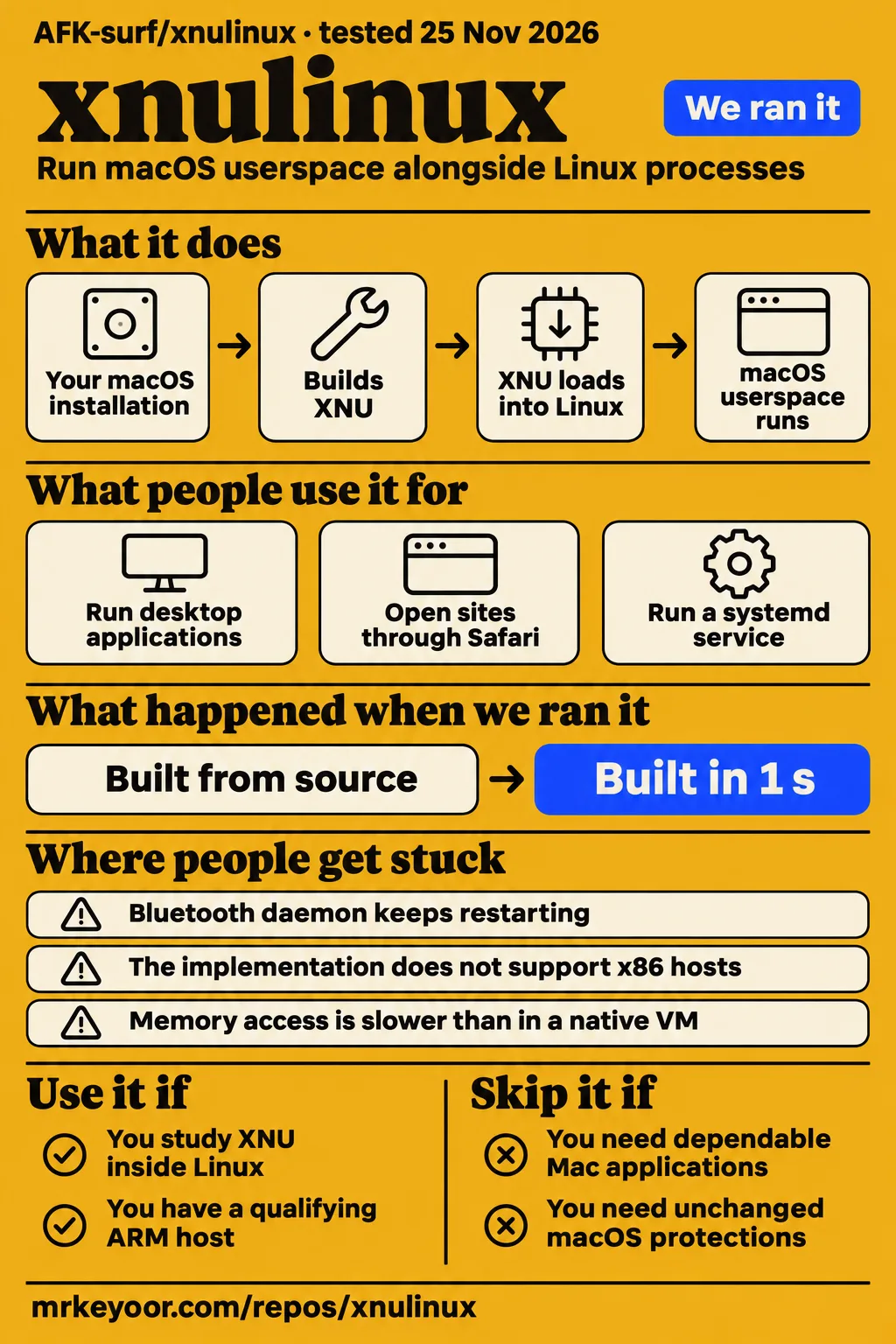
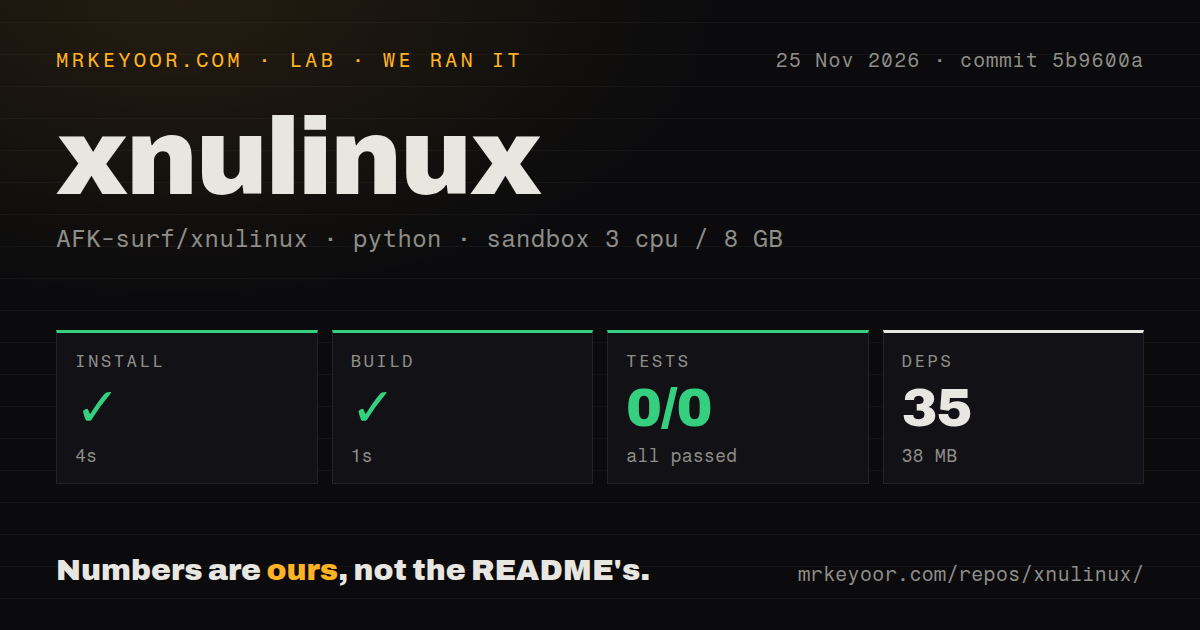
xnulinux is a kernel-hosting experiment for developers who want macOS userspace alongside Linux. Our sandbox installed in 4 seconds and completed its build step in 1 second, then pytest exited 5 with zero tests collected. The project author's desktop demonstrations make the architecture worth studying; the practical decision starts with its ARM requirements, disk preparation and changed macOS security protections. Choose it for kernel work with disposable data. Everyday application users should keep their existing Mac environment.
What people use xnulinux for
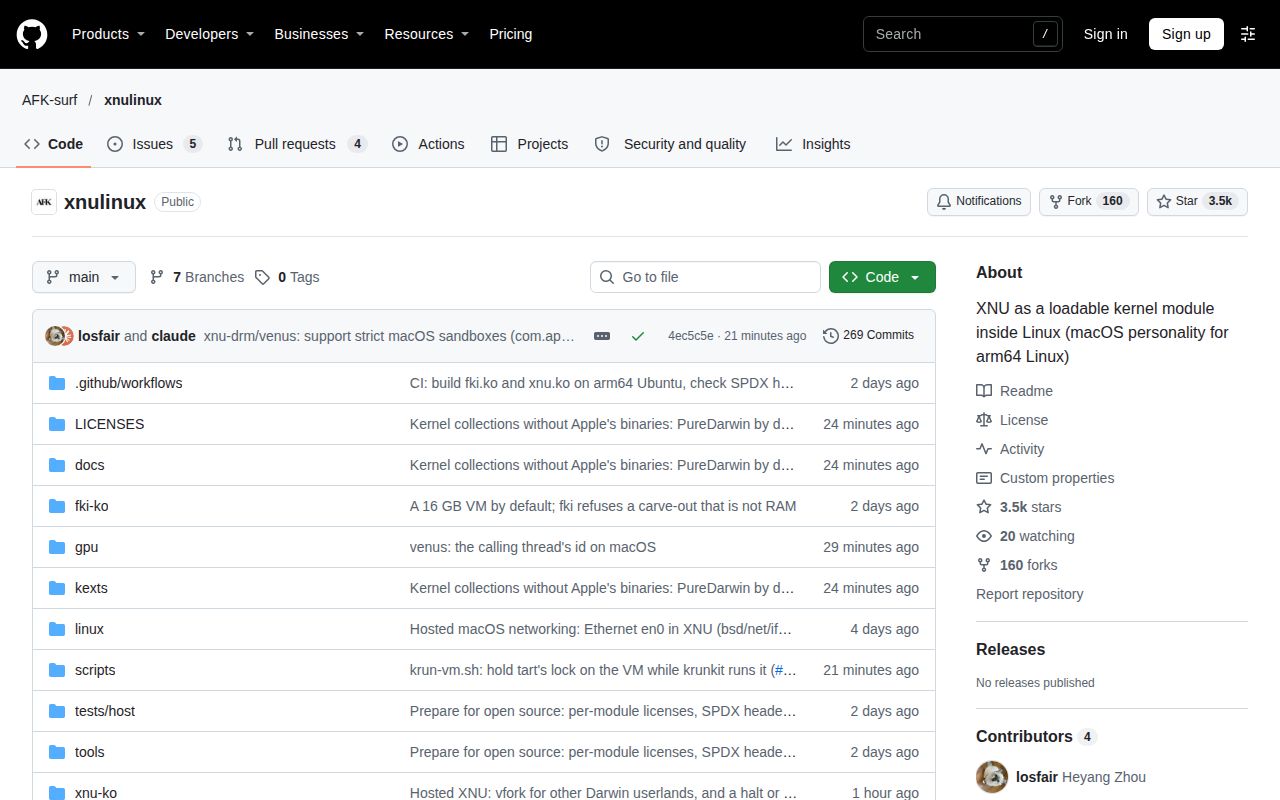
The project author reports macOS 27.2.1 reaching the desktop inside an Apple Silicon Linux VM and a separate desktop run on bare-metal NVIDIA DGX Spark. The xnulinux README describes loading Apple's XNU kernel into arm64 Linux. These demonstrations cover desktop applications, networking and service operation, giving developers several concrete ways to investigate the boundary between the hosted macOS system and its Linux host.
| Who used it | What they did | Reported outcome |
|---|---|---|
| Project author, Apple Silicon Mac | Started macOS inside an arm64 Linux VM | Reached the desktop with auto-login, including Dock and Finder |
| Project author, desktop stress run | Repeated Safari, Notes, Calculator, TextEdit, System Settings, Spotlight and disk operations | Completed 40 rounds over 30 minutes with no kernel panic or crash report |
| Project author, Safari | Opened Wikipedia, kernel.org and GitHub through the hosted network | Displayed those sites with the GPU bridge enabled |
| Project author, DGX Spark | Ran the hosted desktop directly on bare-metal Linux | Used Screen Sharing and SSH with four hosted CPUs, 8 GiB reserved for XNU and CPU rendering |
| Project author, service operation | Managed xnulinux through systemd | Reports startup at boot, clean shutdown with the VM, restart after a hosted-kernel panic and retained logs |
| Reporter in issue #22 | Ran xnulinux on an Ayn Thor | Says it runs and offers to write instructions |
XNU runs on Linux kernel threads pinned to particular CPUs, while the FKI interface module supplies access to Linux-managed resources. Linux lends XNU memory, timers, files, networking and GPU access. That arrangement makes the desktop demonstrations relevant to kernel developers: Finder and Safari exercise the interface through an actual macOS userspace, meaning the applications and system services above the kernel.
What happened when we ran it
Our November 25, 2026 run at commit 5b9600a installed in 4 seconds and built in 1 second; pytest failed with exit 5 after 2 seconds. Separately, our desktop attempt stopped at a failed Compose safety check. The two records describe different routes: configured sandbox commands completed before an empty test collection, while the desktop route stopped at its initial deployment requirement.
| Question | Answer | Verdict | Why |
|---|---|---|---|
| Did the desktop deployment proceed? | Compose safety step failed | Stopped before launch | None of the four accepted Compose filenames existed |
| Did installation complete? | Succeeded in 4 seconds; 35 dependencies recorded; 38 MB on disk | Passed the recorded install step | The harness recorded success |
| Did the build complete? | Succeeded in 1 second | Passed the recorded build step | The harness recorded success |
| Did tests pass? | Exit 5 after 2 seconds; 0 passed, 0 failed of 0 | Failed with empty collection | Pytest printed no tests ran in 0.03s |
| What did the repository scan find? | 150 files, approximately 13,397 source lines, 3.2 MB checked out | Source snapshot recorded | These are checkout measurements |
| What automation files were present? | One CI workflow, a tests directory, no Dockerfile | File presence recorded | The scan counted repository files |
| Did desktop-attempt cleanup complete? | teardown: ok | Cleanup succeeded | The teardown record reports success |
The desktop run header labels the attempt a Docker Compose deployment on November 25 with every port bound to 127.0.0.1. Its safety step gives the actual stopping point: unsafe repo: none of compose.yaml, compose.yml, docker-compose.yaml, docker-compose.yml exists. The word unsafe belongs to the lab's Compose requirement. The recorded failure concerns that deployment rule, rather than a diagnosis of xnulinux's kernel code.
We measured 35 recorded dependencies and 38 MB on disk during our sandbox installation. The same harness recorded 3 CPUs, 8 GB RAM and image label ghcr.io/astral-sh/uv:python3.12-bookworm, and classified the ecosystem as Python. The failing test log ends with no tests ran in 0.03s. A tests directory was present, but the executed pytest command collected zero tests and returned exit 5.
You need a prepared Mac disk and a qualifying ARM host
The README requires arm64 Linux with pointer authentication, 4K pages and at least 16 GB RAM, including 8 GB reserved for XNU. A Mac with Xcode and your own macOS 27 installation are also required. Pointer authentication is a processor feature used to check pointers. The hardware requirement therefore involves more than selecting any machine sold with an ARM processor.
The documented preparation sequence builds XNU, links a kernel collection, prepares the disk on the Mac and boots it on Linux. scripts/vm-xnu-build.sh builds xnu-12377.121.6 natively on arm64. scripts/vm-xnu-rebuild.sh applies patches and builds the kernel and extensions. Apple's kernel extensions, the macOS system disk and its trust cache come from the installation you bring; the repository distributes no Apple binaries.
The disk and boot scripts serve different machines. scripts/mk-macvm-disk.sh prepares the disk on the Mac, while scripts/xnulinux-boot.sh builds the Linux modules against the running host kernel and starts the hosted system. On bare-metal hosts, the README requires mem=, carve_base= and carve_mb= to fit the physical memory layout. Those parameters belong to the host configuration, rather than a universal command to copy between machines.
Where people get stuck: Bluetooth, x86 and setup instructions
Issue #16 reports bluetoothd exiting after 10.4 seconds and being restarted by launchd, with bt-transport-override=10 identified as a workaround. The reporter counted 60 runs in 10 minutes and roughly 1,500 log lines per run. Their description connects a noisy console to repeated transport selection, giving readers a specific daemon, timing and boot argument to compare with their own logs.
| Problem | What the discussion says | Status in the checked discussion |
|---|---|---|
| Bluetooth daemon keeps restarting | Issue #16 reports that bt-transport-override=10 stops the loop |
Open issue with a reported workaround |
| You have an Intel or AMD x86 machine | In #10, losfair says an x86_64 version is possible in principle but is not a top priority | Open port request |
| You want Ayn Thor instructions | The reporter in #22 offers a write-up and asks where to submit it | Open report with zero comments |
| You want Asahi on bare metal | Issue #19 asks about compatibility and GPU rendering | Open question with zero comments |
The Bluetooth report also records runs = 335 and last exit code = 1 after about an hour, plus two AppleVPKeyStore ... sel:7 unexpected session uid: -1 requested by: bluetoothd errors per run. Issue #16 ties those messages to the restarting service. Its troubleshooting value is the connection between the repeated messages and one daemon lifecycle, rather than treating each repeated keystore line as a separate incident.
macOS security protections are changed
The README describes patched AMFI, relaxed SIP and OS cryptex content merged into the system volume. It lists these macOS changes among the project's stopgaps. AMFI concerns Apple's code-integrity checks, SIP is System Integrity Protection, and a cryptex packages operating-system content. These are concrete preparation choices that affect whether this experiment fits the work and data you intend to put inside it.
Linux and macOS occupy different roles in that description. The project loads XNU into an unmodified Linux kernel, while preparing the hosted macOS disk with altered protections. The README's architecture and status sections describe both sides. For a kernel-development experiment, disposable data is the appropriate starting point: the attraction is access to the hosting mechanism, and the documented security changes are part of that mechanism's current setup.
GPU acceleration depends on the Linux bridge
The Apple Silicon Linux-VM configuration enables GPU=auto when a virtio-gpu render node is present; the DGX Spark configuration uses CPU rendering with GPU=off. The README documents both graphics paths. A render node is the Linux interface used to submit graphics work. This makes the implemented bridge and driver path the relevant setup detail, rather than the GPU model's performance specifications alone.
Metal calls pass through metal2vulkan, the DRM bridge and Mesa's Venus driver to the Linux render node. Metal and Vulkan are graphics APIs. Without a supported DRM bridge backend, the described fallback is Mesa lavapipe on the CPU. On DGX Spark, xnudrmd currently forwards virtio-gpu operations; hardware acceleration on its GB10 GPU requires another DRM bridge backend, which explains the documented CPU-rendering setting.
xnulinux vs Darling, conventional macOS virtualization and Snapintosh
Darling implements macOS interfaces on Linux, while xnulinux hosts XNU itself. Darling's README describes a Mach-O binary loader, a userspace kernel server and reimplementations of Apple frameworks. UTM takes the virtual-machine route and documents macOS guests through Virtualization.framework. Choose between these approaches by the host and application workflow you need, starting with their different execution models.
| Alternative | Why you would examine it | How the comparison applies to xnulinux |
|---|---|---|
| Conventional macOS virtualization | You want a separate macOS virtual machine | The author reports desktop startup of 31 to 48 seconds for xnulinux versus 49 seconds for an Apple Virtualization macOS VM on the same Mac |
| Darling | You want macOS interfaces implemented on Linux | Its README says many CLI tools are functional and GUI support is in active development |
| Snapintosh | You are following macOS experiments on Snapdragon laptops | TweakTown describes a GPU-accelerated Snapdragon laptop demonstration and contrasts xnulinux's hosting alongside Linux |
The xnulinux README reports slower memory access than a native VM and attributes it to 4K pages versus 16K. That result belongs beside the author's desktop-startup comparison, rather than being replaced by it. For readers considering a separate guest on a Mac, UTM's documented macOS-guest feature supplies a concrete alternative. Darling instead supplies a runtime whose README identifies working command-line tools and ongoing GUI development.
What the other reviews get wrong
Timesjet names macOS 15.2.1 where the xnulinux README demonstrates macOS 27.2.1, and TechMeasured gives about 24 GB where the README requires at least 16 GB. These are corrections to named articles against the project's documented requirements and configurations. Version, memory, graphics defaults and the placement of virtualization each affect what a reader would attempt to reproduce.
Kshitij Koranne also pointed out the Linux VM in the Apple Silicon test rig in a reply on X. That observation helps separate two boundaries: XNU runs without a hypervisor between itself and Linux, while Linux can itself run inside a Mac-hosted VM. The bare-metal DGX Spark demonstration uses a different outer arrangement, with the Linux host running directly on the machine.
Questions people ask
The README demonstrates Apple Silicon Macs running an arm64 Linux VM, while issue #19 asks specifically about bare-metal Asahi Linux and GPU rendering. The questions below distinguish that host choice from x86 porting, Bluetooth behavior, service operation and alternatives. They come from the project's issue discussions and questions raised around the published demonstrations.
Can xnulinux run on bare-metal Asahi Linux, and would GPU rendering work?
Issue #19 contains that exact compatibility request and has zero comments. The README's Apple Silicon route uses an arm64 Linux VM, with krunkit named for virtio-gpu Venus access. Its other demonstrated host is bare-metal DGX Spark. Those are the two configurations described in the project's status section; Asahi is the configuration requested in the issue.
Could xnulinux support x86 hardware, even with an older macOS version?
Losfair says x86_64 is possible in principle but is not a top priority in issue #10. The original question explicitly asks about using an older macOS version. The response invites investigation, while the README's requirements specify arm64 Linux with pointer authentication and 4K pages. An x86 reader is therefore looking at a porting discussion.
Why does bluetoothd keep restarting, and can a boot argument stop it?
The reporter in issue #16 identifies bt-transport-override=10 as stopping the restart loop. The report describes missing Bluetooth device-tree nodes and selection of an unavailable transport. Its measured symptoms include 10.4-second runs, exit status 1 and roughly 1,500 log lines per run, which provide specific details for comparing a similar console trace.
Where can someone submit instructions for running xnulinux on an Ayn Thor?
Issue #22 is where the reporter offers an Ayn Thor write-up and asks how to submit it. The checked thread has zero comments. Continuing that issue is our suggestion for preserving the existing context, rather than a maintainer-designated submission process. The report itself says the author got xnulinux running on the device.
Should xnulinux have a Discord server, or should support remain publicly searchable?
Issue #12 proposes Discord, and q5sys argues for publicly searchable information. The objection specifically covers discussions, support, workarounds and fixes becoming unsearchable. That makes the disagreement relevant to readers following kernel troubleshooting: the Bluetooth issue already contains a named boot argument and repeatable symptoms in a public thread.
What practical use case does xnulinux serve?
The author reports a macOS desktop, Safari networking and systemd-managed operation alongside Linux. For developers, these are concrete exercises of the kernel-hosting interface. The systemd description includes startup at boot, clean shutdown with the VM, restart after a hosted-kernel panic and retained per-run logs, making service lifecycle work another documented reason to investigate the project.
Do I need non-Apple ARM hardware to use xnulinux?
No. The README includes M1-or-later Apple Silicon Macs running an arm64 Linux VM. It also describes bare-metal NVIDIA DGX Spark. Both routes sit alongside the preparation requirement for a Mac with Xcode and your own macOS 27 installation, so the non-Apple host demonstration still involves Mac-side disk and GPU preparation work.
Could virtualization already let me run Mac applications while using Asahi Linux?
An AppleInsider forum commenter asks whether virtualization already serves that workflow. UTM's README documents macOS guests through Virtualization.framework among its macOS features. That gives Mac users a named virtualization option to examine. The forum question concerns applications while booted into Asahi, whereas UTM describes its feature under a macOS host.
Does the Apple Silicon demonstration run macOS inside Linux inside a Mac-hosted VM?
Yes. The README names an arm64 Linux VM on Apple Silicon as a demonstrated host. XNU then loads into that Linux kernel, and the hosted macOS processes run through XNU. Kshitij Koranne's X reply calls attention to this nesting. The absence of a hypervisor between the two kernels describes the inner boundary of that arrangement.
How does xnulinux perform against conventional macOS virtualization beyond startup time?
The README reports slower memory access than a native VM, citing 4K pages versus 16K. Its separate startup figures are 31 to 48 seconds for the hosted desktop and 49 seconds for an Apple Virtualization macOS VM on the same Mac. Those figures describe startup and memory behavior as separate results, rather than a single application-performance score.
How does Metal-to-Vulkan acceleration work, and why does DGX Spark use software rendering?
The README routes Metal through metal2vulkan and the Linux DRM bridge, whose current backend forwards virtio-gpu operations. DGX Spark's GB10 requires another backend for hardware acceleration. Its documented configuration therefore uses Mesa lavapipe and GPU=off, while the Apple Silicon Linux-VM route can use the virtio-gpu Venus path.
How does xnulinux differ from Snapintosh?
TweakTown contrasts Snapintosh's GPU-accelerated Snapdragon laptop demonstration with xnulinux's hosting alongside Linux. The named Snapintosh machine is an ASUS Zenbook A16 powered by Qualcomm's Snapdragon X2 Elite Extreme. For xnulinux, the relevant configurations are the Apple Silicon Linux VM and bare-metal DGX Spark, whose graphics path currently uses CPU rendering.
What we have not tested yet
Our measurements cover configured sandbox commands and a desktop attempt blocked by the Compose rule; we have not independently reproduced a macOS desktop. The full supported-host preparation, GPU bridge, Screen Sharing, application compatibility, crash recovery and sustained daily operation remain untested. The one-second build is the harness's recorded step, rather than a timing for the README's complete XNU and disk preparation process. The image label and Python classification supply no measured runtime version or kernel-code assessment.
Component licensing was not verified. The repository metadata reports NOASSERTION, and the README text reviewed here contains no component-license inventory supporting exact assignments to the Linux interface, XNU, drivers or GPU code. This review therefore makes no such assignments. The requirement to bring your own macOS installation is documented separately from the unresolved component-license inventory.
The author's 30-minute stress run does not establish long-term reliability or compatibility with an everyday application collection. The Ayn Thor issue supplies no setup procedure, and the Asahi issue supplies no resolved compatibility or GPU result. The Bluetooth workaround stops a reported daemon loop; working Bluetooth hardware support is a separate question. The current automatic GPU default also supplies no resolution for every historical hang mentioned by TechMeasured.
The four YouTube records contain no transcript text, and the Bilibili search returned unrelated videos. No task or result is attributed here to those video creators. OS X Daily says its author lacked a Linux machine to try the project. Rendered layout, image delivery, resolved links, related links and recommendation modules were outside this text-and-evidence review. The next useful hands-on result is a documented boot on a qualifying host followed by a named application and repeatable workload.