The repository needs an identity check before a phone
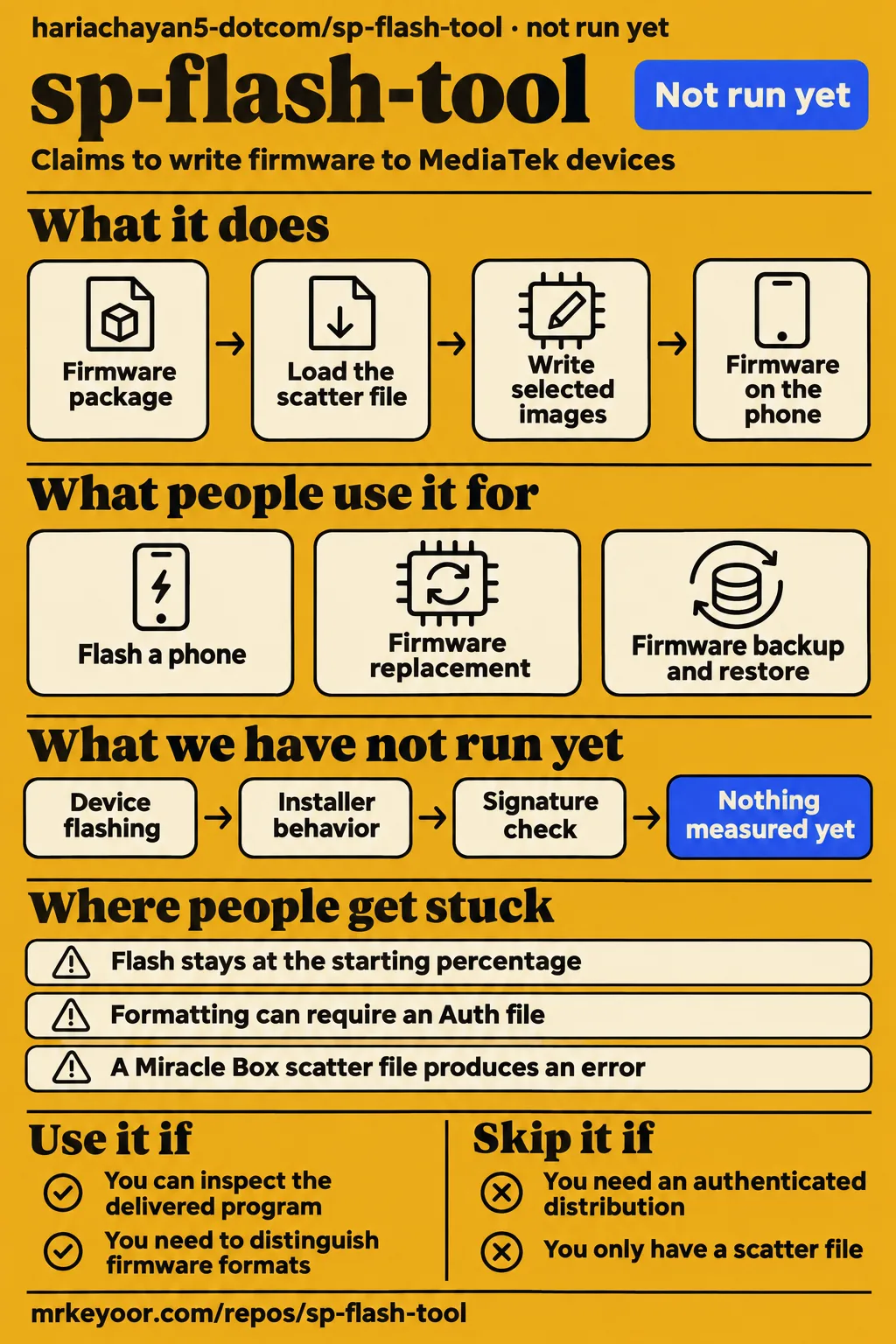
Our lab did not run hariachayan5-dotcom/sp-flash-tool: the recorded checkout was HTML, with no supported execution ecosystem and no Dockerfile. Use this repository's documentation to investigate its claimed CLI if you can inspect the delivered program before connecting hardware. Skip this repository if you need an authenticated distribution of the established SP Flash Tool utility for a repair today. Its README alone cannot supply that assurance.
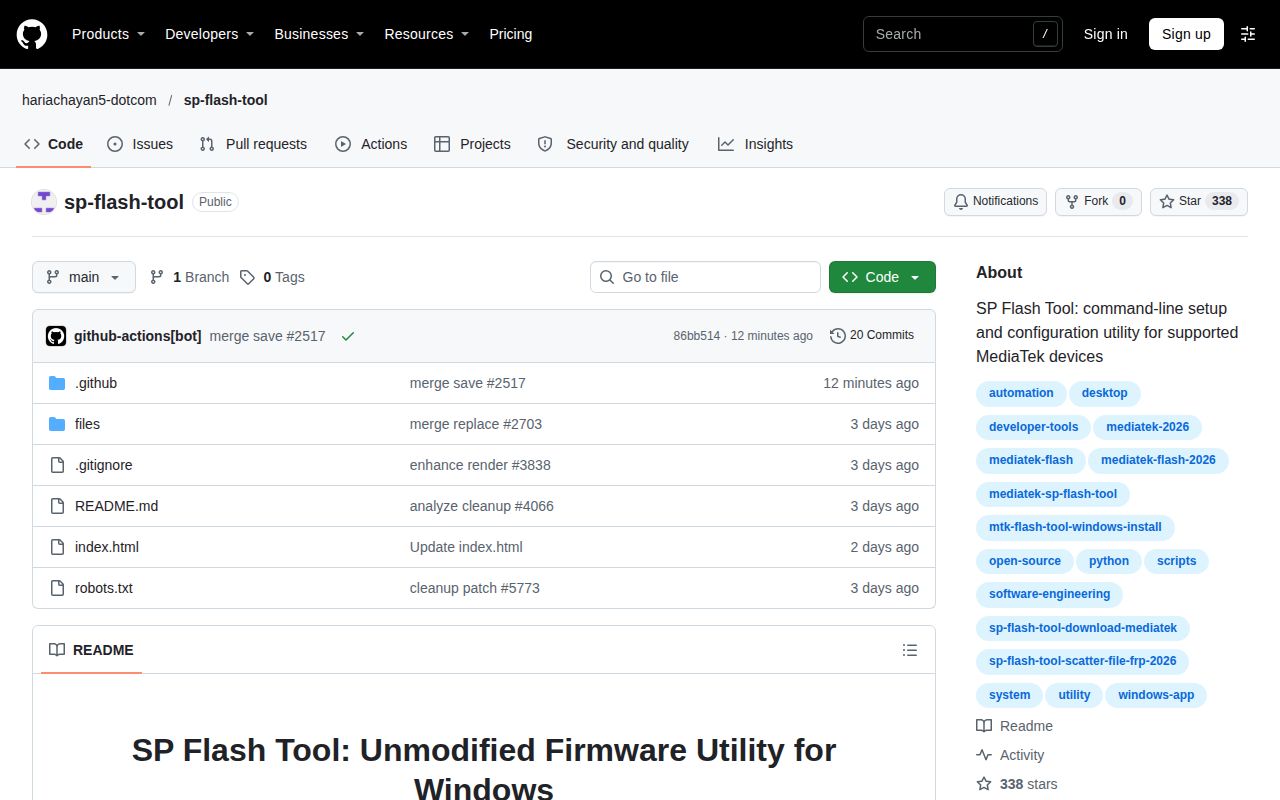
The distinction starts with what you're downloading. The repository README describes a Windows command-line flashing tool, links a PowerShell installer, and claims local processing, device enumeration and firmware writes. By contrast, Hovatek's established-utility tutorial describes a graphical application with Scatter-loading, Download and Format controls. A shared name doesn't connect those implementations. This review treats the GitHub project as its own entity and attributes the broader flashing advice to the people who published it.
What people use sp-flash-tool for
Phone recovery and firmware replacement are documented uses of the established utility, with very different levels of proof behind each report.
| Person or creator | What they did or presented | What the report supports |
|---|---|---|
| X user SometimesOlga | Reported successfully flashing their own phone in August 2016 | A personal success report; the post gives neither model nor firmware package. SometimesOlga reported a successful phone flash. |
| Hovatek tutorial presenter | Prepared a deliberately bricked Tecno M3 and a stock backup for a demonstration | The transcript shows preparation and driver instructions, but ends before the recovery result. Hovatek describes the Tecno M3 demonstration. |
| A Quora user quoted by MobiKin | Investigated stock Android 11 flashing on a Jelly2 from Linux | The user encountered Download XML instead of the expected scatter option; the quoted report contains no successful flash. MobiKin quotes the Jelly2 user's interface problem. |
| Bilibili creator 洛可KoCleo | Advertised a firmware backup and restoration tutorial | The listing establishes the tutorial's subject, without showing the restoration outcome. 洛可KoCleo lists a backup-and-recovery video. |
| Bilibili creator 小布修机频道 | Advertised authorized v6 flashing for Redmi K50 Pro recovery | The title describes remote authorization and recovery without disassembly; a title is no completion record. 小布修机频道 advertises authorized recovery. |
Hovatek's example is especially useful for a newcomer because the presenter explains what the files mean. The scatter file is a map of storage partitions, the separate areas that hold parts of a phone's software. It tells the tool where to write each image. The presenter explicitly calls the demonstration folder a collection of files to flash rather than a complete backup. That makes it a better explanation of preparation than proof that every piece of a phone can be restored.
What happened when we ran it
Our November 24, 2026 sandbox checkout at f66ac7d was NOT RUN because the lab supported no execution ecosystem for this HTML repository and found no Dockerfile.
| Recorded item | Result | What you can conclude |
|---|---|---|
| Checkout | f66ac7d, November 24, 2026 | Identifies the repository snapshot, not a utility release. |
| Sandbox configuration | 3 CPUs, 8 GB RAM, image n/a | Describes allocated resources, not application resource needs. |
| Execution decision | NOT RUN: unsupported ecosystem, language HTML; no Dockerfile | There is no installation, build or test result to recommend from. |
The separate hands-on log reached a safety step marked FAILED because no Compose file existed. Its message names compose.yaml, compose.yml, docker-compose.yaml and docker-compose.yml, then states that a compose file is required. That is the lab's execution rule. It isn't a requirement that every Windows flashing utility must meet.
A generic run entry describes deployment with Docker Compose, but conflicts with the failed safety step and the explicit NOT RUN result above. We give it no credit as a successful deployment. The teardown entry says “teardown: ok”; cleanup success says nothing about device flashing. The recorded configuration also contains no actual toolchain versions. These observations explain why setup is unassessed rather than proving that the flashing product is broken.
Where people get stuck: a file map isn't firmware
Hovatek warns that a scatter file for the same chipset can still contain the wrong partition information for your device. A MediaTek label is only the beginning of compatibility: the firmware package must fit the exact device variant.
| Symptom or mistake | What the named guide recommends | Status of that advice |
|---|---|---|
| Flash stays at the starting percentage | Hovatek's presenter attributes the symptom to missing VCOM drivers, the USB drivers used for device communication. | A tutorial explanation, not a diagnosis of your machine. |
| Only Download XML appears | TeamAndroid maps flash.xml packages to v6 and Android_scatter.txt packages to v5. | A branch-selection guide; the Jelly2 report itself stays unresolved. |
| You have a scatter file but no images | Hovatek says the map is only one part of the firmware package and warns against formatting with it alone. | A preparation error to correct before writing. |
| Formatting leads to an Auth-file request | Hovatek says formatting Secure Boot devices can trigger this and require signed firmware. | Avoid unnecessary formatting; no universal recovery method follows. |
| A Miracle Box scatter file produces an error | Hovatek recommends flashing those files with Miracle Box. | A tool-specific workaround, not proof that all scatter files interchange. |
The file and formatting warnings come from Hovatek's flashing tutorial; the format-to-branch mapping comes from TeamAndroid's v5/v6 guide.
If you're staring at the wrong file picker, repeatedly reconnecting the phone won't resolve a firmware-format mismatch. MobiKin's quoted Jelly2 user expected scatter loading and saw Download XML. TeamAndroid supplies a useful next question: what configuration file does the firmware folder actually contain? That question narrows the investigation without pretending to have solved the original user's problem.
Formatting can create an authentication problem
Hovatek explicitly advises avoiding formatting on Secure Boot devices because the next attempt can require an Auth file and signed firmware. Secure Boot is the device's check that software is authorized to run; changing storage contents doesn't remove that requirement.
MobiKin's custom-ROM instructions include a formatting step. Hovatek instead labels formatting optional and advises avoiding it where possible. For a reader trying to recover a phone, the conservative choice is to stop before a destructive step whose necessity hasn't been explained for that model. Hovatek calls Download Only the safest flash option in its workflow, while TeamAndroid describes additional authentication restrictions on newer devices.
The Redmi K50 Pro Bilibili listing is relevant here because its creator advertises authorized service. It suggests why a generic “unbrick any MediaTek phone” recommendation is too broad. A tutorial title offering remote authorization doesn't give you the required credentials or establish that your device has the same security state.
The README's CLI promises need implementation evidence
The repository README claims a read-only default and opt-in writing, but its documented interface has gaps you would need resolved before scripting a repair.
For example, the usage text discusses plan files and the Recipes section names -verify-only, -firmware, -simulate and -confirm. Those options lack entries in the Flags reference. The Features section calls the tool a single binary, while the prominent installation link advertises PowerShell. The requirements name Windows, yet the feature list mentions cross-platform builds. These are statements in this project's own README, not behavior observed on a device.
An operator needs a specific artifact and its matching instructions. Before using a claimed dry run as protection, you need to know which binary implements it and whether the output matches the partitions you intend to touch. A README sentence promising identical dry-run output isn't a substitute for that check. The same applies to its claim of no network calls during execution: that wording concerns execution, while downloading the installer is a separate action.
sp-flash-tool vs SamFirm, SP MDT Tool and recovery tools
SamFirm solves firmware acquisition for Samsung devices, whereas the established SP Flash Tool workflow writes firmware to compatible MediaTek hardware, according to the SamFirm comparison page.
| Alternative | Why you might choose it | Boundary that matters |
|---|---|---|
| SamFirm | You need to find and download a Samsung firmware package. | Firmware retrieval is a different stage from MediaTek partition writing. SamFirm's comparison explains the distinction. |
| SP MDT Tool | Your repair workflow needs multiport or mass flashing. | MTK Tool describes SP Flash Tool as operating on one device at a time and recommends SP MDT for that use. MTK Tool distinguishes single-device and mass flashing. |
| Miracle Box | Your scatter file came from Miracle Box. | Hovatek warns that those files may error in SP Flash Tool and recommends using their originating tool. Hovatek describes the file-compatibility problem. |
| TWRP or another suitable recovery | Your custom ROM is packaged as a recovery-flashable ZIP. | Hovatek excludes those ZIPs from its scatter workflow; the package needs the appropriate recovery route. Hovatek distinguishes recovery ZIPs from scatter firmware. |
MobiKin promotes Android Repair as a more dependable replacement while describing a mainly Samsung-focused repair product. That page offers no matched-device comparison showing it recovering the same MediaTek failure more reliably. Treat its recommendation as a product promotion, rather than a measured winner. The comparison you need starts with your device and firmware format, not a generic list of Android repair applications.
What the other reviews get wrong
FindMySoft's broad custom-ROM description needs a package-format restriction: Hovatek's documented scatter workflow excludes recovery-flashable ZIPs and OTA update ZIPs.
FindMySoft says SP Flash Tool can flash stock or custom ROMs, without making that distinction in its review. Hovatek's explicit exclusion of OTA and flashable custom-ROM ZIPs gives you a more useful buying decision. “Custom ROM” names an intended result; it doesn't tell you whether the downloaded archive fits this tool.
Other instructions also age or lose context. The spflashtool.com download page calls v5.1924 the latest version, but TeamAndroid's May 2026 listing includes Windows v5.2404 and v6.2404. That corrects the older label without claiming to identify today's newest release. Its scatter-led instructions also need a branch qualification because TeamAndroid describes XML-based v6 packages.
GeeksforGeeks lists an internet connection as a flashing requirement. Hovatek explicitly says its flashing workflow needs no internet connection. Downloading the tool and firmware beforehand is a separate task. Finally, MobiKin's “generally safe” language should never become approval of this particular repository's installer: the review discusses the established utility, not hariachayan5-dotcom's distribution.
Questions people ask
SP Flash Tool writes firmware to compatible MediaTek devices; the established utility's documented scope doesn't authenticate this similarly named GitHub repository.
What is SP Flash Tool?
It is a firmware flashing utility for compatible MediaTek hardware. Hovatek documents loading a scatter map and writing selected firmware images; TeamAndroid also describes XML-based packages. Hovatek explains the scatter workflow, and TeamAndroid separates v5 from v6.
Is SP Flash Tool free and safe to use?
MTK Tool describes its Linux release as free to download and use. Free access doesn't establish download integrity or protection from a wrong firmware write. Its own safety answer conditions use on the correct firmware, USB setup and an uninterrupted connection. MTK Tool gives those conditions.
Does SP Flash Tool work on non-MediaTek phones?
No: Hovatek limits its workflow to MediaTek devices. A familiar phone brand or a matching chipset family is insufficient evidence that a particular firmware package matches your model. Hovatek states the chipset limit and warns against random scatter files.
How do I flash stock firmware with SP Flash Tool?
In Hovatek's scatter workflow, you load the exact device firmware's scatter file, select the images, choose Download and connect the powered-off phone. Formatting is optional in that guide, with an explicit warning to avoid it when unsure. These are Hovatek's documented steps, rather than instructions tested against this repository's CLI.
Should I use SP Flash Tool v5 or v6?
Choose around the firmware package: TeamAndroid maps Android_scatter.txt to v5 and flash.xml to v6. A larger version number alone doesn't make a build appropriate for the package you have. TeamAndroid names the configuration files for each branch.
Why does my tool show Download XML instead of scatter loading?
TeamAndroid describes Download XML as the v6 interface for flash.xml packages. MobiKin quotes a Linux Jelly2 user reporting that interface while calling their tool v5; the quote gives no final diagnosis. The Jelly2 report and TeamAndroid's branch mapping support checking the actual build and package together.
Can I use SP Flash Tool on Linux?
Linux downloads exist in both branches in TeamAndroid's listing, and MTK Tool documents a Linux release. That doesn't extend this repository's Windows requirements to Linux. TeamAndroid lists Linux packages; this project's README specifies Windows.
Does SP Flash Tool work on Windows 11?
The repository README lists Windows 11 as a requirement, and the separate SP-Flash-Tool-Desktop-App page lists Windows 11 for the established utility. Those are documentation claims. The repository's Windows requirements and the separate desktop description concern different distributions.
Is there a Mac version of SP Flash Tool?
TeamAndroid's reviewed download table lists Windows and Linux packages. Its contents include a Mac question, but the retrieved article ends before that answer. The Windows and Linux listing supplies no Mac download recommendation.
Why is SP Flash Tool not detecting my device or starting the flash?
Hovatek's presenter points to missing VCOM drivers when flashing never starts. TeamAndroid also describes authentication restrictions that can stop writing on newer devices. Hovatek's driver explanation and TeamAndroid's authentication warning describe different problems; neither diagnoses every stalled attempt.
What should I do if a flash fails partway through?
The separate desktop guide recommends checking the exact firmware match and USB connection before retrying. Hovatek also warns against disconnecting during a detected session. Start by retaining the error and identifying the failure stage; don't turn a generic retry suggestion into a reason to format. The desktop guide's retry advice and Hovatek's interruption warning supply that context.
How do I resolve the verified boot is enabled error?
Hovatek's X post links a tutorial about that exact error, but the post contains neither the remedy nor an outcome. The Hovatek post names the verified-boot error; it cannot support a repair procedure on its own.
What we have not tested yet
Device flashing, installer behavior and the repository's relationship to the established utility remain untested in our lab. We have no phone-specific recovery result, complete backup-and-restore round trip, authenticated binary provenance, signature check or malware analysis for this repository. The lab configuration supplies no actual operating-system or runtime versions.
The README asserts MIT licensing for repository source, while a separate GitHub desktop description calls the established utility proprietary. We have not established a licensing relationship between them. Nor have we tested the README's claimed CLI flags, read-only default, device selection, network behavior or error handling. Those promises need inspection of the delivered program and a controlled hardware evaluation.
The community reports also stop short of a reproducible compatibility matrix: SometimesOlga's phone is unspecified, Hovatek's transcript ends during preparation, and the Bilibili entries are listings without recovery transcripts. No matched workload comparison proves the alternatives faster or more successful. The Scribd manual failed to load, so it contributes no usable manual instructions. Before trusting this repository with a phone, obtain a traceable artifact and instructions for the exact model, firmware package and security state.