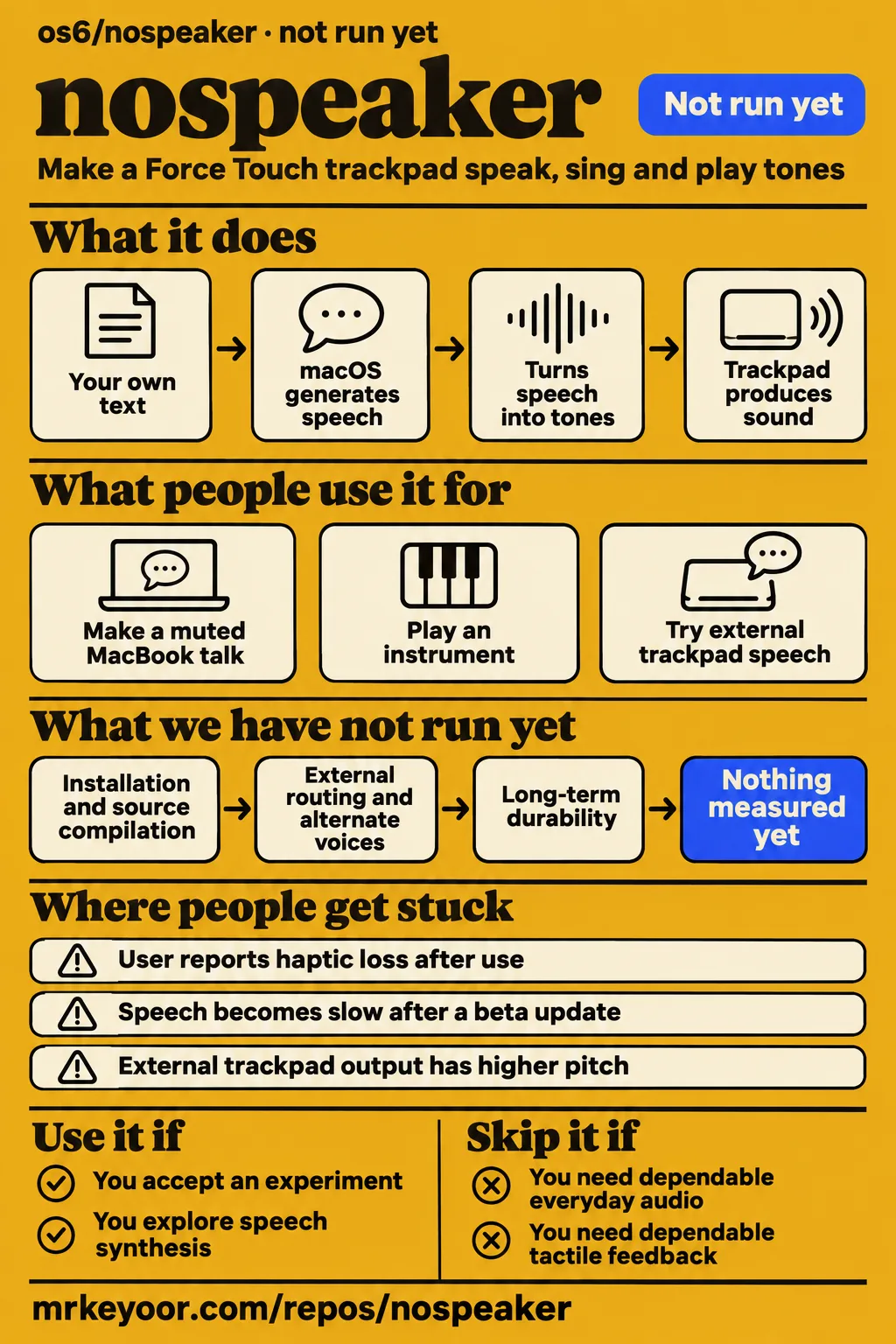

Nospeaker makes a Force Touch trackpad talk, sing and rap by vibrating its glass, according to Cody Collier's project description. Use it if you want to explore that hardware trick and can accept an experiment. Skip it if you need dependable everyday audio or can't accept an unresolved report of lost haptic feedback on your working laptop. Our sandbox assessment stopped before execution because Swift was outside its supported ecosystems and the repository had no Dockerfile.
What you can do with nospeaker
You can feed nospeaker your own text, select a macOS voice, play a tone sweep or follow its interactive show, as the README's command examples explain. The attraction is hearing a surface normally used for clicks produce recognizable speech while your Mac's speakers are muted.
The mechanism starts with macOS generating speech internally. Nospeaker analyzes that speech for formants, the resonances that help distinguish vowel sounds, then turns them into motor-driven tones. The author describes extracting two resonances every 10 milliseconds, along with pitch and loudness. Short bursts of higher tones stand in for hiss sounds such as s and f. You are hearing a reconstruction of the voice through a different physical surface.
That explains both its appeal and its sound. The README calls the result robotic and easier to understand when you read along. Its displayed words are part of the experience. If your goal is learning how hardware can be repurposed, that visible relationship between text, speech analysis and vibration is useful in itself.
What people use nospeaker for
Cody Collier describes a show that talks, sings, raps and becomes an instrument under your finger; other users have tried it on Intel Macs, newer MacBooks and external trackpads. These are distinct reports, rather than a compatibility certification covering every model.
| Who used it | What they tried | What happened |
|---|---|---|
| Cody Collier, project author | A muted MacBook demonstration | The README describes speech, singing, rapping and an interactive instrument. |
| Notebookcheck | A brief test on an M5 MacBook Pro | The publication found it loud enough to function as a makeshift speaker. |
| Reporter of GitHub issue #4 | A 2020 Intel MacBook Pro | The reporter said it worked perfectly and was quite loud. |
| Behoston on GitHub | A 15-inch M5 MacBook Air on macOS 27.2.1 | Behoston reported decent sound and linked a video. |
| Gavinin on GitHub | A proposed external Magic Trackpad implementation | Gavinin tested the change and reported a higher pitch. |
The Intel report is especially useful if launch coverage led you to assume the project was confined to the author's machine. The external-trackpad report answers a different question: routing sound to another device can work while the resulting voice sounds different. Gavinin's next contribution concerned pitch, so device selection and voice quality deserve separate decisions.
What happened when we ran it
Our November 25, 2026 assessment at commit 390da3e recorded NOT RUN: Swift was outside the sandbox's supported ecosystems, and the repository had no Dockerfile. We did not run nospeaker. The recorded sandbox configuration was 3 CPUs and 8 GB of RAM, with the image marked n/a. Those are harness details, not Mac requirements or a listening test.
| Check | Recorded outcome | What you can conclude |
|---|---|---|
| Repository execution | NOT RUN, unsupported ecosystem: Swift; no Dockerfile | There is no installation, build or test result from our sandbox. |
| Sandbox configuration | 3 CPUs, 8 GB RAM; image n/a | This describes the configured sandbox only. |
| Runtime and operating system | Actual versions require the raw toolchain logs | No Swift or macOS version can be inferred from an image label. |
A separate lab attempt stopped at its safety step because no Compose file existed. Its error lists compose.yaml, compose.yml, docker-compose.yaml and docker-compose.yml as missing. That was the harness's container-entry rule, rather than a nospeaker playback error. The subsequent teardown reported ok.
The attempt's generic summary describes a Docker Compose deployment, contradicting the failed safety step. We reject that deployment description as proof of execution. The explicit NOT RUN result governs this review: the listening observations below belong to their named reporters, and the setup score stays unassessed.
Where people get stuck: routing, pitch and older systems
Version 1.1 addresses external-device selection and Intel Monterey support, but the issue threads describe separate problems that need separate answers. Use the release note for shipped features and the individual reports for the remaining symptoms.
| Problem and reporter | What the record says | Resolution or useful next step |
|---|---|---|
| Built-in trackpad chosen instead of an external one, issue #3 author | The show kept choosing the laptop's trackpad. | Version 1.1 adds --external, although the issue snapshot is open. |
| Higher external-trackpad pitch, Gavinin in issue #3 | Gavinin tested external routing and then proposed a pitch parameter in PR #16. | The discussion records a proposal, without a release confirmation for that adjustment. |
| Crash on a 2015 13-inch MacBook Pro, issue #10 author | dyld reports a missing Foundation CharacterSet.whitespaces symbol, then the shell reports an abort. | The issue is closed without comments or an identified fix. |
| Slow speech after a developer beta update, issue #20 author | Speech becomes unintelligible and the rap cuts off on a late-2021 16-inch MacBook Pro. | The report is open and gives no recovery procedure. |
| Missing physical haptic feedback, issue #15 author | Pointer movement and click detection continue, but the physical click disappears. | The report is open and records persistence through restart and sleep/wake. |
For the older Mac crash, the useful detail is the missing symbol: _$s10Foundation12CharacterSetV11whitespacesACvgZ. It identifies what the loader could not find. It doesn't tell you that every 2015 MacBook fails, and issue #10 contains no comment connecting that particular failure to the Monterey change. Treat v1.1's compatibility announcement and this crash as different records.
The beta report also deserves precise wording. The author of issue #20 names macOS 27.3 developer beta 26C5047e, says speech sounded fine before the update and describes it becoming slow afterward. That's a reported regression with a useful before-and-after observation. The thread offers no diagnosis proving which system change caused it.
A strength cap doesn't settle the haptic-feedback report
The author of issue #15 reports losing physical haptic feedback after using nospeaker on an M1 MacBook Air; the README's motor-strength cap doesn't resolve that report. If this is the laptop you depend on for work, that uncertainty is enough reason to watch the demonstration instead of running it.
The reporter's account includes an actuator-driver error: returned 0xE00002BC for reportID 0x53. Later, the account says the driver accepted requests without errors, yet no physical click could be felt. That distinction matters because the report isn't simply saying the pointer stopped responding. It describes working input detection alongside missing tactile output.
The reporter introduces the detailed write-up as AI-assisted, which is another reason to preserve attribution rather than turn its interpretation into a diagnosis. The README says nospeaker never exceeds normal maximum motor strength. That is a design claim about amplitude, not a durability study. The report warrants caution without supporting a headline that nospeaker permanently damages trackpads.
Read the installer before letting it start the show
The README's one-line installer downloads the latest release and immediately starts the demonstration, so reading the script is a decision you make before running it. The project identifies that script as play.sh and also offers a release ZIP.
If you prefer to separate obtaining the program from executing it, follow the release route: download nospeaker.zip, unpack it and launch ./nospeaker in Terminal when you're ready. The v1.1 release describes its binary as Developer ID signed and Apple notarized. Those distribution properties don't answer the hardware-durability question above.
Building from source follows the README's clone, ./build.sh, then ./nospeaker sequence and requires Xcode or Apple's Command Line Tools. The current README distinguishes the Intel source-build requirement when using only Command Line Tools: that route needs macOS 13 or later. Don't conflate that toolchain-specific note with v1.1's released Intel binary support on Monterey. The documented path is native Mac execution, and adding a container to satisfy our harness would not reproduce hearing a physical trackpad.
Nospeaker vs the C port, public haptics and regular speakers
Torrekie's C port is the relevant alternative for older-system experimentation; regular speakers remain the sensible choice for ordinary audio. The other comparisons explain engineering tradeoffs rather than identify a winner in a listening contest.
| Choice | Why consider it | What separates it from nospeaker |
|---|---|---|
| Torrekie/nospeaker C port | You want to investigate older macOS targets without a Swift runtime dependency. | The contributor compared speech analysis with Swift on macOS 13.7.8 and requested older-hardware playback testing. |
| Apple's public haptics API | You are writing ordinary trackpad feedback. | The nospeaker README says the public interface exposes three fixed taps, while its custom tones use private MultitouchSupport functions. |
| Three-formant synthesis | You are investigating a different speech reconstruction. | The author says two resonances sounded clearer and louder in a blind comparison, which is the stated reason for the current design. |
| Regular MacBook speakers | You want music, video sound or routine listening. | Sportskeeda describes nospeaker as robotic speech and experimental tones rather than ordinary music or video playback. |
The C-port proposal in issue #5 targets macOS 11 on Apple Silicon and OS X 10.10.3 on Intel. A deployment target describes what a binary is built to support; it doesn't by itself demonstrate a motor producing sound on that machine. The contributor makes that distinction explicitly. Choose the port because you want to investigate that gap, rather than because you want a guaranteed older-Mac fix.
What the other reviews get wrong
Several launch articles describe older compatibility limits, while PC Central understates the demonstration and Digital Trends draws a stronger safety conclusion than its cited motor cap supports.
- Sportskeeda and Yahoo's syndicated coverage say Intel requires macOS 13. The v1.1 release adds Intel support on macOS 12 Monterey. Keep the source-build toolchain qualification separate.
- MakeUseOf says Intel Macs and Magic Trackpads haven't been tested. The 2020 Intel MacBook Pro report and Gavinin's external-trackpad test make that blanket statement stale.
- PC Central calls it text-to-speech only and rules out entertainment. The README explicitly describes singing, rapping and an instrument. That corrects the entertainment claim without claiming it plays your music library.
- Digital Trends reasons from normal motor strength to an expectation of no hardware damage. The strength limit and issue #15's persistent haptic-loss report need to be considered together, without treating either as a controlled durability finding.
- Wisevoter describes update breakage as a future risk. The developer-beta report already describes degraded speech and truncated rapping after an update, though its cause is unresolved.
Questions people ask
Nospeaker makes sound by driving a Force Touch trackpad's motor fast enough to vibrate its glass audibly, as the README explains. The system speakers can stay muted.
How does nospeaker make a MacBook trackpad produce sound without a speaker?
The motor moves the glass rapidly enough to generate sound. The author describes driving it up to 4,000 times a second. Nospeaker uses the private MultitouchSupport framework to describe and play vibrations containing tones of different frequencies and strengths.
What macOS version and trackpad hardware do I need to run nospeaker?
Version 1.1 adds macOS 12 Monterey support on Intel and an external Magic Trackpad option, according to the release notes. The README requires Force Touch hardware, meaning a compatible built-in trackpad or Magic Trackpad 2 or newer, with macOS 12 or later on Apple Silicon.
How does nospeaker convert speech into haptic motor vibrations?
macOS generates the voice internally, then nospeaker extracts two resonances, pitch and loudness from successive speech slices. The README describes motor tones restarting on each pitch beat and higher-tone bursts for hiss sounds. This produces the buzzy voice rather than reproducing the original audio waveform directly.
How do I install and run nospeaker?
Download nospeaker.zip from the release page, unpack it and run ./nospeaker in Terminal, following the v1.1 instructions. The README also documents an installer script and a source-build route. It recommends placing the Mac on a table and keeping your hands off the glass until prompted.
Can I choose an external Magic Trackpad instead of the built-in trackpad?
Yes: run ./nospeaker --external. The v1.1 release says this selects a connected Magic Trackpad 2 or newer. This addresses the routing request even though the issue snapshot still labels that discussion open.
Does the voice sound clear on a Magic Trackpad?
Gavinin reports higher pitch from the external Magic Trackpad and proposed an adjustment in PR #16. The issue #3 discussion includes that observation and proposal, rather than an intelligibility score. Device selection alone doesn't guarantee that you will find its voice easy to follow.
Why does nospeaker crash on a 2015 13-inch MacBook Pro?
The author of issue #10 shows a missing Foundation symbol followed by a process abort. The closed thread has no comments explaining the underlying cause or identifying a fix. That log supports describing the loader failure, without guessing which operating-system change would resolve it.
Can nospeaker support macOS 11 and earlier through a C port?
A contributor proposes a single-file C port with older deployment targets and no Swift runtime dependency. In issue #5, the contributor reports comparing speech analysis on macOS 13.7.8, while explicitly asking for playback testing on Big Sur and older Intel hardware.
Can nospeaker run on an Intel MacBook using Linux?
The Linux-port contributor reports being blocked by the missing MultitouchSupport framework on Fedora. In issue #6, they ask for help tracing the macOS framework's behavior. The thread describes work toward a port, rather than demonstrated Linux playback.
Could nospeaker become a mobile app that communicates sound through vibration for deaf people?
A GitHub user requests that application in issue #7. The thread records an idea, with no implementation or user study. It doesn't support presenting nospeaker as a mobile accessibility tool or making claims about its benefit to deaf users.
Why did nospeaker become slow and unintelligible after a macOS developer beta update?
Issue #20 reports the change after macOS 27.3 developer beta 26C5047e, along with the rap section cutting off. The reporter identifies a late-2021 16-inch MacBook Pro, but supplies no confirmed explanation or workaround.
What can I do if haptic feedback stops working after running nospeaker?
Issue #15 records that restarting and sleep/wake failed to restore the reporter's physical click feedback. The thread gives no successful recovery procedure. Don't read its open status as a fix, or infer that those steps will recover another machine.
What we have not tested yet
Our sandbox produced no playback, installation, build or test result for nospeaker, so setup ease remains unassessed. We have not tested either released binary, the installer, source compilation, external routing, alternate voices, Linux playback or the C port on target hardware. The repository assessment cannot establish runtime versions, setup time, memory use while playing, or performance on a Mac.
The Notebookcheck article describes a brief listening test, not a controlled comparison of speech intelligibility. We have no transcript-scored listening result, matched recordings across trackpads or measured effect of reading the text. The author's two-versus-three-resonance preference and acoustic measurements remain the author's observations. Empty video extracts don't establish additional demonstrations we can describe.
Long-term durability, permanent damage and independent causation of the haptic-loss report are not established. Neither the amplitude cap in the README nor issue #15 settles those questions. The beta regression's mechanism, the 2015 loader failure's remedy and release status of the pitch adjustment also need stronger evidence. If you need that assurance before using your main Mac, watch the author's demonstration and leave the executable alone.