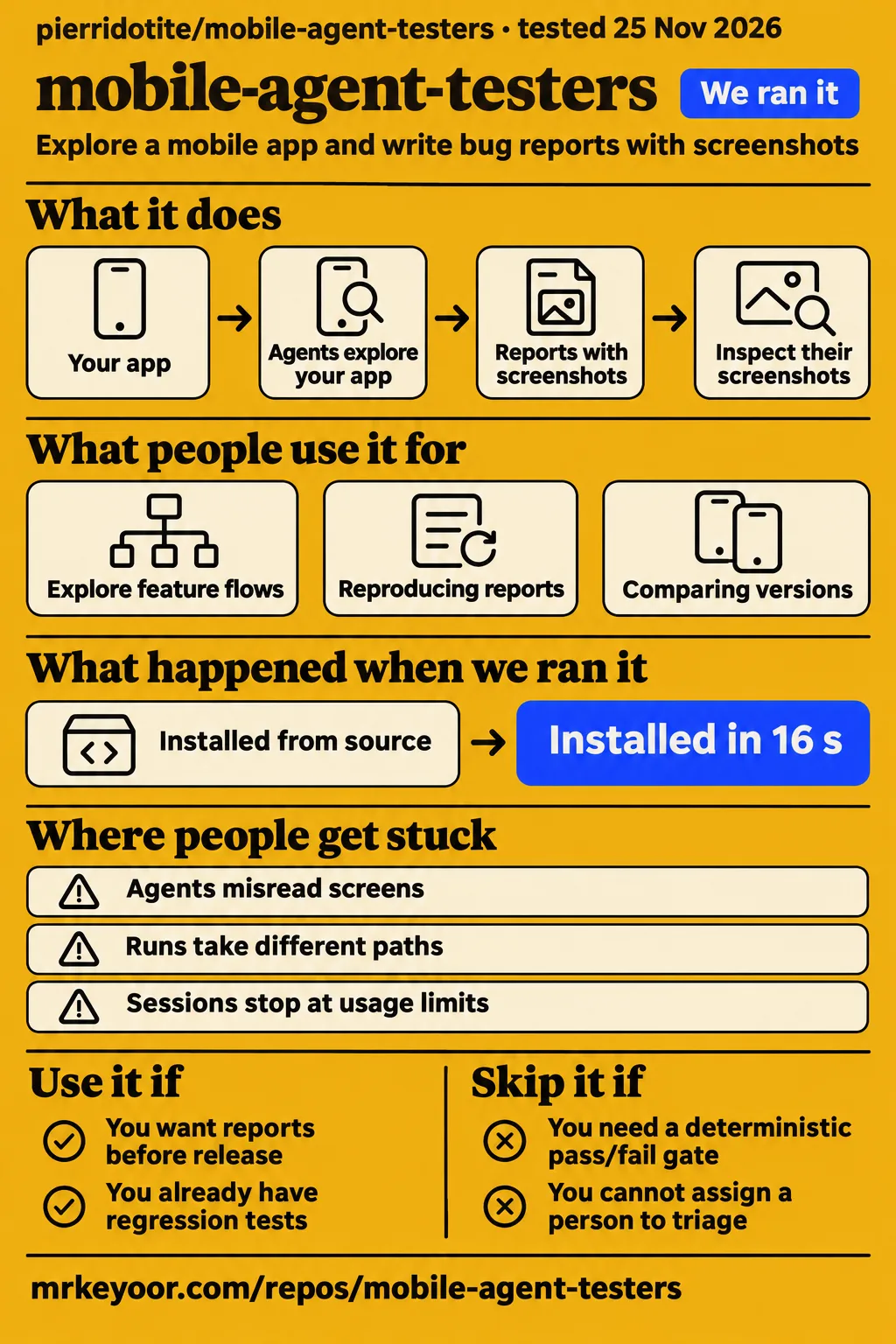
mobile-agent-testers gives Claude Code agents separate Android emulators and iOS Simulators to explore your app and return screenshot-backed reports. Use it if you already have regression tests and want another way to discover awkward layouts and unexpected paths before release. Skip it if you need a repeatable pass/fail gate with no human report review: the project's own comparison says runs take different paths and agents sometimes misread screens.
Our sandbox installed the demo's dependencies in 16 seconds, then skipped build and tests because there were no matching scripts or targets. That is a setup observation, separate from the author's mobile runs. The most interesting of those is LocalSend: $4.62 in model usage produced 103 reports grouped by hand into 46 findings, with only some checked against screenshots. The buying question is whether those reports earn your triage time.
What people use mobile-agent-testers for
The project author has documented runs on LocalSend and Flutter's animations example, alongside a bundled demo with deliberately planted defects. These are three useful ways to judge the workflow, with different kinds of evidence:
| Who used it and on what | Reported result | What you can reasonably take from it |
|---|---|---|
| The project author, LocalSend, 18 November 2026 | 10 Android emulators and 10 iOS Simulators across 14 languages; 103 reports manually grouped into 46 bugs; 69 minutes including builds and $4.62 in model usage | Configuration differences surfaced concrete candidates for review. The LocalSend run distinguishes screenshot-checked findings from agent reports. |
| The project author, Flutter's official animations example | Two agents independently reported the same typo; the iOS agent also incorrectly called a settings sheet clipped; 19 minutes including builds and $0.47 in model usage | The Flutter account includes both a corroborated discovery and a false positive. |
| The project, bundled Tiny Todo demo | Four agents found 9 of 11 planted bugs, plus unplanted navigation-bar clipping and lost state after relaunch; about 21 minutes including builds and $0.87 in model usage | The README's demo result shows a bounded exercise with known defects, not a general detection rate. |
The Flutter story is especially useful because the author describes the mistake as clearly as the success. Two agents, working separately, spotted the same misspelled title. One then treated a narrow settings sheet as a clipping problem when it wasn't. A report can contain a real discovery and a mistaken interpretation. The numbered screenshots give you a way to separate them without accepting the whole report on trust.
You can also direct exploration toward a feature instead of asking for a general tour. The README describes briefs for feature flows, reproducing reports and comparing versions. A brief tells an agent where to spend its attention; a persona defines the device configuration and user goal. For a release with a changed editor or booking flow, that is a more useful starting point than asking every agent to wander everywhere.
What happened when we ran it
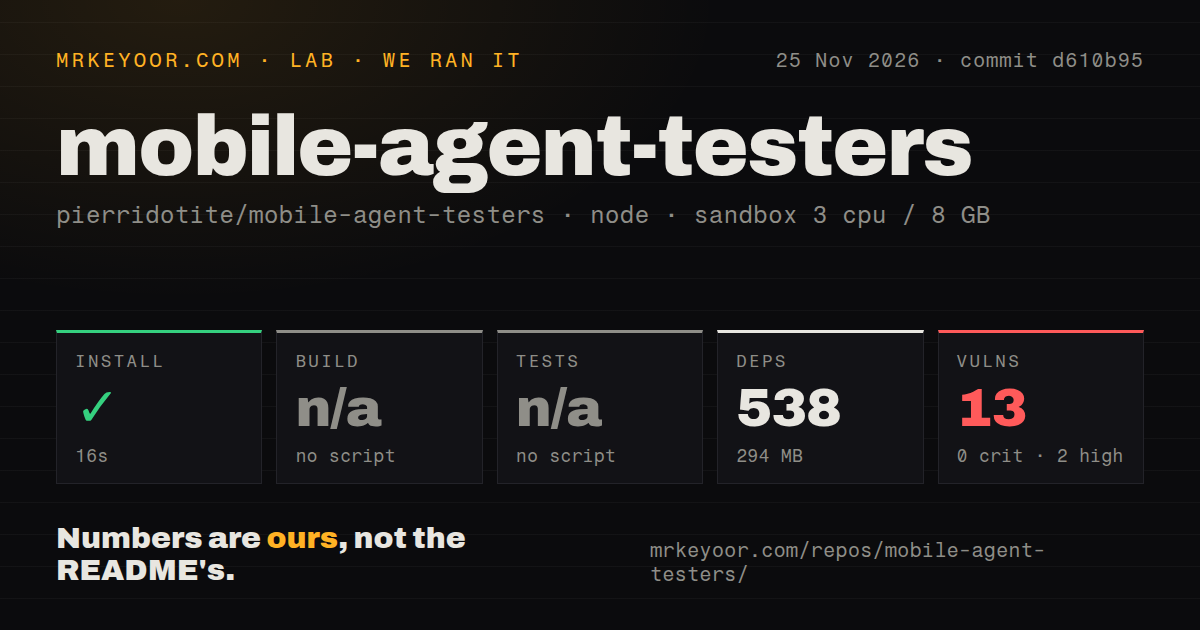
Our 25 November 2026 sandbox run installed the npm dependencies in demo-app/ in 16 seconds and recorded 538 dependencies using 294 MB on disk. The checkout was commit d610b95; the recorded configuration had 3 CPUs, 8 GB RAM and image label lab-node:22. That label alone tells you neither the actual runtime version nor the operating-system version.
| Recorded check | Result |
|---|---|
npm dependency installation in demo-app/ |
Succeeded in 16 seconds; 538 dependencies, 294 MB on disk |
| Build | Skipped: no build script or target |
| Tests | Skipped: no tests script or target |
| npm audit | 13 known vulnerabilities: 2 high, 11 moderate, 0 critical, 0 low |
| Checkout scan | 112 files, approximately 2,628 source lines, 25.2 MB checked out |
| Automation signals | 3 CI workflow files and a tests directory; no Dockerfile |
The install finished, but the harness then had no build or test target to invoke. A tests directory is a repository signal, not a passing test result. The 13 known vulnerabilities, including 2 high and 11 moderate, are a finding about this dependency installation, rather than proof of an exploit in the mobile-testing workflow. The available summary gives no advisory identifiers or dependency paths, so it cannot tell you which package to change.
A separate hands-on attempt stopped at the safety step. Its exact failure was "unsafe repo: none of compose.yaml, compose.yml, docker-compose.yaml, docker-compose.yml exists (rule: a compose file is required)". The attempt never reached a mobile task. Its teardown completed successfully.
The run summary says "deployed with its own docker compose", but that conflicts with the failed safety step. We therefore count this as a blocked deployment attempt, not a working app demonstration. The project documents a GitHub Actions workflow, so a Compose requirement in our harness is also the wrong basis for declaring the product broken. Our independent result is dependency installation, not reproduced bug detection.
Where people get stuck: screenshots still need a reader
The setup instructions explicitly tell you to open screenshots before trusting important findings because agents sometimes misread a screen. They also warn about exhausted usage limits and expose configuration overrides. The practical fix map comes from the project's setup skill and its comparison guide:
| Symptom | What the project documents | What to do |
|---|---|---|
| A report calls a screen broken | Agents can misread screens; LocalSend included a Simulator keyboard sheet mistaken for app UI | Open the numbered screenshot before filing a ticket |
| Another run returns a different list | Agents choose different paths each time | Keep scripted regression flows for confirmed bugs |
| Sessions stop before useful exploration | The collector warns about usage limits | Look for that warning and use smaller subscription batches |
| Framework detection picks the wrong route | A framework override and custom build or prebuilt-app paths exist | Set the framework or explicit build inputs |
| A native iOS app has several schemes | The setup instructions expose IOS_SCHEME |
Select the intended scheme |
| A broad tour misses a changed feature | Agents have a bounded action budget | Give them a targeted brief and adjust its budget |
The build overrides matter if your app is less conventional than the demo. You supply the source repository, revision, app folder and app identifier. The setup guide separates extra public build arguments from secret arguments. It also describes using a prebuilt binary when automatic detection is the wrong fit. A successful dependency install in our demo folder says little about whether your signing, scheme or app-specific build configuration is correct.
The 46 LocalSend findings need their labels intact
The LocalSend author grouped 103 reports by hand into 46 bugs and set aside two groups of test artefacts. The run table also distinguishes findings checked against screenshots from findings left as reported by agents. That distinction should survive every headline about this project.
The LocalSend record defines "Checked" as opening the screenshots and seeing the bug. It marks settings text cut off at large sizes and a failed send showing only "Error" as checked. It sets aside the Simulator's English keyboard sheet and a screenshot captured before a screen change. Those exclusions are useful evidence of triage, rather than a reason to hide the run.
For your team, keep the same separation: raw report, grouped candidate, screenshot-confirmed finding, reproduced defect. A duplicate-grouping summary saves reading, but it doesn't turn every candidate into a reproduced defect. I'd use the confirmed examples to decide which configurations deserve attention, then keep a record of what the maintainer accepts. Paying for exploration only pays off when someone turns its findings into fixes or repeatable tests.
Twenty agents share model limits and runner queues
The setup guide recommends subscription batches of 6 to 10 agents and describes 10 iOS jobs running five at a time on the Free plan. Parallel agents therefore don't imply that every requested device starts together. In the author's LocalSend run, the full elapsed time includes builds and the macOS queue.
The README limits its free-runner statement to public repositories; model calls still use a subscription or API billing. Private apps introduce a separate compute decision. Treat the public-repository workflow, your model allowance and human review as separate budget lines. The $4.62 figure is model usage for that LocalSend run, not a quote for your team's complete release process.
If you're testing a small change, my recommendation is to choose personas relevant to that change rather than defaulting to the whole matrix. The setup guide already asks you to match personas to your audience and markets. That makes a smaller run a deliberate coverage choice: a translated dialog gets the relevant language and text-size combinations, while an iPad navigation change gets tablet attention.
Encryption protects outputs, while public logs stay public
The project warns that logs of a public repository are public, even though specified outputs are encrypted. The setup guide lists build logs, apps, screenshots and reports among the encrypted material and says the results private key stays with the user for local decryption.
That is a useful boundary for a private app. The setup instructions put collection and decryption in your own terminal, then have you inspect SUMMARY.md and the important screenshots. Don't add a workflow step that prints protected outputs into a public log. Use test accounts and keep sensitive build arguments in the documented secret input rather than public run inputs.
The same instructions ask you to add your app's analytics and advertising hosts to block_hosts. That is configuration work, not a reason to assume your particular analytics endpoint is already blocked. Before handing the workflow to a teammate, make the app brief explicit about accounts, allowed actions and what is out of scope. Agents are navigating an app you supply, using credentials and backends you choose.
mobile-agent-testers vs Maestro, Appium and single-device tools
Maestro and Appium suit repeatable regression checks; mobile-agent-testers suits exploratory runs before release. That is the project's own distinction in its comparison guide, rather than a measured victory over those tools.
| Choice | Pick it for | How it relates to this workflow |
|---|---|---|
| Maestro | Known mobile paths expressed as YAML flows | Convert confirmed discoveries into repeatable flows; the project's comparison also notes Maestro's experimental AI screenshot assertions |
| Appium, Detox, Espresso or XCUITest | Checks of explicitly asserted behavior on each build | Retain the regression suite while agents explore other paths |
| Firebase Test Lab Robo | A scriptless crash check on Google's devices | The author positions agent reports as an additional interpretation of layouts and translations |
| agent-device, mobile-mcp or phonedriver | Working interactively with your coding agent on one device | Use mobile-agent-testers when you want unattended sessions across configured personas and collected reports |
| Human beta testers | Feedback about whether people value the product | Use agents to surface configuration-specific UI candidates before asking people for product judgment |
For a solo developer already writing Maestro flows, adopting this needn't mean migrating anything. Run the agents around a release, inspect a finding, then add the deterministic check where your existing suite belongs. The README calls model-free Explore-Compile-Replay an early draft. A future conversion mechanism should not determine today's release-gate design.
What the other reviews get wrong
SkillsLLM's OpenCode and superpowers comparison pages say mobile-agent-testers has no SKILL.md, while the project has a full setup skill. The corrections below identify the pages because their shortcuts change setup, cost and privacy decisions:
| Page | Claim to correct | What the project actually says |
|---|---|---|
| SkillsLLM's OpenCode comparison and superpowers comparison | Neither project includes a skill file | The mobile-agent-testers setup skill exists |
| The author's DEV article | The repository ships four personas | The setup guide specifies 20, split evenly between Android and iOS |
| The Instagram summary | Running 20 agents is free | The README limits free runners to public repos and charges model usage separately |
| The same Instagram summary | Encryption keeps logs private | The setup guide explicitly says public-repository logs are public |
| explainx.ai's review | Encryption keys live in GitHub Secrets | The results decryption private key stays with the user; don't read that description as placing it in Secrets |
| The same explainx.ai review | Wire the agent workflow into pull requests and fail on severity | The project recommends scripted checks each build and agents before release; model-free replay is an early draft |
Attention also travels further than experience. Cylicium's r/OpenSourceAI announcement repeats the demo result, and Impressive-Sir9633 asks for the repository link. Artilas_Digital's r/BestGitHubRepos post explicitly says its description quotes the README. On X, jurlycat repeats both the planted-demo result and the LocalSend finding. These are discovery posts, not additional replications of the experiment.
Questions people ask
Scripted incoming SMS and notification injection have no completed demonstration in the launch discussion: a budgeting-app developer asks for them, describing adb emu sms send as their existing emulator method. The other questions below come from that launch discussion, the Reddit announcement and the author's invitations for feedback.
Can a persona receive scripted incoming SMS messages or notifications during a test?
The launch commenter requests scripted SMS or notifications, but the discussion gives no completed answer showing that integration. Their budgeting app reads bank messages, so ordinary screen exploration would miss the event that starts the workflow. Treat incoming-message injection as a required acceptance check for your own evaluation, rather than assuming a persona's goal provides it. The comment names the concrete SMS command.
Can mobile-agent-testers drive a TestFlight build, or does it require a direct installation?
The documentation describes builds and prebuilt app paths, while the TestFlight question in the launch comments goes unanswered. The setup guide's prebuilt-app inputs should not be read as confirmation of a TestFlight installation flow. The commenter asking about TestFlight also distinguishes real-phone behavior from a simulator.
Do the agents explore accidental taps and awkward interactions, or behave like polite new users?
The default brief explores like a new user, and the README describes long presses, swipes, leaving the app and relaunching it. That gives the agent more freedom than a fixed tap script. It doesn't answer the launch commenter's specific request for childlike accidental interactions as a measured capability. Use a feature brief to specify the awkward interactions you care about.
Which device or setting should be added as the next persona?
Choose a missing language or configuration your audience uses: the setup guide explicitly recommends adapting personas to the app's markets. The README invites contributions for increased contrast, reduced motion, color-blindness filters and slow or flaky networks. Those are contribution opportunities, not a list of completed personas to select today.
Where can I find the mobile-agent-testers repository?
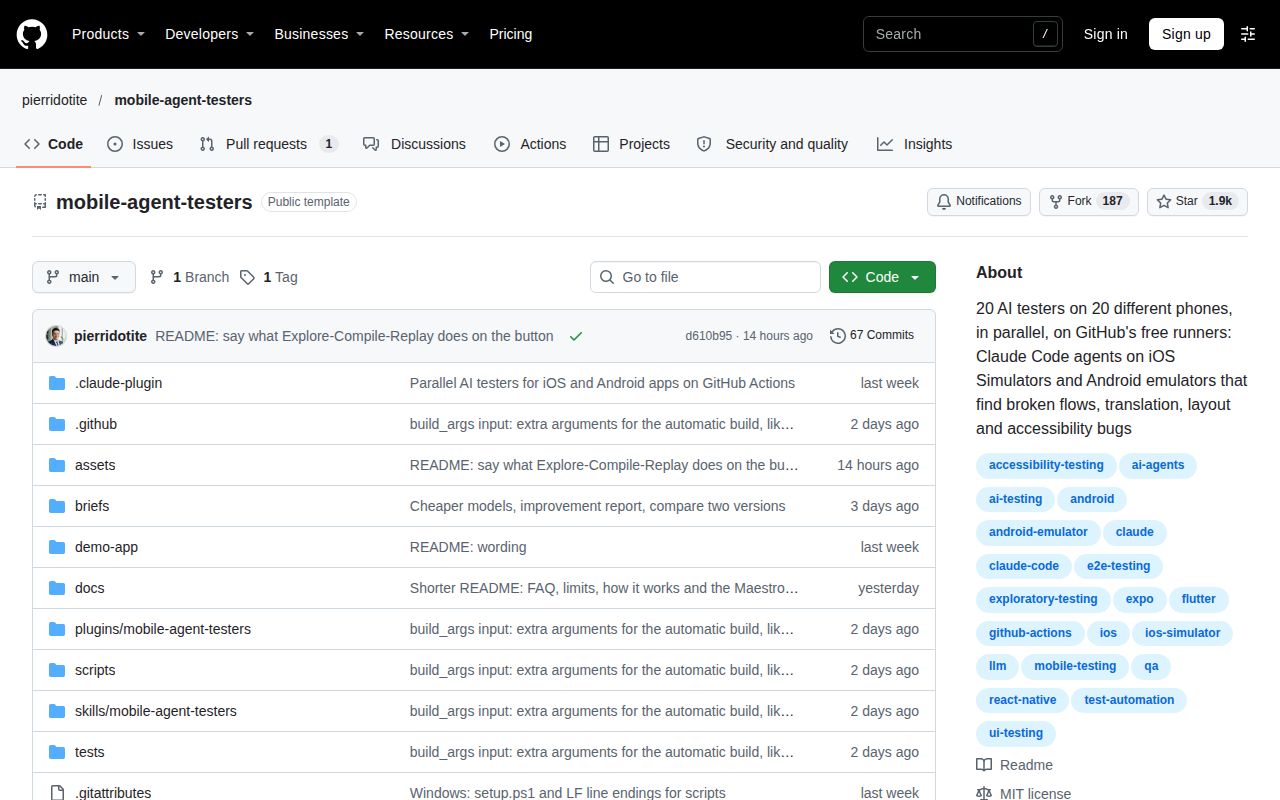
The repository is pierridotite/mobile-agent-testers on GitHub. It is a template repository with a Claude Code plugin and an MIT license. In the r/OpenSourceAI thread, Cylicium supplies that exact repository link after another reader asks for it; start there rather than a directory's installation summary.
Would a hosted version with macOS runners and a shared report dashboard help teams with private apps?
The author is exploring that combination for private-app teams and invites feedback through a questionnaire. It targets two documented concerns: macOS runner costs for private repositories and sharing results beyond the developer who decrypts them. The README labels the hosted version "exploring", so judge the available open-source workflow separately from that proposal.
What did mobile-agent-testers find on your app, and what got in the way?
Our run produced no mobile-app findings: it installed demo dependencies, and the separate deployment attempt stopped at the Compose safety requirement. The author's LocalSend and Flutter accounts above provide the concrete app findings. If you run your own app, the README asks for what it found and what got in the way; include rejected reports and configuration blockers alongside accepted defects.
What we have not tested yet
We have not reproduced an Android or iOS agent session, the author's LocalSend result, or the planted-demo detection result. Our supported observation ends at dependency installation, and the separate hands-on deployment failed its Compose precondition. Actual runtime and operating-system versions require the raw toolchain logs; neither follows from the sandbox image label.
The published runs provide no complete precision or recall measurement, no comparison of cheaper models on the same task, and no measured total team cost including compute and human triage. Physical Android support appears as contribution work. TestFlight, scripted incoming messages, notification injection and real-device behavior need their own demonstrations before they can settle a deployment decision.
Our research includes no GitHub issue discussions documenting resolutions, and the video extracts contain no usable transcripts. We therefore make no video-based setup or cost claims. Encryption behavior, credential handling and analytics blocking also need an independent implementation and traffic review. If your next step is adoption, the useful result to collect is a confirmed, reproducible defect on your own app, with the original screenshot and the regression check that will catch it next time.