Twenty-two files implement a focused location-testing path
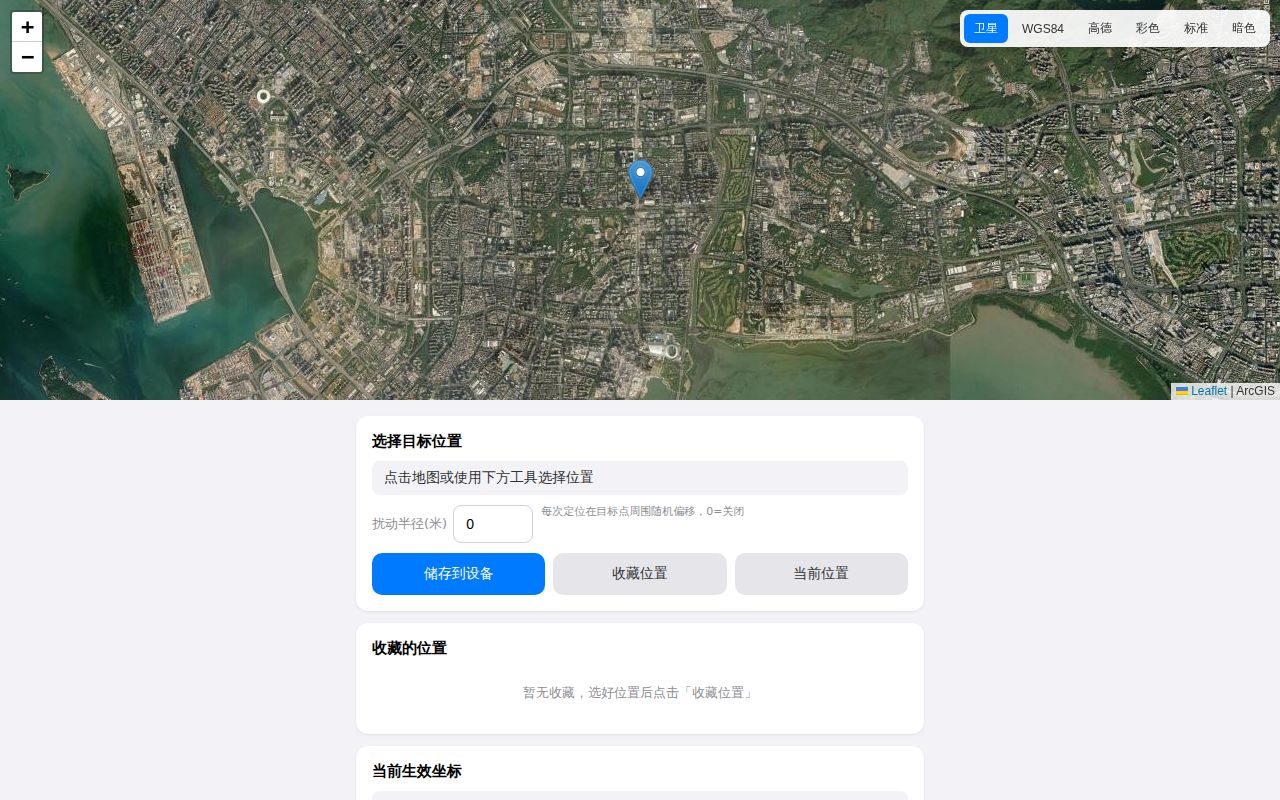
wloc changes the coordinates inside Apple's network-location response after a supported proxy intercepts it. One script patches the binary WLOC reply; another saves a selected coordinate in the proxy app's persistent store. A map page and iOS Shortcuts remove the need to type latitude and longitude. The repository is written mainly for Chinese readers, and its README and setup material do not provide an English version.
Our commit 529fcd8 checkout was only 0.1 MB, with 22 files and roughly 1,380 lines of source. That compactness helps inspection: the proxy modules, generated scripts, Worker, map page, and tests are all visible without digging through a large application. It does not make the trust decision trivial. The tool asks an iPhone to accept a proxy CA for Apple location hosts so the response can be read and changed.
Three packages keep the Worker simple, while the phone setup stays manual
The Cloudflare Worker uses Hono for a picker page and /api/parse endpoint. It accepts Apple Maps, Google Maps, Amap, Baidu, and coordinate text, then normalizes supported inputs to WGS84. Saved device coordinates live in the proxy tool, while favorite locations stay in browser localStorage. Users may call the public service or deploy the source under their own Cloudflare account.
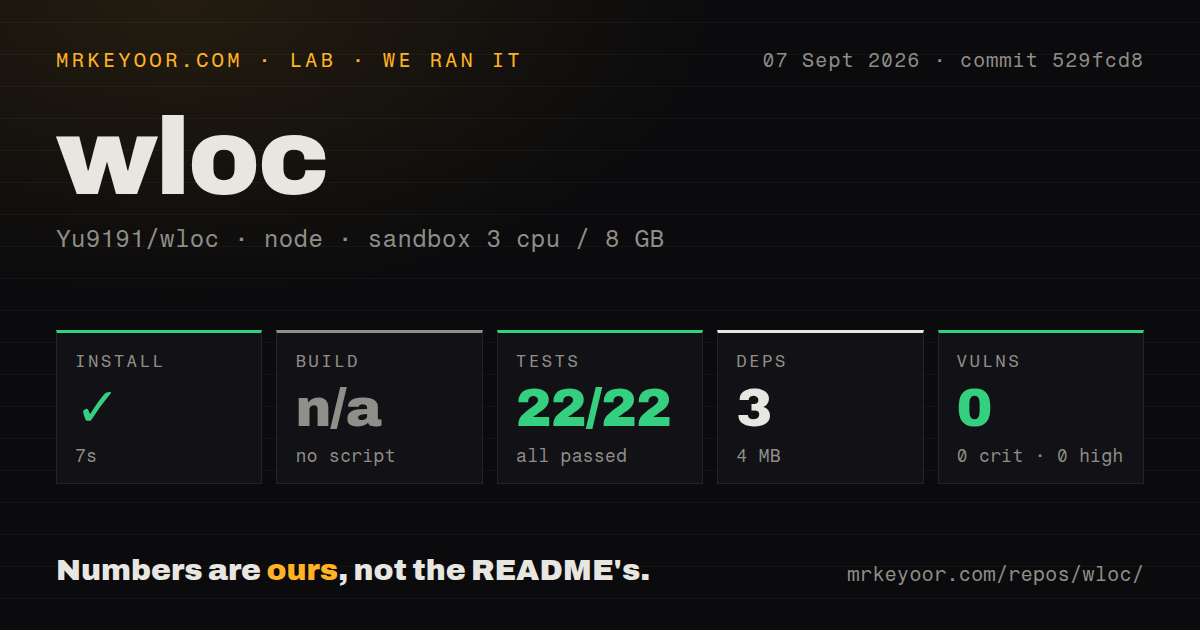
Our Worker install added 3 packages in 7 seconds and occupied 4 MB. There is no build script, so the lab correctly skipped that step. Deployment still needs Wrangler authentication and a Cloudflare project. Using the complete system also means importing the right module for Surge, Quantumult X, Loon, Stash, or Shadowrocket, enabling HTTPS interception, installing the CA, and confirming that the device traffic follows the chosen proxy.
What happened when we ran it
Our sandbox ran the Node project inside ./worker/ on 3 CPUs with 8 GB of RAM. Installation succeeded in 7 seconds. Node's built-in test runner completed in 6 seconds with 22 passed and 0 failed out of 22. Npm audit reported 0 known vulnerabilities across every severity. For commit 529fcd8, the Worker was unusually inexpensive to install and its available regression suite passed cleanly.
The run did not emulate an iPhone, install a certificate, contact Apple's WLOC service, or deploy to Cloudflare. It tested the coordinate and link-parsing code supplied by the Worker. The checkout had a tests directory, no Dockerfile, and 0 CI workflow files. A passing 22-test local suite is useful, but without repository CI, maintainers and contributors must make sure those tests run before changes are merged or deployed.
iOS 27 beta 6 stops the interception before wloc can patch data
The README gives an unusually direct compatibility warning: starting with iOS 27 beta 6, locationd rejects certificates that are not signed by an Apple CA for the target location hosts. Issue 113 discusses tests where traffic still reached the interceptor but certificate validation stopped the exchange. Moving the proxy to a router does not change that endpoint check, according to the project's documented test result. Users on those releases should consider the core method unavailable.
iOS 26 brings a different problem. The README says locationd may keep a previous result in memory after a new coordinate has been saved, and a reboot may be needed to clear it. This project only changes Wi-Fi and cell-based positioning. Strong hardware GPS can cause iOS to prefer the real location. Those constraints make wloc better suited to controlled indoor QA than a general promise that every app will observe the chosen point.
An 8-second parser cap limits public map-link requests
The optional Worker receives map links, follows supported redirects, extracts coordinates, and converts Chinese map coordinate systems where needed. Its source restricts fetches to HTTP and HTTPS, rejects literal IP addresses and local hostnames, stops a request after 8 seconds, and reads at most 512 KB of a response body. The README says the public parser stores no logs or cache, and wrangler.jsonc disables persistent observability. Self-hosting still gives a team direct control over that service boundary.
Location data remains sensitive even when it is a test coordinate. The chosen point persists inside the proxy app, favorite labels persist in the browser, and pasted map URLs reach either the public Worker or your own deployment. The project provides a clear mode for deleting the saved value and returning the proxy script to pass-through behavior. On iOS 26 or newer, that cleanup may still need the documented reboot before the device stops using cached location data.
September activity tracks Apple changes faster than release tags alone
GitHub recorded the last push on September 4, 2026, and issue discussions were still active on September 7. The repository had 10,186 stars and 85 combined issues and pull requests when fetched. Release v1.1.0 arrived on August 8 with random-radius support, Baidu parsing, regional coordinate fixes, and additional regression coverage. The fresh push and current OS discussions matter more here than the age of that tag because Apple behavior sets the project's useful lifetime.
wloc is licensed under AGPL-3.0, and the README adds a warning against unauthorized commercial or App Store use. More importantly, location modification can violate service rules or undermine other people's systems when used outside an authorized test. For a Chinese-reading developer with a compatible device, the 3-package Worker and passing 22-test suite make the code easy to assess. The OS ceiling and certificate trust are hard limits, not setup polish that another npm release can solve.