mrkeyoor.com_
Mon 07 Sept 16:58 UTC
Dev Toolsevaluationupdated 07 Sept 2026

awesome-python review

Awesome Python is an edited shortlist of Python frameworks, libraries, and developer tools, organized by the job each project does. Its website adds search and filters, making it useful for finding a few credible candidates before doing a deeper comparison.

trackingstars / 7d
Verdict

Our Awesome Python run installed 35 packages in 21 seconds and built the site in 4 seconds, but its tests hit 3 import errors before any case ran. The list itself remains an excellent first stop because it now limits each use case to a small editorial set instead of rewarding endless submissions. Use it to form a shortlist, then verify releases, documentation, security, and fit in the candidate repositories.

We ran it

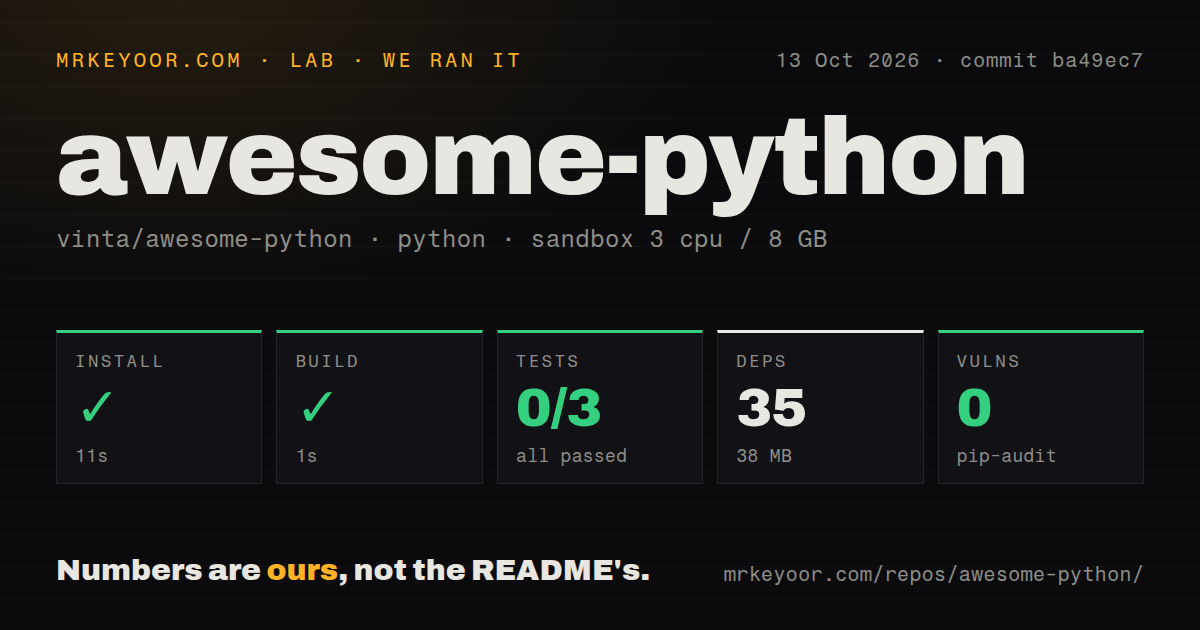
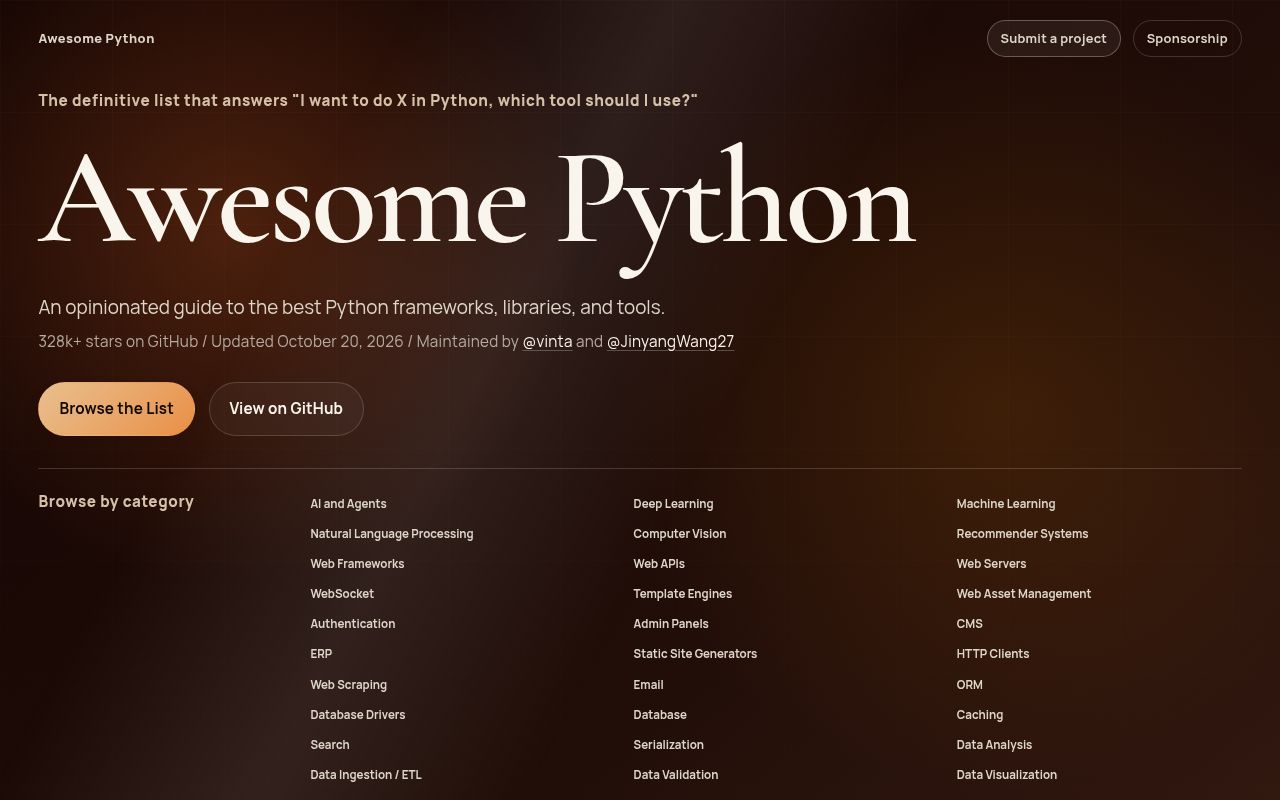
Lab card: what happened when we ran awesome-pythonScreenshot of awesome-python (awesome-python.com)
Install✓ · 21s35 packages · 38 MB
Build✓ · 4s
Tests✗ · 5s0 passed · 0 failed · 3 errors of 3 (pytest)
Known vulns0(pip-audit)
Repo43 files~4,338 lines of source · 0.6 MB · 2 CI workflows

Answers from our run

Does awesome-python build from source?

Dependencies installed in 21 seconds (35 packages), and the build succeeded in 4 seconds. We cloned commit bba56e8 into a clean Debian container with 3 CPUs and no project-specific setup.

Do awesome-python's tests pass?

Yes: 0 of 3 passed when we ran the project's own test command (pytest), with 3 collection errors. Some failures need services or credentials a bare container does not have.

Does awesome-python have known vulnerabilities in its dependencies?

pip-audit found none in the dependency tree at the time of our run.

Who should not use awesome-python?

Anyone wanting an exhaustive package catalog: the contribution policy caps each use case at 3 obvious choices and 2 challengers.

What are the alternatives to awesome-python?

Awesome, PyPI Warehouse, Awesome Python Applications. Our Awesome Python run installed 35 packages in 21 seconds and built the site in 4 seconds, but its tests hit 3 import errors before any case ran.

Setup4/5Reading is instant; the contributor test environment missed httpx
Docs5/5Selection, ordering, displacement, and rejection rules are explicit
Community5/5319,011 stars with fresh pull requests and a recent push
Maturity4/5Maintained since 2014, with a newly tightened editorial model

Who it’s for

Python developers starting a tool search and wanting a short list of familiar choices.
Experienced engineers checking whether a project is still an obvious option in its category.
Teams comparing broad areas such as web frameworks, data tools, testing, packaging, or AI libraries.
Maintainers prepared to argue that their project deserves one of a small number of editorial slots.

Who it’s NOT for

Anyone wanting an exhaustive package catalog: the contribution policy caps each use case at 3 obvious choices and 2 challengers.
Maintainers of alpha, beta, experimental, undocumented, or month-old projects: the published admission rules reject those submissions.
Projects entering a full category without naming what they should replace: the policy requires a displacement argument once the use case reaches its cap.
Buyers who need compatibility, security, maintenance policy, and API details on one page: entries are intentionally short and still require reading each project's own documentation.
People who want rankings based only on GitHub stars: the maintainer says editorial judgment comes first and PyPI downloads are the primary numeric signal.

Setup reality

Our sandbox installed 35 packages in 21 seconds and used 38 MB. The build succeeded in 4 seconds. Tests stopped after 5 seconds with 3 collection errors; no tests passed or failed because Python could not import httpx.

Reading the list needs no installation, account, or credential. Rebuilding the website uses uv and Python 3.14 or newer. Its GitHub-star fetcher needs GITHUB_TOKEN, while the build dependencies include httpx, Jinja, and markdown-it-py.

This is a README plus a generated website, not a Python library to embed. The repository has 2 CI workflow files, no Dockerfile, and no top-level tests directory; the test files live under website/tests.

Five entries per use case keeps the list selective

Awesome Python now describes itself as a shortlist rather than a catalog. Each use case can carry up to 3 obvious choices and 2 challengers, with a hard ceiling of 5. Once a section is full, a new submission must name the existing entry it would displace and explain why it does that job better. That rule gives a reader an answer instead of another directory to search.

The coverage is broad. The README groups projects across AI, web development, HTTP, databases, data science, developer tooling, DevOps, command-line software, document work, media, the Python language, packaging, and security. Within those areas, subcategories turn a vague search into a task such as choosing an HTTP client, ORM, test runner, or static-site generator. The companion website adds search, tags, star counts, and last-commit information.

One-line entries start research rather than finish it

Every project gets a name, link, and brief description. That density is useful for deciding what to compare. It cannot answer whether a package supports a particular Python version, carries an acceptable license, handles your data volume, or has a security policy. The list should save discovery time, not replace due diligence. Open the 2 or 3 plausible projects and read their own release notes, issue activity, and documentation before choosing.

The editorial rules help set expectations. A submission must serve Python developers, show a commit within the last 12 months, be stable, have clear documentation, and be at least 1 month old. Implementation language is irrelevant when Python developers genuinely use the tool, which is why Rust-built tools and Markdown skill packs can qualify. Maintainers looking for a directory that accepts every decent package will find this process deliberately unfriendly.

What happened when we ran it

Our sandbox cloned commit bba56e8, a 0.6 MB checkout with 43 files and about 4,338 source lines. The environment used a Python 3.12 Bookworm image with 3 CPUs and 8 GB of RAM. Installation succeeded in 21 seconds, adding 35 packages and consuming 38 MB. The site build then completed successfully in 4 seconds.

The test command stopped after 5 seconds with exit code 1. Pytest reported 0 passed, 0 failed, and 3 collection or setup errors. All 3 errors occurred while loading the website tests because website/fetch_pypi_downloads_via_clickpy.py imported httpx and Python could not find that module. The log establishes the missing import and nothing more, so it would be speculation to explain how the environment lost the declared build dependency.

Pip-audit found 0 known vulnerabilities in the installed Python packages. The repository had 2 CI workflow files and no Dockerfile. Our scanner found no top-level tests directory, although the tree contains 3 test files under website/tests. These measurements cover the list's parser and generated-site project at commit bba56e8; they say nothing about the security or test quality of the hundreds of projects linked from the README.

Python 3.14 and a GitHub token matter only to contributors

The project manifest requires Python 3.14 or newer and uses uv with a locked environment. make build generates the website, while separate commands lint, format, type-check, and run the tests. The deployment tooling fetches repository star and last-commit data through GitHub GraphQL in batches of 50, caches results for 12 hours, and requires GITHUB_TOKEN. None of that is necessary for someone browsing the README or public website.

Licensing deserves a check before reusing the project. The repository's LICENSE file says CC BY 4.0, while pyproject.toml declares MIT and GitHub's API returns no asserted SPDX license. The split may distinguish list content from Python tooling, but the files we read do not explain it. A company copying the data or website code should confirm the intended boundary with the maintainers.

September pull requests show activity without a release feed

GitHub returned no latest release for Awesome Python. That is not a sign of abandonment: the last push was September 1, 2026, and open pull requests were updated on September 7. GitHub showed 19 open issues and pull requests together, plus 319,011 stars. The repository has existed since June 2014, so its history is much longer than the recently revised admission system.

Current pull requests mostly propose additions, while the contribution guide gives maintainers concrete reasons to close them. Automatic rejection covers duplicates, multiple projects in one PR, empty descriptions, the wrong category, missing displacement arguments, abandoned repositories, and unclear use cases. The maintainer may override the caps or activity requirements case by case, which means the list is editorial rather than a formula driven by stars.

319,011 stars do not make every entry the right choice

Awesome Python is easy to recommend as the first tab in a Python tool search. Its 5-entry ceiling per use case forces the list to make choices, and the website helps narrow a large README quickly. The tradeoff is intentional omission: specialist packages, young challengers, and credible sixth-place options may be absent. PyPI is better for exhaustive search, while topic-specific awesome lists are better when the shortlist is too narrow.

Treat inclusion as a signal that a project deserves inspection, not as a substitute for it. Our 4-second build shows the site generator can complete in a small sandbox, while the 3 collection errors show the development environment still needs repair or clarification. The list is most useful when it reduces a field to a handful of candidates and the developer takes responsibility for the final technical decision.

Alternatives

ProjectWhat it isPick it when
AwesomeThe umbrella index for curated lists across languages, platforms, and technical subjects.pick this instead when the search is broader than Python or you need a specialist awesome list.
PyPI WarehouseThe software behind Python's main package registry and package search.pick this instead when exhaustive package metadata matters more than an editorial shortlist.
Awesome Python ApplicationsA curated collection of open-source applications written in Python.pick this instead when you want complete applications to use or study rather than libraries for a coding task.

What people are saying

  1. [github-trending] vinta/awesome-python

Sources

  1. Awesome Python repository and list
  2. Awesome Python searchable website
  3. Awesome Python contribution policy
  4. Shortlist-not-catalog architecture decision
  5. Awesome Python project manifest
  6. Awesome Python license file

More dev tools reviews

vtracer · How-To-Secure-A-Linux-Server · gpuix · openscreen · Acode · ios-location-spoofer · the whole board →