Version 1.0.0-alpha.4 traces colour images into SVG
VTracer 1.0.0-alpha.4 turns raster pixels into paths and colour fills, then writes the result as SVG. Its remit is wider than monochrome logo tracing: the README covers photographs, coloured graphics, unevenly lit scans, high-resolution blueprints, and deliberately blocky pixel art. Presets provide sensible starting points for black-and-white work, posters, and photos, while explicit settings let an application choose how regions and curves are formed.
The 1.0 engine separates 4 concerns: segmentation, curve fitting, colour fitting, and output cleanup. A caller can run the whole conversion in one method or keep the segmentation result and finish it again with changed curve or output settings. That split is useful for an interactive tool because region detection can be reused while a person adjusts smoothing or palettes. VTracer remains a tracer, though; it does not become a general vector document editor.
Five delivery routes share the 1.0 tracing engine
Version 1.0.0-alpha.4 is available as a desktop app, command-line program, Rust crate, Python extension, and Node package. The desktop downloads cover Windows, macOS, and Linux. Rust callers provide decoded RGBA pixels to the library. Python exposes file and byte conversion plus reusable configuration objects. Node runs image decoding and tracing in WebAssembly, avoiding a platform-specific native addon for application installs.
The source repository is modest beside many image tools: 138 files, about 11,023 lines of source, and 33.8 MB in our checkout. It has 3 CI workflow files and no Dockerfile. A container is not necessary for the local CLI or libraries because no database, queue, cloud account, or model download sits behind them. The meaningful setup choice is which binding fits your application and who owns image decoding.
What happened when we ran it
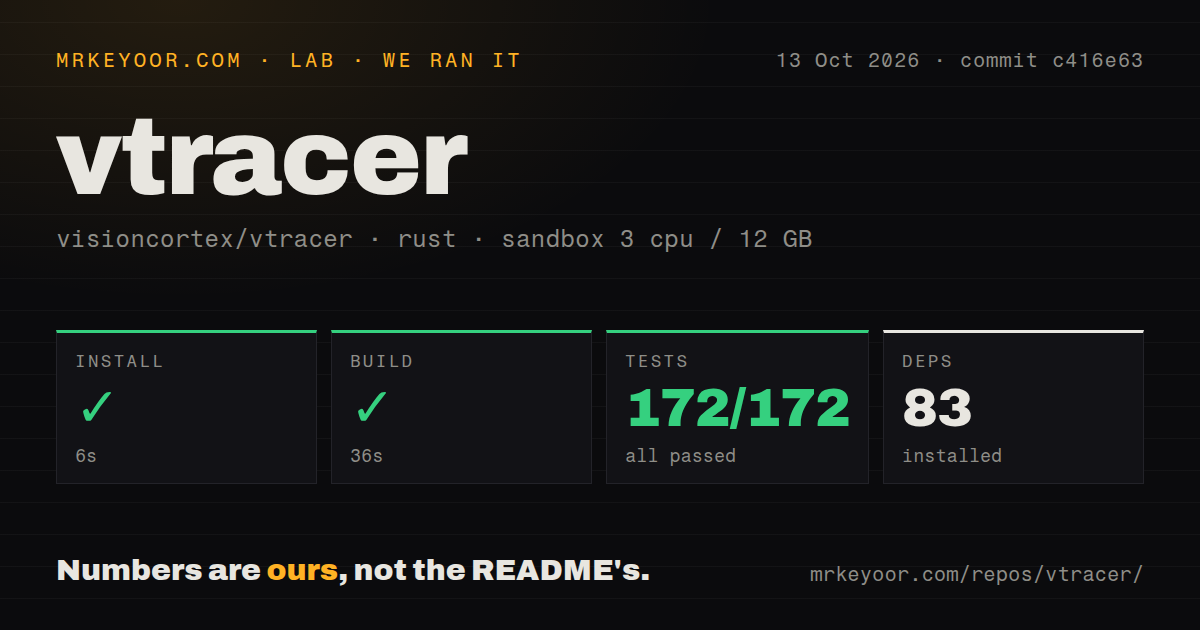
Our sandbox installed 83 Rust packages in 9 seconds, then completed the build in 38 seconds. cargo test ran for 51 seconds and reported 172 passed with 0 failed out of 172. We used commit cee33b5 in an unprivileged container with 3 CPUs and 12 GB of RAM. Nothing in the supplied install, compiler, or test output failed.
Those results establish that the checked-out code compiled and passed its available Rust suite in our environment. They do not measure tracing speed, SVG size, curve accuracy, or visual similarity. The README makes claims about compact output and high-resolution inputs, but our sandbox block contains no image benchmark. A buyer should test a representative set of scans, photos, flat graphics, and troublesome edges rather than carry the project's performance language into a capacity plan.
Three clustering modes change the shape of the result
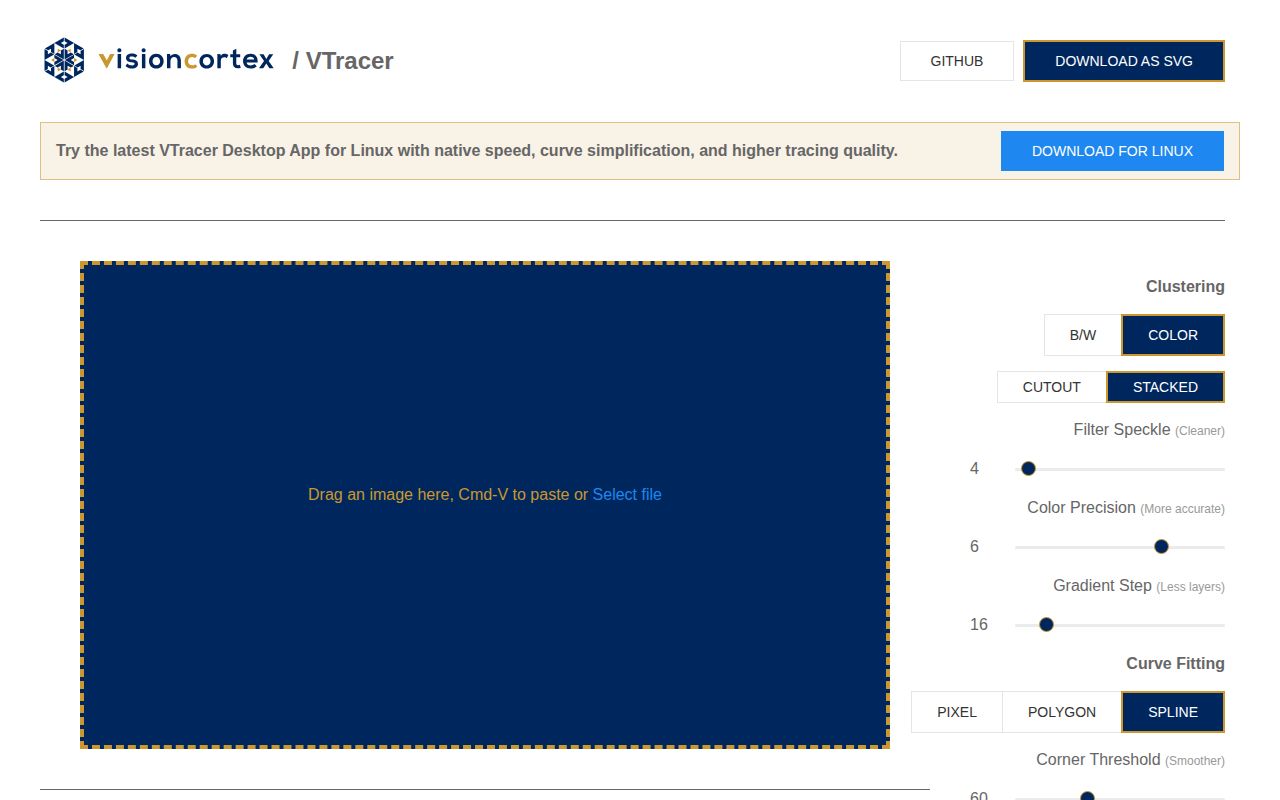
VTracer 1.0 offers colour clustering, black-and-white clustering, and watershed segmentation. The default stacked hierarchy permits overlapping colour regions. Cutout mode instead creates shared boundaries for a seam-free mosaic. Watershed detail changes how finely the image is divided, while binary mode supports fixed or adaptive thresholds for photographed paper and uneven lighting. These settings alter the vector structure, not just the appearance of a preview.
Curve fitting has 3 modes: pixel, polygon, and spline. Pixel mode preserves the block structure of low-resolution art; polygon and spline modes trade literal edges for fewer, smoother segments. Filters can remove small patches, constrain colour precision, snap to a fixed palette, cap colour count, or simplify curves within a tolerance. There is no single best preset. Save the exact configuration beside generated assets so a later conversion can be reproduced.
SVG is the only documented output format
Every version 1.0 example ends in SVG, whether it starts in the desktop app, CLI, Rust, Python, or Node. That consistency is convenient for web graphics and pipelines already built around SVG tools. It is a hard boundary for CAD, print, and illustration workflows that require another native format. Converting the SVG later is possible, but VTracer itself does not claim to emit PDF, EPS, DXF, or an editor's layered document.
Input support also differs by binding. The Node 1.0.0-alpha.4 package decodes PNG, JPEG, GIF, BMP, and WebP inside WebAssembly. Other formats require application code to decode an image and pass raw RGBA pixels. The Python package's declared decoder list is broader, and Rust deliberately leaves decoding to the caller. This division is reasonable, but it belongs in architecture planning when untrusted uploads or uncommon scan formats enter the system.
September 7 activity accompanies an alpha release line
GitHub showed 6,899 stars and 471 forks on September 7, 2026. The last push landed that day, while release 1.0.0-alpha.4 arrived on August 29. The release removed the previous 255 ceiling on watershed detail and updated the underlying visioncortex dependency. Current pushes and a recent release show that the 1.0 rewrite is being worked on; the alpha suffix still matters for version policy.
A search of the repository found 0 open issue reports and 5 open pull requests on September 7. Several pull requests had been updated the previous day, including dependency and command-line changes. The empty issue queue is a cleaner support signal than a stale release tag would be, but it does not turn an alpha API into a stable one. Pin 1.0.0-alpha.4, keep fixture images, and compare generated SVGs during upgrades.
Repeatable tracing comes before final artwork editing
The 172 passing tests make VTracer a credible conversion component, especially when the same configuration must run from a service or script. Fixed palettes, adaptive thresholds, watershed regions, and cutout boundaries cover jobs that a monochrome tracer cannot. The desktop comparator also gives non-programmers a way to inspect output before saving it, while the libraries let a product own the surrounding workflow.
Alternative tools divide by what happens after tracing. Potrace is the simpler reference for black-and-white input. AutoTrace is relevant when several vector formats are required. ImageTracerJS stays close to browser JavaScript. Inkscape is the better choice when the traced paths need manual cleanup and layout work. VTracer is the pick when SVG is the destination, conversion must be repeatable, and an alpha release is acceptable.