Background
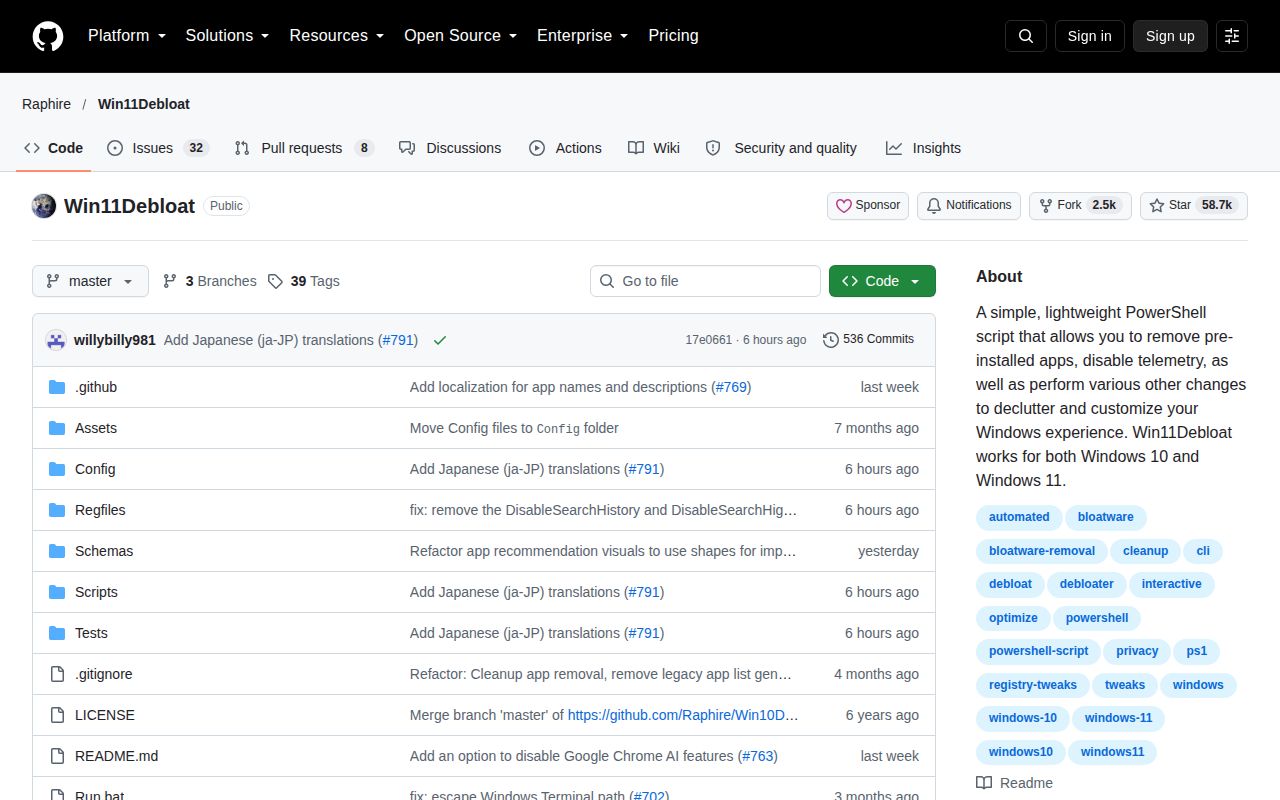
Windows 11 ships with a pile of preinstalled apps, telemetry, ads, and interface decisions that many users want to remove or turn off. Doing it by hand means digging through Settings, Registry Editor, and PowerShell commands one by one. Win11Debloat packages all of that into one script with a menu, a command-line interface, and exportable settings. The project has been around since 2020 and has accumulated over 56,000 GitHub stars, with a new release on 2026.08.24 and a code push on 2026.08.30. That is a healthy cadence for a PowerShell scripting project.
The script is distributed as a ZIP with a Run.bat launcher and a .ps1 file. The README's quick method is a single line that downloads and runs the script from debloat.raphi.re. It must be run as administrator because almost every change touches per-machine settings or app provisioning. The author warns plainly that great care went into avoiding OS breakage, but use is at your own risk.
What happened when we ran it
Our run produced no numbers. The repo is PowerShell only, has no Dockerfile, and our sandbox is a fresh Debian container with no PowerShell runtime. The measurement harness marked it NOT RUN for that reason. We did not try to install PowerShell on Debian, because a script that disables Windows telemetry, removes Store apps, and edits registry keys would not have meaningful behavior in a Linux container. So there are no benchmarks, test counts, or timings from us in this review. That is a limitation of our lab, not a finding against the project. The only thing we can say from our own run is that we measured nothing.
For a Windows user, the README's quick method should take less than a minute from copy-paste to menu. The traditional method is also simple: unzip, double-click Run.bat, accept UAC. Advanced users can run the .ps1 directly with execution policy bypass. None of this requires installation.
Strengths
The feature list is the main selling point. The README documents app removal for a wide variety of preinstalled apps, privacy controls that disable telemetry, diagnostic data, activity history, app-launch tracking, targeted ads, and location services, plus a section specifically for AI features. That AI section disables and removes Microsoft Copilot, Windows Recall, and Click to Do, and prevents the AI service WSAIFabricSvc from starting automatically. That is unusually current for a debloat script in 2026.
System tweaks cover the old Windows 10 context menu, mouse acceleration, Sticky Keys, Storage Sense, fast start-up, BitLocker automatic encryption, and network connectivity during Modern Standby. Windows Update options prevent automatic restarts, delivery optimization, and auto-installed companion apps from OEMs. Appearance options include dark mode, disabling transparency and animations, and hiding the desktop spotlight 'Learn about this picture' shortcut. Start menu and search can remove pinned apps, hide recommendations, disable Bing web search and Copilot integration, and turn off widgets. Taskbar and File Explorer get a similar treatment, including file extensions, hidden files, and navigation pane cleanup. Multi-tasking tweaks can disable window snapping and Snap Assist suggestions.
Power users get a real command-line interface with parameters. The script supports Windows Audit mode, can apply changes to other Windows users, and can export and import preferred settings. That makes it usable for image preparation or repeated provisioning, not just one-off personal use. The README also points to a wiki with separate pages for app removal, command-line interface, and reverting changes.
Weaknesses and rough edges
The biggest rough edge is trust. You are running an unsigned script as administrator that makes dozens of changes at once. The README says all changes can be reverted and almost all apps can be reinstalled through the Microsoft Store, but the revert process is not a single snapshot restore; you have to run the script again with opposite options or manually reinstall. The warning "use at your own risk" is appropriate. There is no preview mode that shows exactly which registry keys or app packages will be touched before you commit, aside from the menu descriptions.
Documentation is strong, but the README is very long and the wiki is the real source of truth. A novice who just pastes the quick command may be overwhelmed by the menu choices. Some features, like disabling Copilot or Recall, may be superseded by Windows updates, and a script that modifies the OS at this depth can break when Microsoft changes internal behavior. The project has 32 open issues, which is modest given its size, but we did not have issue response data to judge how quickly they are addressed. The release cadence suggests active maintenance, but the changelog details are outside what we measured.
Community health
With 56,611 stars as of September 2, 2026, and a push six days ago, Win11Debloat is clearly not abandoned. A new release appeared on 2026.08.24, nine days before this review. The repository has a discussions link and an active issues list. That is a healthy signal for a tool in a category that often goes stale after a year. The main risk is not abandonment but the moving target of Windows itself: a debloat script is only as good as its last test against the latest Windows build. The project's frequent releases suggest the maintainer is keeping up.
It fits in provisioning and image prep, not as a running service
Win11Debloat is a one-shot configuration tool. It belongs at install time, in a VM template, or in an audit-mode image before sysprep. It does not run continuously, does not monitor the system, and does not enforce settings after Windows updates or feature updates change them. For a home user, run it once after a fresh Windows 11 install and then leave it alone. For an admin, bake it into a deployment task sequence or export a settings file and run it on new machines. It complements Group Policy or an MDM, but it does not replace those for ongoing enforcement. If you need a dashboard or per-user policy control, look at an actual management tool instead.
In a real stack, Win11Debloat sits alongside a Windows imaging tool like MDT, Packer, or a custom deployment script. It is not a server, not a service, and not a development dependency. Our measurement harness could not run it because the environment was wrong, but that does not change its fit: if your target machine runs Windows 11 and you accept the risk tradeoff, it remains one of the most popular and well-documented ways to get a cleaner default state.