Short answer
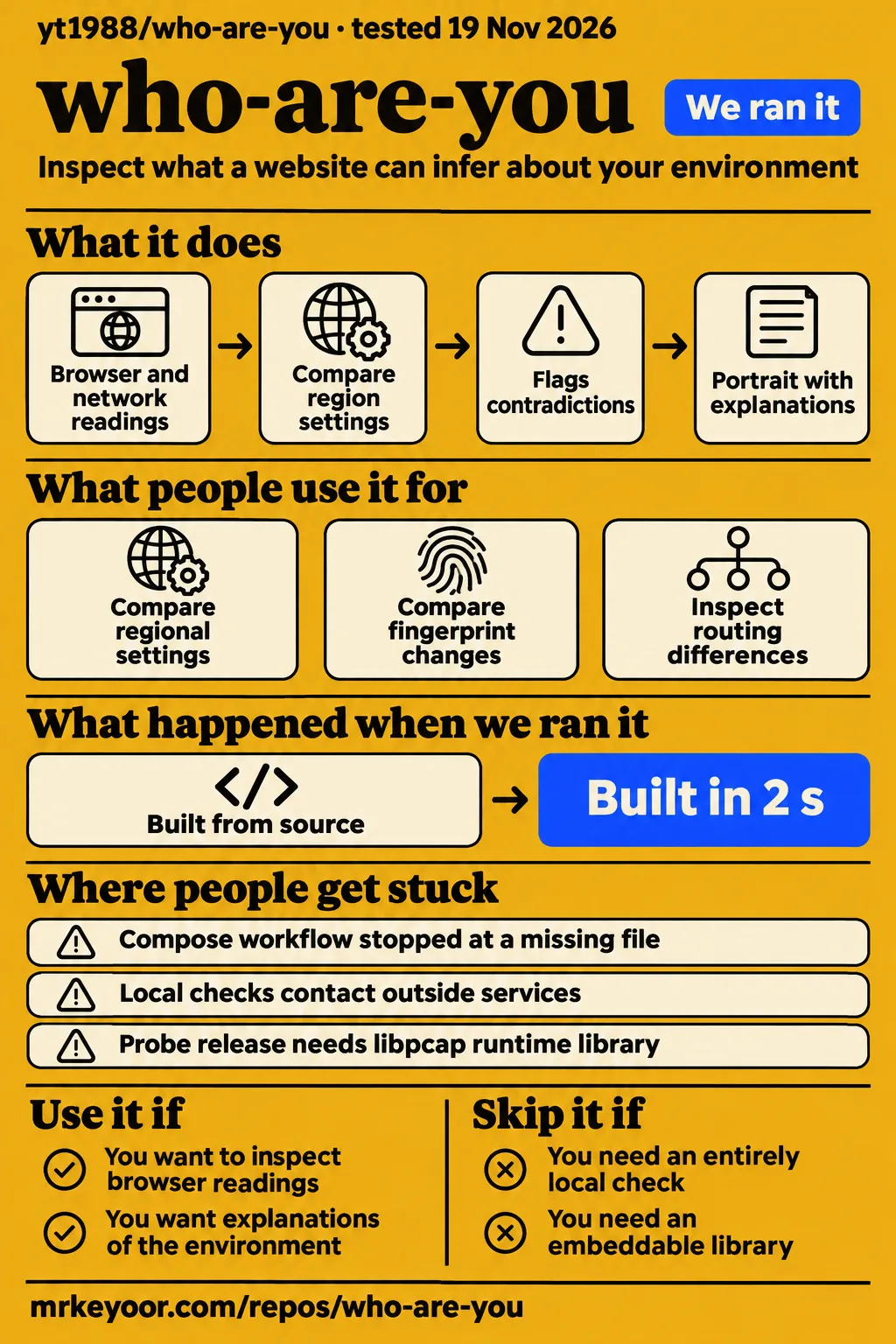
Our npm checks passed at 9cc44b8: installation succeeded in 7 seconds, the build in 2 seconds and tests in 3 seconds. Use Who Are You if you want to inspect the browser and network clues a website can compare. Skip it if your requirement is an entirely local privacy check: its documented checks contact outside services, and its anonymous counters receive browser traits unless you opt out. The README's privacy section explains those connections.
The appeal is the explanation attached to a reading. A different time zone, a browser language or a graphics-card name becomes easier to understand when you can see which signals disagree. Read the portrait as a set of deductions with supporting rows. Our successful source checks make the code approachable for investigation; the missing browser results, collected at the end of this review, limit the verdict on accuracy.
What people use who-are-you for
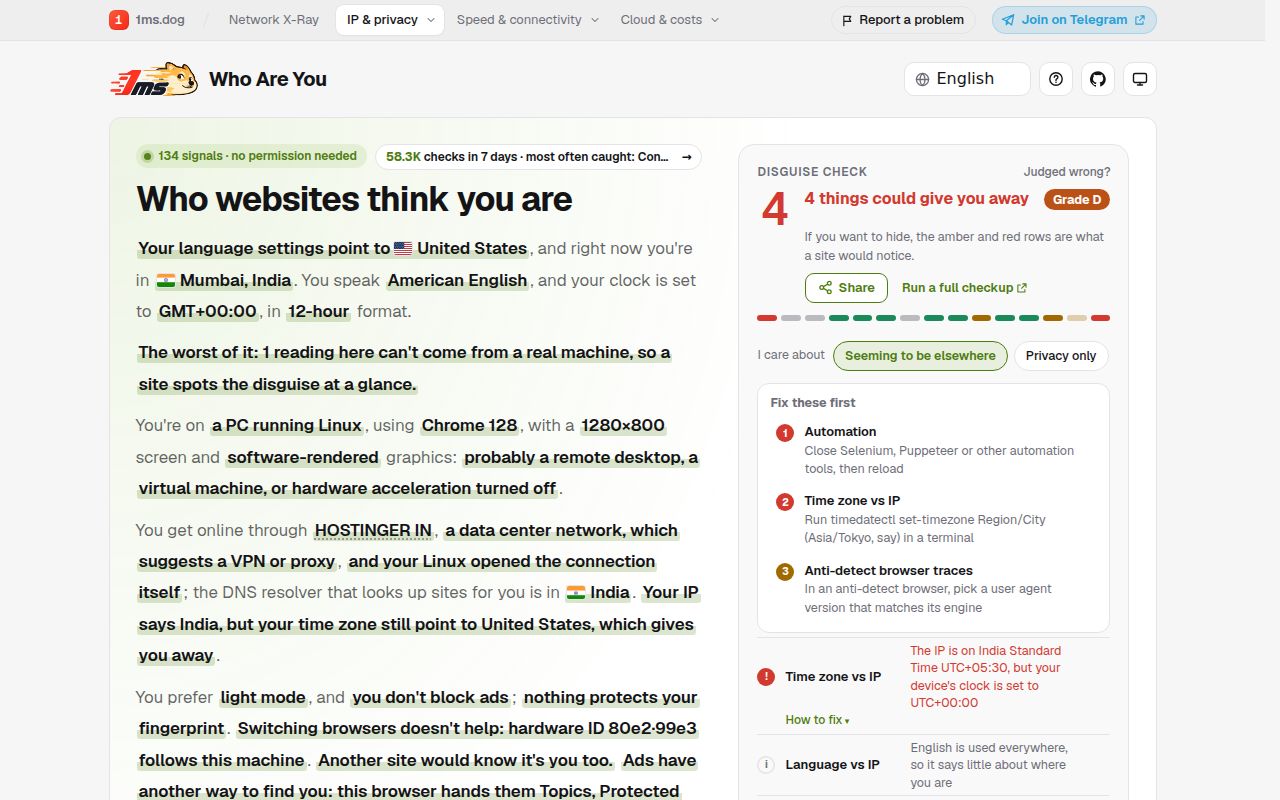
The author documents a privacy self-check that compares browser readings, network exits and region settings, rather than a service that changes them for you. A browser fingerprint is a collection of attributes used to recognize a browser without relying only on cookies. Who Are You presents that collection alongside the other clues in its documented portrait and checks.
| What you want to inspect | What the author documents | How to use the result |
|---|---|---|
| Whether your regional settings agree | A target-region comparison of IP, time zone, browser language, DNS resolver and WebRTC | Identify the particular mismatch before changing settings |
| Whether a browser change moved the fingerprint | A comparison against your previous visit, stored in your browser | Compare the changed components, rather than only the combined identifier |
| Whether different destinations see different exits | Split-routing checks involving several named services | Inspect routing differences for the destinations listed |
| What to send someone helping you | Copy-as-text output with city, network and addresses masked | Read the output before posting it publicly |
These are the maintainer's documented workflows. They are not attributed customer successes: the research turned up no relevant project walkthrough or user report to substantiate one. That makes a difference if you're choosing this for a support desk rather than your own browser. The README gives you a way to explore a question; a working routine across your users' browsers needs its own results.
For your own investigation, the previous-visit comparison is the most useful documented feature. Change one setting, rerun the check and inspect which readings moved. Changing several settings together would make the before-and-after result harder to explain. That is our suggested method, not an experiment completed in the lab.
What happened when we ran it
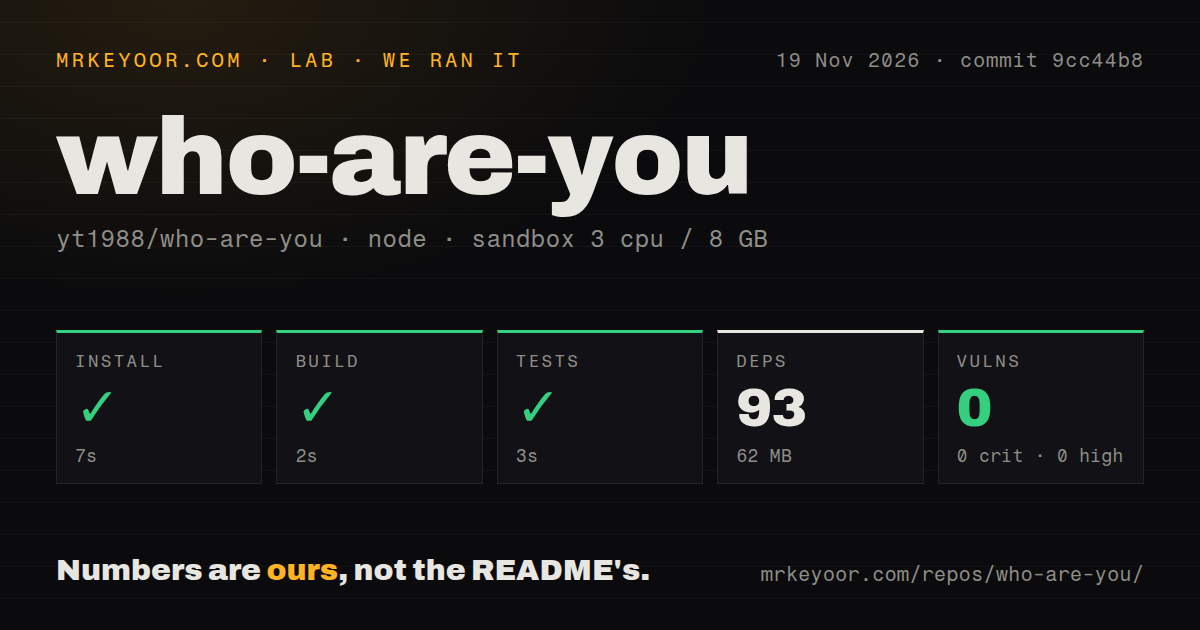
Our run on November 19, 2026 at commit 9cc44b8 recorded successful installation in 7 seconds, build in 2 seconds and tests in 3 seconds. Our measurement setup allocated 3 CPUs and 8 GB of RAM, with image label lab-node:22.
| Recorded check | Result |
|---|---|
| npm installation | Succeeded in 7 seconds |
| Build | Succeeded in 2 seconds |
| Tests | Succeeded in 3 seconds |
| Dependency installation | 93 dependencies recorded, 62 MB on disk |
| npm audit | 0 known vulnerabilities: 0 critical, 0 high, 0 moderate, 0 low |
| Repository scan | 1,087 files, about 14,815 source lines, 47 MB checked out |
| Automation signals | 2 CI workflow files, a tests directory, no Dockerfile |
The separate hands-on attempt stopped before a browser task. Its safety step failed because no Compose file existed: unsafe repo: none of compose.yaml, compose.yml, docker-compose.yaml, docker-compose.yml exists (rule: a compose file is required). The runner required Docker Compose, which describes a container deployment. The project's own quickstart instead uses Wrangler, Cloudflare's development and deployment tool.
There is a conflict in that attempt's paperwork. Its run summary says it was deployed with its own Docker Compose, while the detailed safety step says the necessary file was absent. We count the detailed failure, not the summary's deployment claim. The final teardown entry reports success. There is no recorded browser task to turn into a success story.
The practical result is narrower and still useful: the npm source workflow completed quickly on this sandbox, while the Compose-based workflow could not proceed. The label lab-node:22 describes the configured image; the raw toolchain logs are needed to name the actual runtime and operating-system versions. No test count accompanies the successful test step.
Where people get stuck: the documented route is Wrangler
The README starts local development with npm ci and npm run dev, which runs Wrangler at localhost:8795. It says geolocation comes from Cloudflare even locally. If you expected to open an HTML file or start a supplied Compose stack, that quickstart changes the setup decision before you begin.
| Point of confusion | What the documentation says | Sensible next action |
|---|---|---|
| Local page versus production deployment | Development uses Wrangler; deployment uses npx wrangler deploy and a custom domain |
Follow the Worker route for the app |
| Your domain appearing in generated links | SITE_URL controls canonical links, the sitemap and llms.txt |
Set your own URL when building for your domain |
| Ordinary checks versus browser checks | npm run smoke exercises language pages in headless Chrome or Edge |
Treat browser checks as a separate evaluation task |
| Phone interaction | npm run touch checks tap targets at phone width |
Include the actual phone browsers you intend to support |
This is a map of documented setup decisions, not a list of bugs reported by users. The distinction prevents a misleading fix: adding a Compose file merely to satisfy our runner would create another deployment to maintain. It would not tell you whether the upstream Worker instructions work. The next meaningful hands-on run should follow the documented route and record what the browser actually reports.
The latest-release endpoint also needs careful reading. It returned server-7673e73, a release of the separate probe, published November 16, 2026. Its notes identify linux/amd64 and require the libpcap runtime library. That artifact is not described as a packaged release of the whole browser application. Don't pick it as a shortcut to deploying the page.
Privacy includes outside requests and anonymous counters
The README says outside services see your address during exit and DNS checks, and that POST /api/seen receives trait values and results for anonymous counters. That is the privacy cost to understand before opening the tool. The documented destinations include IPIP.NET, IP.SB, Cloudflare services, ip-api's DNS server and STUN servers, which help discover addresses used for browser communications.
The counter description is specific. It includes system, browser, screen, graphics card, time zone, first language and the first eight characters of fingerprint hashes. The maintainer says it stores no address, full fingerprint or record of a single visit. The page's "Don't count me" option turns the counters off, and the README says Global Privacy Control is honoured. Those are the project's stated practices, rather than conclusions from traffic inspection.
The tracker test is a separate button, and the documentation warns that seven tracking companies then see your address. Precise location and motion-sensor checks also run only on request. You don't need to press every button to inspect a time-zone mismatch. Choose the check that answers your question, especially when you're investigating what information your browser reveals.
Sharing deserves a separate decision. The author says a shared portrait excludes your address and fingerprint, with city and network included only if you tick the box. Copy-as-text also masks location and addresses. Use the documented redaction controls, then read the actual text or image you're about to send. An attractive result card is still information about your environment.
The portrait contains deductions as well as readings
The README explicitly calls three parts of the portrait conclusions: the apparent purpose of the machine, whether the environment lines up and whether clearing cookies helps. That makes the individual sniffer rows more useful than treating the finished paragraph as a literal identity report.
Consider the documented time-zone comparison. The browser supplies one setting and the IP lookup supplies another. A mismatch is the observation. The portrait's interpretation that a site may suspect a proxy is a further step. You should be able to explain the disagreement before deciding that a setting needs changing. The same discipline applies to a machine's inferred purpose from its graphics card or refresh rate.
The author leaves age blank because browser readings do not say it. That is a welcome documented boundary: the page needn't fill every blank to help you. The broader recommendation follows the same principle. Use the rows to investigate what a site can read and compare. Keep the conclusion tied to those readings, rather than turning a letter grade into a claim that every website will see you the same way.
English documentation exists alongside Chinese documentation
The public README is in English and links to a Simplified Chinese version; it also describes ten language directories in the source layout. You can therefore read the setup and privacy explanations in English without relying on a translation of the quickstart.
The multilingual details affect a fork as well as a visitor. The build generates a page per language, and the sharing description says a portrait opens in the viewer's language. If you customize the explanations, remember that the project contains more than one page of copy. Its documented smoke command covers language pages, while the touch command addresses phone-width targets. Those separate commands give you specific browser tasks to carry into an evaluation.
GitHub activity shows work, not an adoption count
GitHub's anonymous API reported the last push as November 19, 2026, with 773 stars and zero open issues and PRs when checked that day. The repository facts show recent code activity. They don't count regular users, successful privacy investigations or deployments maintained by someone other than the author.
The issue-list endpoint returned an empty list, so there is no sampled support exchange here from which to judge how a maintainer handles a difficult browser report. Searches for the short project name also collide with unrelated subjects: MOJO's similarly titled review concerns The Who's album, and the English Language Learners result discusses the phrase. Neither supports a software recommendation. The videos and social results inspected for this review added no relevant project demonstration.
That leaves the public documentation and our source checks doing most of the work. For a personal diagnostic, they provide a reasonable starting point. For adopting this as a support tool, ask for a reproducible browser result with the browser version, network arrangement and individual failing row. A star count cannot answer that question.
who-are-you vs CreepJS and FingerprintJS
CreepJS documents research into browser privacy leaks, while FingerprintJS documents a library that computes a visitor identifier. Those stated purposes give you a useful choice before comparing any scores. The table compares CreepJS's README and FingerprintJS's README with Who Are You's documentation, without declaring an accuracy winner.
| Project | Documented job | Pick it when |
|---|---|---|
| Who Are You | A portrait combining browser readings with network and regional contradictions | You want explanations of the environment a site can observe |
| CreepJS | Research and education about privacy leaks and weaknesses in anti-fingerprinting browsers and extensions | You want to examine tampering patterns and privacy protections |
| FingerprintJS | A client-side library that hashes browser attributes into a visitor identifier | You need a library to integrate into an application |
CreepJS explicitly says its goal is research and education rather than creating a fingerprinting library. Its README also warns readers to use the official GitHub Pages deployment and to rename distinct public forks. Follow the official project link rather than assuming a similarly named domain belongs to its author.
FingerprintJS's README describes its commercial Identification platform separately from the open-source library. It also warns that browser-generated fingerprints are vulnerable to spoofing and reverse engineering. Keep the comparison at the level of the product you're selecting. A diagnostic page, an educational research project and a visitor-identification library solve different immediate problems, even when each inspects browser attributes.
Questions people ask
Who Are You has an English README and documents local development with npm and Wrangler. Its quickstart and privacy sections answer the basic setup and data-flow questions below.
How do you run who-are-you locally?
The README instructs you to clone the repository, run npm ci, then npm run dev for Wrangler on localhost:8795. It separately documents building generated pages and deploying the Cloudflare Worker. Those are upstream instructions, while our measured source-check outcomes appear above.
Is who-are-you MIT licensed?
Yes. The repository's license section says MIT. The same README identifies a separate CC BY-NC-SA 4.0 licence for the mobile-model assets in public/assets/m/. If you're republishing the project, account for that named asset exception rather than treating the headline licence as the complete asset inventory.
Does who-are-you keep every check inside your browser?
No. The README says outside services see your address during exit and DNS checks, and describes anonymous trait counters with an opt-out. It also distinguishes checks that run only when you press a button. Hosting your own copy does not, by itself, remove the documented outside requests.
What we have not tested yet
Our browser-level assessment stopped at the Compose safety requirement, so fingerprint stability, region guesses, leak detection, false positives and the portrait's accuracy are unmeasured. We have not tested the documented Wrangler deployment, phone interactions, English interface, sharing redactions or opt-out behaviour. A controlled browser run should compare individual readings with known device settings and network routes before assigning an accuracy verdict.
The zero-result npm audit concerns known dependency vulnerabilities in our recorded run, not a security review of the application, probe or external services. We have not inspected live traffic or server retention to confirm the README's privacy statements. Nor have we run CreepJS and FingerprintJS on matching browsers for a comparative result. The install footprint is disk usage, not runtime memory or a hardware requirement.
The README consulted for this review is current documentation; our source run is pinned to 9cc44b8. Feature-by-feature compatibility with that measured commit needs a version-matched check. The next useful evidence is a successful documented deployment followed by a browser result whose IP route, time zone, language and fingerprint changes can each be checked against a known configuration.