It turns WeChat history into an action queue, if the Reader can open it
WeChat Intelligence Hub searches local chat history and turns it into daily briefings, pending replies, promises, follow-up candidates, and commercial leads. You can ask about one person, a group, a keyword, or a date range through its Codex skill. Larger jobs produce Markdown and an interactive HTML report. The project is aimed at people whose work already happens in WeChat and who lose decisions inside a long list of active conversations.
There are two parts under one installer. wechat-cli is the read-only data entrance, while wechat-intelligence-hub applies the reporting and prioritization workflow. The current v0.9.2-preview.2 Reader exposes search, timelines, contacts, unread state, group members, exports, Moments data, and media metadata. Its skill layer then uses a local profile and current plan to decide which messages deserve attention.
Full history requires access material the Reader does not obtain
The normal Reader opens databases and keys that the user already has permission to use. It does not extract keys from WeChat memory, inject code, hook the client, or re-sign the official application. Full history therefore depends on a compatible local database plus access material. Installing the two skills can finish successfully while the status still says that database access material is required.
An experimental access helper sits outside that daily read-only path. It can inspect an external provider and, only after explicit approval, attempt a macOS acquisition flow that may restart WeChat and re-sign a shadow copy. The repository does not bundle or download that provider. This separation is responsible, but it also means the headline setup instruction hides the hardest step for a new user.
What happened when we ran it
We did not run commit a868489 in our sandbox. The lab reported no supported ecosystem for this Python project, and the repository has no Dockerfile. We therefore have no first-party install time, dependency count, disk footprint, build result, test count, or vulnerability scan to publish. The absence of a run is part of the buying decision because the manual setup touches local private data and platform-specific components.
The documented install uses a shell script and optional SQLCipher and HTML flags. Encrypted database reading needs isolated SQLCipher and Zstandard support. HTML output needs Pandoc and a pinned nh3 sanitizer, and generation stops if the sanitizer is missing. These are upstream instructions, not results from our box. Anyone evaluating the project should begin with the fictional demo and the Reader self-test before pointing it at real data.
Notification preview mode cannot replace chat history
Without database access, the Reader can inspect WeChat previews retained by macOS Notification Center. The project labels that path as degraded and incoming-only. It misses muted chats, messages sent by the user, attachments, and any history the operating system no longer retains. A polished daily report built from that fallback could still be incomplete, so the mode needs to remain visible in every result.
The fictional demo is the safer evaluation route. It lets you inspect indexing, report structure, and the distinction between contact summaries and group topics without supplying a key or chat database. If that workflow does not save you time on fake records, there is little reason to take on the full local-access procedure. A demo result should never be presented as evidence that your WeChat version is readable.
Reports stay local and the Reader never sends a message
The project's operating boundary is unusually clear. The Reader and Hub do not send replies, add contacts, transfer files, make payments, or modify WeChat data. Reply suggestions stay as local drafts. Real profiles, contacts, databases, reports, screenshots, and logs are excluded from Git, and the security guide tells users to reproduce bugs with the bundled fictional samples.
HTML reports also receive specific treatment. Raw HTML is disabled, converted fragments pass through an nh3 allowlist, and the output gets a hash-based content security policy. External images and automatic network requests are disabled. Those controls address report rendering, not the privacy policy of any model you ask Codex to use while summarizing chats. You still need to know which process sees the source text.
Two open macOS reports show first access can fail after approval
Issue 2 describes macOS 26.4 blocking an ad-hoc-signed shadow WeChat after the official client had quit. The run returned provider_failed, produced no access material, and left the user reopening and logging back into WeChat. Issue 3 records a different macOS 27 path where permission checks and a later debugging stage still failed to produce a key. Both reports carefully stop short of claiming a cause the evidence did not prove.
Windows carries a different caveat. The README records a community success report for WeChat 4.1.13.12, while stating that native first-access acquisition still awaits real-machine validation. These are not small compatibility notes. If the tool cannot open your local data safely, the briefing layer has nothing to analyze. Preserve existing configuration, avoid repeated acquisition attempts, and do not upload keys or raw logs to an issue.
September activity is real, but v0.9.2 remains a preview
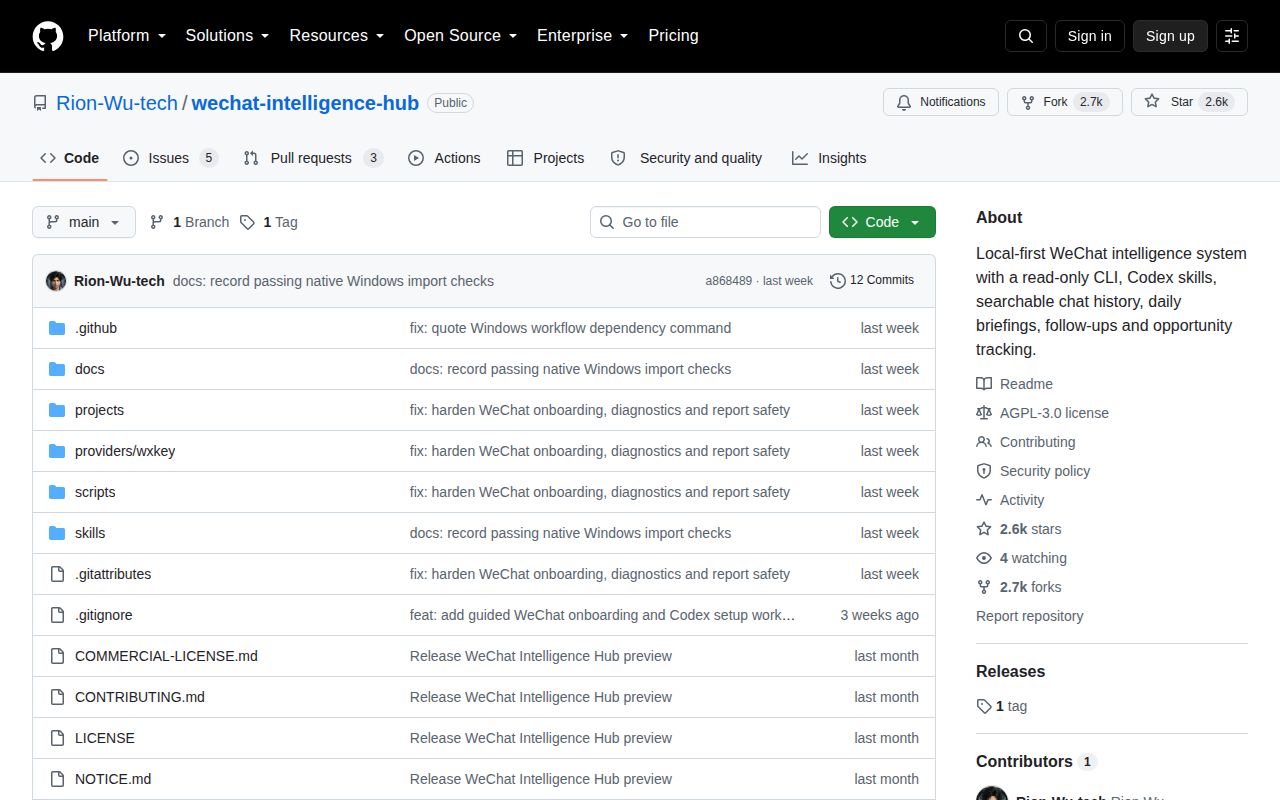
GitHub showed 2,570 stars and 8 open issues and pull requests on September 29, 2026. The split was 5 issues and 3 pull requests. The repository was created on September 4 and pushed on September 21 at commit a868489. An open documentation pull request followed on September 26. There is no GitHub release object, even though the README names v0.9.2-preview.2 as the current version.
That is plenty of movement for a young project and too little history for a conservative data workflow. The AGPL-3.0-only license also matters for modified hosted or distributed versions, with a separate commercial license offered for proprietary use. WeChat Intelligence Hub earns a trial when compatible access material already exists. If first access is the main problem, solve and verify that before investing in profiles, reports, or daily routines.