SiYuan puts blocks, files, and queries in one workspace
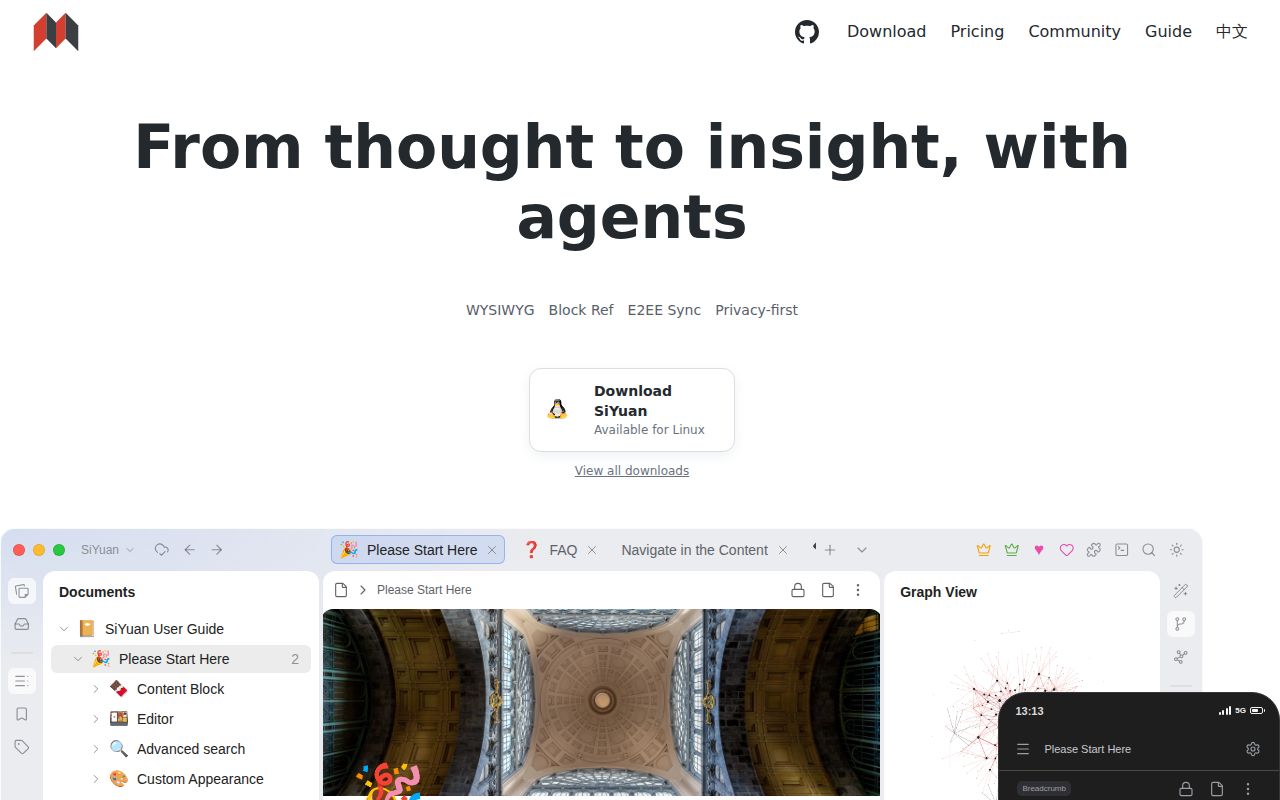
SiYuan treats paragraphs and other pieces of a document as addressable blocks. You can link to a block, find backlinks, attach custom attributes, embed SQL query results, and move between a document and database views. The editor also handles formulas, diagrams, PDF annotations, web clips, flashcards, and exports. This is closer to a personal information system than a plain Markdown folder. The current English README is detailed, and translated READMEs cover Chinese, Japanese, and Turkish.
The scale is worth knowing before judging the interface as a tidy notes app. Our checkout at commit afa823b contained 3,159 files and about 464,614 source lines, occupying 298.1 MB. The repository combines an Electron-facing TypeScript app with a larger ecosystem that includes mobile clients, an editor engine, a marketplace, and a data repository. That breadth explains both the long feature list and the number of settings an administrator eventually meets.
The local-first model has firm boundaries
Notes live inside a workspace rather than existing only on a vendor's servers. SiYuan stores notebook documents as JSON .sy files and keeps assets, templates, plugins, history, and other state alongside them. Standard Markdown export offers an escape route, while the command-line tool can search, inspect, modify, and export workspace data without a running server. Many mutating CLI commands support a dry-run, a welcome safeguard for scripted maintenance.
That ownership does not make every sync method safe. The FAQ says a third-party synchronization disk is unsupported and may corrupt the workspace. SiYuan's supported connection to third-party cloud storage is a paid member feature. Encryption keys also need deliberate backup: if every correctly initialized device and its key are lost, old cloud snapshots cannot be recovered after the data repository is reset. Those are operational facts to settle before moving years of notes.
Self-hosting gives you a browser app with fewer capabilities
The documented server path uses the published b3log/siyuan image, port 6806, a persistent workspace mount, and the explicit serve command. PUID and PGID variables help match file ownership between the container and host. Remote access should sit behind a reverse proxy that forwards /ws WebSockets, avoids URL rewriting, and protects the instance with a changed access code or properly configured OIDC. The default password example is not a production configuration.
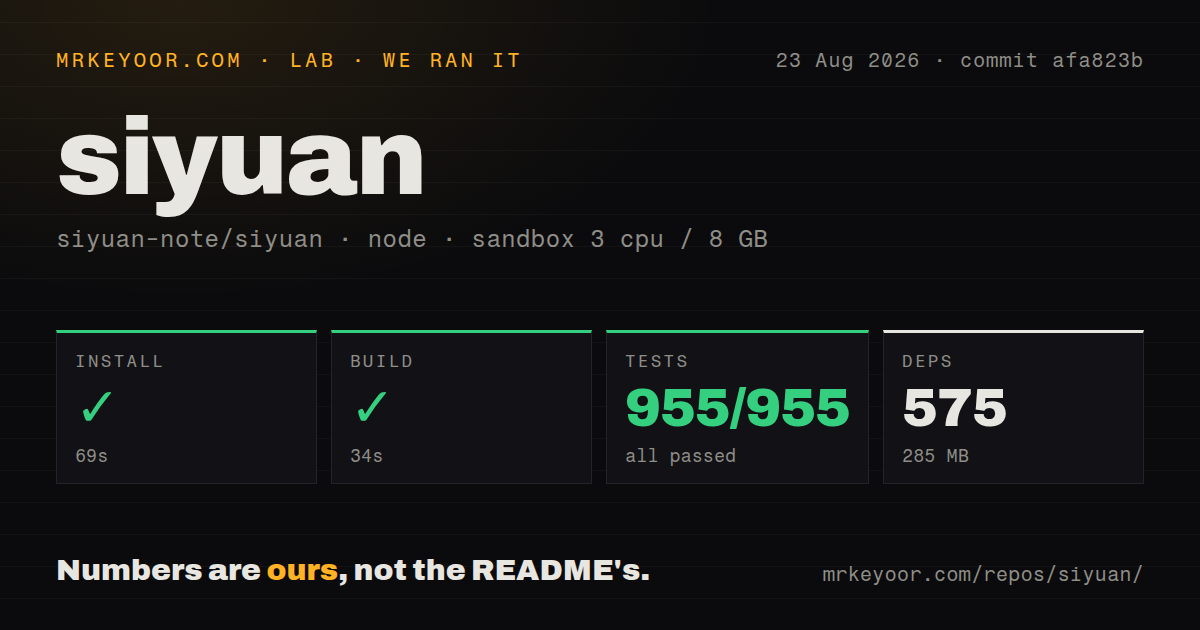
Our lab did not build a Docker image because this checkout had no Dockerfile. We tested the app source under Node 22 in an unprivileged Debian container with 3 CPUs and 8 GB of RAM. The pnpm installation succeeded in 69 seconds, pulled 575 packages, and occupied 285 MB. That source path is reasonable for contributors, while operators who only want the service should use the published image or a packaged app.
The browser deployment also drops features. It cannot connect the desktop and mobile applications, import Markdown, or export PDF, HTML, and Word documents. That makes it a poor substitute for the native app when document interchange matters. It works better as a privately hosted web workspace whose users accept browser access. If your plan depends on mobile synchronization with the native client, confirm the supported paid sync route instead of assuming the container supplies it.
What happened when we ran it
Our run at commit afa823b completed every measured stage. Installation took 69 seconds, the build took 34 seconds, and the node:test suite finished in 50 seconds with 955 passed and 0 failed. The project uses pnpm workspaces, has a tests directory, and includes 6 CI workflow files. Those results are a strong counterweight to the repository's size: the tested app compiled cleanly in a fresh container without secrets.
The numbers do not prove that OIDC, Docker networking, mobile clients, sync, PDF export, or every plugin works in your environment. They show that the checked-out app dependency graph resolved and its supplied tests passed under the stated conditions. A production evaluation should still mount a disposable workspace, test backup restoration, verify WebSocket proxying, and exercise exports before importing the real archive. SiYuan stores valuable personal data, so recovery matters more than a successful first login.
The feature depth comes with product and license decisions
Most features are free, including commercial use, but the README points to paid membership for some capabilities. The code is AGPL-3.0, which matters to companies modifying and serving it over a network. Read the license obligations and the current pricing page before designing a commercial deployment around member-only sync or other hosted services. Optional AI writing and question answering also call an OpenAI-compatible API, so local notes do not automatically mean local inference.
Project activity looks healthy on dated evidence. GitHub showed 45,978 stars, 57 open issues and pull requests combined, and a push on August 25, 2026. Release v3.8.1 arrived on August 18 with editor, database, cross-platform, MCP, and security fixes. The repo had 6 workflow files in our checkout, and the complete 955-test run gives that activity more weight than release notes alone.
Choose SiYuan for depth, not for the smallest server
SiYuan makes sense when block references, database views, local files, plugins, and strong editing belong in the same daily tool. Joplin is easier to understand if you want notebooks and sync. Logseq suits journal-led outlining. Memos is a better fit for a small shared stream of short notes. SiYuan asks more from the user and administrator because it does more.
The decision hinges on which SiYuan you need. The native apps provide the broad product, while the Docker route provides a limited browser edition with explicit proxy, authentication, volume, and interchange constraints. Our 34-second build and 955 passing tests justify confidence in the engineering baseline. They do not erase those documented boundaries. Test it with a copied workspace, practice restoring that copy, and only then make it the home for material you cannot replace.