mrkeyoor.com_
Thu 10 Sept 10:46 UTC
LLM Toolsevaluationupdated 10 Sept 2026

webcodex review

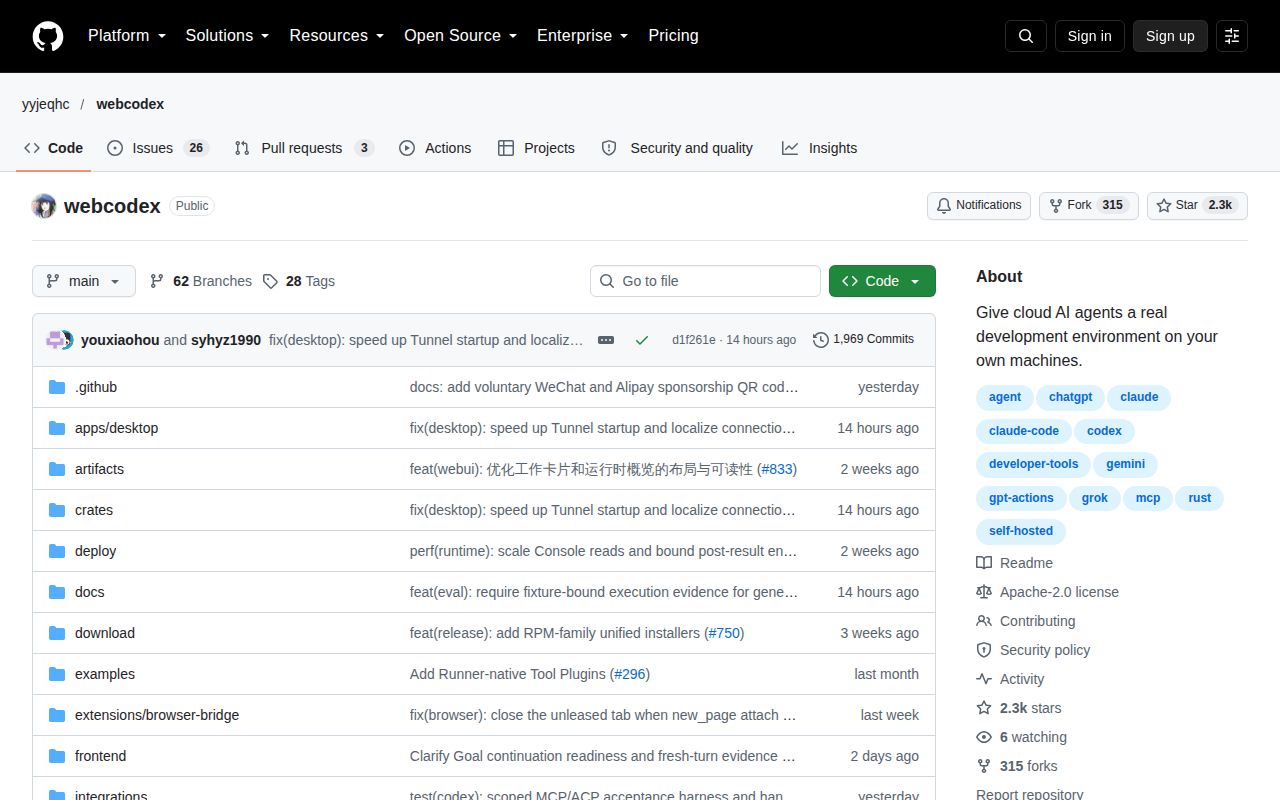
WebCodex is an open-source Rust tool that gives AI assistants like ChatGPT and Claude a local, permission-bounded development environment on your own machine. It solves the problem of moving a repository into a hosted AI workspace by keeping code, Git, tests, and developer tools where they already live, connected over MCP or HTTPS.

trackingstars / 7d
Verdict

WebCodex v0.4.0 built cleanly in 246 seconds and passed 4,958 of 4,962 tests in our sandbox, but the four failing Git tests and a 623-star footprint make it a cautious try for local AI agent work, not a safe default for production. Try the temporary share command first; only invest in the Desktop or Server + Runner setup if you need durable, reviewable long-running agent sessions on your own machines.

We ran it

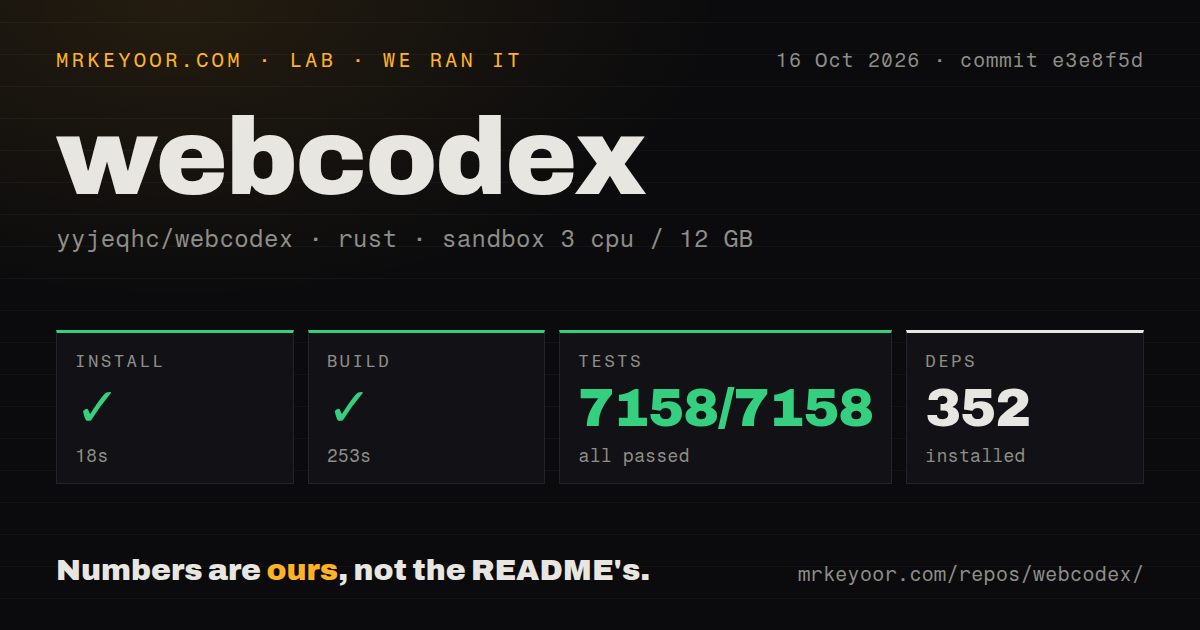
Install✓ · 29s366 packages
Build✓ · 246s
Tests✗ · 689s4958 passed · 4 failed of 4962 (cargo test)
Repo1031 files~621,826 lines of source · 26.7 MB · 4 CI workflows · Dockerfile · tests dir

Answers from our run

Does webcodex build from source?

Dependencies installed in 29 seconds (366 packages), and the build succeeded in 246 seconds. We cloned commit 2a848ef into a clean Debian container with 3 CPUs and no project-specific setup.

Do webcodex's tests pass?

Not all of them: 4958 of 4962 passed and 4 failed when we ran the project's own test command (cargo test). Some failures need services or credentials a bare container does not have.

Who should not use webcodex?

People who just want an in-editor autocomplete or chat overlay; WebCodex is a separate MCP/HTTPS layer, not a VS Code plugin.

What are the alternatives to webcodex?

Aider, Cline, Gemini CLI. WebCodex v0.

Setup3/5npx share is one command; full Server+Runner and tunnel config add steps
Docs4/5README plus nine docs pages cover quick trial, MCP, security, deployment
Community3/5623 stars, fresh release 3 days before review, only 5 open issues
Maturity3/5v0.4.0 is pre-1.0; our sandbox run had 4 test failures

Who it’s for

Developers who want ChatGPT, Claude, or another MCP client to inspect, edit, and test a repo without uploading it to a hosted service.
Teams or individuals on Windows/macOS/Linux who prefer a Desktop app plus an OpenAI Secure Tunnel over command-line setup.
People who need a long-running agent session where work, logs, and human approve/reject controls stay observable.
Self-hosters who want a Server + Runner split so multiple projects or machines are reachable from a durable endpoint.

Who it’s NOT for

People who just want an in-editor autocomplete or chat overlay; WebCodex is a separate MCP/HTTPS layer, not a VS Code plugin.
Buyers who need a 1.0 stable, fully green CI test suite today; our run had failing tests in the Git tooling.
Anyone who cannot tolerate giving an agent shell access, even inside project boundaries; the security model is real but the blast radius is your own machine.
Windows ARM64 users who want the official Desktop installer or managed Cloudflare tunnel; that path is x64-only and Cloudflare needs an external cloudflared.

Setup reality

In our sandbox on 2026-09-10, installation succeeded in 29 seconds with 366 packages, and a release build completed in 246 seconds. The test suite then failed with exit code 101: 4,958 tests passed and 4 failed, including tool_runtime::tests::git::git_diff_hunks_committed_exact_range_isolated_targeted_and_head_attributed and tool_runtime::tests::git::git_review_summary_uses_reviewed_head_committed_attributes, with a log showing left: Number(0), right: 1. The README's one-command npx --yes @yyjeqhc/webcodex share is the easiest entry point, but the recommended full path involves Server + Runner, Desktop install, and tunnel configuration, which is more moving parts than a single binary.

WebCodex is a Rust server that sits between an AI client and your local development machine. The README's pitch is direct: instead of moving a repo into a hosted workspace, WebCodex exposes files, Git, commands, tests, and long-running jobs to ChatGPT, Claude, and other MCP clients over HTTPS. The repo checked out to 1,031 files and about 621,826 lines of source, a substantial codebase for a tool in this category.

What happened when we ran it

Our clone was at commit 2a848ef, run on 2026-09-10 in an unprivileged Debian sandbox with 3 CPUs, 12 GB RAM, and no secrets. Installation via the lockfile completed in 29 seconds after pulling 366 packages. A release build with cargo build --release --workspace --bins finished in 246 seconds. The test suite was the bad news: cargo test failed with exit code 101 after 689 seconds, with 4,958 tests passing and 4 failing. The two visible failure names are in the Git tooling: git_diff_hunks_committed_exact_range_isolated_targeted_and_head_attributed and git_review_summary_uses_reviewed_head_committed_attributes. The final log snippet shows an assertion mismatch, left: Number(0), right: 1. We do not know if this is a sandbox-specific issue or a real bug, but the README does not list any required system packages beyond a Rust toolchain, so a fresh environment should be able to run the suite.

Strengths

The strongest design choice is that the repository never leaves your machine. WebCodex runs a Server and Runner on your own hosts, and AI clients connect over MCP or HTTPS. This avoids the security and sync headaches of copying a whole repo into ChatGPT's sandbox or another cloud workspace. The README also has unusually complete documentation for a 623-star project: desktop installation, CLI setup, quick trial, MCP reference, deployment, troubleshooting, and a dedicated security model.

The temporary share mode is the easiest on-ramp. Running npx --yes @yyjeqhc/webcodex share inside a repository starts a single-project, restricted environment and prints connection values; the endpoint and temporary credential stop when the process exits. For everyday use, the README recommends a regular Server + Runner with public HTTPS, Cloudflare Tunnel, or OpenAI Secure MCP Tunnel, plus a Desktop app on Windows or macOS. The 0.4.0 release from 2026-09-07 and a push on 2026-09-10 show the project is being actively developed.

Weaknesses and rough edges

The test failures are the obvious rough edge. Four of 4,962 tests failed in our run, all in Git diff and review summary logic. For a tool whose selling point is safe code inspection and Git visibility, a failing Git assertion is more concerning than a failure in an obscure utility. Even though 99.9% of tests passed, a pre-1.0 tool with any failing core test should be treated as experimental. The 689-second test run is also long enough that contributors may skip full validation.

Platform support is broad but uneven. Linux x64/arm64 gets the full local share, Server, and Runner workflows. macOS x64/arm64 gets the Desktop local Server + Runner and OpenAI Secure Tunnel. Windows x64 gets the Desktop installer and Cloudflare/OpenAI/none tunnel options. Windows arm64 is the weakest: the Desktop installer is x64-only, managed Server services are unsupported outside the Desktop foreground runtime, and Cloudflare requires an external cloudflared because the pinned Cloudflare release has no official Windows ARM64 artifact. That is a lot of fine print for a first-time user.

Community health

Community health is a mixed but encouraging picture. The repository has 623 stars, 5 open issues, and the last push was the same day as our review. The latest release, v0.4.0, landed three days before. The small issue count suggests either a quiet user base or a responsive maintainer; the fresh release and same-day push point to active upkeep. There are 4 CI workflow files, a Dockerfile, and a compose file, so the project is set up for automated checks, even if our local cargo test did not go green.

Where it fits in a real stack

In a real stack, WebCodex fits as a local MCP endpoint in front of your existing development tools, not as a replacement for an editor plugin or a cloud coding agent. If you already run local tests, compilers, and Git, WebCodex lets an AI client drive those exact tools without uploading code. The Runtime Console and task workflow add human review, which matters when the agent can execute commands. The architecture doc explains Server/Runner authority boundaries, but that is follow-up reading; the quick share command is the shortest path to deciding if the workflow clicks.

Alternatives

ProjectWhat it isPick it when
Aider gh↗Terminal-first AI pair programming that commits changes directly to your Git repo.You want a single CLI tool that edits code in place without running a separate MCP server.
Cline gh↗VS Code extension that acts as an AI coding agent with MCP client support.You want the agent inside your editor with a GUI, not a separate Server/Runner architecture.
Gemini CLI gh↗Google's open-source AI agent for the terminal with built-in MCP support.You are already using Google's models and want a first-party CLI agent rather than a self-hosted server.

What people are saying

  1. [github-trending] yyjeqhc/webcodex

Sources

  1. yyjeqhc/webcodex GitHub repository

More llm tools reviews

codegraph · semantic-kernel · cc-connect · no-ai-slop · distilly · gpt4free · the whole board →