CC-Connect can put a local coding agent within reach of a chat app, but our recorded source run does not establish that the service was ready to use. The decision is whether its documented platform coverage fits your workflow and whether you can verify the complete setup yourself.
Where the bridge fits
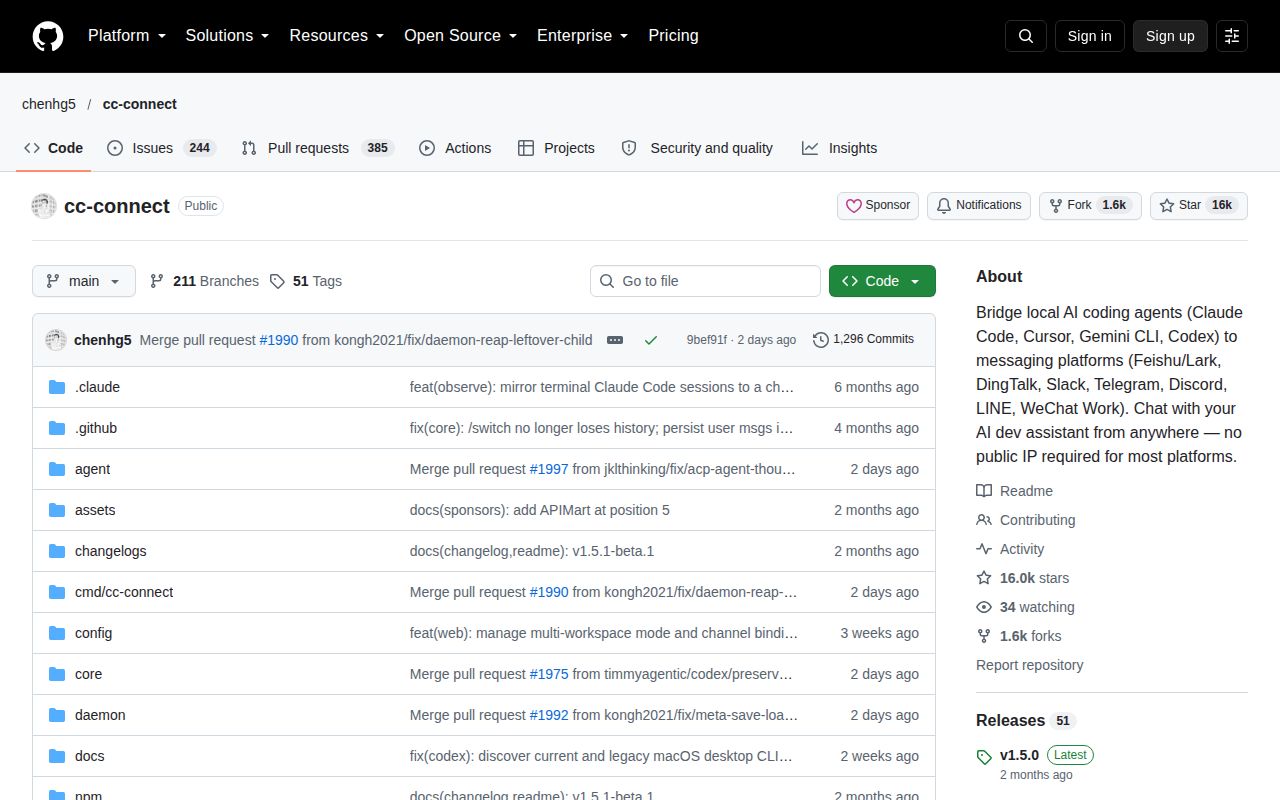
The README describes connecting local agents such as Claude Code, Codex, Cursor Agent, Gemini CLI and Kimi CLI to messaging services including Slack, Discord, Telegram, Feishu/Lark, DingTalk and WeCom. That makes CC-Connect relevant when you want to continue local project work through chat without building each platform integration yourself. We did not exercise those integrations in our run.
The documented setup starts with an installed and authenticated agent CLI. CC-Connect comes next, followed by starting the service and configuring platform bot credentials. The README distinguishes starting cc-connect from running cc-connect web: the latter opens the browser and configuration interface but does not start the service. A completed dependency step cannot substitute for checking those prerequisites.
What our recorded run establishes
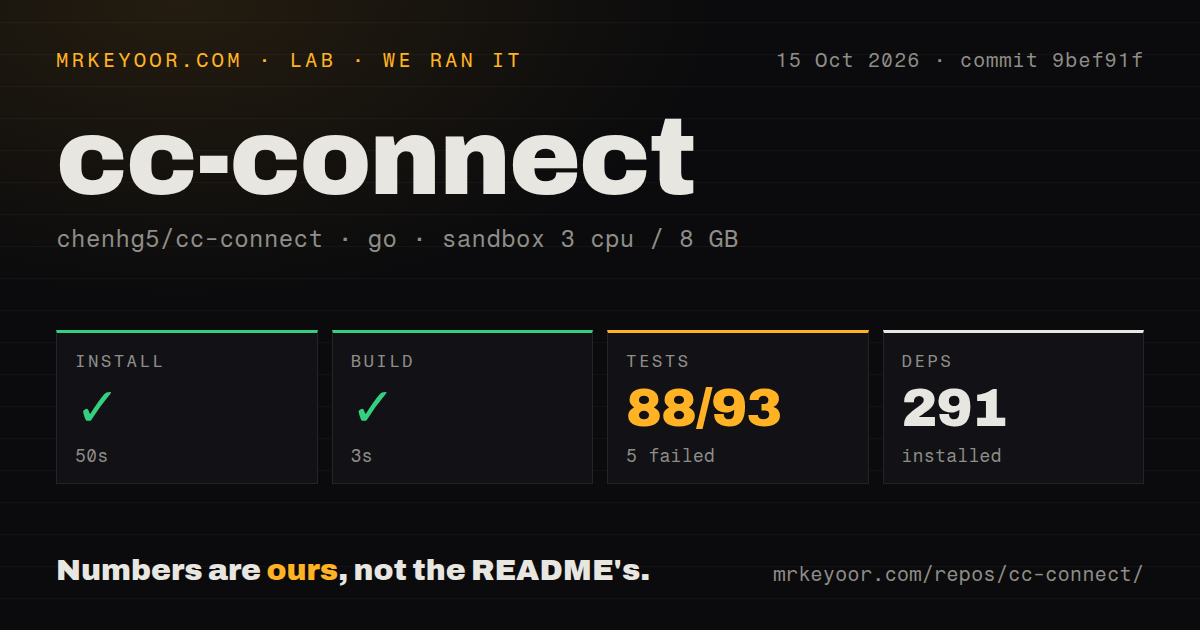
Our stored sandbox run is dated October 15, 2026, at commit 9bef91f7336d5d6ed0599ebe01a8d724a0b0e44e, whose recorded commit date is October 14, 2026. The sandbox configuration was 3 CPUs, 8 GB of memory and image golang:1.24-bookworm. The image label does not establish the runtime toolchain: the install tail records a Go 1.25.0 download.
The checkout measurements were 682 files, approximately 238,552 source lines and 20.3 MB. The record lists 291 dependencies, 3 CI workflow files and a tests directory. Its detector found neither a Dockerfile nor a Compose file in this checkout; that does not establish the absence of every possible deployment route.
The command results need separate interpretations:
- The install step exited 0 after 50 seconds. Its retained output shows a toolchain download, without an installed-binary check or a complete dependency-download transcript.
- The build step lasted 3 seconds and was marked successful by the harness. Its retained output nevertheless says web/embed.go:13:12: pattern all:dist: no matching files found, followed by vet-exit:1. The status and output conflict, so this record does not demonstrate a clean build or successful vet check.
- The go test step exited 1 after 140 seconds. The parser recorded 88 successful and 5 failed package results, with 93 in its summary, plus 5 packages without tests. These are package-level parser results, not 93 individual tests. Exhaustive unique counts were not verified, and no complete-log reconciliation was performed.
The retained test output explicitly identifies cmd/cc-connect and web as setup failures. It also contains successful results for agent, platform and release-local packages. Those results do not establish working live integrations, and the retained output does not explain every failure in the parser summary. The missing web assets are a concrete setup problem to investigate, without assuming they explain all failures.
No new execution was performed for this correction. The stored run does not establish CLI installation, service startup, agent authentication, a working Web UI or a successful message round trip. It contains no measured coding workload, latency comparison or security audit.
What to verify before adoption
Use the documented installation order, then check the actual binary and agent authentication before configuring a bot. Start with a non-critical repository and verify that an authorized chat message reaches the intended agent and working directory. Check what happens when an unauthorized account sends a command and when the agent requests tool approval.
The README documents admin_from for privileged commands such as /dir and /shell, permission modes, and Unix-user isolation for Claude Code on Linux/macOS. These are documented controls, not controls we tested. Their presence supports a concrete evaluation checklist; it does not establish security or isolation in your deployment.
The README labels the project MIT License. The stored license-detection field is null, which does not contradict that declaration or establish a licensing defect. The supplied evidence does not include the license text or a dependency-license review, so consult those before organizational deployment.
Release evidence and its limits
The supplied releases page identifies v1.5.0 as stable and lists v1.5.1-beta.1, v1.5.1-beta.2 and v1.5.1-beta.3 as prereleases. These release labels do not identify the tested checkout as one of those release binaries.
The v1.5.1-beta.3 notes report upstream verification and explicitly say that real-channel and real-agent QA begins on that beta, with stable promotion requiring an explicit QA pass for the exact beta commit. Those are maintainer statements about that release candidate, not results from our sandbox. The supplied CI page also shows successful workflow runs on October 22 and 23, 2026, including main-branch runs on October 22. Different commits and execution conditions prevent those results from resolving our stored run's conflicting build status.
When a framework is the better fit
Bolt for JavaScript is a framework for building Slack apps. discord.js is a Node.js module for interacting with the Discord API. Either can be relevant when you want to build a bot for one platform and own the agent connection. Neither supplied extract establishes a ready-made local coding-agent bridge. Choose between that development work and CC-Connect's documented integration model, rather than treating these libraries as interchangeable installations.
How to read the scores
These are editorial evidence ratings, not benchmarks. On this rubric, 1 means substantial unresolved obstacles in the supplied evidence; 2 means documented capability with major verification gaps; 3 means useful documented support with bounded observations; 4 requires broad corroboration for the category; and 5 requires unusually complete evidence. Unknown adoption, compatibility and support responsiveness do not earn high scores.
Setup earns 2 because installation and operational readiness remain unverified and the build record conflicts with its output. Documentation earns 3 because the README provides an ordered setup, configuration instructions and platform-specific distinctions. Community earns 2 because contributor and discussion routes are visible, while support responsiveness and adoption are unmeasured. Maturity earns 3 because stable and prerelease tracks and upstream verification reports exist, while our exact checkout remains unresolved.
For a trial, the useful next step is a complete setup on your intended platform-agent pair, with a verified binary and a controlled chat exchange. Our stored command run supports that limited recommendation.