Ask reads pages; Act and Dev can change them
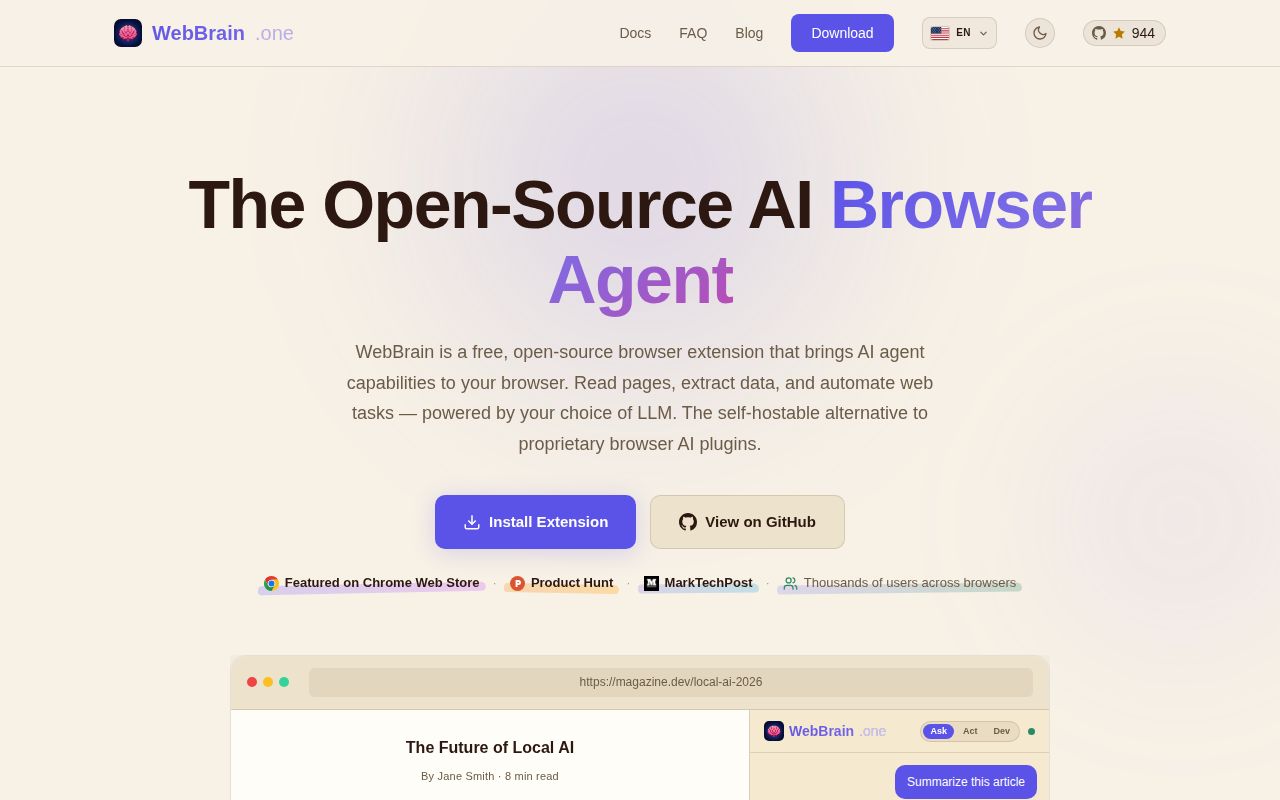
WebBrain puts a chat panel inside Chrome, Edge, or Firefox and lets a model inspect the current page. Ask mode reads and answers. Act mode can click, type, navigate, upload, or download. Dev mode adds page source, styles, console data, network diagnostics, and reversible page edits. That separation is useful because browser agents often blur reading and action into one permission choice. WebBrain makes the user choose a mode before a task starts.
The extension works with WebBrain Cloud, direct cloud APIs, and local OpenAI-compatible servers. The provider list is broad, while the local path covers tools such as Ollama, llama.cpp, LM Studio, and vLLM. Context size matters: the README recommends at least 16k tokens, says 8k is suitable only for its Compact tool tier, and calls 4k too small for the prompt and tool definitions. Small local models therefore need deliberate settings rather than a blind endpoint swap.
Why the existing browser session matters
Most browser automation opens a clean profile. That is desirable for repeatable tests, though it becomes awkward when a task sits behind SSO, a saved login, or a client-rendered account page. WebBrain works in the browser session already open on the desktop. A coding agent can ask it to inspect a signed-in dashboard without rebuilding authentication in Playwright.
The MCP server is the clearest expression of that idea. Claude Code, Codex, Cursor, and OpenClaw can delegate a high-level browser task through six tools covering runs, extraction, status, clarification, aborts, and diagnostics. The server does not expose every low-level browser primitive. Permission checks stay inside WebBrain's agent loop, where the extension can ask before a consequential action. Structured extraction also accepts a JSON Schema when a caller needs predictable fields.
There are operational limits. MCP delegation is Chromium-only because it uses an offscreen document. Users must run a local MCP process, point the extension at its WebSocket URL, and keep the process alive. The extension also holds one bridge connection, so switching among WebBrain Cloud, MCP, and the LM Studio plugin means changing the bridge URL rather than leaving all three attached.
What happened when we ran it
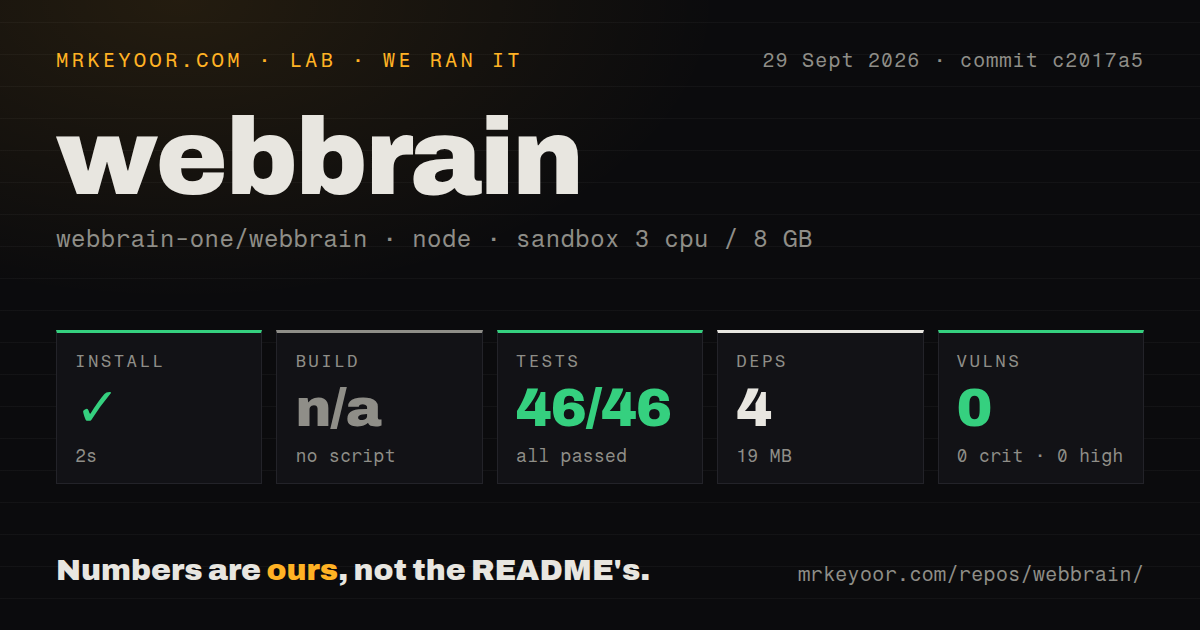
We cloned commit a648c60 into a fresh unprivileged Node 22 container with 3 CPUs, 8 GB of RAM, and no secrets. The checkout contained 9,892 files, about 388,965 lines of source, and occupied 413.6 MB. Installation succeeded in 11 seconds, adding 4 packages and using 19 MB on disk.
The repository had no generic build script or target for the lab to run, so we skipped that step. Its test command succeeded in 74 seconds. The npm audit reported 0 known vulnerabilities across critical, high, moderate, and low severities. Those results make the contributor baseline look healthy, although they do not test a live extension against changing websites or judge model accuracy.
Permission design helps, but the risk stays real
The security documentation is refreshingly specific. Page-derived content is marked as untrusted, consequential tools use capability and origin grants, Ask mode stays read-only, and an optional planning step can wait for approval before tools run. The code also includes loop detection, duplicate-submit protection on Chrome, checks for obscured click targets, and handling for credential-shaped fields. These controls reduce common automation mistakes.
They cannot turn an authenticated browser agent into a low-risk utility. The security guide says the agent can do anything the user can do in the browser. A malicious email, document, issue comment, or web page can place instructions in material sent to the model. Permission prompts and untrusted-content wrappers provide layers of resistance, but the model remains part of the decision path. Keep financial, administrative, and production accounts away from casual Act-mode experiments.
Strict secret handling has a stated boundary too. Cloud runs redact values typed into fields or recognized through credential labels. A secret read from ordinary page text may escape that detection, and protection then depends on the model following its prompt. Profile autofill data is stored locally in plain text and sent to the chosen provider when enabled. These are reasons to use a separate browser profile and limit saved credentials.
Privacy also depends on provider choice. Local inference stays on the machine, while direct API use sends page context to the selected provider. WebBrain Cloud's Help Improve setting is on by default and may retain eligible prompts, page text, model output, tool calls, and outcomes. Users who do not want that collection need to disable it. The documentation explains the path clearly, which makes the setting possible to evaluate rather than discover by accident.
Chrome is the intended experience
Firefox gets the shared agent logic and permission gate, but its browser APIs impose real losses. The README names missing trusted mouse events, closed shadow-root traversal, CDP screenshots, stronger retries, and some single-page navigation handling. The security guide adds that Firefox lacks WebMCP, recording, and Chrome's wired duplicate-submit guard. This is a meaningful capability gap for automation on modern web apps.
Release 33.3.0 arrived on August 26, 2026, and the repository was pushed later that day. GitHub showed 6 open issues and pull requests combined, with issue activity through August 25. The release adds broader selection context, fixes selection-restore races, and clarifies trace privacy and retention. The fast release history makes pinning and changelog review sensible for any browser profile used for real work.
WebBrain earns a trial when using the current signed-in browser is the requirement. Its local-model support and MCP bridge widen the ways it can fit into a developer workflow. The right trial uses Chromium, a separate browser profile, Ask mode by default, and explicit review before any action that sends, buys, publishes, or deletes.