Website evidence is easier to compare in one dashboard
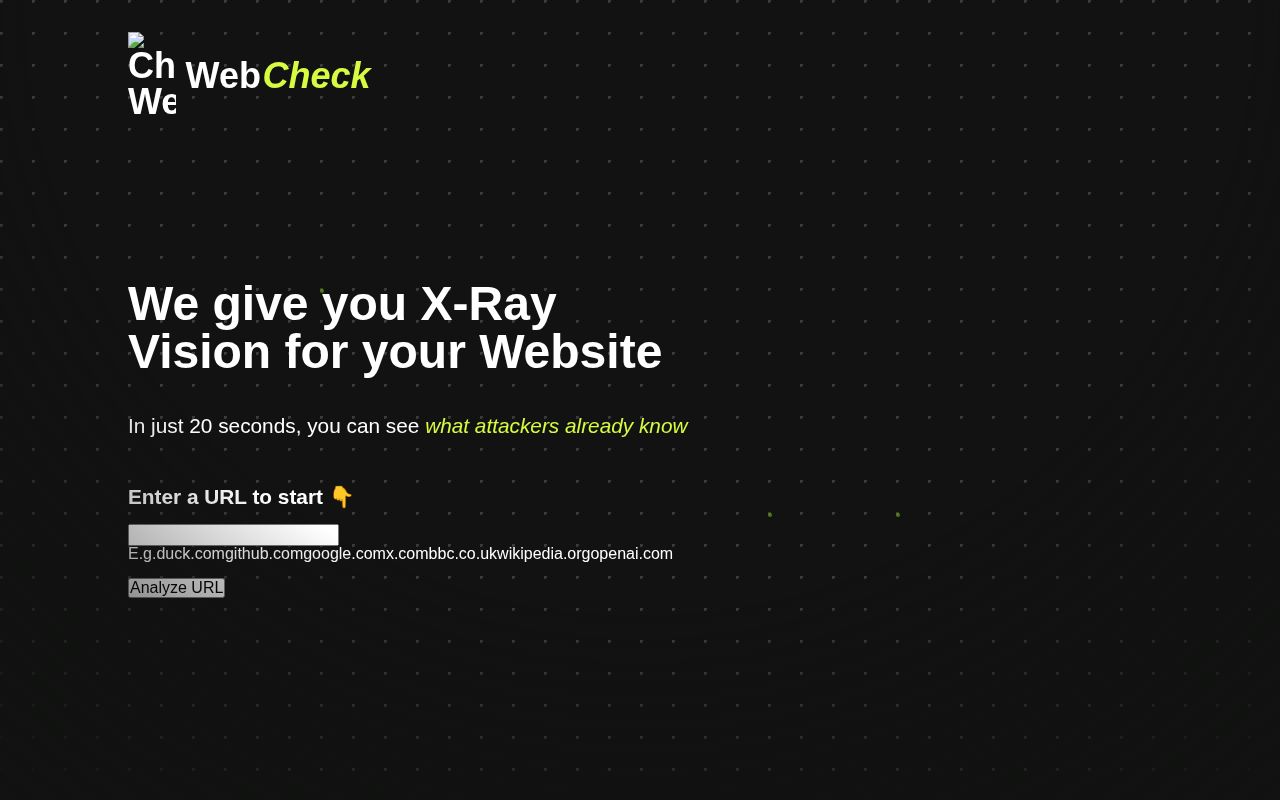
When a website behaves strangely, DNS and HTTP headers can send you to different tools before you've even checked its certificate. Web-Check collects those investigations in a browser interface. The project describes its purpose as inspecting public website information, server architecture, and security configuration. That is a useful starting point for a developer inheriting a domain or an administrator checking what a deployment exposes. You still have to interpret the answers.
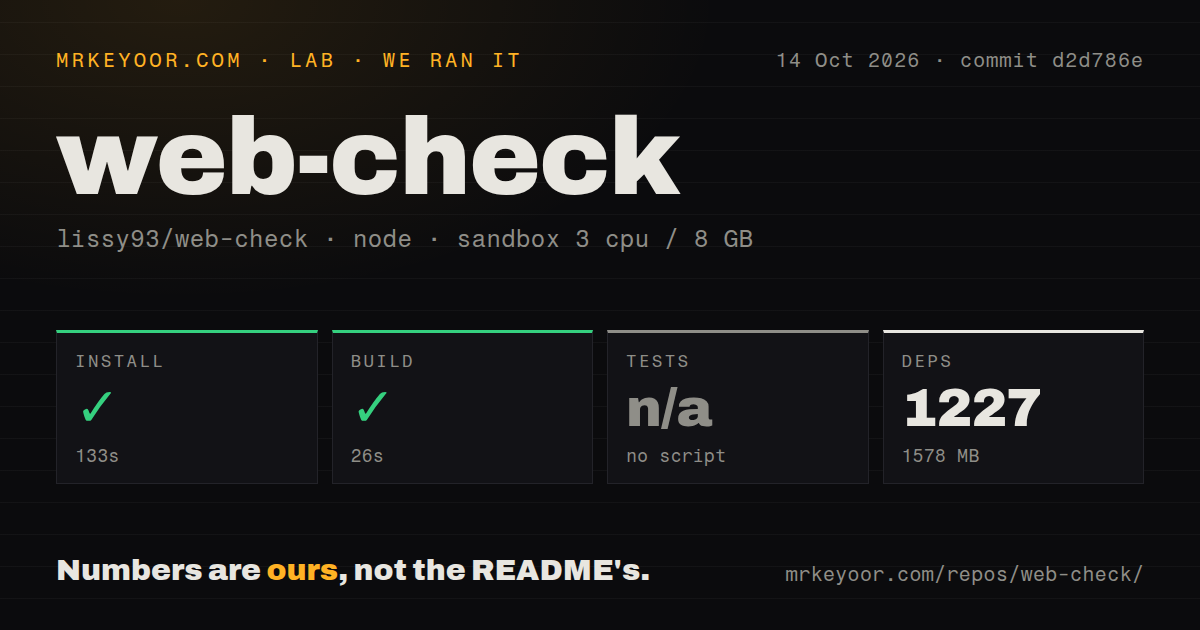
The convenience has a local cost: our checkout occupied 21.3 MB, while installation expanded the environment to 1,578 MB. That difference matters if you intend to keep a copy on a small server solely for occasional lookups. A hosted instance may be enough for public-domain research. A local copy makes more sense when you need to control configuration, choose which checks run, or understand the infrastructure collecting the results.
What happened when we ran it
Our sandbox installed Web-Check at commit d2d786e in 133 seconds, adding 1,227 packages, and completed the build in 26 seconds. We ran it on October 14, 2026, in an unprivileged Debian container with 3 CPUs, 8 GB of RAM, the lab-node:22 image, and no secrets. Both steps succeeded. The installed environment occupied 1,578 MB. These measurements establish that this checkout could install and build under those conditions.
Tests were skipped because our run found no tests script or target. The repository scan counted 377 files and roughly 14,495 source lines, found 6 CI workflow files, a Dockerfile, and a compose file, but no tests directory. Deployment workflows are useful maintenance signals. They cannot stand in for an executed test suite. The supplied results also contain no website-scan accuracy or response-speed measurement, so the build result shouldn't be read as either.
Optional credentials determine which checks you receive
The README's configuration table names Google credentials for PageSpeed Insights and Safe Browsing, Shodan for host and vulnerability information, and Cloudmersive for an additional threat scan. Other credentials raise rate limits for Tranco rankings, GitHub social presence, or CertSpotter subdomains. The distinction is practical: running the app without credentials is documented, but that does not mean every service-backed result will be available. Decide which checks matter before signing up for accounts.
Our 133-second install ran without secrets, so its success doesn't validate any credentialed integration. If Shodan is the reason you're considering Web-Check, verify that path with your own account after deployment. An external API can also change its limits or response behavior independently of the app. When a card returns little information, first check whether it needs a token, a reachable provider, or a local executable before interpreting the absence as a clean result.
Missing system tools cause jobs to be skipped
Chromium, traceroute, and dns appear in the README's development prerequisites. It explicitly says jobs needing those tools will be skipped if they are missing. This is an easy detail to overlook beneath the short source-deployment commands. A Node process can start while its available investigations remain narrower than the dashboard suggests. For a shared instance, write down which jobs you intend to support and provide their prerequisites in the deployment image.
The 26-second build gives us no coverage figure for those jobs. Docker is a documented alternative, with images on Docker Hub and GitHub's registry, and the source route uses Yarn to build and start the API plus GUI. Those choices make delivery flexible. They leave an operator responsible for checking actual job availability. I would keep a small set of known domains for checking expected output after upgrades, especially where a missing result could change a security judgment.
Public API settings need deliberate choices
The sample configuration exposes rate limiting, enabled and disabled check lists, and blocked hosts. It also supplies a Chromium path and a reverse-proxy trust setting. These controls matter because the backend makes network requests on behalf of whoever supplies a target. A private tool used by an administrator has a different exposure than an anonymously accessible deployment. Review those controls against the networks the instance can reach before sharing its address.
Our scan found 6 workflow files, but that count does not establish safe public settings for your deployment. The README also says frontend variables beginning with PUBLIC_ are read during the build. Changing an API endpoint or timeout setting in the environment therefore requires rebuilding the frontend to apply it. That is a concrete maintenance inconvenience for operators used to changing a container variable and restarting. Keep the frontend configuration alongside the image revision you deploy.
October maintenance supports a trial, not automatic trust
GitHub recorded the last push on October 13, 2026, and 35,101 stars with 1 open item in its combined issues and PRs count. Release 2.3.0 shipped on October 2. Recent closed pull requests include outbound-request timeout work and improvements to security-header reporting. Together, the push date and issue activity show ongoing maintenance. The release date alone would tell us much less about how the project is being looked after.
For a narrower task, testssl.sh concentrates on TLS, while Nikto provides configurable web-server scanning. Neither comparison requires assuming which is faster. Web-Check earns its place when the dashboard reduces repeated lookup work enough to justify the 1,578 MB environment we measured. Before relying on a reassuring result, check whether the relevant job ran and whether it had the credentials and executables it needed.