Short answer
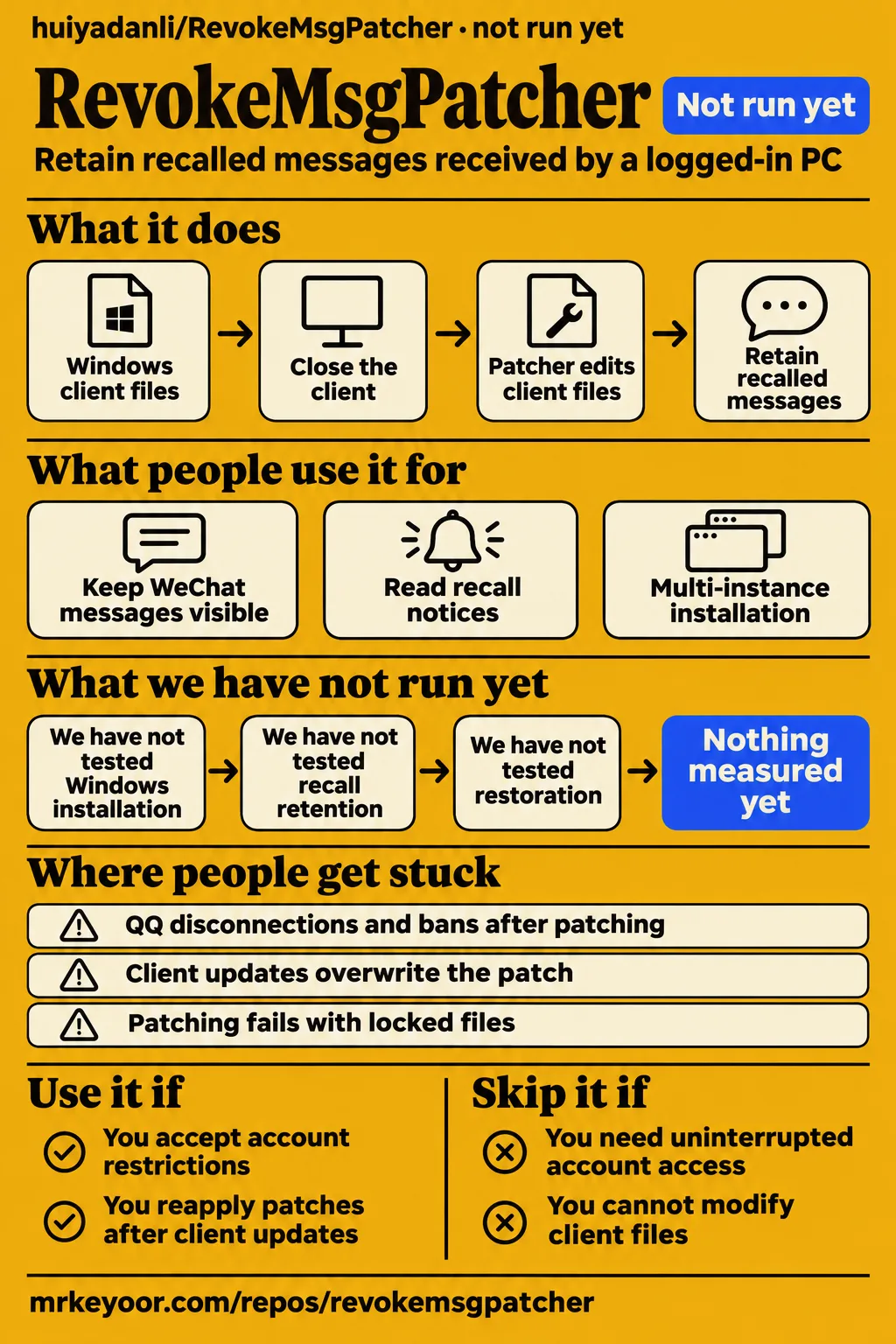
The maintainer confirmed frequent QQ disconnections and bans in issue #864 and recommended pausing use. RevokeMsgPatcher therefore suits Windows users deliberately experimenting with recall retention and accepting account restrictions. People who depend on uninterrupted messaging access should avoid it. The decision concerns both the message you want to retain and the account you would modify: a useful feature does not remove the consequence described by the maintainer.
RevokeMsgPatcher edits messaging-client files rather than retrieving a complete conversation archive. The wiki's retention instructions require the PC client to be logged in and receive the original message. Synchronized history excludes recalled content under those instructions. Someone opening a laptop after the conversation needs a different outcome from someone keeping an already received message visible; this patcher documents the latter workflow.
What people use RevokeMsgPatcher for
CloverAn reported working retention and recall notices on WeChat 3.9.12.51 in issue #922. Other reports describe forced logout, separate feature failures and launch workarounds. Reading them by client build and task gives a more useful picture than treating every mention of WeChat support as interchangeable. The following reports identify who tried each task and what happened afterward.
| Person and task | Reported outcome | Practical distinction |
|---|---|---|
| CloverAn, retaining messages on WeChat 3.9.12.51 | Retention and recall notices worked, without forced logout at the time of the comment. | The report covers that user's client and account. |
| The author of issue #922, patching WeChat PC 4.0.3 | Patched in the morning, was forcibly logged out that afternoon and returned to 3.9.12.51. | The reported sequence includes an account consequence. |
| qingyuboy, selecting features on WeChat 4.1.12.55 with patcher v2.1 | Multi-instance installation succeeded while anti-recall installation failed. | The two checkboxes produced different outcomes. |
| xuxiaoqiu and ccccerr, trying a modified GAHelper build | Both reported that it ran; ccccerr reported success on two computers. | This was a launch workaround after initialization trouble. |
The two WeChat 3.9.12.51 accounts in issue #922 deserve to stay together: CloverAn reported working retention, while another commenter recorded a warning on that version. The same thread also contains restrictions reported on 4.0 and 3.9 clients. Choosing an older build changes the software involved, but the discussion contains favorable and unfavorable experiences within the older generation itself.
What happened when we ran it
Our November 20, 2026 run at commit b34c243 recorded NOT RUN: the harness reported an unsupported C# ecosystem and no Dockerfile. The recorded sandbox configuration was 3 CPUs, 8 GB RAM and image n/a. The later November 23 attempt added a failed Compose safety check and a contradictory deployment summary. These records describe the evaluation attempts and their configuration, rather than Windows application performance.
| Question | Answer | Verdict | Why |
|---|---|---|---|
| Did the November 20 source evaluation run the application? | NOT RUN at b34c243: unsupported C# ecosystem; no Dockerfile. | Blocked by the evaluation environment. | The harness recorded no installation, build or test execution. |
| Did the November 23 safety step pass? | FAILED: none of compose.yaml, compose.yml, docker-compose.yaml or docker-compose.yml existed. | Failed. | The lab rule required a Compose file. |
| What did the November 23 run summary say? | It described deployment with the project's own Docker Compose on 2026-11-23, with every port bound to 127.0.0.1. | Conflicts with the failed safety step. | The safety record says the required Compose file was absent. |
| What happened during cleanup? | Teardown recorded as ok. | Cleanup completed according to the record. | The teardown entry contains that status only. |
The safety check used the label "unsafe repo" for the missing Compose file. That wording belongs to the lab rule, which required container configuration before proceeding. RevokeMsgPatcher's README instead describes a Windows desktop patcher launched as administrator. The missing Compose file explains this failed evaluation route; it is not a security finding about the Windows executable. The deployment summary and failed step remain contradictory records.
Where people get stuck
The wiki gives different responses for locked files, stale patch information and signature mismatches in its troubleshooting instructions. A signature is the byte pattern the patcher expects to find in a client file. Retrieving current patch information addresses stale patterns; closing the client addresses an occupied file. Those are different failures, even when both stop the same patch button from completing its work.
| What you see | Documented response | Relevant detail |
|---|---|---|
| "The process cannot access the file 'xxx' because it is being used by another process." | Close WeChat, QQ or TIM before patching. | The wiki identifies the running client as the first thing to address. |
| A listed client appears unsupported | Wait for successful retrieval of current patch information. | Bundled patch information can be older than the online information. |
| Latest patch information fails to download | Restart and retry, wait for hosting recovery, then report persistent failure. | The wiki names connectivity and unavailable hosting as possible causes. |
| Actual signature count [1] differs from expected count [2] | Confirm current patch information loaded; report the client version and download address if the mismatch continues. | The wiki says continued mismatch probably means an unsupported build. |
| Security software interrupts patching and damages the client | Reinstall the affected messaging application. | This is the documented response to that specific damage. |
Initialization trouble has its own sequence in issue #220. ccccerr said reinstalling .NET did not help. The maintainer offered a detailed-error build and a modified GAHelper build. xuxiaoqiu reported no response from the detailed-error build, then successful operation with modified GAHelper. ccccerr also reported no response on the affected computer with the detailed-error build and success on two computers with modified GAHelper.
Recall notices create another practical problem. In issue #243, Dreamray described replying to a message after its sender had withdrawn it. The wiki separately lists notice support for the historical WeChat range 2.8.0.112 through versions before 3.3.5.15, while CloverAn later reported notices on 3.9.12.51. Keeping text and identifying it as withdrawn are distinct behaviors in these accounts.
Client updates change the feature and the file
Release 2.2 updates QQNT private and group recall support and removes the QQ Lite and TIM options, according to the release notes. Calling this the first QQNT support would overlook the README's attribution of QQNT anti-recall features to version 2.1. The current release and the README's older WeChat/QQ/TIM description therefore need to be read separately when choosing an option.
The client file also changed across WeChat generations. In issue #832, zetaloop described a method for WeChat beta 4.0.0.26 targeting Weixin.dll. The maintainer replied that the method had been incorporated into release 2.0. The beta report described no recall notices and no multi-instance support. Later comments included a report that 4.0.0.29 was unsupported, keeping the specific build number central to that discussion.
WeChat 4.1.9.30 produced a different failure report in issue #1181. ndwzy offered an adapted fork, after which AliusCode and DilyLong described retention working in the active conversation but disappearing after switching conversations. They also reported failure outside the active chat. That sequence gives a concrete reason to include conversation switching in a compatibility evaluation, alongside the initial patch installation and recall action.
Account restrictions can outweigh message retention
The maintainer recommended pausing use after confirming QQ disconnections and bans in issue #864. The same comment identifies two client-restoration routes: the patcher's backup restoration option or installing QQ again over the existing installation. Other comments include a TIM 3.4.8 abnormal-account report and continued disconnections reported after restoration. The discussion concerns both modified client files and account access, which are separate problems for the reader.
WeChat users reported different experiences in issue #922. The author described a forced logout after patching 4.0.3, while other commenters described restrictions on older builds. One explained that the usual phone remained usable while computer login was blocked. For a reader who needs desktop messaging for work, that reported loss of computer access is enough to make the experiment unsuitable, regardless of whether retained messages are useful.
The wiki attributes antivirus alerts to changes in messaging-client files and instructs users to allow the operation. The README also requires administrator execution. Those instructions make the workflow incompatible with a managed machine whose rules prohibit client modification or overriding security controls. The practical decision starts with permission to modify the machine and the value of continued messaging access.
Chinese documentation is part of setup
The README specifies Windows 7 or later and .NET Framework 4.5.2 or later in its installation instructions. It tells users to close the client, run the patcher as administrator and wait for current patch information. Installed clients normally have their paths read from the registry; portable installations require manual path selection. The listed minimum operating system is a documented requirement, rather than a recommendation to choose an older Windows release.
The README and linked wiki are primarily Chinese, and the README lists no English documentation link. An English-speaking reader must connect translated instructions to exact filenames, client versions and status messages. The wiki includes the English file-lock error, but the issue discussions carrying the GAHelper workaround and feature-split reports are Chinese. Keeping version strings such as 4.1.12.55 and patcher v2.1 intact helps preserve the useful detail when translating a report.
Repository attention and release identity
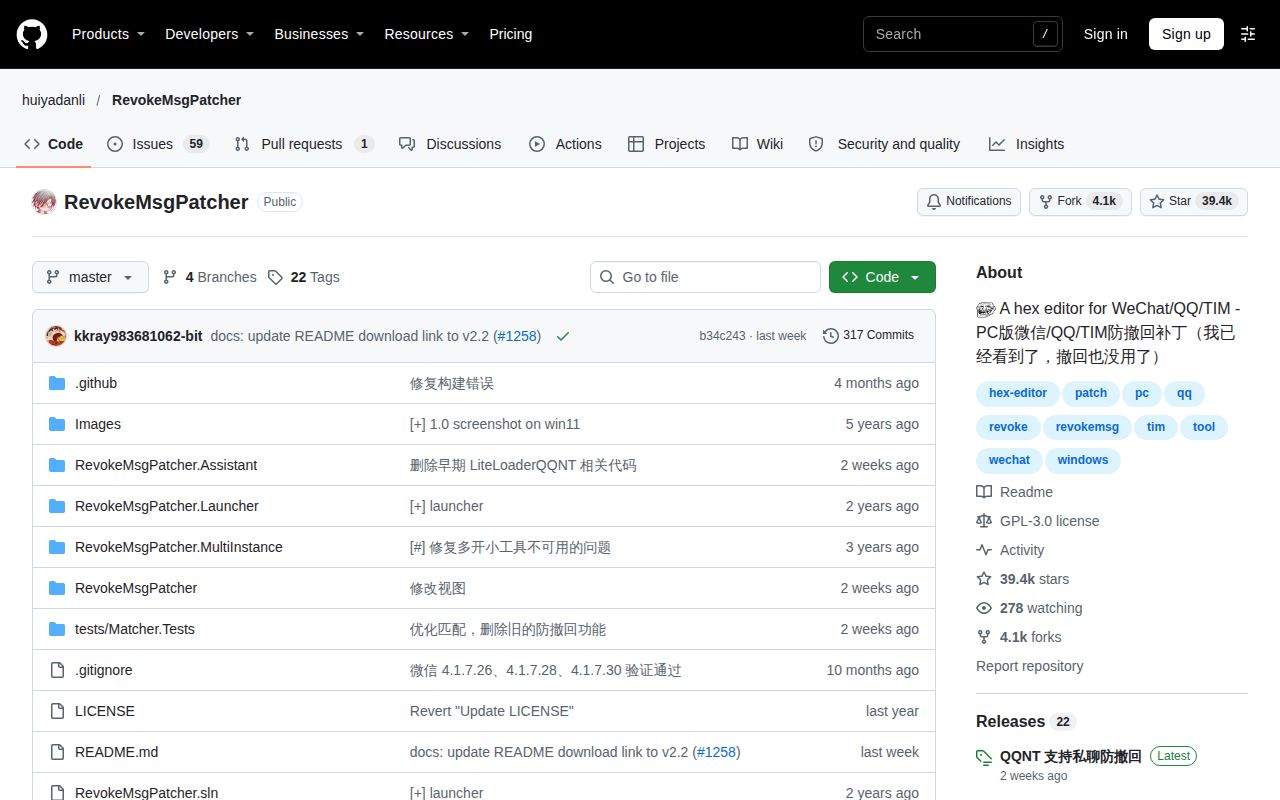
GitHub recorded 39,375 stars and a last push on November 17, 2026 in the repository metadata observed on November 23. Those figures describe repository attention and activity. The account warning, launch workaround and compatibility reports answer different questions: what happened to particular users on particular clients. This review's recommendation follows those outcomes rather than converting the star count into a reliability rating.
The upstream README links huiyadanli's RevokeMsgPatcher.v2.2.zip. A similarly named DAMA342 repository advertises Patcher_Msg_Revoke_v3.7.zip under a different owner. The amorphobia/siku manifest points back to huiyadanli's v2.2 release asset. Owner, asset path and release number together identify the download being discussed; the larger number on the other repository does not identify a newer huiyadanli release.
RevokeMsgPatcher vs LiteLoaderQQNT and the ndwzy fork
LiteLoaderQQNT is a QQNT plugin loader, while ndwzy's fork was offered for the WeChat 4.1.9.30 problem. The LiteLoaderQQNT README describes adding plugins and warns that QQ's security system may log out devices or ban accounts. Architecture is therefore the useful comparison: choosing a loader means maintaining that loader and the plugin responsible for the feature you want.
| Choice | Why consider it | Maintenance or reported consequence |
|---|---|---|
| huiyadanli/RevokeMsgPatcher | Automated edits to client files; release 2.2 describes WeChat adaptations and updated QQNT recall support. | Client updates require patching again; the maintainer confirmed QQ restrictions. |
| LiteLoaderQQNT with an anti-recall plugin | Hysen Labs describes recall behavior supplied through a plugin; the loader also supports other QQNT plugins. | Maintain the loader and chosen plugins; its own README warns of logout and bans. |
| ndwzy/RevokeMsgPatcher | Offered in the WeChat 4.1.9.30 discussion. | AliusCode and DilyLong reported retained messages disappearing after conversation switching. |
What the other reviews get wrong
OpenSourceProjects.dev describes in-memory patching and automatic reapplication, while the project wiki describes byte editing and patch reinstallation after client updates. Other pages differ on administrator rights, complete history and restoration options. The table keeps those corrections tied to named pages and distinguishes them from the Scoop manifest, whose readable contents establish package details rather than a message-interception mechanism.
| Page | Description checked | Evidence-based correction or reading |
|---|---|---|
| OpenSourceProjects.dev | Describes in-memory patching and reapplication whenever the app runs. | The wiki describes editing bytes in files and reinstalling the patch after client updates. |
| OnWorks | Lists operation without administrator privileges. | The upstream README instructs users to run as administrator. |
| ThePowerHost | Promises a complete chat record. | The wiki requires live receipt by the logged-in PC and excludes recalled content in synchronized history. |
| Hysen Labs | Describes recovery through reinstallation or a manually saved DLL. | Issue #864 also identifies an in-app backup restoration option. |
| DAMA342's same-name repository | Advertises its own v3.7 ZIP. | The owner differs; huiyadanli's README links v2.2 and identifies GPLv3. |
| bright-angel's Scoop manifest | Lists version 2.2, the huiyadanli homepage and a huiyadanli release asset. | These are package provenance fields; the readable manifest does not contain the alleged hooks explanation. |
Hysen Labs, whatisgithub and ExplainGit describe WeChat patching using WeChatWin.dll, according to the recorded page comparisons. The WeChat 4.0 beta discussion identifies Weixin.dll and records the maintainer adopting that method. The correction is the client-generation qualifier: the familiar older DLL name does not describe the target named in the 4.0.0.26 report. Exact filenames belong beside exact client versions.
The English YouTube discussion explains administrator rights, file changes and reapplication after updates. Its transcript is a conversation about the tool rather than a recorded installation sequence. On X, MrParamita_X proposes adding local encryption after mentioning RevokeMsgPatcher. That post describes an idea; it does not document an encryption feature in this patcher. Neither discussion changes the release's stated feature list.
FAQ
RevokeMsgPatcher retains eligible messages received by a logged-in PC client, according to the wiki; it does not retrieve recalled content from synchronized history. The questions below cover that distinction, project identity, mechanism and the errors discussed above. Their answers separate the upstream instructions from named users' reports, including the feature split on WeChat 4.1.12.55 and the account warning in issue #864.
What is RevokeMsgPatcher, and is huiyadanli/RevokeMsgPatcher the project I am looking for?
huiyadanli/RevokeMsgPatcher is the Windows client-file patcher reviewed here. Its README links the upstream downloads and identifies GPLv3. The DAMA342 repository has a different owner and archive path, despite sharing the project name. The owner distinction is especially useful when a search result displays a version number without the full repository name or download location.
Can I still see a WeChat or QQ message after the sender recalls it?
The wiki requires the logged-in PC client to receive the original message. It explicitly excludes recalled content recovered through synchronized history. CloverAn reported retention on WeChat 3.9.12.51, while the WeChat 4.1.9.30 discussion includes messages disappearing after conversation switching. These accounts concern retention at the receiving client, rather than recovery of messages absent from that PC.
How does RevokeMsgPatcher actually work?
The wiki describes automated byte edits at specified positions in client files. A hex editor changes those underlying bytes, and the patcher's signature matching locates the expected patterns. This explains why the client file and version matter to troubleshooting: the WeChat 4.0.0.26 discussion names Weixin.dll, whereas the README's older mechanism description names WeChatWin.dll for WeChat.
Does RevokeMsgPatcher support the latest QQNT architecture?
Release 2.2 updates QQNT private and group recall support. The release author names QQNT builds 9.9.36-53644 and 9.9.37-54395 as working in that account. Those are release-author results, distinct from our sandbox attempts. The README already attributes QQNT anti-recall features to version 2.1, so 2.2 is an update to that support rather than its first appearance.
Can using RevokeMsgPatcher get my QQ, TIM or WeChat account restricted?
Yes. The maintainer confirmed QQ disconnections and bans in issue #864, where a TIM user also reported an abnormal-account warning. WeChat issue #922 includes forced logout and blocked computer-login reports alongside users reporting continued operation. The practical recommendation is to avoid modifying an indispensable account; the maintainer's restoration instructions concern the client software and are not an account-unblocking procedure.
Why does anti-recall stop working after a WeChat or QQ update?
The wiki says client updates require reinstalling the patch. Its troubleshooting sequence also calls for current patch information, because bundled information can be older than what the program retrieves online. The update problem and a signature mismatch therefore have related but separate steps: reapply for the changed client, then follow the documented mismatch process if the expected byte patterns still differ.
Why does anti-recall fail on WeChat 4.1.12.55 while multi-instance installation succeeds?
qingyuboy reported that exact split with patcher v2.1 in issue #1217. Selecting only multi-instance installation succeeded, while selecting anti-recall produced an error. The useful answer is that the two features had different outcomes on the same reported build. The troubleshooting table covers stale patch information and signature mismatches, which are the wiki's documented branches for patch failures.
Why is my client version reported as unsupported when it appears on the support list?
The wiki says bundled patch information can be stale. Wait for successful retrieval and use the status text to inspect current support information. If that information lists the client but patching still fails, the wiki asks for an issue. The relevant report should preserve the exact client version, rather than shortening it to a generation such as WeChat 4.
How do I fix a signature match-count mismatch?
The wiki first asks whether current patch information loaded successfully. Its example compares actual count [1] with expected count [2]. If the mismatch continues with current information, the wiki says the build is probably unsupported and asks for the client version and download address. Those details let the maintainer identify the file whose expected pattern differs.
Why does downloading the latest patch information fail?
The wiki names poor connectivity and unavailable hosting as possible causes. It recommends restarting and retrying, then waiting if needed and reporting a persistent failure. This concerns retrieval of patch information, rather than downloading the Windows executable itself. The program's status message identifies which part of that process failed and belongs in a troubleshooting report.
What should I do if antivirus software flags RevokeMsgPatcher?
The wiki attributes possible alerts to edits in messaging-client files and instructs users to allow the operation. The README also requires administrator execution. Match the download to the upstream owner and release asset before making that decision, and follow the rules of the machine you use. A workplace prohibition on client modification already excludes this installation workflow.
How do I recover if security software interrupts patching and damages the messaging client?
The wiki prescribes reinstalling the affected application. For the separate QQ restriction discussion, the maintainer names in-app backup restoration or installing QQ again over the existing installation. These instructions address restoring client files after modification or damage. The reported continued disconnections after restoration in issue #864 are another reason to distinguish software recovery from account access.
What we have not tested yet
RevokeMsgPatcher has not run in our lab: the November 20 harness stopped at ecosystem detection, and the November 23 records conflict about deployment. Windows installation, recall retention, notices, multi-instance behavior and restoration therefore have no lab result here. The 3-CPU, 8-GB configuration is not measured application resource use, and image n/a supplies no operating-system or runtime version. There are no executed build, test-count, benchmark or security-audit results.
A Windows evaluation would need to record the operating system, patcher release and exact messaging-client build, then receive and recall a message before switching conversations and returning. Successful installation alone would not answer the retention question. Recall notices, multiple instances and restoration need separate observations. The closed labels on issues #243 and #1181 do not resolve the missing-notice and conversation-switch reports; their readable comments contain no complete resolution.
The community reports do not establish an account-restriction probability, prove the cause of every WeChat restriction or identify a safe downgrade. The modified-GAHelper comments do not show integration into later standard releases. We have not inspected the differently owned ZIP, assessed its security, compared alternatives through execution or measured production adoption. Rendered layout, assets, accessibility, related links and recommendation modules also remain outside this text-and-evidence review.