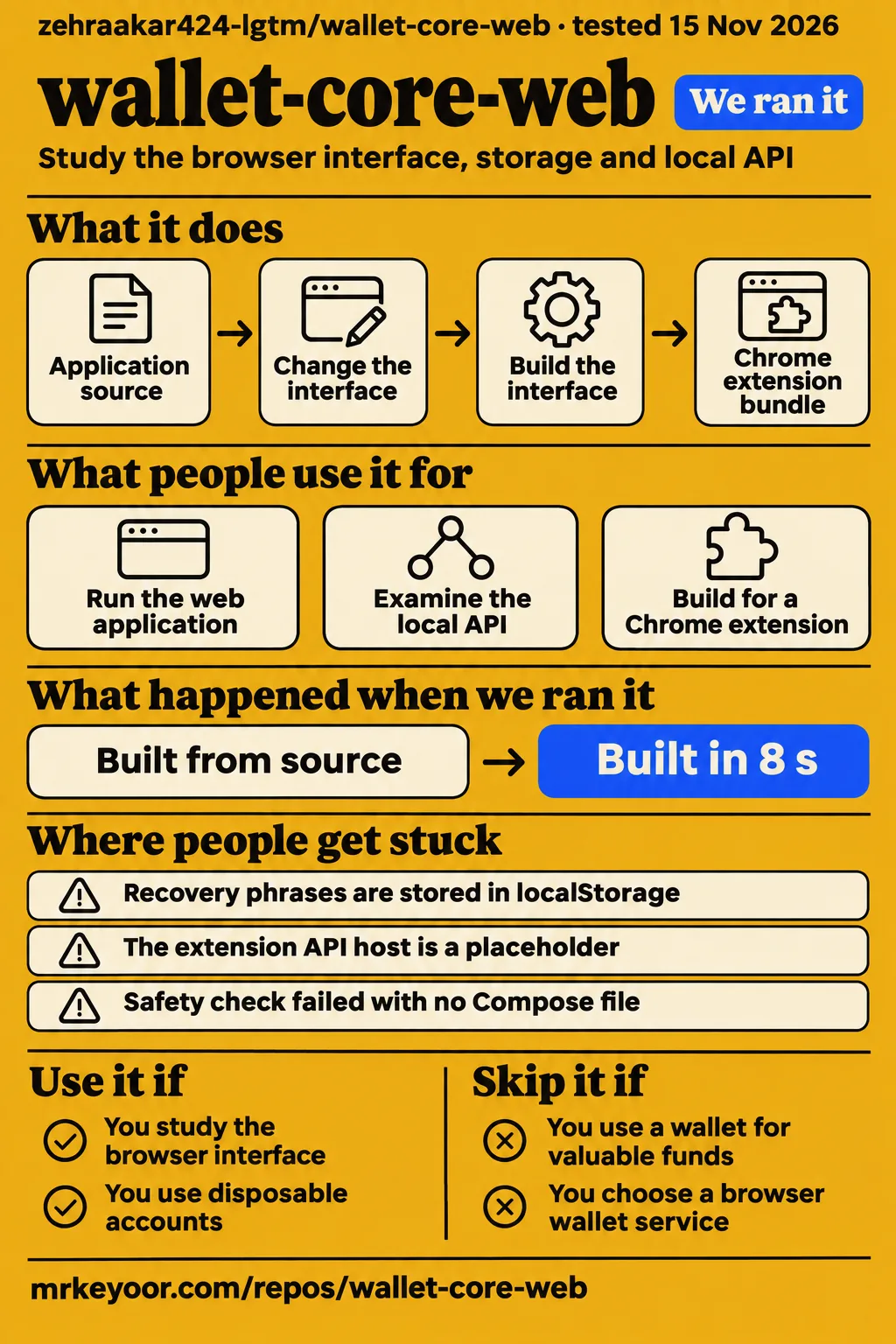
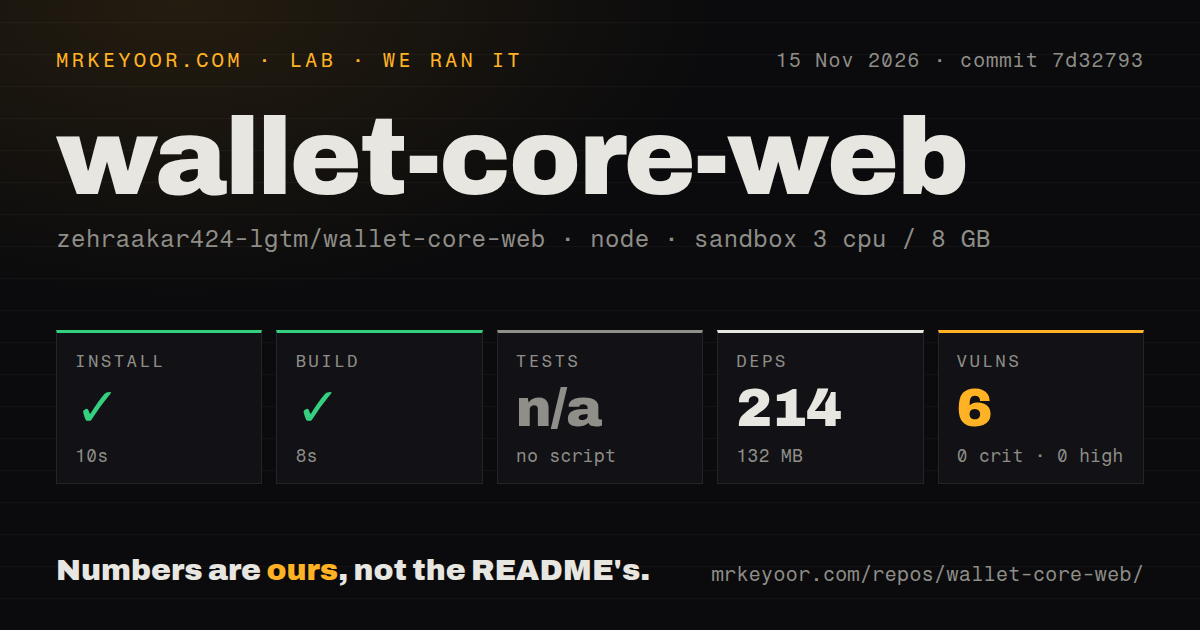
Our sandbox installed wallet-core-web in 10 seconds and built it in 8 seconds at commit 7d32793. The strongest reason to study this repository is its application code: Xendra Wallet combines a browser interface, local API routes and wallet-state management around Trust Wallet Core WASM. Use disposable accounts for that work. People seeking an everyday wallet for valuable funds should choose another starting point because the README describes recovery-phrase storage in localStorage as a development or extension prototype.
What people use wallet-core-web for
Xendra Wallet's README gives developers three entry points: running the web application, examining its local API arrangement and building its interface for a separate Chrome extension. These are documented development tasks rather than adoption reports. The repository belongs to zehraakar424-lgtm, and its README names the application Xendra Wallet. That combination identifies the source reviewed here more precisely than the repository's generic combination of wallet, core and web. Xendra Wallet identity and development instructions.
For browser-interface work, the local server supplies both the UI and /api/*. The README names RPC, LI.FI, market and surf browser routes, giving a developer concrete areas to trace through the application. For API work, the useful starting question is how an interface action reaches one of those routes. These two tasks share a development server, so the interface and service arrangement can be examined together. Local UI and API documentation.
Extension work has a different destination: the README sends the interface bundle to a separate repository. That makes this checkout useful to someone changing Xendra's interface before packaging it for the extension. It also explains why a developer should identify the intended task before choosing a command: serving the web app and writing an extension bundle produce different development outcomes. The exact output and host settings appear in the setup section below. Separate extension workflow.
What happened when we ran it
Our November 15, 2026 run at commit 7d32793 completed installation in 10 seconds and the build in 8 seconds. We measured a checkout with 28 files, about 3,783 source lines and 10.7 MB on disk. Its sandbox configuration specified 3 CPUs, 8 GB RAM and image label lab-node:22. The results below distinguish the operations that completed from the skipped test step and the dependency findings.
| Check | Recorded result | What to take from it |
|---|---|---|
| npm install | Succeeded in 10 seconds | Dependency installation completed in this sandbox |
| Dependency footprint | 214 dependencies; 132 MB on disk | Installed dependencies occupied more space than the checkout |
| Build | Succeeded in 8 seconds | The recorded build completed |
| Tests | No tests script or target; skipped | The run produced no test-suite result |
| npm audit | 6 moderate vulnerabilities; 0 critical, 0 high, 0 low | The audit reported dependency advisories |
| Repository scan | 28 files, about 3,783 source lines, 10.7 MB checked out | These figures describe the measured source tree |
| Automation signals | 0 CI workflow files, no Dockerfile, no tests directory | The scan found none of these automation files or directories |
The 132 MB dependency footprint and 10.7 MB checkout are separate disk measurements. The former is the larger part of the recorded development footprint, so downloading the source alone gives an incomplete picture of the space this evaluation used. The audit reported 6 moderate vulnerabilities and zero findings in its other severity categories. Installation, compilation and dependency auditing each produced a result; they answer different questions about this checkout.
The separate hands-on safety step failed because none of compose.yaml, compose.yml, docker-compose.yaml or docker-compose.yml existed. Its rule required a Compose file and labeled the repository unsafe when that requirement failed. The run summary nevertheless claimed deployment with the repository's own Docker Compose, with every port bound to 127.0.0.1. The specific failed step is the recorded outcome of that attempt; teardown reported success.
Where people get stuck: choosing the right setup path
The README separates local web startup, a production static build and extension packaging. For the local application, it lists npm install, then npm run dev, followed by opening http://127.0.0.1:8790. The static-build sequence is npm run build followed by npm run preview. These commands belong to different workflows, and the local instructions explicitly identify server.mjs as the server for both the interface and API routes. Web startup and build instructions.
| Situation | Documented instruction or recorded result | Practical next step |
|---|---|---|
| Running the web app locally | Start the development command and open port 8790 | Use the README's local-server sequence |
| Building the extension interface | A separate repository receives the output | Arrange both checkouts before building the bundle |
| Configuring an extension API host | The README shows an apiBase setting | Replace the example host with the intended service host |
| Reusing our Compose harness | Safety check failed because a Compose file was absent | Use an evaluation route suited to the documented npm application |
For extension packaging, npm run build:ext writes to ../ext-git/app by default, and XENDRA_EXT_DIR changes the destination. The production extension example sets apiBase through Chrome's synchronized storage. Its value, https://your-wallet-host, is a placeholder rather than an address for a supplied service. The bundle destination and API host are therefore two separate setup choices: one controls where the interface goes, while the other names the service it should contact. Extension output and API-host settings.
Recovery-phrase storage determines the recommendation
The README says recovery phrases are stored in localStorage and labels the application a development or extension prototype. That warning makes disposable accounts the appropriate choice for source study. The same security notes describe Lock wallet as requiring the device password again. Storage and access controls deserve separate attention here because the wallet-state module and authentication module perform different operations. Xendra Wallet security notes.
At commit 7d32793, addWallet normalizes the supplied mnemonic, adds it to wallet state and saves that state. The wallet entry includes a name, mnemonic and creation timestamp, and the function makes the new wallet active before saving. This gives the README warning a concrete implementation path: the recovery phrase becomes a property of the state passed to the save function. Commit-specific wallet-state implementation.
The save function calls a helper that writes JSON.stringify(val) into localStorage. The legacy migration path also places its mnemonic into wallet state and writes that state through the helper before removing the legacy storage entry. Both paths matter to someone considering a fork: reviewing only new-wallet creation would miss the existing-wallet migration route. The source makes the stored mnemonic relevant to both paths, which is why the storage design carries more weight in the recommendation than the successful build.
The password and session code have separate jobs
The authentication module hashes the application password with SHA-256 and stores the result in localStorage. It encodes the supplied password, computes the digest and converts the resulting bytes into a hexadecimal string. Password checking hashes the supplied value again and compares it with the stored value. These operations concern the application password; the wallet-state serialization described above lives in a different module. Commit-specific authentication implementation.
Its lock function removes the unlocked-session flag. The session functions use sessionStorage, where the unlocked value is represented by 1, while wallet state uses localStorage. That distinction explains the security control more precisely than calling the password prompt recovery-phrase encryption. In these supplied functions, locking changes session state, and saving a wallet serializes its mnemonic-bearing state. A developer reviewing account access should read those paths together rather than infer the storage operation from the presence of a password screen.
The development instructions identify concrete configuration choices
The README names a local address, an extension output directory and an API-host key. Those details give a source reader useful places to connect documentation with implementation: the address identifies the documented local entry point, the directory identifies the bundle destination, and apiBase identifies the extension's host setting. Each setting answers a different development question, so the README is most useful when read against the task being attempted.
The extension instructions name zehraakar424-lgtm/extension as the receiving repository and describe npm run dev as its local API command. That arrangement puts the interface bundle and API service in related but distinct parts of the workflow. For a prospective contributor, a useful reading order is to identify the desired interface change, follow its API request, and then examine how the extension build receives the changed interface. This is a source-reading recommendation drawn from the documented arrangement. README development and extension configuration.
GitHub metadata describes the repository snapshot
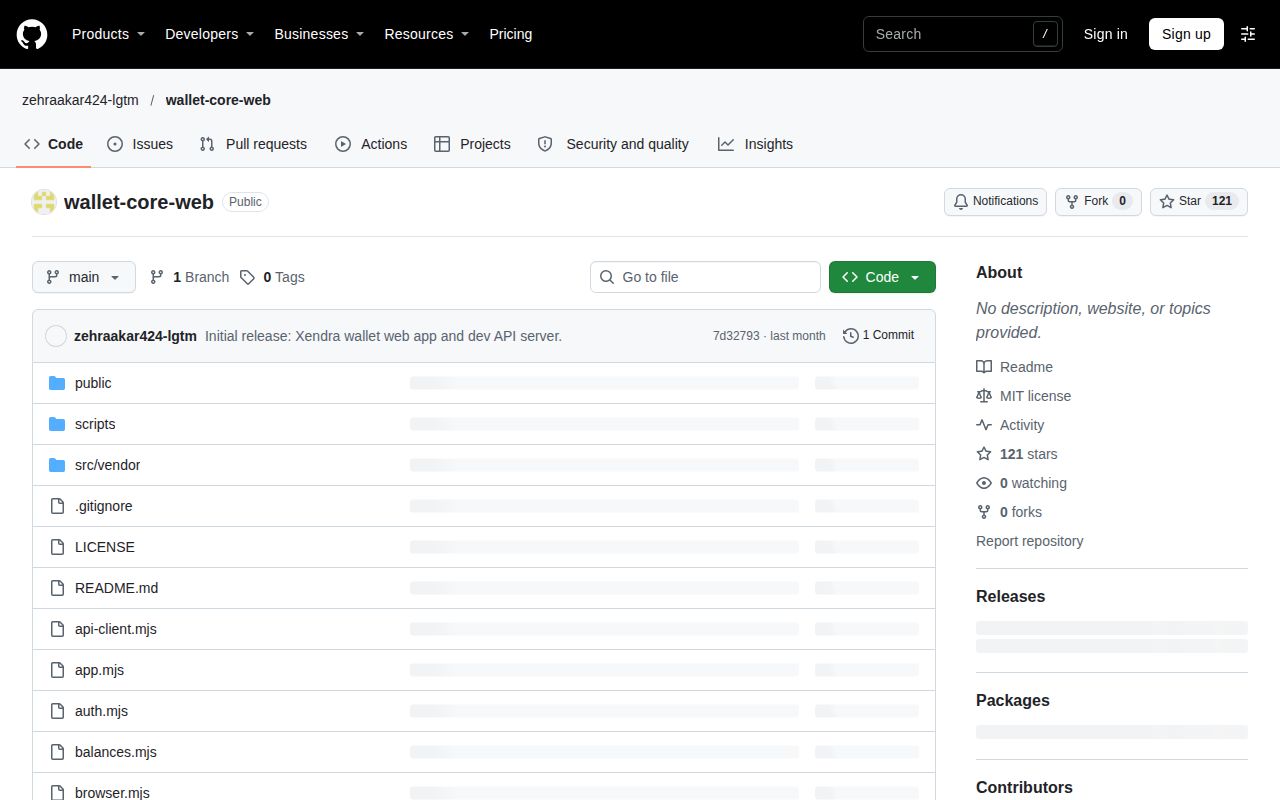
The supplied November 15, 2026 metadata records 121 stars and zero open issues and PRs for wallet-core-web. It identifies JavaScript as the repository language, MIT as its licence and October 13, 2026 as the last-push date. Those facts describe the dated repository snapshot. The star count measures attention, while the open-work field counts currently open issues and pull requests together. wallet-core-web repository.
Commit 7d32793 identifies the checkout used for the installation and build measurements. That identifier is more useful than the last-push date when comparing the measured source with another checkout: it attaches the observed results to a particular revision. The repository's MIT licence and JavaScript language identify other parts of an initial source evaluation, while the source-tree scan supplies the concrete automation findings. Together, these facts describe what was available for evaluation without turning repository attention into a product-quality score.
wallet-core-web vs Core Web and WalletConnect Wallet SDK
Xendra is application source, Core Web is a browser wallet service, and WalletConnect Wallet SDK supplies wallet-to-dApp integration. The comparison is therefore about the job a reader needs done. Someone looking for a wallet service has a different starting question from someone changing an application's storage code or adding a connection protocol. The names overlap, but the supplied documentation assigns these projects different roles. Core Web overview, WalletConnect Wallet SDK usage.
| Project | What its documentation describes | When to consider it |
|---|---|---|
| Xendra Wallet, wallet-core-web | Multi-chain wallet UI on Trust Wallet Core WASM | Studying or changing this application's interface, storage and local API |
| Core Web | Browser version of Core that runs at a URL | Looking for the Core browser wallet service |
| WalletConnect Wallet SDK | Integration connecting a web wallet to dApps supporting WalletConnect | Adding wallet-to-dApp connections to a wallet being built |
Core's documentation describes a wallet running at a URL. WalletConnect's documentation describes connecting a web wallet to supporting dApps. Neither description supplies Xendra's setup instructions. For readers arriving through a search for wallet-core-web, the practical distinction is the full product name: Xendra Wallet identifies this repository's application, Core Web identifies Core's browser service, and WalletConnect Wallet SDK identifies an integration component. Their documentation should follow those identities rather than the shared words in their names.
Trust Wallet Core occupies another role: its repository describes a library implementing low-level cryptographic wallet functionality. Xendra's README explicitly names Trust Wallet Core WASM as its foundation. Choosing that library directly means working at a lower level than choosing this application source, which includes its own wallet-state and authentication paths. That relationship explains the shared Core name while keeping the upstream library's role separate from Xendra's application behavior. Trust Wallet Core library description.
FAQ
Xendra's documented local address is http://127.0.0.1:8790, served by server.mjs for both the UI and API routes. The first-time-user questions below concern that entry point, the separate extension repository and the lock control described in the security notes. They connect the setup decision with the storage analysis, so a developer can choose the relevant workflow before adding a disposable account.
How do I run wallet-core-web locally?
Run npm install, then npm run dev, and open http://127.0.0.1:8790, according to the README. The local server handles the UI and /api/*, including the route categories named in the development instructions. This is the documented entry point for examining the web application; the production static-build commands are a separate sequence in the same README. Local application instructions.
Does wallet-core-web include the Chrome extension?
The Chrome extension ships from the separate zehraakar424-lgtm/extension repository, according to the README. This checkout provides the interface-build instructions for that destination, including an output override and a production API-host setting. The distinction affects workspace setup: a developer packaging the extension needs to account for the receiving repository as well as the application source reviewed here. Separate extension repository instructions.
Does Lock wallet encrypt the stored recovery phrase?
The inspected lock function removes a sessionStorage flag; the wallet save helper serializes wallet state into localStorage. The README describes Lock wallet as requiring the device password again. These supplied paths distinguish session locking from mnemonic storage: the authentication control changes access state, while the save path writes mnemonic-bearing wallet state. That is the code-level reason to examine both modules when assessing the control. Wallet save implementation, session-lock implementation.
What we have not tested yet
The evaluation completed installation and a build; it produced no completed browser-wallet task results. Wallet creation, reopening, recovery, transfers, swaps, balance accuracy, extension installation, hardware-wallet operation and mobile behavior remain outside the recorded results. The hands-on records contain neither completed Q&A nor screenshots. The code analysis is inspection of supplied source extracts, and the documented commands and settings are not newly executed examples.
The metadata supplies zero currently open issues and PRs, but no maintainer-response sample. Historical tracker activity, support quality, target-specific adoption and user outcomes remain unassessed. Fork counts and release availability lack supporting response records. The supplied related-page titles and excerpts support distinguishing this candidate's question from those pages; they do not constitute an inspection of the site's complete archive. Search demand, ranks and volumes also have no supplied measurements.
Security auditing, exploitability of the 6 moderate dependency advisories and provenance of the bundled WASM against an upstream release remain outside this evaluation. The audit summary contains severity counts rather than affected packages or exploit paths. Upstream audit references concern the upstream project, rather than this application's complete storage and service arrangement. The source inspection supports the specific serialization, password-hashing and session-state observations above, rather than a comprehensive security assessment.
Production hosting, service credentials, rate limits, concurrent usage, outages and actual runtime versions remain outside the recorded results; lab-node:22 is a configuration label. Rendered layout, automatic related links and recommendation modules also have no supplied evaluation. The next useful exercise is a disposable-account workflow covering creation, locking, reopening and recovery, with inspection of storage and service requests. That work would address the application behavior left open by the completed install and build.