mrkeyoor.com_
Fri 16 Oct 18:52 UTC
AI Toolsevaluationupdated 08 Oct 2026

video-shotcraft review

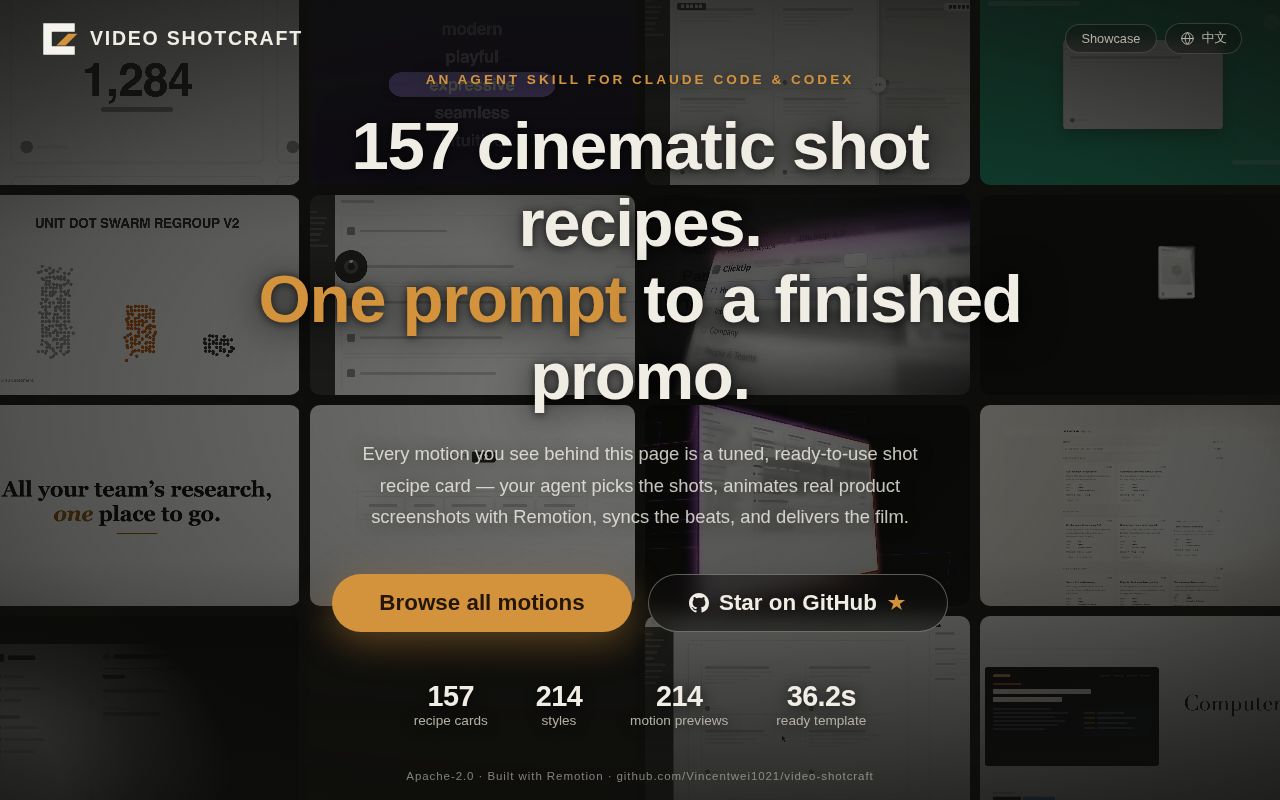
Video Shotcraft is a Claude Code and Codex skill for making product promos with Remotion, real interface captures, reusable shot recipes, and a browser editing workbench. It gives an agent a production process and working motion code, rather than generating a finished video from one prompt by itself.

+888stars / 7d
Verdict

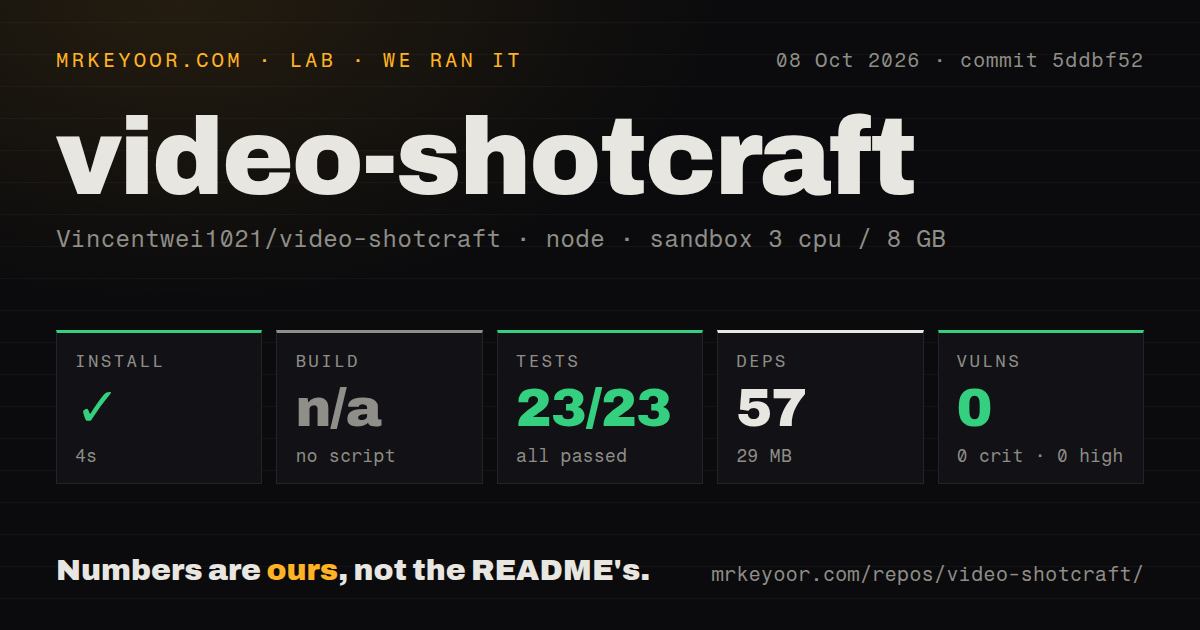
Our Video Shotcraft run installed 57 packages in 4 seconds and passed all 23 tests, so trying the skill costs little even though making a good film does not. Use it if your team wants editable, deterministic product video and is comfortable treating an AI agent like a junior motion designer whose output still needs review. Skip it when you need a one-click generator, a narration-first workflow, or a render stack with one license and one supported browser path.

We ran it

Lab card: what happened when we ran video-shotcraftScreenshot of video-shotcraft (vincentwei1021.github.io/video-shotcraft)
Install✓ · 4s57 packages · 29 MB
Buildn/ano build script
Tests✓ · 2s23 passed · 0 failed of 23 (vitest)
Known vulns00 critical · 0 high · 0 moderate · 0 low (npm audit)
Repo988 files~48,041 lines of source · 54.8 MB · 3 CI workflows

Answers from our run

Does video-shotcraft build from source?

Dependencies installed in 4 seconds (57 packages), and the project has no separate build step. We cloned commit 5ddbf52 into a clean Debian container with 3 CPUs and no project-specific setup.

Do video-shotcraft's tests pass?

Yes: 23 of 23 passed when we ran the project's own test command (vitest). Some failures need services or credentials a bare container does not have.

Does video-shotcraft have known vulnerabilities in its dependencies?

npm audit found none in the dependency tree at the time of our run.

Who should not use video-shotcraft?

Buyers expecting prompt-to-video with no production work: the skill requires product inspection, storyboarding, screen capture, Remotion implementation, audio work, renders, and final review.

What are the alternatives to video-shotcraft?

Remotion, Motion Canvas, Manim. Our Video Shotcraft run installed 57 packages in 4 seconds and passed all 23 tests, so trying the skill costs little even though making a good film does not.

Setup4/54-second install; actual film work needs Remotion and capture tools
Docs4/5Detailed workflow, cards, template, QA, and headless notes
Community4/510,841 stars and active September and October submissions
Maturity3/523 tests pass, but catalog and workbench are still changing

Who it’s for

Product teams that already use Claude Code or Codex and want code-owned promo videos.
React developers who prefer deterministic Remotion scenes over generated video clips.
Designers who want to start from a 36.2-second template, then edit shots and captions in a browser timeline.
Small studios prepared to capture real interfaces, review every render, and clear audio and engine licenses.

Who it’s NOT for

Buyers expecting prompt-to-video with no production work: the skill requires product inspection, storyboarding, screen capture, Remotion implementation, audio work, renders, and final review.
Narrator-led or voiceover-timed videos: the README directs that job to the separate video-talkcraft project.
Companies that assume Apache-2.0 covers the whole render stack: the README warns that Remotion has separate terms and some companies may need a paid license.
Headless render farms that cannot supply chrome-headless-shell or tune concurrency: the README documents failures with full Chromium, blocked downloads, and low-core defaults.
Windows-only JianYing users who need a proven exporter: the macOS route was verified on JianYing Pro 11.2, while the Windows module is explicitly untested on a real machine.

Setup reality

Our sandbox installed commit 5ddbf52 in 4 seconds, adding 57 packages and using 29 MB. The root package has no build script, so that step was skipped. Vitest finished in 2 seconds with 23 passed and 0 failed; npm audit reported 0 known vulnerabilities.

Installing the skill is only the library setup. A finished film needs Claude Code or Codex, a target product or page, Node and Remotion, screenshots or captures, audio choices, and repeated renders. Some demo components add Three.js or Remotion motion-blur packages.

Headless Linux needs special care: low-core machines may require concurrency 1, current full Chromium can fail, and a blocked Remotion CDN means supplying chrome-headless-shell locally. JianYing export adds Python and pyJianYingDraft.

The 157 cards are a production vocabulary, not a video generator

Video Shotcraft's README describes 157 shot recipe cards and 214 motion previews. Each card gives an agent a purpose, timing, parameters, implementation notes, and known failure points, while the demo tree supplies the corresponding TypeScript motion. That pairing is the useful part. An agent does not have to invent every easing curve from a card name, and a developer can inspect or change the code that produces a frame.

The skill still expects judgment. Its instructions begin by choosing a template, autonomous, guided, or single-shot mode. A full job can include product inspection, screen capture, visual direction, storyboarding, beat analysis, sound effects, implementation, rendering, and an independent final review. The repository makes those steps explicit, but it cannot decide whether your pricing screen is the right story or whether a camera move makes a feature easier to understand.

The 36.2-second Ink Press template is the practical starting point

Ink Press is a 36.2-second, 1920 by 1080 template running at 30 fps across 10 shots. It includes title cards, captured-page camera moves, transitions, captions, and a pinned sound pass. For a web or desktop product with a finished interface, this is the shortest route to a coherent result because the sequence and timing already exist. Your work becomes replacing screenshots, copy, colors, type, and product-specific emphasis.

The free-creation route is more demanding. Video Shotcraft tells agents to extract typography, spacing, color, and interface density from the target product, then carry those decisions into every title and transition. Real pages should be captured rather than rebuilt as fake UI. Customer data, secrets, and live account details must be removed before capture. Those rules are sensible, yet they depend on the agent following a long instruction set and the operator catching any miss.

What happened when we ran it

Our sandbox installed commit 5ddbf52 in 4 seconds, adding 57 packages and using 29 MB on disk. The checkout contained 988 files, about 48,041 lines of source, and occupied 54.8 MB. Our test method used an unprivileged Node 22 container with 3 CPUs, 8 GB of RAM, and no secrets. Npm audit found 0 known vulnerabilities.

The root package has no build target, so there was no build step to run. Vitest completed in 2 seconds with 23 passed and 0 failed. The scan found 3 CI workflow files and no conventional tests directory, though the root test script is present and passed. These checks cover helper behavior, not a complete 36.2-second render, visual quality, browser capture, audio timing, or the JianYing exporter.

Headless rendering has 3 documented failure points

The README names 3 problems on a 2-core Linux host. Remotion may reject its default concurrency, recent full Chrome or Chromium may fail because old headless mode is gone, and a blocked Remotion CDN can prevent the preferred browser shell from downloading. The documented route is concurrency 1 plus a local chrome-headless-shell binary. Anyone planning CI should prove that path on the actual runner before promising render times.

Dependencies also vary by chosen shot. Some reusable components need Three.js, React Three Fiber, and Remotion's Three integration. CameraMotionBlur requires another Remotion package. JianYing export uses a Python virtual environment and pyJianYingDraft. The macOS draft path was tested against JianYing Pro 11.2; the Windows module follows an upstream-supported route but has not been verified on a Windows machine.

The browser workbench can reopen a 10-shot template

After delivery, the skill can open a browser workbench on port 5198 and import a project manifest. The 10-shot template can then appear as separate shot, transition, caption, and sound tracks. Exposed properties let a user change copy, color, size, position, timing, or speed before exporting through Remotion again. This is more useful than handing a marketer an MP4 plus a directory of unexplained React components.

There are limits to that editability. A project needs the expected workbench manifest and schemas, and the editor only exposes properties the author chose to wire. The main workbench guide linked from the English README is marked Chinese. The repository does include English-facing overview material, but an English-only team may have to read code or translate the deeper operating guide.

Six open issues and PRs show the catalog is still moving

GitHub showed 6 open issues and pull requests on October 8, 2026, after a repository push on October 5. The latest release tag, published September 1, holds showcase media rather than a numbered software release. One active pull request proposes cutting the library to 124 cards and 150 demos after a frame-by-frame selection pass. That pending change is a sign of active curation, and also a warning against hard-coding today's card counts into your own automation.

Another open request describes an 80.8-second film with 2,424 frames where only frames 600 through 699 needed correction. The current workflow still favors full-film rerenders after changes, while the request proposes a safe patch path with audio reuse and boundary checks. That is a concrete cost for longer films. Video Shotcraft is most convincing when you want its opinionated process and editable code. It is much less attractive if your main need is cheap iteration on long timelines.

Alternatives

ProjectWhat it isPick it when
Remotion gh↗The React video framework underneath Video Shotcraft, without its shot library or agent workflow.pick this instead when you want to design the video system yourself and do not need a prescribed production method.
Motion CanvasA TypeScript animation system with a scene model, editor, and code-controlled timing.pick this instead when you want a general animation toolkit rather than product-promo recipes and Remotion assets.
Manim gh↗A Python animation engine built around precise programmatic scenes and mathematical graphics.pick this instead when the subject is an educational or mathematical explanation rather than a software launch film.

What people are saying

  1. [github-trending] Vincentwei1021/video-shotcraft

Sources

  1. Video Shotcraft README
  2. Video Shotcraft skill instructions
  3. Video Shotcraft repository activity
  4. Local frame rerender proposal
  5. Demo catalog curation pull request

More ai tools reviews

universal-modder · DeepEP-Ascend · DeepGEMM-Ascend · hypoarena · jeeves · faster-whisper · the whole board →