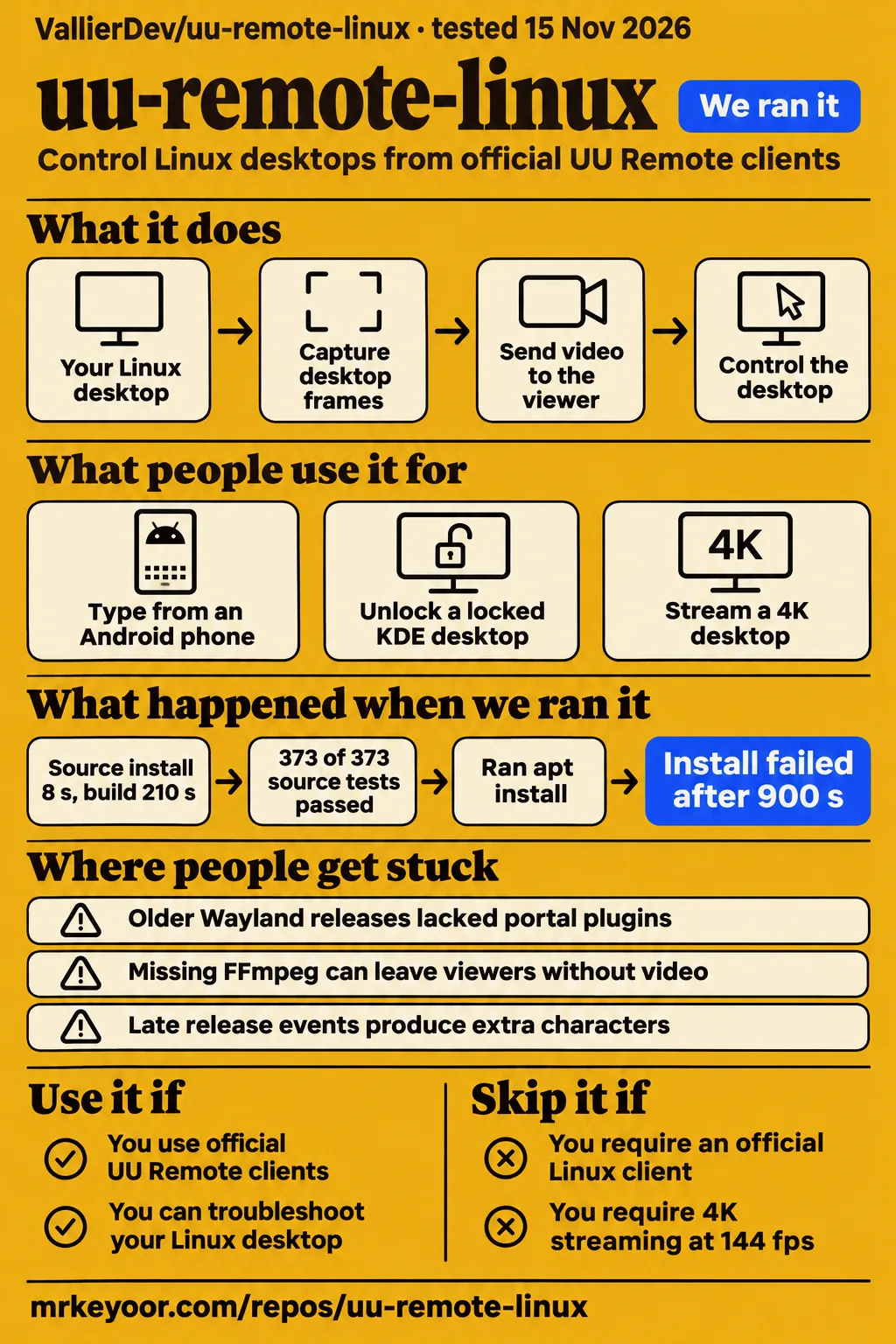
Our sandbox build of uu-remote-linux passed all 373 tests; a separate desktop-preparation attempt stopped during package installation. Use it if you already use official UU Remote clients and can troubleshoot your Linux session. Skip it as your sole route into an unattended machine. Choose by the reported host, viewer and desktop combination, and look for a real-client retest of the fix your setup needs.
What people use uu-remote-linux for
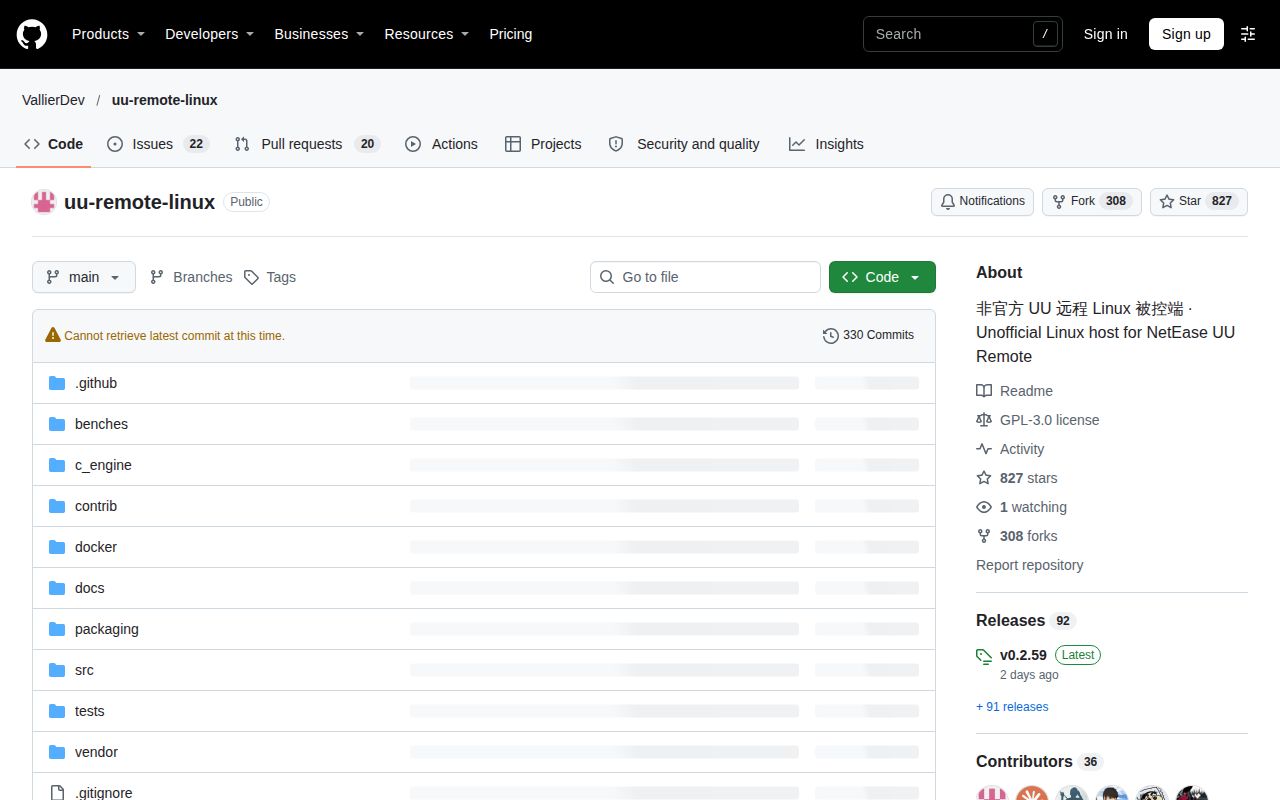
Existing official UU Remote users use uu-remote-linux to control Linux desktops from Android, Windows and Mac clients, including phone typing and locked-desktop access. VallierDev's project is an unofficial native Linux host for those clients. It also ships an experimental Linux viewer for controlling official Windows or Mac hosts and this project's host. The English README distinguishes those directions; GuoWQ222's similarly named repository instead runs the official client through Wine.
| Person and setup | What they did | Reported outcome |
|---|---|---|
| l0o0, Ubuntu Cinnamon on X11 | Controlled the desktop from Android | Viewing and mouse control worked first; after upgrading to v0.2.9, phone-keyboard typing worked too. Android typing report |
| shadovv-217, Ubuntu 24.04 GNOME Wayland with AMD graphics | Connected an Android viewer to a precompiled host | Adding FFmpeg alone left the connection stalled; the user reported success after releases bundled portal plugins. GNOME connection report |
| meotao, RTX 5070 and Hyprland on Omarchy | Streamed a 4K desktop through NVENC | The optimized session sent roughly 96 to 98 fps under a 144 fps request. 4K session measurements |
| shao-zhijie, experimental Linux viewer | Joined an official Mac host while another session remained connected | v0.2.39 displayed both sessions after the earlier second-session black screen. Mac multi-session report |
| RiverOnVenus, Plasma/KWin 6.8.2 and Windows viewer | Connected to a locked KDE desktop | The contributor received the real lock screen and unlocked with the remote keyboard. KDE contributor report |
The Android typing thread shows why the task matters as much as the connection. Seeing a desktop and moving its pointer answered only part of l0o0's question; phone-keyboard input needed a later release and another test. The thread records that sequence through v0.2.9. Compare the task, desktop and viewer in a report with the combination you intend to use.
What happened when we ran it
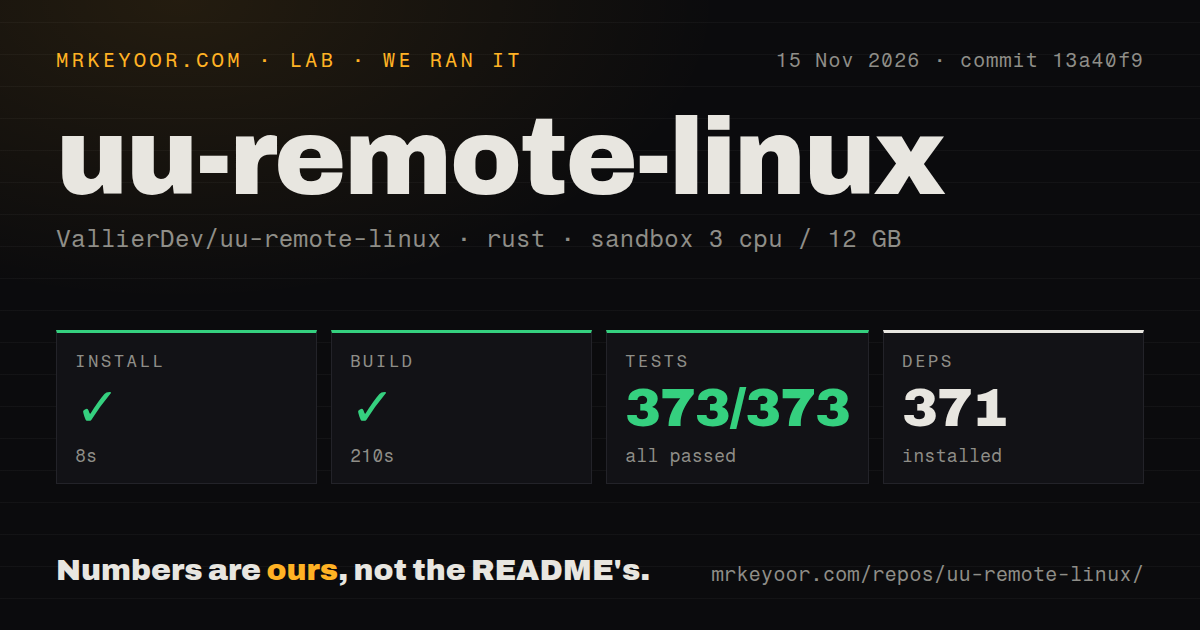
Our November 15, 2026 run at commit 13a40f9 installed dependencies in 8 seconds, built in 210 seconds and completed cargo test in 118 seconds with 373 passed and 0 failed. The successful source run recorded 3 CPUs, 12 GB RAM and image label lab-rust:1. These are our build and test measurements, separate from the desktop-preparation attempt below.
| Recorded step | Result from our sandbox |
|---|---|
| Install | Succeeded in 8 seconds; 371 dependencies recorded |
| Build | Succeeded in 210 seconds |
| Tests | Succeeded in 118 seconds; 373 passed, 0 failed of 373 |
| Checkout | 313 files, approximately 46,735 source lines, 3.7 MB |
| Repository signals | Two CI workflow files, a tests directory, no Dockerfile detected |
The checkout scan and source suite answer development questions: the recorded checkout built, its recorded tests passed, and it contained two CI workflows. Upstream separately documents a NAS container route in the README. The checkout's Dockerfile result is a file-scan observation; the README's deployment route describes how upstream distributes and runs a container. Those records answer different questions about the same repository.
A separate hands-on run recorded November 15, 2026, commit 13a40f973308, a fresh debian:bookworm container, 2 CPUs and 4 GB RAM. It used no published ports or secrets and used container root for apt. Its quickstart-cli clone step took 2 seconds. Installation failed after 900.1 seconds while preparing Xvfb, X authentication tools, D-Bus session packages and Xfce.
The captured failure tail shows apt unpacking libblockdev2 and libudisks2-0. The recorded error was a package-installation timeout. Preparing the graphical environment was the failed step, whereas the separate source run completed installation, compilation and tests in its recorded environment. The hands-on record ends with successful teardown.
Where people get stuck: the waiting screen has several causes
Issue #43 traced an Android viewer's stalled video to an older precompiled package missing the GNOME/KDE portal backend. The host logged Portal RemoteDesktop/ScreenCast portal unavailable (code 2). Installing FFmpeg had already failed to resolve that user's connection. Releases from v0.2.13 bundled the required plugins, and the reporter subsequently confirmed success on Ubuntu 24.04 GNOME Wayland with AMD graphics. Full issue #43 history.
| Symptom | What the record found | Documented action or outcome |
|---|---|---|
| Android waits for video on GNOME/KDE Wayland | Older packages omitted the portal backend | Bundled-plugin releases addressed the missing backend; the reporter succeeded after updating. Portal report |
| Viewer waits despite a running host | The documented video path needs FFmpeg with libx264 | The tarball installer checks it; Fedora uses RPM Fusion and openSUSE uses Packman for the documented full builds. Installation documentation |
| Desktop fails after opening port mapping first | The Mac viewer sent capture_desktop on an existing tool connection |
v0.2.30 added desktop handling on that connection. Connection-order report |
| NVENC falls back to CPU on GTX 1060 | FFmpeg required NVENC API 13.1 while the driver exposed 13.0 | benson1137 rebuilt FFmpeg against matching headers and selected it through ffmpeg_root; doctor then reported nvenc=ok. GTX 1060 report |
The README asks users to include uuremote-server doctor output and relevant service logs in a report. Start that diagnosis in the graphical session you intend to control, and record the host release, desktop, viewer platform and connection order. An absent plugin, an encoder initialization failure and a reused tool connection require different actions even when the phone presents the same waiting screen.
4K streaming depends on capture, encoding and the viewer
meotao reported roughly 96 to 98 sent frames per second under a 144 fps request on an RTX 5070 and Hyprland system. At main commit 41ba1e9, H.264 reached 95.6 to 97.8 fps with full-screen motion and 96.3 to 97.6 fps with a static desktop. Earlier measurements at a 60 fps request reported 58.0 to 58.3 fps during full-screen motion, with another window at 55.4 fps. Session measurements in issue #16.
The thread separates pure capture, capture plus encoding through a probe, and frames sent during a connected session. A capture command reads desktop frames without a viewer; the probe adds encoding work; session statistics count frames sent during the connection. The reporter used the new window_sent / window_s fields for the later session result after pointing out that cumulative frame counters were easy to misread.
hiclaw alternated binaries on an AMD Phoenix1/780M Hyprland machine to compare v0.1.17 and v0.1.21. Median pure capture increased from 38.8 to 68.8 fps; capture plus encoding increased from 31.3 to 42.3 fps. The thread discusses pipe handling, capture/write overlap and buffer changes. Measuring the stage that supplies frames gives a more specific diagnosis than changing an encoder or network setting alone. AMD alternating-version measurements.
Display topology changed meotao's later result. Direct BGRA input to NVENC performed worse when the RTX 5070 drove the display as well as encoding. The supplied issue synthesis records a v0.2.26 default change to CPU color conversion when a connected display belongs to an NVIDIA card, retaining direct input when an integrated GPU drives the display. UU_NVENC_RGB=0 selects CPU conversion explicitly. Topology investigation and default change.
Clipboard and typing fixes have different release histories
Issue #151 records a failed v0.2.46 clipboard repair followed by a v0.2.55 repair that the maintainer says the PR author tested with the official Windows viewer. Windows-to-Linux copying worked, while Linux-to-Windows text failed to paste. Windows received the outgoing text under a custom clipboard format, leaving normal Unicode-text clipboard reads empty. Clipboard investigation.
The first repair named the offered format predefined_13. The original reporter tested v0.2.46 with Windows viewer 4.45.0.4318 and found another custom format instead of standard format ID 13. ASCII, mixed Chinese/English and multiline contents survived UTF-16LE decoding, but normal paste still failed. v0.2.55 removed the format name and offered ID 13 alone; the maintainer reported the PR author's successful real-client test.
Issue #135 describes a separate Wayland typing problem: late release events crossed the compositor's repeat threshold, producing extra characters despite matched press and release events. The supplied record includes 54 press/release pairs, a 117 ms median, 19 of 54 above 250 ms and a maximum of 2757 ms. The discussion compares uinput with native input and compositor repeat settings. Wayland repeat investigation.
Security defaults include a wallpaper upload
Signed-in graphical hosts report the current wallpaper for device-card backgrounds in official clients by default. The README documents UU_WALLPAPER_UPLOAD=0 to disable it and distinguishes that image from a screenshot of application windows. Decide whether to send that image before binding a work machine, especially when its wallpaper contains personal or company information. Wallpaper behavior documentation.
The documented architecture uses UU cloud services for device login and signaling. Account connections use the user's UU identity; experimental assistance shares a device ID and verification code. The README describes desktop, file and terminal functions, so protect assistance details as access credentials. These are two documented ways to connect to the host, with account sign-in and guest assistance serving different situations. Host identity and assistance.
For automatic unlock, the README says the host verifies the password with PAM and unlocks the session. This is upstream's description of the unlock behavior. The README also describes input permissions: its active-user uaccess route and dedicated-group unattended route grant kernel input access. Read the permission instructions together with the unlock behavior when deciding how to run the host. Documented lock state and automatic unlock.
English documentation and language selection are available
The repository starts in Simplified Chinese, links an English README and supports Chinese and English interface text. UU_LANG=en takes priority over the saved language and locale; the language is selected at startup. Protocol strings and messages supplied by UU servers appear as received. The language documentation explains the selection order and restart behavior.
The release-package route is documented in English, while several detailed investigations contain substantial Chinese discussion. Read follow-ups as well as opening reports. The clipboard thread contains a failed released repair, the GPU thread changes its optimization choice after a display-topology change, and the AMD bitrate synthesis withdraws earlier comparisons. Those later findings change which release or workaround a reader should consider.
uu-remote-linux vs Wine wrappers and VNC
VallierDev implements a native Linux host; GuoWQ222 documents a Wine environment for the official client. Choose between those approaches according to the software you want running on Linux and the clients you already use. TigerVNC supplies a separate VNC workflow for remote graphical desktops. The sources describe different access models, giving readers a concrete basis for choosing an approach.
| Option | Reason to choose it | Documented implementation |
|---|---|---|
| VallierDev/uu-remote-linux | Add a Linux host to existing official UU apps | Native Linux host with a separate experimental Linux viewer. Native project README |
| GuoWQ222/uu-remote-for-linux | Run the official client inside its documented compatibility environment | The wrapper documents a Wine-based environment, graphical interface and automatic updates. Wine wrapper README |
| TigerVNC | Use a VNC server/client workflow for remote graphical applications | TigerVNC describes viewing and interacting with a virtual desktop running on another computer. TigerVNC README |
The X promotion describes traditional VNC as laggy and presents official UU clients as the reason to switch. That is the commentator's preference. TigerVNC's README describes its own viewers, servers and virtual-desktop workflow, while the wrapper describes an official-client environment. Pick the account and access model that fits your machines, then compare the tasks you need to complete. X commentary.
What the other reviews get wrong
The current README lists microphone input as experimental and super screen / virtual display as unimplemented. Those separate entries correct HotRepo's blanket treatment of the two features. A monitorless Xvfb virtual desktop is another documented route. Awesome REA's supplied synthesis identifies its reviewed version as v0.2.8, so attach that version to its privacy-screen statement when comparing it with current documentation.
| Claim to treat carefully | Evidence that changes the decision |
|---|---|
| HotRepo groups virtual displays and controller microphone input as unimplemented | The current README still lists super screen / virtual display as unimplemented. The binary package separately lists a monitorless virtual desktop, while the source package lists experimental microphone input. Current feature table, monitorless package route, microphone package entry |
| HotRepo says an existing UU account is required | The README says experimental assistance works before sign-in using a device ID and verification code. Guest assistance documentation |
| Awesome REA lists privacy-screen mode as unsupported | Its supplied reviewed version is v0.2.8; the current README documents experimental KDE Plasma Wayland privacy-screen modes. Versioned review record, current feature documentation |
| The X promotion describes an entirely Rust implementation and universal desktop coverage | The supplied Awesome REA synthesis records small C components, and the portal and input investigations identify desktop-specific behavior. Promotion, implementation account |
| The X promotion says NVENC guarantees high frame rates and low latency | The supplied GTX 1060 synthesis records an FFmpeg/driver API mismatch that prevented NVENC initialization. Encoder failure report |
The supplied release record identifies v0.2.59, released November 14, 2026, and names KDE locked cold connections and Cargo build-directory handling as its fixes. Its validation text attributes the locked-screen test to the contributor on Plasma 6.8.2 with an official Windows viewer. Our measured checkout was commit 13a40f9; the release page identifies tag commit 5f28047. v0.2.59 release and validation.
FAQ: questions people ask
Issue #43's phone connection succeeded after the precompiled package gained the missing portal plugins. The same waiting screen appears in records about FFmpeg and connection order, so the host log distinguishes the reported causes. The questions below come from the supplied issue synthesis and retain the release numbers and connection directions that determine which reported outcome applies. Phone connection history.
Why does the phone stay on "transmitting the screen" when connecting to my Linux desktop?
Missing portal plugins caused #43, while the README also identifies FFmpeg with libx264 as a dependency for producing video. GNOME requests local screen-sharing permission on first connection. Issue #99 records another trigger when port mapping preceded desktop control. Compare the host error and the order of your actions before changing network settings. Portal failure and retest, connection-order report.
Do I still need to compile from source to use GNOME or KDE Wayland?
Releases from v0.2.13 bundled Wayland and GNOME/KDE plugins, removing the source-compilation requirement described earlier in #43. That issue specifies glibc 2.39 or newer and libei 1.1 or newer for those portal plugins. The program selects the backend from the running session and loads the matching plugin on Wayland; first-connection screen-sharing approval is part of setup. Precompiled plugin announcement.
Why is Hyprland capture slow even when I change the encoder, network or viewer frame-rate setting?
The early AMD investigation traced its ceiling to capture and pipe handling. Alternating v0.1.17 and v0.1.21 on the same machine increased median capture from 38.8 to 68.8 fps and capture plus encoding from 31.3 to 42.3 fps. That record gives a reason to measure capture separately before tuning an encoder or network path waiting for frames. Capture investigation.
Can uu-remote-linux actually deliver 4K at 144 fps, and how does capture throughput differ from session frame rate?
The supplied optimized RTX 5070 session reached roughly 96 to 98 fps under a 144 fps request. Pure-capture and encoding-probe results describe different workloads from the connected session. The reporter supplied session counts from window_sent / window_s, making those figures the relevant evidence for frames sent to the viewer in that measured configuration. Detailed 4K results.
Why does a 60 Hz Windows viewer still request 60 fps after I select 144 fps?
In meotao's test, the Windows viewer sent 60 in fpsCount, field 18, after selecting 144. The maintainer explained that the host used the received field without another cap. The same thread later used an official Mac viewer that sent a real 144 fps request, allowing the reporter to measure that separate session. Viewer request investigation.
Why do AMD VAAPI's 1 Mbps and 2 Mbps presets use almost the same bitrate?
The corrected #33 synthesis attributes extreme-content overshoot to the hardware's QP 51 floor. It records the withdrawal of earlier CQP comparisons after a frame-count error understated bitrate by a factor of three. The supplied synthesis also records a parameter-order correction and the v0.2.30 maximum-QP change from 44 to 51. Corrected AMD investigation.
Why does the Linux viewer show a black screen when another client is already connected to the Mac host?
Issue #124 traced the second session to continuation video arriving without the parameter sets and keyframe needed for decoding. The supplied synthesis says v0.2.39 sent an empty RPC 15 SendVideoTrackReq after echo. shao-zhijie then reported both sessions displaying video, with the second receiving SPS, PPS and IDR data. The connection direction was Linux viewer to official Mac host. Multi-session retest.
Can the Linux viewer request a keyframe from an official host?
The supplied #124 synthesis records that the viewer sent RTCP PLI, but repeated requests failed to repair the Mac stream. The successful v0.2.39 change instead sent RPC 15 to start the session's video track. The reporter's two-session comparison showed video in both windows, separating the ability to send a request from receiving a decodable stream. Keyframe investigation.
Could an undecodable video stream show a useful warning instead of a silent black window?
The supplied #124 synthesis says v0.2.36's change left a useful warning while failing to repair the official-host stream. The later v0.2.39 change started the video track through an additional RPC, and the reporter recorded a successful second session. That sequence separates diagnostic output from the protocol change associated with restored video. Warning and repair history.
Why does v0.2.40 display Windows hosts correctly but show no picture from a Mac host?
The supplied #136 synthesis identifies a v0.2.40 Linux-viewer regression against official Mac hosts. v0.2.41 broadened restart-frame handling, bounded the wait at 1.5 seconds and drained completed decoder output. coolxll's two tests with the unmodified v0.2.41 viewer restored video against the same Mac, with frames appearing after about two seconds and no decode errors. Mac regression history.
Why does Windows-to-Linux clipboard copying work while Linux-to-Windows copying fails?
In #151, Windows received outgoing Linux text as a custom clipboard format rather than standard Unicode text. The original reporter rejected v0.2.46 after testing ASCII, Chinese/English and multiline text with official Windows viewer 4.45.0.4318. v0.2.55 offered ID 13 without a format name, and the maintainer reported successful pasting by the PR author. Clipboard failure and later repair.
Why does one keypress from the Mac client produce multiple characters on Wayland?
Late release events crossed the compositor's repeat threshold in #135, despite matched host-side presses and releases. The record includes a single f becoming 24 characters and a maximum press-to-release delay of 2757 ms. Its supplied synthesis says attempts using EV_REP and EVIOCSREP failed to change the observed Hyprland behavior. The input-workaround tradeoff is described below. Repeat timing investigation.
What we have not tested yet
Our successful source run covers the recorded build and 373 tests; the separate desktop-preparation attempt stopped before remote control. The supplied runs contain no live UU session, image-quality measurement, input-latency measurement, relay-performance test, unattended reboot test or official-client-update recovery test. They include no remote-session screenshots or raw runtime-version logs. lab-rust:1 identifies the recorded image label rather than the actual Rust or operating-system version.
The #135 workaround uses UU_INPUT_BACKEND=native with compositor-wide repeat settings on supported compositors such as Hyprland, sacrificing lock/login-screen input. KDE cold-lock capture was contributor-tested on Plasma 6.8.2 and shipped in v0.2.59; non-KDE behavior remained unchanged, and Linux pre-login control is still listed as unsupported. The v0.2.26 NVENC topology default had unit-test and CI evidence without a later hardware retest. Input tradeoff, KDE release scope, NVENC default evidence.
The clipboard thread contains no original-reporter confirmation of v0.2.55. The port-mapping-first repair has no supplied official-Mac retest, excludes Portal and sends no audio on the reused connection. AMD extreme-content bitrate overshoot remains an open concern: CPU encoding is a reported mitigation, while automatic resolution reduction remained under evaluation. The monitorless virtual-desktop and experimental microphone package entries provide descriptions rather than acceptance results from our lab. Clipboard follow-up, tool-connection boundaries, AMD boundaries.
The supplied records contain no controlled head-to-head latency comparison with TigerVNC or the Wine wrapper and no security audit. Keep another access route while checking your chosen combination: begin with an open desktop, copy text in both directions, type from the intended client, then lock and reconnect. Those are suggested acceptance steps, rather than additional tests performed for this review.