Short answer: check the Home button before chasing free RAM
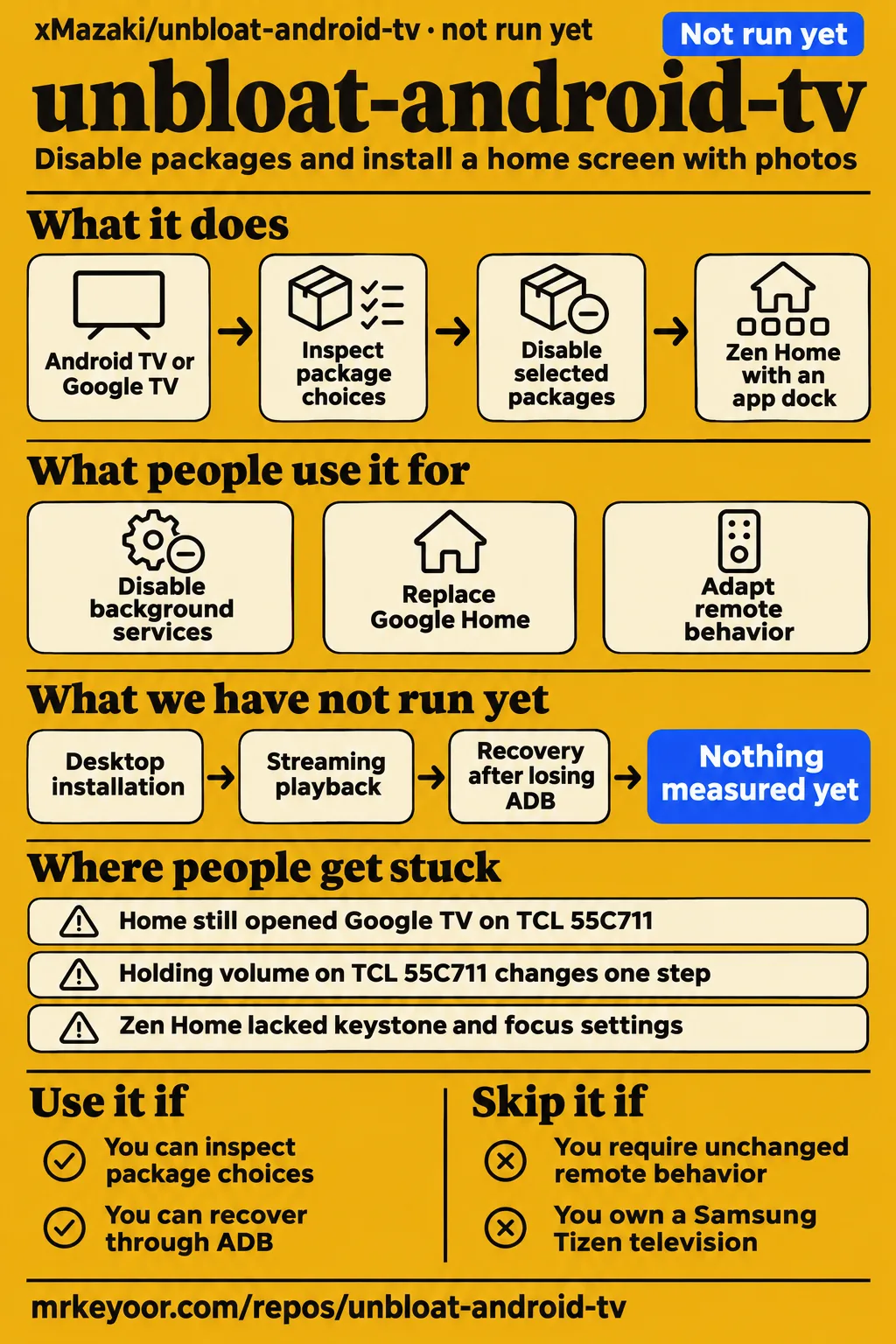
A TCL 55C711 owner reports that Zen Home failed to replace Google Home with kit v4.0.1 and v4.0.2. Use unbloat-android-tv if you own an Android TV or Google TV device, can inspect its package choices and can recover through ADB. Skip it if your household needs the existing remote to work unchanged or your television runs Samsung Tizen. The practical decision is whether the cleaner home screen preserves the controls people use every day. TCL Home-selection report
The kit combines two changes: disabling selected background packages and installing Zen Home. The README documents backup, package selection and restoration as separate menu options, so owners can inspect the proposed changes before accepting them. A technically confident owner assessing a spare television fits that workflow better than someone expecting an appliance upgrade without troubleshooting. Home, held volume, streaming shortcuts and input selection deserve attention alongside the reported memory figures. English workflow instructions
What people use unbloat-android-tv for
The author and contributors describe TCL cleanup, XGIMI installation and adapted launcher behavior on a TCL 55C731. Their accounts identify devices and outcomes rather than a total installed-device count. The table separates each person's experience from later maintainer responses, particularly where the original report described a defect that the maintainer subsequently said was fixed.
| Who and device | What they did | Reported outcome |
|---|---|---|
| Benjamin, posting as mazaki_eth, bedroom TCL | Disabled background services and replaced Google Home | Reports 32 services disabled, idle CPU falling from 61% to 12%, and free RAM rising from 451 to 720 MB. Author's account |
| BorisHenne, XGIMI MoGo 3 Pro, Android 11 | Used backup, debloat and Zen Home through Windows 11 and Wi-Fi ADB | Reports available RAM rising from 654 to 727 MB, with dock, app drawer and remote working. Issue #3 |
| TCL 55C731 reporter, Google TV 11 | Recovered from remote trouble, then adapted Home and streaming-button behavior with ChatGPT assistance | Reports working Home and restored Netflix, YouTube and Prime Video buttons; the original account describes an All Apps focus bug. The maintainer later reports a Zen Home 2.4 fix in commit 117a1fb. Issue #5 and response |
| BorisHenne, XGIMI MoGo 3 Pro | Replaced Zen Home with a custom native Kotlin launcher | Wanted projection adjustments and a tailored home screen. Issue #3 follow-up |
BorisHenne's follow-up makes the projector decision concrete: a launcher can open streaming apps successfully while leaving an important control awkward to reach. The contributor says Zen Home worked but lacked access to keystone and focus adjustments, then describes building a replacement. A separate X user, gorkemgulyazz, credits Zen Home as inspiration for a home screen designed for their father and explicitly says they designed its appearance themselves. That account describes a derivative project. Projector follow-up, derivative home-screen account
What happened when we ran it
Our run at commit a65fcf9 on 2026-11-17 stopped before execution because the harness had no supported ecosystem for Java and found no Dockerfile. The recorded sandbox configuration was 3 CPUs, 8 GB RAM and image n/a. The controlling measurement says NOT RUN; the accompanying records also contain a failed Compose safety step, contradictory deployment metadata and a teardown entry.
| Recorded item | Result | What it means |
|---|---|---|
| Checkout | a65fcf9, 2026-11-17 | Identifies the source inspected by the lab |
| Sandbox configuration | 3 CPUs, 8 GB RAM, image n/a | Recorded configuration |
| Execution | NOT RUN: no supported ecosystem, language Java; no Dockerfile | Execution stopped before installation, build or tests |
| Safety step | FAILED: none of compose.yaml, compose.yml, docker-compose.yaml or docker-compose.yml exists | The harness required Compose. |
| Generic run metadata | Claims deployment with the project's own Docker Compose on 2026-11-17, every port bound to 127.0.0.1 | Contradicts the controlling NOT RUN result and absent Compose files. |
| Teardown | ok | The record's teardown outcome. |
The safety record calls the repository "unsafe" because its rule requires a Compose file. That label describes the harness requirement rather than a software security finding. The generic deployment sentence conflicts with both that failed step and the controlling measurement, so the page treats execution as stopped. The author's CPU and RAM figures and BorisHenne's memory figures remain attributed to their respective device accounts.
Where people get stuck: installed does not mean selected as Home
BorisHenne reports that launcherx reactivated after about 15 minutes while Zen Home remained the preferred Home activity. The saved kit state still described launcherx as disabled. The maintainer says commit 5f03e95 made option 1 compare saved changes with live package state and report reactivation. The documented response is to rerun option 3 if Google actually takes over Home. Issue #3
| Device and version in the report | Problem | Response and reported outcome |
|---|---|---|
| XGIMI MoGo 3 Pro, Android 11 | launcherx reactivated while saved state disagreed | Maintainer reports live-state comparison in option 1; the contributor's Home button still opened Zen Home. #3 |
| XGIMI Horizon Ultra, Android 11 | Missing Inputs tile; remote had no Source button | Maintainer reports a VIEW_INPUTS fallback in Zen Home 2.3, commit 22ca7f9. #4 |
| TCL 55C731, Google TV 11 | Initial remote trouble, incorrect Home selection and All Apps focus escaping to the dock | Reporter recovered through option 6. Maintainer reports Home-resolution checks, automatic rollback and the Zen Home 2.4 focus fix in commit 117a1fb. #5 |
| TCL 55C711, kit v4.0.1 and v4.0.2 | Installation error; Home still opened Google TV | Reporter says a kit below v4.0.0 worked through command-line installation; sampled issue is open with no comments. #8 |
| TCL 55C711, Zen Home | Holding volume changed it by one step | Reporter calls it 100% reproducible and describes needing repeated presses; sampled issue is open. #9 |
| TCL Google TV, model unspecified | Older-Android warning after a complete restart | Reporter identifies targetSdkVersion 24 and requests an increase; sampled issue is open with no comments. #11 |
The original TCL 55C731 account describes focus leaving the All Apps grid and selecting an app in the dock behind it. The maintainer reports fixing that focus behavior in Zen Home 2.4, commit 117a1fb. The same response says Zen Home 2.5 reconnects the three streaming buttons using the reporter's keycodes. On the XGIMI, screencap printed "Init wrapper sys mutex successful" and "open mma dev failed"; BorisHenne says the capture was good, and the maintainer says those MediaTek messages were already masked. Complete TCL response, XGIMI capture account
Rollback depends on keeping a connection to the TV
The issue #5 maintainer says the kit leaves SetupWraith active when that package owns the saved Wi-Fi network. The response explains that disabling it would delete the network and disconnect both the television and ADB. It then describes forgetting and reconnecting the network through Settings so the package can subsequently be disabled. The complete response supplies that handling, beyond the shorter research extract. Complete SetupWraith response
The English README gives the operational detail: forget the current Wi-Fi and other saved networks, enter the password again, then retry option 3; disconnecting and reconnecting alone is insufficient. Ethernet is another documented route. The TCL reporter used Ethernet for sensitive changes and says option 6 recovered a working configuration after the initial remote problem. Start with option 1, read what option 2 proposes and decline optional changes whose purpose you do not understand. Network and backup instructions, TCL recovery report
French-first documentation has an English route
The kit speaks French on a French-language computer system, and English otherwise. The repository provides README-en.md alongside its French default README. The English instructions require a Windows, macOS or Linux computer on the TV's network, debugging enabled and authorization accepted on the television. Linux instructions name curl or wget plus unzip, while ADB downloads automatically on first launch. English requirements and language instructions
Kit v4.0.2 contains Zen Home 3.1 and replaces the macOS app bundle with a standalone executable. The release describes Terminal opening first, followed by the browser interface, and lists both Apple Silicon and Intel archives for macOS 12 or later. Issue #7 describes the earlier v4.0.1 failures after Finder extraction, including lost executable permissions and an invalid bundle signature. Keep the kit release and launcher version distinct when following those instructions. v4.0.2 release, macOS packaging report
Attention exceeds the evidence for compatibility
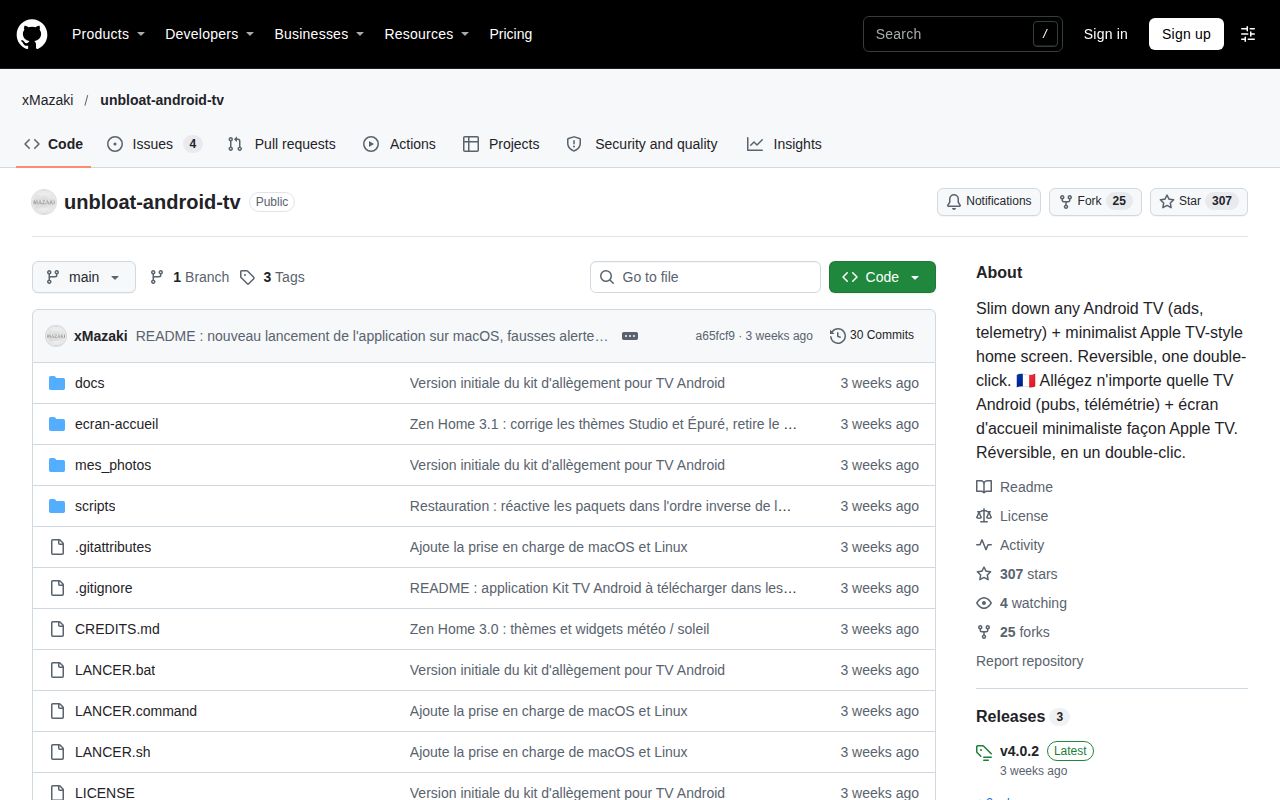
The supplied GitHub API record returned 307 stars and a last push of October 27, 2026, when observed on November 17. The more useful compatibility detail comes from named device reports: a working XGIMI installation, a TCL recovery account and separate TCL Home and volume problems. These records describe different models and changes, so a star total is a poor substitute for reading the report closest to your television. Repository facts
The maintainer answered the XGIMI input issue, TCL focus report and macOS packaging report with specific changes. The supplied TCL 55C711 Home and volume records remain open. That combination supports a practical reading: the project has responded to concrete defects, while owners still report model-specific problems. The README describes a personal project shared without warranty and tells owners to inspect the package lists and adapt the kit where necessary. Project instructions
unbloat-android-tv vs Universal Android Debloater and launcher alternatives
BorisHenne replaced Zen Home with a custom Kotlin launcher to reach projection adjustments and tailor the home screen. That is a contributor's actual choice between routes. HotRepo supplies the package-list comparison below, while PCWorld recommends privacy settings and established launchers in an article about the broader cleanup trend. Their recommendations answer different parts of the television problem: packages, home-screen presentation and access to controls. Contributor's launcher choice
| Route | Reason to consider it | Source of the distinction |
|---|---|---|
| unbloat-android-tv | Package choices, backup and Zen Home in one workflow | The README documents separate diagnosis, slimming, launcher and restore options. English README |
| Universal Android Debloater | Concentrate on package decisions and choose a launcher separately | HotRepo contrasts package lists with this kit's bundled launcher. HotRepo comparison |
| Projectivy Launcher | Assess a different home screen before changing system packages | PCWorld lists Projectivy's app menu and customization options. PCWorld launcher discussion |
| Custom native Kotlin launcher | Tailored projector controls justify maintaining Android code | BorisHenne describes replacing Zen Home for projection settings and a custom interface. XGIMI follow-up |
PCWorld's Jared Newman recommends changing television privacy settings, then considering an established Play Store launcher. His article discusses cleanyourtv and tv-detox. The supplied Beebom transcript likewise introduces the wider trend through a claim about turning a slow Android TV into a faster one with a request to an AI assistant. The useful decision here remains concrete: choose whether the household needs package changes, a different home screen or both. PCWorld's recommendation, Beebom transcript
What the other reviews get wrong
The author's 451-to-720 MB figure is free RAM, not rising RAM consumption. The supplied synthesis identifies the reversed description in Moses Yebei's write-up. The English README also labels the metric Available RAM and records the author's single 2019 TCL example: Android 9, 2 GB RAM, idle CPU from 61% to 12%, home-screen memory from 187 MB to 25 MB and 32 disabled services. Author's account, README figures
HotRepo's 184-star, newly-created description is an older snapshot than the supplied November 17 API record of 307 stars. The webconsulting.at summary lists macOS desktop availability only for Apple Silicon, while issue #7 names both Apple Silicon and Intel v4.0.1 archives. These are corrections to dated or incomplete descriptions. Neither star growth nor a second processor architecture answers whether Home and volume work correctly on a particular television. HotRepo snapshot, platform summary, macOS report
The older cleanyourtv troubleshooting extract says its Python client avoids macOS Local Network blocking; the corrected master extract says permission belongs to the hosting application and changing clients makes no difference. Separately, the author's promotion promises ad and telemetry removal on any Android TV, whereas the kit's README says protected or missing packages are skipped. Prefer those specific instructions over a universal promotional promise. Older troubleshooting, corrected troubleshooting, promotion, package handling
FAQ
Samsung Tizen 2.6 is incompatible with unbloat-android-tv according to the README's compatibility table. That directly answers a question in the supplied X records. The other questions below come from the synthesis of reader questions and issue reports, including Home selection, macOS packaging and held-volume behavior. Each answer points to the relevant project instructions or attributes advice from another source. Compatibility table
Does unbloat-android-tv work on Samsung Tizen 2.6?
The README lists Samsung Tizen as incompatible because it is outside the kit's Android platform scope. The same table excludes LG webOS, Hisense VIDAA, Roku and Apple TV. Owners should identify the television's operating system before choosing the kit: a television brand alone is insufficient, since the table specifically distinguishes Hisense Android models from VIDAA models. README compatibility table
What alternative can I use on a TV running Tizen 2.3?
PCWorld recommends television privacy settings, including ACR controls, and illustrates that route on Samsung. That gives a Samsung owner a documented settings-based starting point. The X exchange also contains this Tizen 2.3 question, but the reply suggesting settings or an external device comes from Grok. The concrete recommendation here is to inspect the television's own privacy controls using its model-specific menus. PCWorld privacy advice
Why does Google Home return instead of Zen Home when I press the Home button?
The TCL 55C731 reporter installed Zen Home while the physical Home button still returned to Google TV. The maintainer says option 3 checks actual activity resolution and rolls back if Zen Home fails to take over. The README says to choose Zen Home and Always when a chooser appears, otherwise rerun option 3. The separate TCL 55C711 issue records failure with v4.0.1 and v4.0.2. Complete #5 response, #8, README troubleshooting
Why does Google TV re-enable launcherx after the kit disables it?
Issue #3 records launcherx reactivation after about 15 minutes, with Zen Home still handling Home. The reporter suggests Play Services or a Google TV watchdog as possible causes. The maintainer's concrete response was live-state comparison in option 1 and instructions to rerun option 3 if the old launcher takes over. Saved package state and the activity reached by Home are separate things to inspect. Issue #3
How can I open HDMI inputs from Zen Home on an XGIMI projector?
The maintainer reports a VIEW_INPUTS fallback in Zen Home 2.3, commit 22ca7f9, following the Horizon Ultra missing-tile report. The response says the Inputs tile should open the HDMI list and keeps recognized television applications as the first choice. BorisHenne's MoGo account concerns a different control: reaching keystone and focus adjustments, which prompted the contributor to build another launcher. Horizon Ultra response, MoGo follow-up
Why does macOS say the v4.0.1 application is damaged, and how can I launch it?
Issue #7 attributes the v4.0.1 failure to lost executable permissions after Finder extraction and an invalid bundle signature. The maintainer reports replacing the app bundle with a standalone executable in v4.0.2. Follow that release's launch instructions rather than treating the older bundle workaround as current packaging guidance. The reporter also says LANCER.command worked independently of the application bundle. Issue #7, v4.0.2 instructions
Why does holding a volume button stop working normally with Zen Home?
The English README attributes lost held-key repeats to the accessibility service that reconnects Netflix, YouTube and Prime Video buttons. It suggests repeated presses or restoring and keeping the original home screen. Issue #9 describes the TCL 55C711 symptom as 100% reproducible: a long press changes volume by one unit, requiring successive presses for larger adjustments. README explanation, volume report
Can Zen Home's target SDK be raised to remove the older-Android warning at startup?
Issue #11 asks to raise targetSdkVersion from 24 after an older-Android warning appears on a complete TCL Google TV restart. The reporter also mentions adapting photo access if necessary. The supplied record presents a request with zero comments, so it belongs in a model's issue checklist rather than a list of shipped corrections. Its trigger is a complete restart. Startup-warning request
Is Android TV debloating safe, and can it brick the TV?
The TCL 55C731 reporter recovered a working configuration through option 6 after the initial remote problem. The README documents package disabling, restoration and factory reset as a last resort, which erases accounts and apps. Its workflow starts with diagnosis and backup, followed by inspecting proposed package changes. Those concrete recovery steps are more useful than describing every change as harmless or accepting a universal reversibility promise. Recovery report, README safety instructions
Is leaving ADB enabled a security risk?
The related cleanyourtv FAQ describes network ADB shell exposure and advises closing debugging after cleanup. It says to turn off the debugging modes present on the television and revoke authorizations. Its Chromecast example has a separate Wireless debugging port that stays open when USB debugging is switched off. That makes both debugging controls relevant when following that project's cleanup advice. Related ADB safety explanation
Can debloating block advertisements inside streaming apps too?
PCWorld explicitly says the broader television cleanup methods will not block streaming-service advertisements or stop those services collecting data. Replacing a home screen addresses a different surface from advertisements delivered inside an application. The author's report of zero startup and menu ads describes those locations; it should be read with those locations attached rather than expanded into a promise about Netflix or YouTube. PCWorld explanation, author's account
Which privacy settings can I change directly on the TV?
The related cleanyourtv FAQ lists advertising-ID controls, Location and Usage & diagnostics among Google TV settings worth changing. It explains that other Android TV builds move the menu paths and that some settings pages belong to packages involved in cleanup. Read the settings guidance before disabling packages, then use the paths appropriate to your television rather than assuming every manufacturer presents the same menus. Related privacy-settings guidance
What we have not tested yet
The sandbox supplied no installation, build, test or physical-TV results, and no actual runtime or operating-system versions. We have not tested desktop installation, launcher responsiveness, streaming playback, sustained memory use, cold boots or recovery after losing ADB. The author and contributor memory figures are their observations; free RAM alone supplies no measurement of menu latency, decoding performance or picture quality. The Compose safety label supplies no product security assessment.
The complete issue #5 response documents SetupWraith handling and the maintainer-reported Zen Home 2.4 focus fix, but neither has independent confirmation in this evidence. The Horizon Ultra HDMI change and the MoGo projection-control complaint concern different devices and capabilities. The suggested cause of launcherx reactivation is unconfirmed. Open status describes the supplied issue sample. There is no head-to-head launcher benchmark, independent installed-device count or support-response guarantee, and the broad README compatibility table extends beyond its named tested devices.
The related cleanyourtv troubleshooting and ADB advice, PCWorld recommendations and Beebom transcript provide context rather than execution evidence for xMazaki's release. The supplied text also leaves rendered layout, actual visuals, related-link modules and other template behavior untested. Before changing the household's main screen, establish a recovery route for the exact model, then check Home, held volume, streaming shortcuts, inputs and projector adjustments after a complete restart. Keep the original setup if the resulting compromises do not suit the household.