Separate worktrees make agent changes easier to contain
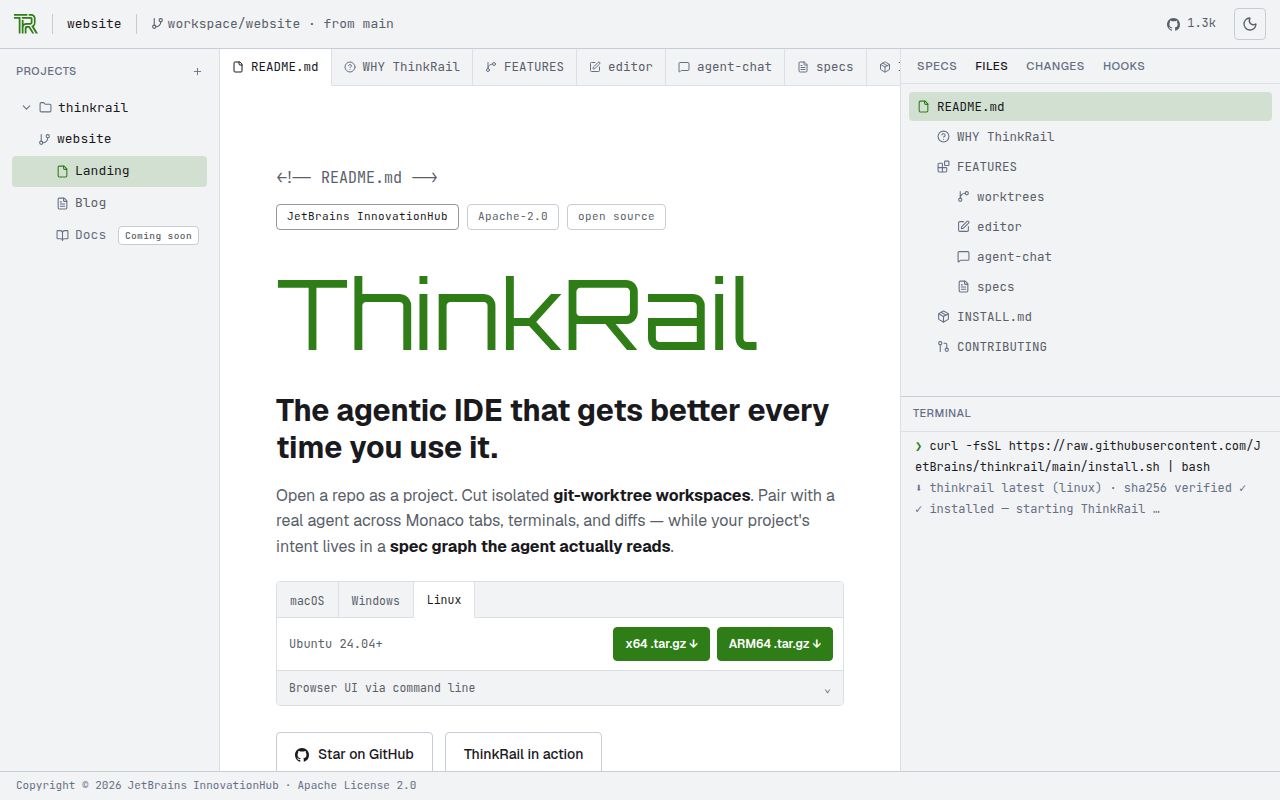
ThinkRail gives each workspace its own Git branch and working directory. For a developer running several coding tasks, that is a useful starting point: one agent can change a feature without mixing its edits into another task's checkout. The README also permits attaching existing worktrees or explicitly working in the project folder. Choose deliberately, because those routes give you different separation between tasks.
JetBrains wraps the pi coding agent in an editor with file navigation, terminals and anchored review comments. You can send comments on a diff into a chat, then inspect the resulting branch before merging it. Worktrees separate files and branches. They do not establish that an agent's commands are safe or its patch is correct, so the person merging still has a job.
Living specs preserve project intent in files
ThinkRail keeps project knowledge in a connected graph of SPEC.md files beside the code. Dedicated spec tools let the agent read, search and maintain those files, while a read-only tree exposes them in the workbench. That gives you something inspectable after a conversation ends. A developer can review the written intent alongside a code change instead of hoping the next chat reconstructs it.
Whether those specifications stay accurate depends on the work you accept. Our sandbox results do not measure knowledge retention or the quality of agent-written specifications. The README describes full extension support as work being added next, so don't choose ThinkRail on the assumption that it can already create any missing tool it needs. Judge the current editor and documented workflows.
What happened when we ran it
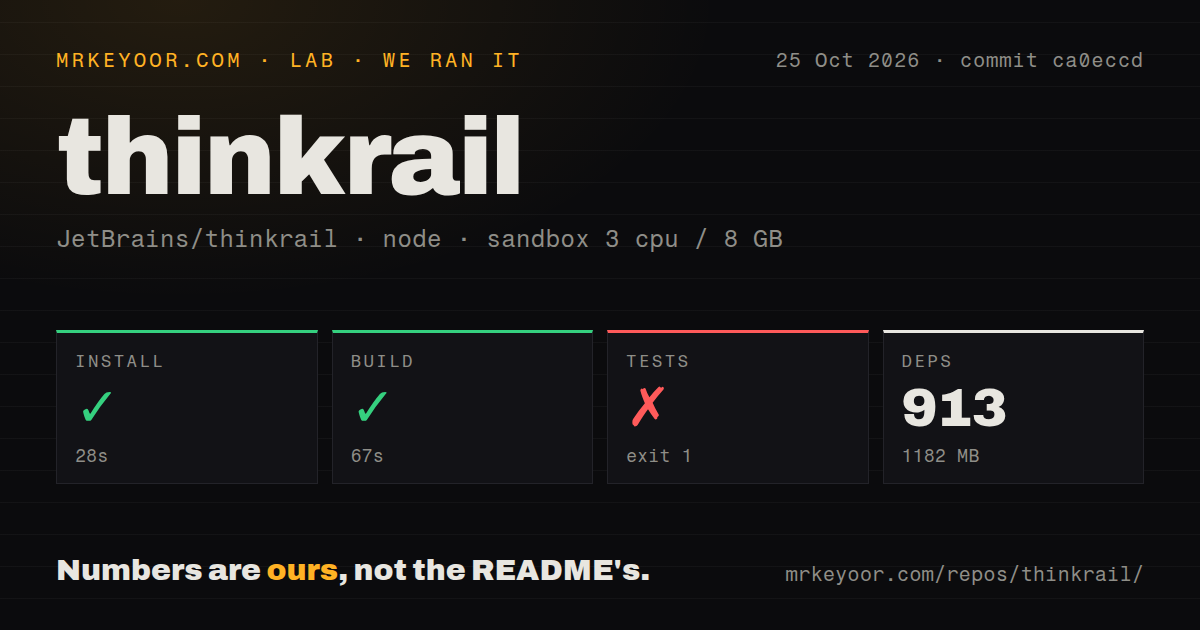
Our sandbox installed ThinkRail commit ca0eccd in 28 seconds, recording 913 dependencies and 1182 MB on disk. The build succeeded in 67 seconds. The test command failed with exit 1 after 137 seconds on October 25, 2026. This was a sandbox configured with 3 CPUs and 8 GB of RAM, using image label lab-node:22. The label does not establish the actual runtime or operating-system versions.
The server log tail says 2 tests failed and reports 1792 tests across 130 files, with 123.94 seconds reported for that server portion. It does not name the failed cases. The visible passing lines cover MCP connection decisions and startup behavior, including an unreadable transcript. They cannot explain the failures, and the server duration is distinct from the full command's 137 seconds. We cannot attribute the result to an environment mismatch or a product defect from this excerpt.
The source checkout contained 1928 files, about 300297 source lines and 18.1 MB before dependencies. Our scan recorded 6 CI workflow files and monorepo workspaces, with no Dockerfile or dedicated tests directory. The measured suite plainly ran despite that directory finding. These results concern the source tree, not desktop responsiveness, coding quality or the footprint of a downloaded application.
Intel Macs and older Linux desktops need another route
The documented desktop download covers Apple Silicon Macs, Windows x64 and Linux x64 or ARM64. There is no Intel Mac desktop build, and the Intel Mac CLI is not prebuilt. Linux desktop packages require glibc 2.38 or newer plus named graphical libraries. A successful source build in our sandbox does not establish compatibility with your desktop.
Ordinary use needs Git on PATH and a model provider, either JetBrains AI sign-in or credentials through pi. GitHub pull-request workflows use your own gh installation. Contributors face a separate source path: the current README specifies Bun 1.4.4 and Node.js 22.19 or newer. Those are documented requirements, not runtime versions verified by the supplied lab summary. Packaged installation avoids maintaining the contributor workspace, but we did not exercise those installers.
The privacy switch leaves basic reporting enabled
ThinkRail's README says error reports are always sent. It also describes basic usage events tied to a random installation ID and says prompts, code and credentials are excluded. The privacy switch and the no-analytics launch flag disable additional sharing. A policy requiring every form of outbound telemetry to be disabled therefore needs closer scrutiny than the flag's name suggests.
MCP connections have documented approval controls: repository-defined servers stay off until approved, and calls not marked read-only ask in chat unless trusted for the project. Those are useful boundaries to inspect before connecting tools with write access. Our failed source suite does not establish that every approval path works in a packaged release.
A large-monorepo report makes workspace creation an acceptance check
Issue 874, opened October 25, reports that creating a workspace in a large monorepo can hang the interface and end in a request timeout. The report concerns ThinkRail 0.2.0 on Apple Silicon. We did not reproduce it, and its proposed explanation remains the reporter's diagnosis. If large repositories are your daily work, trial workspace creation with one before migrating your workflow.
GitHub records a last push on October 25, 2026, alongside issue activity that day, and lists v0.2.0 as the latest release, published October 18. That is evidence of ongoing development. It doesn't establish response quality or erase the failed sandbox suite. Current README capabilities may also extend beyond that packaged release.
Aider keeps the terminal, while Zed offers a desktop editor
Aider provides terminal pair programming with Git integration. Prefer it when you want to keep your existing editor and review model-generated edits through familiar Git tools. Zed is a multiplayer code editor with macOS, Linux and Windows downloads. Prefer it when a general desktop editor and shared editing are the starting requirements. These comparisons concern documented workflows, without comparative speed or quality measurements.
For ThinkRail, start with a disposable branch in a representative repository. Create a workspace, make a bounded change and inspect both the diff and any changed specification before merging. If that loop stalls on your monorepo, the central reason to adopt this editor has failed your acceptance check.