It is an IDE foundation, not an editor download
Eclipse Theia addresses a specific problem: building a coding product without assembling every editor, workspace, command, plugin, and desktop concern from scratch. The project began in 2017 and has 21,658 GitHub stars. Its main repository describes a platform for browser-based and Electron desktop IDEs, with a flexible architecture and support for the VS Code extension protocol. It is an application framework, not a ready-made daily editor.
Adopting Theia creates product work. A team still has to compose an application, choose features, shape the interface, package it, operate its backend, and validate extensions. The README links guides for composing applications, authoring Theia extensions, writing VS Code-style extensions, testing compatibility, and packaging an Electron app. The bargain is clear: Theia supplies deep infrastructure while you own the finished experience.
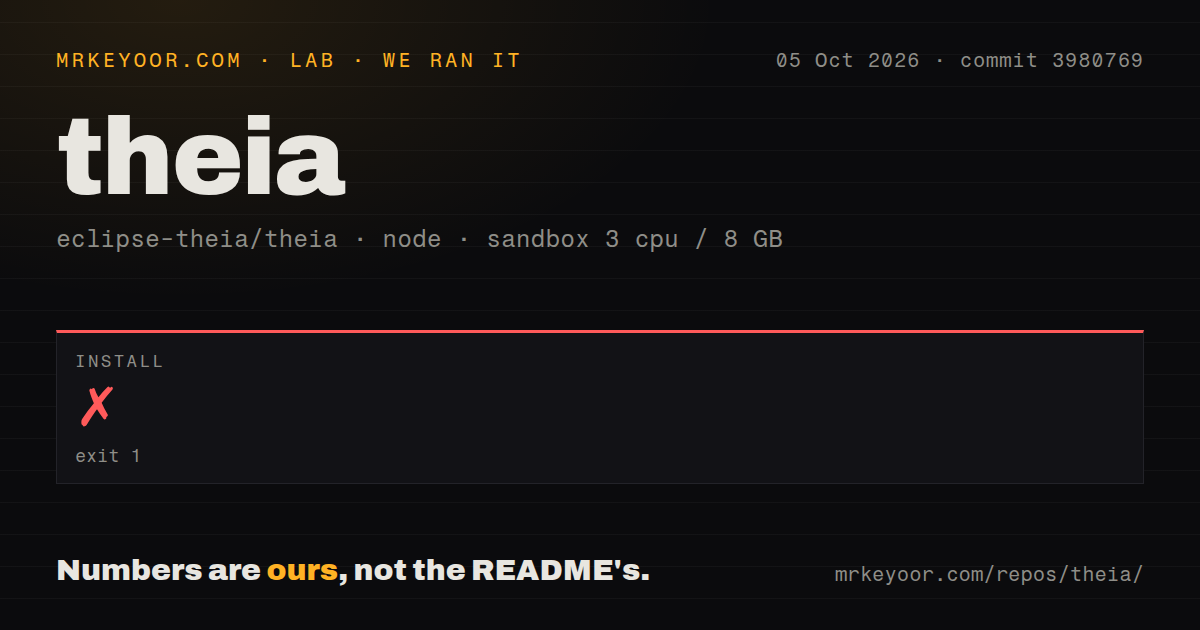
Our install stopped before the build
We cloned commit 0d29f7c into an unprivileged sandbox with 3 CPUs and 8 GB of RAM. The checkout contained 4,300 files, approximately 590,216 lines of source, and occupied 44.3 MB. It is an npm monorepo with workspaces. Installation failed with exit code 1 after 275 seconds, so we did not reach a build or test run. No build time or test result can honestly be reported.
The final log lines show node-gyp failing during a rebuild of native-keymap 2.5.0. They record Node v24.19.0, node-gyp v13.0.1, and Linux 7.0.0-29-generic. That is the observed failure, not proof of a missing package or incompatible toolchain. Our run also found 13 CI workflow files, no Dockerfile, and no tests directory at the root. A workspace repository may keep tests elsewhere.
Initial setup is less forgiving than the README suggests. Its getting-started section is mostly links, so adopters need the development instructions before treating npm installation as routine. The evidence supports a practical warning: reproduce the supported environment, confirm native build prerequisites, and budget for toolchain alignment. A 275-second failure shows that the first-run path was not self-contained in our fresh container.
The architecture and extension story are the reasons to choose it
The strongest reason to select Theia is control. It supports cloud and desktop tools for adopters who want to change the product, not merely configure an editor. The README names vendor-neutral governance as a goal and uses the Eclipse Public License 2.0, with a secondary GPL 2.0 option carrying the Classpath Exception. That governance model matters when the developer interface is strategic infrastructure.
The documentation addresses real adoption questions. It covers code organization, coding guidelines, migration, API integration testing, plugin APIs, development, and VS Code API compatibility. The project also publishes a Software Bill of Materials for each release through the Eclipse Foundation registry. Alongside 13 CI workflows, those details show attention to release engineering and supply-chain visibility.
Compatibility should be treated as a program, not a blanket promise. The comparator report and guide for testing VS Code extensions tell buyers to verify required extensions. The separate Theia Blueprint repository may be a more product-like reference, while this repository remains the platform source. Evaluate the application you intend to ship, not an assumed finished product.
The cost is scale and integration ownership
Roughly 590,216 source lines and 4,300 files are a substantial maintenance surface for a team that wants only embedded editing. Native dependencies can complicate setup, as our native-keymap failure demonstrates. There is no root Dockerfile in the measured checkout to define an obvious container baseline. Theia therefore asks for platform expertise and ongoing ownership.
The repository reports 1,493 open issues, a large queue but not proof of neglect for a framework this broad. The last push occurred on 2026-08-27, the day of this review, and release v1.74.1 arrived on 2026-08-06. One release date cannot establish cadence, but a 21-day-old release alongside same-day activity shows current maintenance.
Community paths include GitHub discussions, issue templates, beginner labels, help-wanted work, a public roadmap, and a weekly developer call. With 21,658 stars, Theia has broad visibility, although stars do not measure response quality. Buyers should sample recent issues relevant to their requirements before interpreting the total queue as healthy demand or unresolved risk.
It belongs inside a developer product stack
In a real deployment, Theia belongs at the experience layer. Authentication, workspace provisioning, repositories, secrets, compute isolation, storage, networking, observability, and lifecycle policy remain surrounding responsibilities. Theia provides the browser or desktop IDE and extension model, while a platform team connects those services. This separation works for coding platforms, internal engineering environments, and specialized domain tools.
Choose code-server or OpenVSCode Server for remote VS Code access. Choose Monaco Editor when a web application needs editing but not a full IDE. Choose Theia when the IDE itself is strategic, your team can own a 590,216-line framework dependency, and vendor-neutral extensibility justifies the effort. Its activity, documentation, and release signals are strong; our failed install shows that capability and convenience are different things.