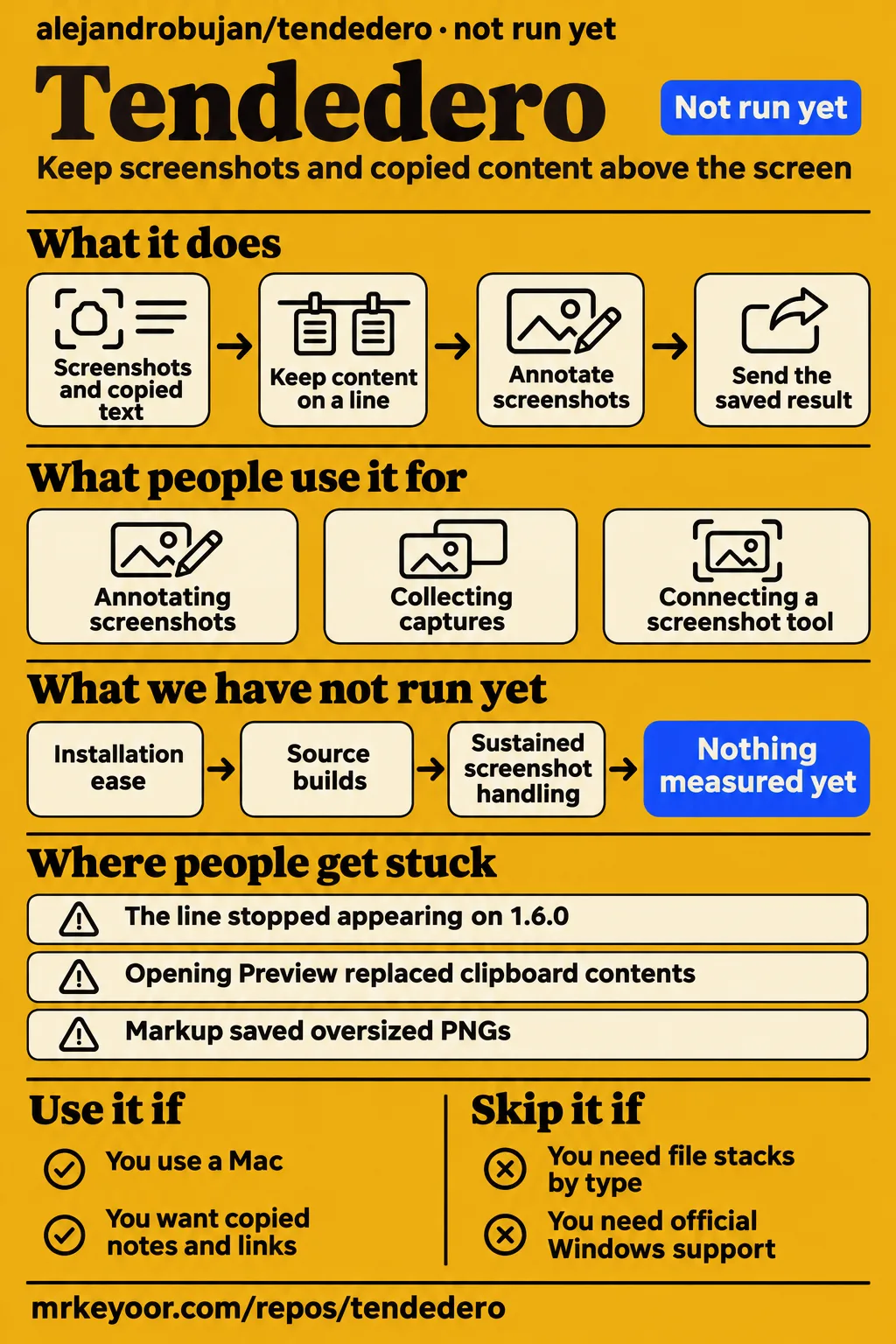
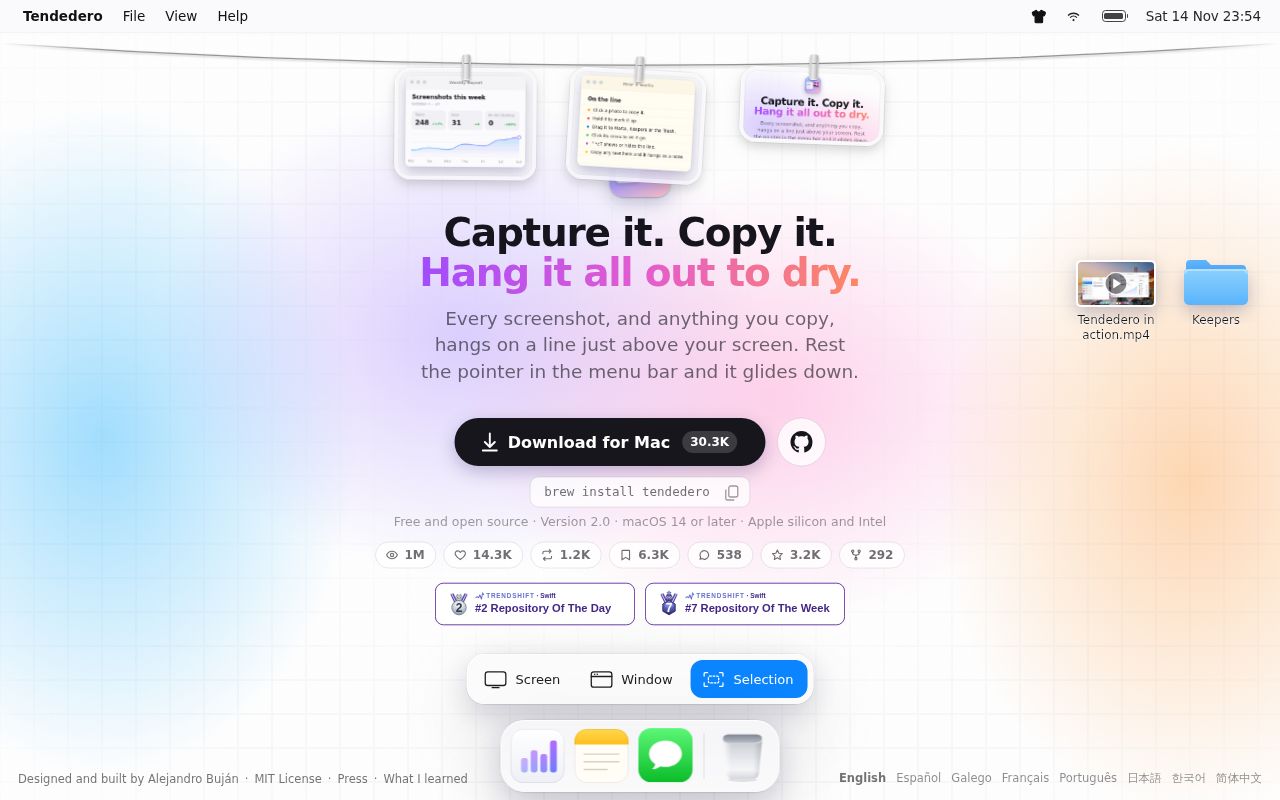
Tendedero is Alejandro Buján's free Mac app for keeping screenshots and copied content on a line above the screen. Use it for temporary capture and clipboard handoffs on a Mac; skip it if you need file stacks or official Windows support. The useful distinction in this review is between capturing an image and reaching it afterward: issue #80 describes screenshots continuing to arrive while the line stopped appearing. Official Tendedero description.
The selected release is v2.0.0, dated November 10, 2026 in the supplied release metadata. Our sandbox record identifies commit 257932f; it is a separate reference from the release tag. Historical reports below name their affected versions, and maintainer replies distinguish a released change from an announced patch. That gives a Mac user a more practical decision aid than treating every closed issue as confirmation that a particular download resolves the problem.
What people use tendedero for
Tendedero users describe annotating screenshots, collecting captures during long sessions and connecting another screenshot tool through a save folder. Each workflow has a concrete handoff: send the edited image, retrieve a capture or get another tool's output onto the line. The following accounts come from issue participants and the maintainer, with their reported outcomes kept separate from our sandbox record.
| Person and task | What happened | What it means for your decision |
|---|---|---|
| prashant54singh added shapes, arrows and pen drawings in Markup | The reporter described screenshots growing from about 6 to 8 MB to about 15 to 16 MB on Tendedero 1.0.0 and 1.6.0. Annotation report #99 | File size matters when the next step is pasting or uploading the edited result. |
| NewPlayer0213 kept capturing during a long Mac session | On Tendedero 1.6.0, the reporter said the line stopped appearing after about 15 hours while captures continued; restarting restored access. Visibility report #80 | Capture and retrieval are separate parts of the workflow. |
| AlanQtten used another screenshot tool | zhangtao10 suggested saving images to Tendedero/Screenshots, and the reporter acknowledged the advice. Capture-tool discussion #18 | The proposed connection uses the capture tool's save directory. |
| Alejandro Buján tested changed annotation encoding | The maintainer reported a 9.9 MB screenshot becoming 9.0 MB after adding an arrow, compared with about 20 MB before the change. Maintainer's encoding example #99 | This example explains the intended effect of preserving the screenshot's format. |
The annotation thread follows the screenshot beyond the editor. Its reporter specifically described difficulty pasting or uploading the enlarged files to websites, so an attractive annotation alone does not finish that task. For this use case, the saved image is the useful output. Keep that distinction when choosing between a temporary shelf and a capture tool with its own editor: consider where the finished file goes, as well as how you draw the arrow.
What happened when we ran it
Our run at commit 257932f on November 13, 2026 recorded NOT RUN because Swift had no supported ecosystem and the repository had no Dockerfile. The recorded sandbox configuration was 3 CPUs and 8g RAM, image n/a. These figures describe the sandbox configuration. The harness supplied no installation, build or test outcome for Tendedero.
| Question or recorded check | Answer | Verdict | Why |
|---|---|---|---|
| Could the harness execute the application? | NOT RUN | Blocked | No supported ecosystem for Swift; no Dockerfile. |
| Did installation, building or tests complete? | No execution results were recorded | No result | The install, build and test fields are null. |
| What runtime and operating-system versions were used? | The image is n/a | Unspecified | Actual versions require raw toolchain logs. |
| Did the separate quickstart clone finish? | The clone record reports 4 s | Clone recorded | The November 14 record names recipe quickstart-cli. |
| Could quickstart-cli select an installation method? | The planning step reports FAILED | Stopped before installation | The recipe excludes Homebrew, source builds and pipe-to-shell scripts. |
| Did teardown finish? | The record says ok | Cleanup recorded | The supplied teardown record reports that outcome. |
| Did Docker Compose deploy Tendedero? | The generic summary says it did | Contradictory record | The detailed planning failure stops before installation, and the harness records no Dockerfile or Compose configuration. |
The separate quickstart records report a clone in 4 s, the failed planning step and successful teardown. The planning message says it found no supported apt, npm, pipx, uv, cargo or go installation route or manifest-named binary. That is a mismatch between this recipe and the documented Mac installation routes. It is not an application crash.
The generic November 14 summary identifies commit 257932fa475f and says the app deployed through its own Docker Compose, with every port bound to 127.0.0.1. That conflicts with the detailed stop before installation. We exclude its deployment assertion from the results. Keeping the conflict visible prevents a summary line from turning a failed setup recipe into an invented application session.
Where people get stuck: visibility and click behavior
Issue #80 records visibility failures on Tendedero 1.6.0, while #85 identifies a double-click clipboard change released in 1.6.0. Those are different problems with different evidence histories. A missing line interrupts retrieval; the Preview problem replaced clipboard contents during inspection. The table separates their reported responses so that a restart workaround, an announced patch and a confirmed release keep their distinct meanings.
| Symptom and source | Reported response | Evidence status |
|---|---|---|
| The line stops appearing on another Space or during a long session in issue #80 | Restart restored access for NewPlayer0213; Buján announced window recreation for 1.6.1 | Reporter workaround and maintainer patch announcement |
| Newly added desktops fail to show the line in issue #87 | The discussion points to #80 | Related Spaces report |
| Opening Preview also copies the image in issue #85 | Single-click copying waits for the double-click interval | Maintainer explicitly confirmed release in 1.6.0 |
| Hover interrupts work or reveals an empty line in issue #62 | Empty-line hover suppression and a switch to disable hover | Maintainer described the 1.6.0 behavior |
| Hover frequently fails to reveal the line in issue #67 | Reporter said reinstalling resolved it | Individual reported workaround |
NewPlayer0213's #80 report names macOS 27.0.1, Tendedero 1.6.0 and a single built-in display. After about 15 hours, screenshots still arrived while the window stopped coming down. The maintainer later described making a fresh window when the existing one was absent from the current desktop. This explains the patch's intended mechanism without substituting an implementation description for the user's original result. Spaces report and maintainer response.
Copied notes and search extend the screenshot workflow
The v2.0.0 release documents copied text as notes, web addresses as links and Control-Option-F search across the line. A click copies a note back, press and hold edits it, and Hold keeps it in front of the user as selectable text. These controls connect the screenshot shelf to a common writing task: collecting an image, a paragraph and an address before assembling a reply. Tendedero v2.0.0 release notes.
In issue #59, Buján also describes hanging a .md file from Finder and formatting headings, lists, checkboxes, quotes, code blocks, bold, italic and links. The same reply declines stacks of files by type. That makes the product's scope easier to understand: the line holds material involved in current work, while the maintainer has explicitly left out the requested file-stack organizer. Markdown notes and file-stack decision.
The README distinguishes sending an item from keeping it in a folder. Dragging into an app sends a copy and leaves the item on the line; dragging into a folder keeps it there and removes it from the line. Pin protects an item against displacement by new screenshots, while Hold takes it off the line and keeps it in front of the user. These distinctions matter more than treating every gesture as another way to save. Documented Tendedero gestures.
Installation and clipboard defaults
The README documents a disk-image download and Homebrew installation for macOS 14 Sonoma or later on Apple silicon and Intel. Its source-building instructions require the Swift toolchain and make Xcode optional. For ordinary installation, the documented disk-image route is to open the download and drag Tendedero to Applications. These are upstream instructions, distinct from the quickstart recipe that stopped at planning. Tendedero installation instructions.
The v2.0.0 release notes say images, text and links have separate switches and all start off. They describe first launch, and this update once, offering to enable them. The README says the app runs locally without an account, network access or analytics, and describes exclusions for password fields, content marked private by a password manager and Universal Clipboard material. These are the project's stated defaults and behavior. Clipboard defaults in v2.0.0.
The README also explains what accepting screenshot handling changes: Tendedero turns off the floating thumbnail and saves new screenshots to its own folder. It says previous settings are saved and restored when the app quits or the option is disabled. That is useful setup information because the app changes the destination of future captures, rather than merely displaying a second view of files already scattered over the Desktop. Screenshot-setting explanation.
The Spanish name identifies a Mac app here
Tendedero is also a Spanish laundry term: Cambridge gives clothes line, and Wiktionary includes clotheshorse and drying rack. This review concerns Alejandro Buján's Mac application at alejandrobujan/tendedero. Search for "Tendedero Mac app" when looking for software instructions. That keeps the identity clear without turning an app review into a catalogue of laundry-shopping queries. Cambridge translation, Wiktionary meanings, official app identity.
Tendedero vs Clothesline and TackPlus
Clothesline's creator describes an independent Windows C#/WPF implementation, while TackPlus's author describes a Windows shelf motivated by copied files and Windows Recent files. Both are relevant platform alternatives for someone attracted to Tendedero's concept. Their authors' accounts explain what to investigate; Tendedero's own platform requirement remains macOS 14 Sonoma or later. Clothesline creator's account, TackPlus author's account.
| Choice | Evidence-backed distinction | When to investigate it |
|---|---|---|
| Tendedero | The official site lists macOS 14 Sonoma or later on Apple silicon and Intel | You want screenshots, copied notes and links on a Mac. |
| Clothesline | Its creator describes an independent C#/WPF implementation with screenshot-folder and clipboard monitoring | You use Windows and want a similar top-edge screenshot interaction. |
| TackPlus | Its author wanted actual copied files alongside screenshots and Windows Recent files | You use Windows and want a file shelf for copied files as well as captures. |
Clothesline's creator describes an invisible 3px hover strip at the top edge and a global fallback hotkey. The same account describes watching the screenshot folder and clipboard. TackPlus's author instead emphasizes handling PDFs, snippets, media and screenshots alongside copied files. These accounts help sort the alternatives by input and platform, which is more useful here than assigning performance scores to applications described in separate community posts.
What the other reviews get wrong
Github Signals' Instagram promotion describes images as instantly accessible, while issue #80 documents captures continuing during interrupted access to the line. The promotion also calls the app the perfect fix for desktop mess. The practical correction is specific: an image can reach Tendedero's folder and still be unavailable through its window until a restart restores access. Instagram promotion, reported visibility failure.
The historical version matters to that correction. NewPlayer0213 reported the long-session problem on 1.6.0, and Buján announced a window-recreation patch for 1.6.1. Neither an old promotion nor an old failure should silently become a claim about every later release. The useful reading is a sequence of evidence: the user's failure, the restart result and the maintainer's proposed response. The selected release in this review remains v2.0.0.
Questions people ask
Tendedero is a free Mac screenshot and clipboard app, with its repository at alejandrobujan/tendedero. The questions below come from the supplied search intents and issue discussions. They focus on platform, capture inputs and line behavior because those questions determine whether the app fits the next task, rather than whether its animation looks appealing. Official app description.
What is the Tendedero Mac app, and where is its GitHub repository?
Tendedero hangs screenshots and copied content on a line above the screen. Its repository is alejandrobujan/tendedero, and the official site lists macOS 14 Sonoma or later on Apple silicon and Intel. The README describes click-to-copy, press-and-hold editing and dragging into an app or folder, with different retention behavior for those two drag destinations. Official requirements.
Does Tendedero work with third party screenshot tools?
Issue #18 proposes setting another capture tool's output directory to Tendedero/Screenshots. The original question mentions iShot and capture tools inside chat applications, and participant zhangtao10 supplies the folder suggestion. That makes the advice a concrete configuration proposal from the thread, rather than a general compatibility declaration covering every screenshot application. The reporter acknowledged the advice. Third-party capture discussion.
Why does Tendedero appear on only one desktop Space?
Issue #80 describes its window failing to appear on another Space while screenshots continue arriving. NewPlayer0213 reported this on 1.6.0, and restarting restored the line. Buján's subsequent response describes recreating the window when it is absent from the active desktop and announces 1.6.1. The related #87 report describes the line remaining on the Space where the app launched. Main Spaces discussion, related desktop report.
Can I disable hover activation and use a shortcut instead?
Yes: the maintainer points to "Bring the line down > When the pointer rests in the menu bar" in issue #62. Turning that setting off leaves shortcut and menu activation available. The reply also distinguishes automatic hover from deliberate activation: the shortcut and Show line can open an empty line because the user explicitly requested it. Maintainer's hover explanation.
Why does the line disappear over full screen apps?
The README documents automatic hiding over full-screen applications. In issue #80, Buján points to "Bring the line down > Over full screen apps" to change that behavior and says the shortcut and Show line also reveal it there from 1.6.0. This gives the user a specific setting to inspect before treating full-screen hiding as the ordinary-desktop failure described elsewhere in that thread. Full-screen explanation.
Does Tendedero support Markdown notes and file stacks?
The maintainer confirms Markdown notes and explicitly declines file stacks by type in issue #59. Copied text becomes a note when Text is enabled, and a .md file can be hung from Finder. The reply lists formatted headings, checkboxes and code blocks among the supported Markdown elements, making notes part of the temporary-work workflow rather than a promise to organize general files. Markdown and stacks decision.
Why do annotated screenshots become much larger?
Issue #99 attributes the historical growth to oversized PNG output from Markup. The reporter names Tendedero 1.0.0 and 1.6.0; Buján later describes re-encoding with ImageIO in the screenshot's own format. His example changes a 9.9 MB screenshot to 9.0 MB after an arrow, compared with about 20 MB previously. These are attributed measurements from the maintainer's reply. Annotation encoding discussion.
Can I pin screenshots anywhere on screen for reference?
The README documents Hold as taking an item off the line and keeping it in front of the user, while Pin protects an item on the line from new screenshots. Issue #52 asks for freely positioned, persistent reference images. Hold and Pin therefore describe different documented actions, and the request supplies the user's desired behavior. Reference-image request, Hold and Pin controls.
Documentation earns 4/5 on an explicit rubric
Tendedero receives 4/5 for documentation because its README supplies workflows, platform requirements and behavior boundaries. The scale is 1 for absent instructions, 2 for basic orientation, 3 for a usable workflow description, 4 for explicit workflows plus requirements and behavior boundaries, and 5 when that coverage also has independently reproduced instructions. The documented gestures, screenshot-setting changes and clipboard controls support the fourth level. README evidence.
Setup ease, community support quality and maturity remain N/A under this review's scoring rules. A maintainer answering an issue is useful evidence for that particular response, while the documentation score assesses what a reader can learn from the instructions. Keeping those dimensions separate avoids converting a well-explained workflow into an installation result or assigning a reliability rating from a small selection of threads.
What we have not tested yet
We did not run Tendedero on macOS: the sandbox stopped before application execution. Installation ease, source builds, tests, runtime and operating-system versions, CPU use, memory use and sustained screenshot handling remain unmeasured by us. The selected v2.0.0 release has no supported Mac session in this record, and the current README is not an exact-tag execution result. The YouTube records supply no usable transcript; Bilibili titles supply no task results.
The supplied evidence also leaves these questions open: whether the announced Spaces patch resolves the reported long-session failure; which release contains the annotation-encoding change; whether the suggested save folder works with a particular third-party capture tool; and whether Hold satisfies the freely positioned reference-image request. There is no comparative application trial here, independent inspection of network behavior or clipboard exclusions, or representative assessment of adoption and support quality. The earlier plan's claimed related-page inspection is not independently inspectable from this record.
For a useful Mac evaluation, repeat the handoff you expect to use: capture, annotate, switch Spaces and send the saved result. Keep the original and edited files so that format and size can be compared, and include a normal workday if long sessions matter to you. This is a proposed next step, not an additional test result. The decision should follow whether you can retrieve and send the material when needed.