Version 9.2.5 gives you table state, not a finished grid
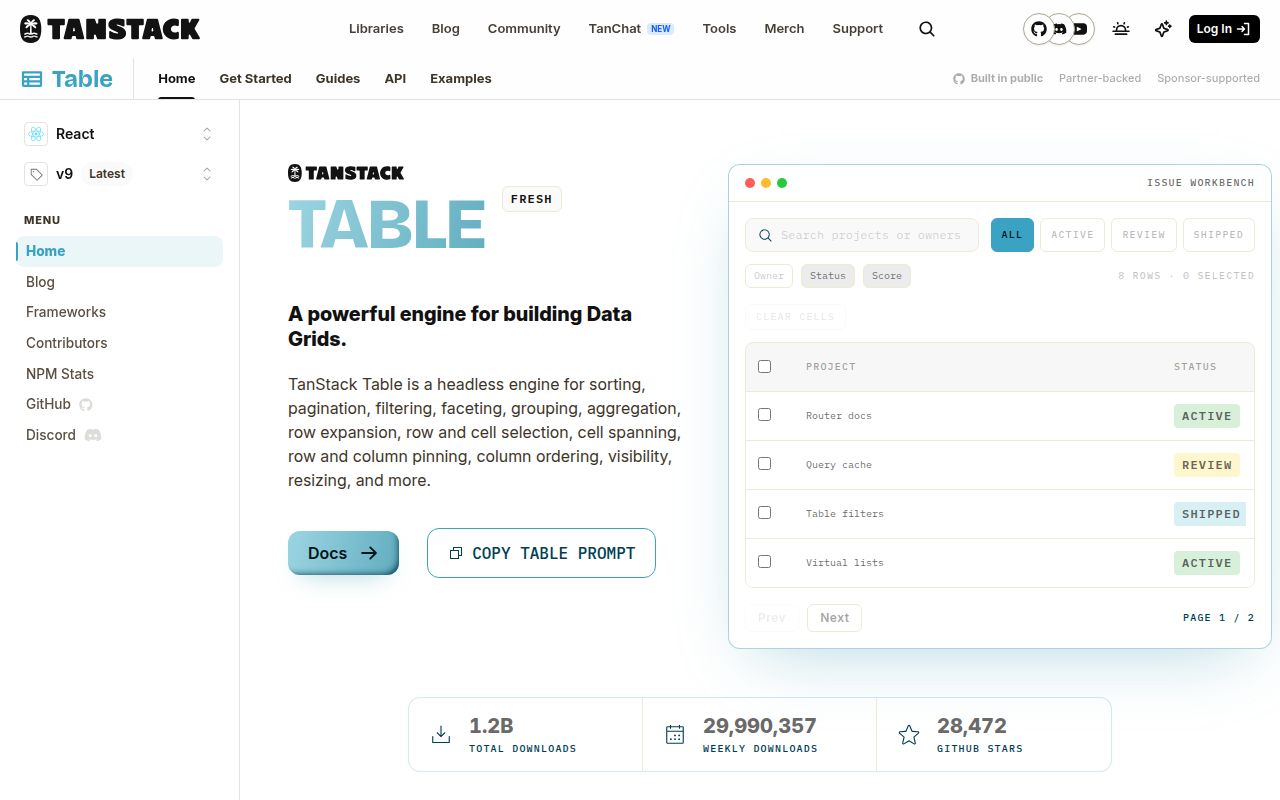
TanStack Table 9.2.5 is a headless table engine. It creates columns, headers, rows, cells, state, and event APIs, then leaves the rendered interface to your code. The core works across React, Preact, Vue, Solid, Svelte, Angular, Ember, Lit, Alpine, and Octane adapters. One application can render a semantic HTML table, while another uses divs or a custom component system without fighting library-owned markup or CSS.
Ownership travels with that freedom. You build sort buttons, filter fields, selection controls, empty states, keyboard behavior, and visual treatment. The library exposes state and handlers without deciding how those elements look. A team with a mature design system may prefer that blank canvas. A small team needing an admin grid quickly may finish sooner with AG Grid or MUI X Data Grid.
Version 9 has 17 opt-in stock features
TanStack Table v9 lists 17 stock features, including cell selection, column filtering, grouping, pinning, sizing, visibility, aggregation, row expansion, pagination, and sorting. Each table declares its feature set with tableFeatures(). TypeScript then exposes only the state and methods registered for that table. Client-side row models and named filter, sort, or aggregation functions are separate imports, so an application can leave unused processing code out.
The feature guide says total possible feature code grew from about 14 kB in v8 to about 25 kB in v9, while a table that registers only what it uses may ship less. stockFeatures restores an all-features path but includes all stock feature code. V9 packages also provide version-matched TanStack Intent guidance for Claude Code and other agents through npx @tanstack/intent@latest install.
One side must own dataset-wide operations
TanStack Table can process filtering, grouping, sorting, aggregation, faceting, and pagination in the browser, or keep the state while a server performs them. The server path is manual. A manualSorting or manualPagination option does not fetch anything; your application sends state to an API, receives processed rows, and passes them back. TanStack Query is a documented companion, but any fetching layer can fill that role.
If a server sends 1 page and the browser sorts it, only that page is sorted. Facet counts from a partial page describe that page rather than the whole result set. With server-owned pagination, dataset-wide operations usually belong on the server too. Stable backend row IDs matter when selection or expansion must survive page changes.
What happened when we ran it
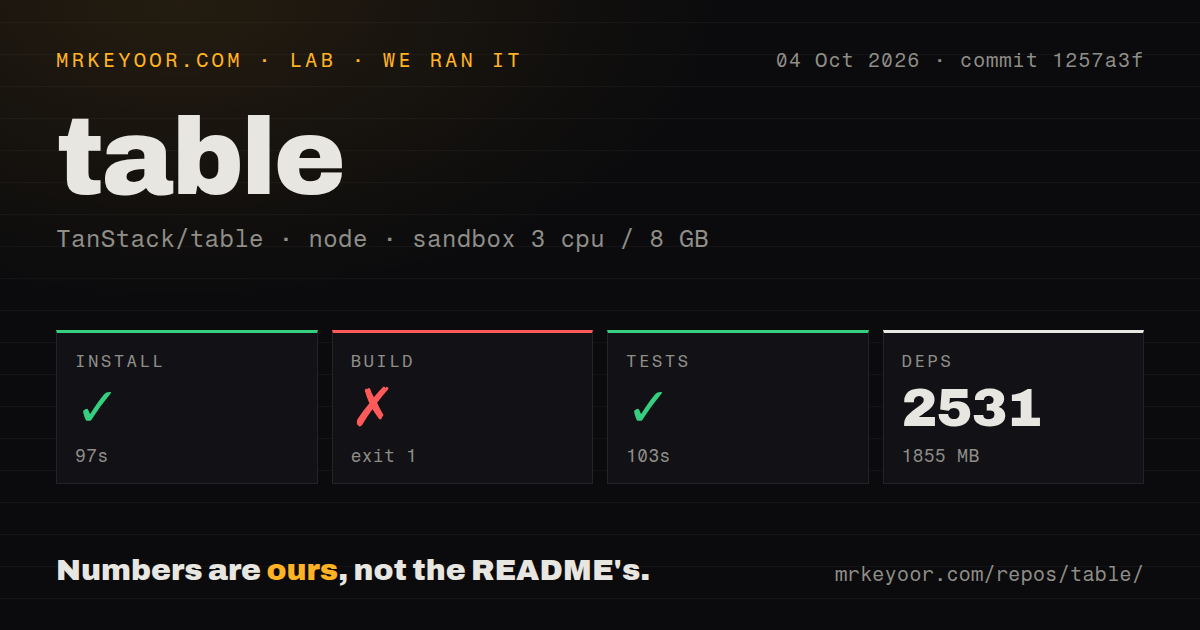
Our measurement setup used an unprivileged Debian container with 3 CPUs, 8 GB of RAM, Node 22, and no secrets. commit 1257a3f contained 7,849 files, about 404,240 lines of source, and a 25.2 MB checkout. Pnpm installed 2,531 packages in 97 seconds, leaving 1,855 MB on disk. The repository is a workspace monorepo with 5 CI workflow files, a tests directory, and no Dockerfile.
The test command succeeded in 103 seconds. The build did not: it exited with code 1 after 9 seconds. Its tail showed Nx with 0 total executed tasks, then an empty Rolldown project message and MaxListenersExceededWarning lines for SIGINT and SIGTERM. The final error said Size Limit could not find packages/table-core/dist/index.js. The log does not establish why that output file was absent, so blaming Nx, Rolldown, or the container would go beyond the evidence.
Virtualization requires a second package
TanStack Table packages include no virtualization API. The official React guide installs @tanstack/react-virtual, then maps virtual row indexes back to Table's row model. Table owns rows, columns, sorting, filtering, sizing, and related state; the virtualizer owns scroll measurements and decides which indexes render. Other virtualization libraries can replace TanStack Virtual because the boundary is part of the design.
That split adds integration work. A row virtualizer needs a fixed-height scroll container, an estimated row size, overscan, total virtual height, and positioned rows. Column virtualization uses horizontal measurements and spacer cells. Virtualization does not shrink the data loaded into the browser, so an oversized dataset still needs server operations or infinite loading.
Moving from v8 to v9 changes the table contract
Version 9 replaces useReactTable with useTable and requires a feature object. Row-model factories move into that feature declaration, while state uses TanStack Store atoms and selectors. Methods on rows, cells, columns, and headers now live on prototypes, so destructuring row.getValue loses its instance context. Object spread and JSON.stringify also omit those prototype methods. This is an architectural migration, even when the visible table should behave the same.
V9's finer subscriptions can reduce React renders, but the application must subscribe where state is consumed. Open issue 6601, filed against v9.2.4 and updated October 3, reports extracted table components showing stale rows after external data changes until another subscribed state changes. The report covers polling, refetch-on-focus, WebSocket updates, and ordinary React state. It is a user report rather than a result from our sandbox, but teams with live data should reproduce that component shape before migrating.
The October 4 release is active, while the build finding remains
GitHub showed 28,472 stars and 75 combined open issues and pull requests, split into 48 issues and 27 pull requests by the search API. The repository was pushed on October 4, 2026, and version 9.2.5 was released the same day. Recent pull requests address core comparisons, range filters, pagination bounds, typing, and examples, so the queue reflects ongoing maintenance.
That activity supports a trial, while our build result still matters. Start with 1 representative table, register only its features, and exercise live-data subscriptions plus server ownership before choosing a shared abstraction. The 103-second passing test run is encouraging. A production contribution workflow should also explain and clear the missing core build artifact we saw.