T3 Code gives existing agents another control interface
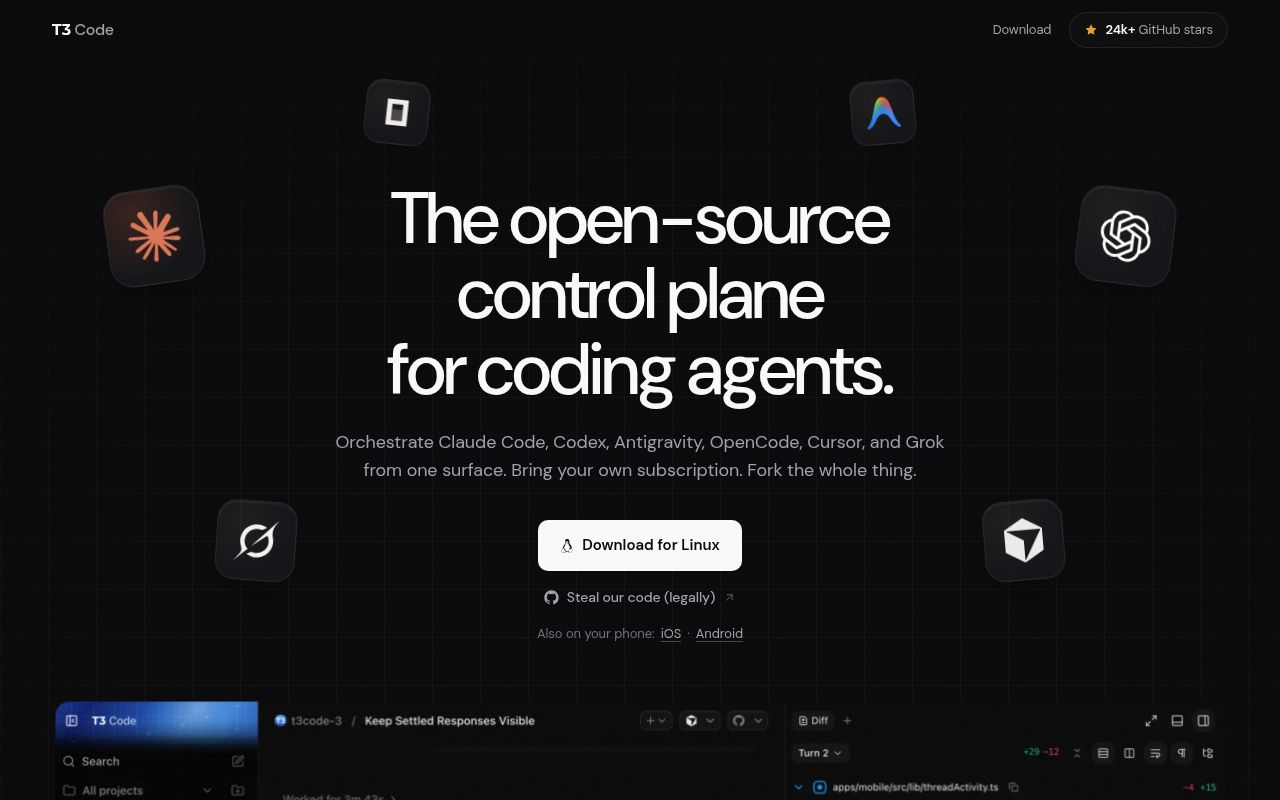
T3 Code's README lists mobile, web, and Electron desktop clients for controlling coding agents configured on your computer. If you already use Claude Code or Codex and want to interact through another device, that is a concrete reason to try it. If you work happily in one agent's terminal interface, identify what the extra application would improve before adopting it.
The README also lists Cursor, Grok Build, OpenCode, and Google Antigravity. These are documented integrations. Our run didn't authenticate any of them or establish that their behavior is equivalent. The distinction matters because a shared interface can make different providers look more alike than their approval rules are.
What happened when we ran it
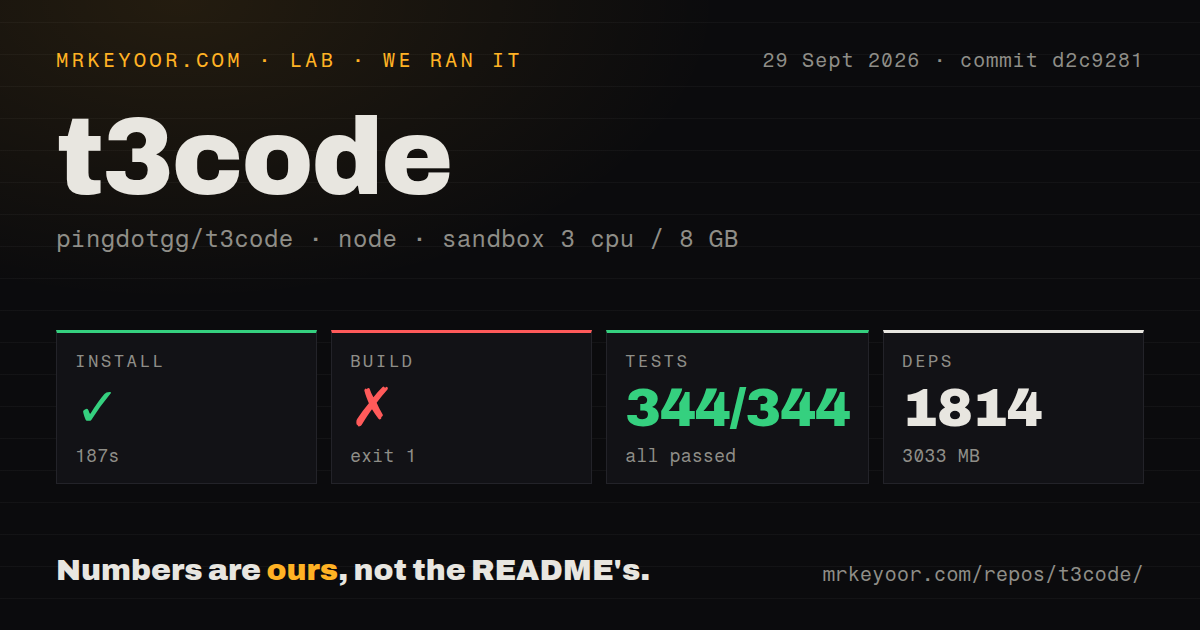
Our sandbox installed T3 Code's source dependencies in 187 seconds at commit d2c9281 on September 29, 2026, recording 1,814 dependencies and 3,033 MB on disk. The checkout measured 267.4 MB, with 23,210 files and approximately 3,566,106 lines of source. Those are source-workspace measurements, not the size of a published desktop download.
The build exited 1 after 270 seconds. Its tail says Package libsecret-1 was not found in the pkg-config search path and identifies the missing libsecret-1.pc entry. That establishes an unavailable native-library prerequisite in this sandbox. It doesn't establish that a published application fails, or that supplying the prerequisite would make the entire source build pass.
The test command exited 1 after 250 seconds. The parser summary reports 344 passed and zero failed out of 344, but the tail contains several other summaries. One reports 1,726 passed and 5 skipped. Another reports 1,400 passed and 13 skipped, alongside a failed test file. Those figures belong to their displayed summaries. Adding them together would not establish an exhaustive unique repository total.
The tail names scripts/browser-secret-native.test.mjs as a failed file while showing its cases skipped. It ends with the task runner reporting failed tasks. The underlying test-file exception isn't in the supplied excerpt. Assigning the build's libsecret error to that test failure would go beyond this evidence.
The configured sandbox had 3 CPUs, 8 GB RAM, and image label lab-node:22. The build output explicitly reports Node.js v24.19.0. The image label therefore cannot stand in for the actual runtime version. We did not launch a published client, connect a provider account, or complete a coding task through T3 Code.
Provider authentication comes before the interface
The README asks users to authenticate a provider before using T3 Code. Most listed options use a provider CLI. Antigravity follows a different documented route: enable it in Settings, install it there, and sign in with Google without a separate CLI.
Treat that as part of your trial plan. Confirm that your intended account works with the provider before trying to diagnose a problem through another interface. For a developer evaluating several providers, repeat that check for each one instead of assuming a working Codex login establishes Claude access too.
Published installers, a temporary npx t3@latest route, and desktop packages are documented separately from source development. Contributors are directed to the Vite+ vp tool. Our failed source build doesn't measure those published paths, so it would be misleading to call the installed application a 3,033 MB commitment on this evidence.
New threads initially allow commands without approval prompts
The permission guide says the initial new-thread default is Full access. It describes that mode as allowing commands and edits without approval prompts. For a first trial on an unfamiliar repository, change the new-thread default and check the mode on the thread you actually use.
Supervised requests approval for commands and file changes, although some read-only operations can proceed. Existing threads keep their permissions, and projects can override the environment default. Changing a setting isn't proof that every existing conversation changed with it.
Provider exceptions deserve attention too. The guide says Claude can still ask for approval in Full access when its settings require it, and Antigravity can send native approval requests. You should verify the approval behavior of your chosen provider with a disposable workspace. We haven't exercised those controls or assessed their security boundaries.
Current development doesn't establish operational reliability
GitHub records a last push on October 27, 2026, and the recent issue sample contains reports updated that day. That combination shows current activity. It doesn't establish how reliably mobile controls work or how quickly maintainers resolve a particular report.
The README calls the project early and warns users to expect bugs. It also says big feature contributions won't be accepted. That is a practical reason for a team planning a substantial upstream extension to choose another route, even if the existing interface fits.
Documentation earns 4/5 on a coverage rubric: 1 means a basic description, 3 means an actionable route with stated limits, and 5 requires independently verified instructions across assessed paths. Four reflects detailed installation and permission guidance. Setup ease, support capacity, and production maturity remain unassessed because our run doesn't answer those questions.
Native agent interfaces may already cover your work
Codex CLI runs locally on your computer. Claude Code documents terminal and IDE use, including code explanations and Git workflows. Neither comparison establishes that native tools lack other interfaces or remote options.
Choose T3 Code when its shared controller solves a task you can name. In a disposable workspace, check whether you can approve an action, interrupt work, and reconnect through your chosen client. A successful trial of those actions would answer the adoption question more directly than our dependency installation did.