One configuration follows you between shells
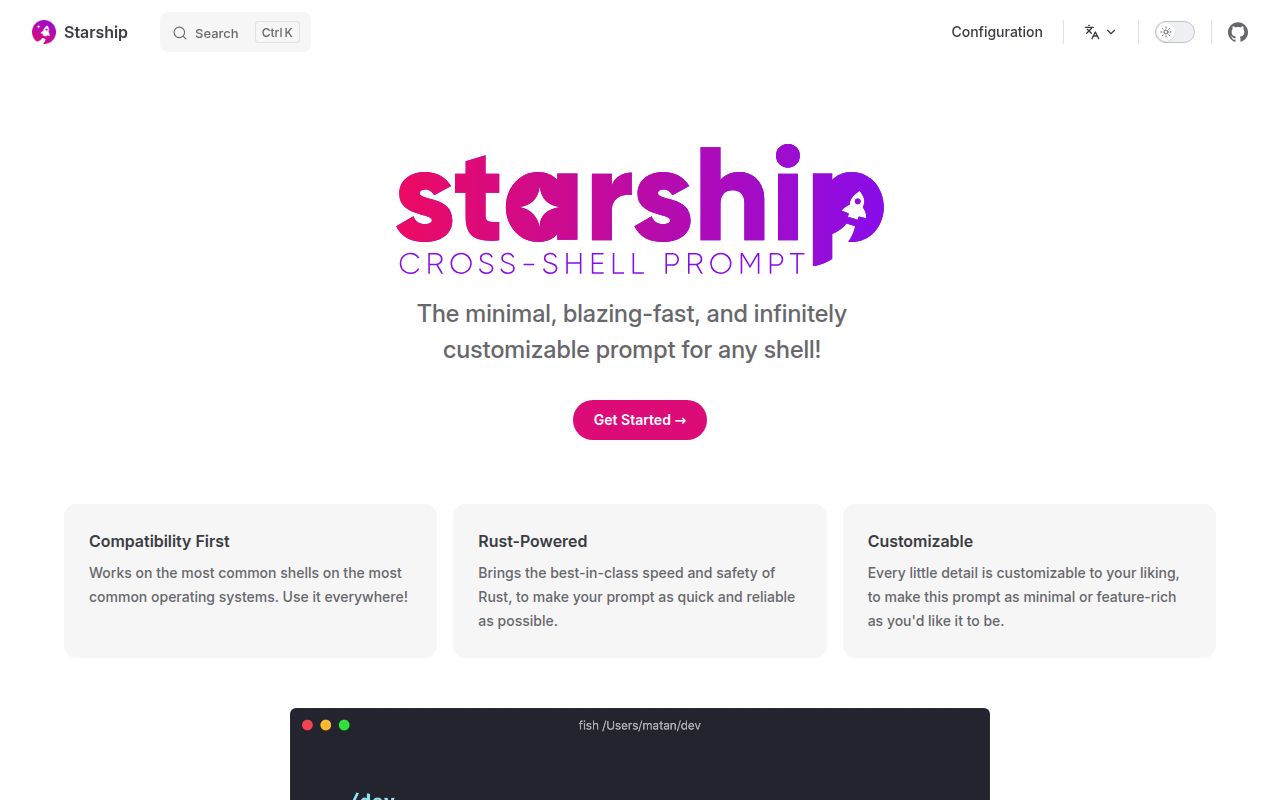
Add eval "$(starship init bash)" to your Bash profile, and Starship takes over the prompt you see before entering a command. Fish uses a different hook, but the prompt configuration lives in the same TOML file. That's the reason to choose it: when you switch shells, you can keep your directory display and Git information without maintaining a separate theme for each environment.
The project behind that small change contained 819 files and occupied 21.9 MB in our checkout. Its roughly 54,535 source lines make this a substantial Rust project for contributors. Those figures describe the source checkout, not binary size or memory use. Ordinary users can take a package-manager route documented in the Starship README.
What happened when we ran it
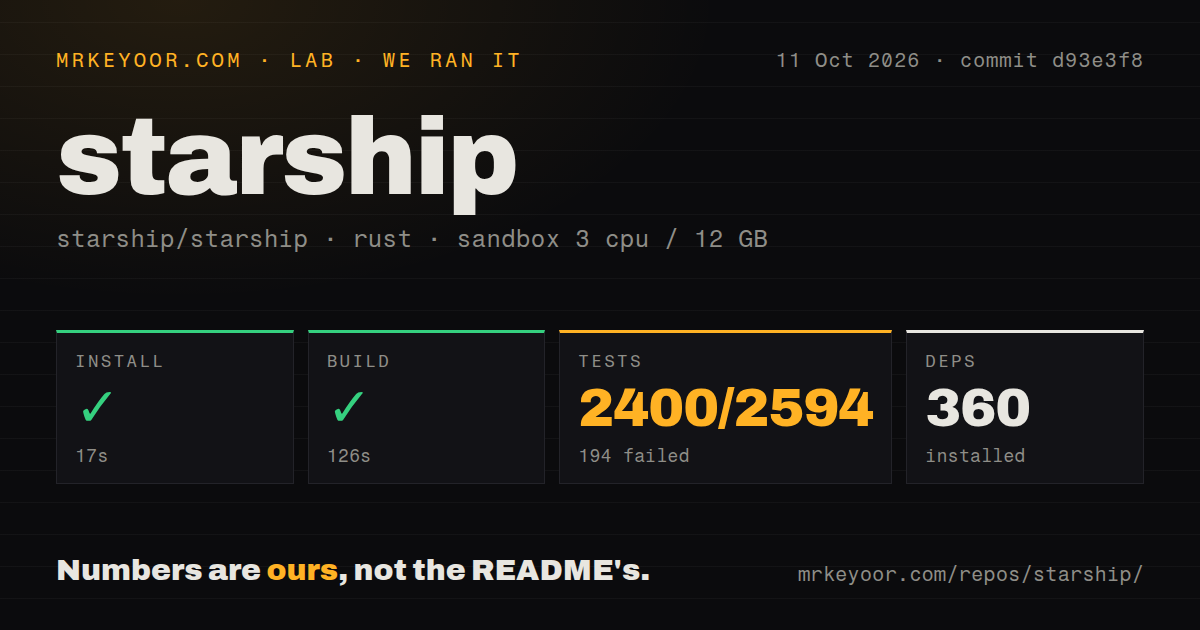
Our run installed Starship at commit d93e3f8 in 17 seconds, pulling 360 packages, and built it successfully in 126 seconds. We cloned and ran the repository on October 11, 2026, in a fresh Debian sandbox using image lab-rust:1. Installation and compilation both completed. That gives contributors a concrete starting point, although our successful build did not lead to a passing test command.
Cargo test failed with exit 101 after 153 seconds. The supplied aggregate reports 2,400 passed and 194 failed out of 2,594 tests. The log tail contains a narrower summary: 1,200 passed, 97 failed, and 40 ignored, with a reported duration of 105.72 seconds. These are different summaries in the same measurement record. The excerpt does not explain their relationship, so we would not treat the aggregate as a count of unique test cases.
The failing names include print::test::main_prompt, print::test::right_prompt, and print::test::env_mixed. Cargo ends by suggesting a rerun with --lib. The tail also shows a time-range test passing. It identifies prompt-printing failures but supplies no assertion messages or underlying exceptions. Neither a missing system package nor a Starship defect can be established from those names alone. Anyone requiring a green source-validation run should investigate before adopting this commit.
The measurement setup had 3 CPUs and 12 GB of RAM, with no elevated privileges or secrets. It measured repository installation, build, and tests. It did not measure the delay before an interactive prompt appears, behavior in a large Git repository, or rendering across terminal fonts. The README's speed claim therefore remains a claim we haven't independently timed, even though compilation succeeded.
The binary still needs a shell hook and a font
Starship's default symbols expect a Nerd Font installed and selected in your terminal. You must select that font in the terminal profile too. Windows Cmd also needs Clink, according to the README. That's a meaningful extra requirement if you're choosing a prompt for machines where you cannot add shell integrations. Bash and Fish each have their own startup-file instructions.
Our 17-second installation result should not be read as the time needed to finish those desktop changes. You'll still choose where the initialization hook belongs and configure the terminal's font. Basic prompt use needs no hosted service or API key. For customization, the documented file is ~/.config/starship.toml, with STARSHIP_CONFIG available when you want another location. Keep that file with your dotfiles so the shared appearance survives a machine change.
Modules show context, while advanced layouts depend on the shell
A module is a piece of the prompt that reports something about your current environment. The configuration reference documents Git branch and status displays, alongside language modules that detect relevant project files. You can disable an unwanted module instead of accepting every available indicator. I'd begin with directory and Git information, then add language details only when they save a command you regularly type.
A 126-second source build tells you nothing about whether that selection feels responsive. The configuration reference exposes command and file-scan timeouts, but we didn't measure their effect. Layout portability also has limits: the advanced configuration guide says Bash needs Ble.sh for a right prompt, the information placed beside your input. Transient prompts, which shorten earlier prompts after commands run, have shell-specific instructions too. Shared configuration does not erase those integration differences.
Powerlevel10k gives Zsh users a configuration wizard
Powerlevel10k is worth choosing if you stay in Zsh and want its interactive p10k configure wizard to help select an appearance. Starship makes more sense when the same configuration must travel between shells. Oh My Posh is another shell-independent prompt engine, with documented right and transient prompts. Compare its configuration approach with Starship's TOML before migrating. We have no comparative latency measurements for these alternatives.
The 360 packages in our source installation are a contributor's cost, not evidence that every terminal user must install a Rust development environment. That distinction favors trying a packaged Starship release before deciding to maintain a fork. If your current Zsh prompt already shows the information you need, there's little reason to rebuild your configuration solely for portability you won't use. Switching should remove a specific annoyance, such as separate prompt settings on different machines.
October activity continues after the June release
Starship was pushed on October 12, 2026. Its latest published release, v1.26.0, dates to June 28 and includes Git support changes plus fixes to configuration-file writing and project detection. GitHub listed 1,059 open issues and PRs, and recent pull requests addressed prompt rendering and tool detection. The release date alone would give the wrong impression: repository work continued into October. The queue's size doesn't tell us how quickly a particular bug will be answered.
Our scan found 8 CI workflow files, but our own test command still failed. Workflow presence is evidence of automation, not proof that this commit passes everywhere. Choose Starship when keeping one prompt across shells solves a daily problem, and use a packaged release if you don't need source changes. For a fork, the next useful step is to reproduce the named library failures with their full assertion output before depending on d93e3f8.