It edits SQLite files without requiring a command-line workflow
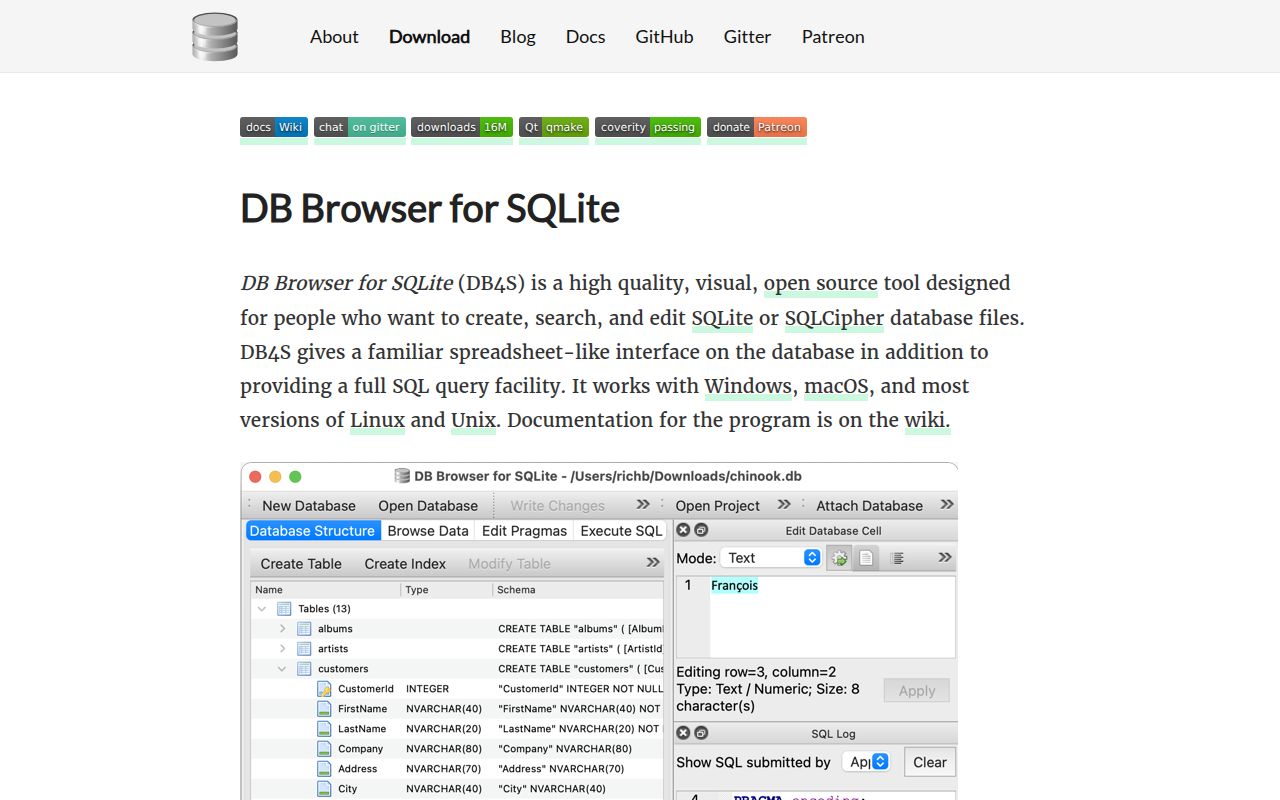
DB Browser for SQLite v3.13.1 opens a database file into a familiar desktop interface. You can create and alter tables, edit records, build indexes, run SQL, inspect results, and see a log of the statements the app issued. CSV and SQL dump import or export cover the common handoff jobs. Simple plotting is included too. For debugging a desktop application's local state, this is faster to understand than a page of shell output.
The project keeps its scope narrow. It edits SQLite files rather than connecting to every popular database server, and the README explicitly says the grid is not a spreadsheet replacement. Our checkout was 23.4 MB with 1,207 files and roughly 448,217 lines of source. That size reflects a long-running C++ desktop application with platform packaging, translations, bundled interface components, and database parsing code. The narrow product surface does not mean the implementation is small.
Prebuilt packages are easier than compiling version 3.13.1
Version 3.13.1 has Windows installers, a macOS disk image, portable packages, and an AppImage. The README also documents Homebrew, Chocolatey, winget, Scoop, Snap, Nix, and distribution packages for Debian, Fedora, Arch, openSUSE, Ubuntu, and FreeBSD. Most readers should choose one of those routes. The project even publishes continuous builds from the master branch for people who need fixes newer than the stable tag.
Compiling is a developer path with native prerequisites. The build guide asks for CMake, a C++14-capable compiler, SQLite development headers, and Qt 5.15.9 or later. Its Debian command installs Qt base tools, Qt tools, QScintilla, QCustomPlot, SQLite, and SQLCipher packages before CMake runs. Our measurement setup used a general C++ image rather than that prepared desktop toolchain. The difference explains what the log proves, without turning a missing library into an app-quality claim.
What happened when we ran it
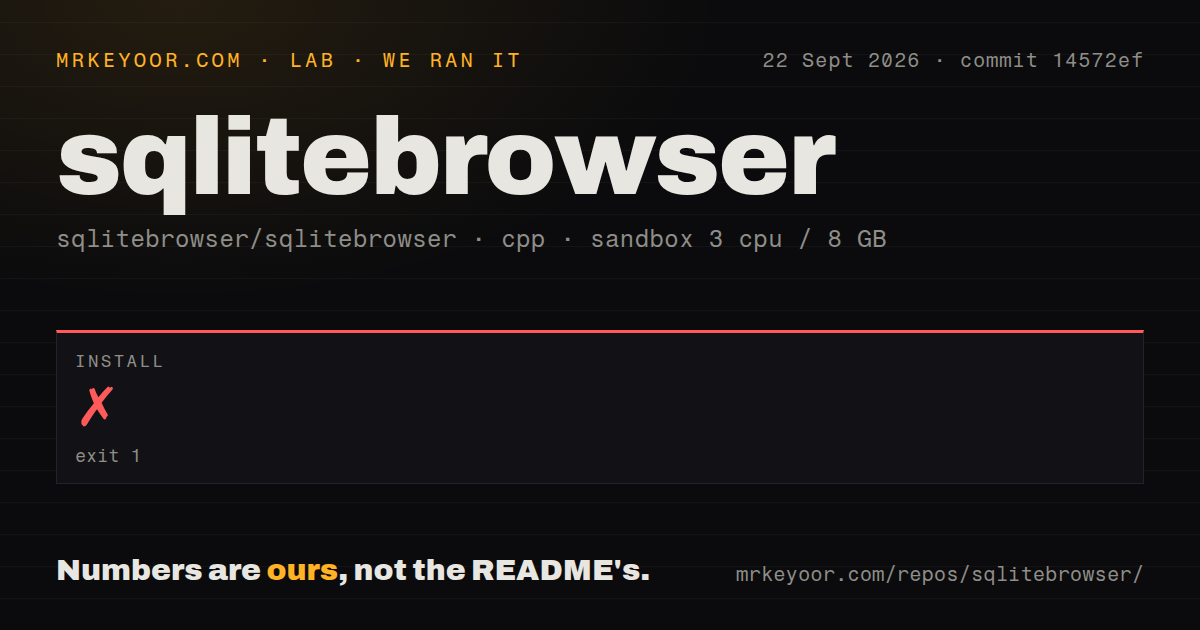
Our sandbox run at commit 14572ef stopped after 2 seconds with exit code 1. CMake said it could not find Qt5Config.cmake or qt5-config.cmake and ended configuration. It advised adding Qt5 to CMAKE_PREFIX_PATH, setting Qt5_DIR, or installing the appropriate development package or SDK. We did not reach compilation or the test runner, so there is no honest build or test result to report for this checkout.
That failure is useful because it marks the source-build floor precisely. The repository defaults QT_MAJOR to Qt5, and the fresh container did not provide a discoverable Qt5 CMake package. We measured 8 CI workflow files and found no Dockerfile, although the repository does contain a tests directory. The log does not show a compiler error, a broken source file, or a failing test. It shows that CMake cannot configure this GUI until the native Qt development stack exists.
Qt5 is the default while Qt6 support lives in the development tree
The current CMake project identifies itself as version 3.13.99 and defaults to Qt5. Setting the major version to Qt6 switches the required C++ level and adds the Qt Core5Compat component. Stable v3.13.1 packages mostly list Qt5, while the Windows on ARM binaries added in 2026 use Qt6.8.3. Open issue #3963 asks for a general Qt6-compatible release, so main-branch capability and the stable desktop packages are not yet the same thing.
This distinction matters more than the 2-second failure alone. Installing Qt5 as the build guide directs is the conservative source route. Developers targeting Qt6 should expect to configure that choice and verify the platforms they ship. SQLCipher is optional and adds its own development files. The project also bundles or links interface libraries such as QScintilla and QCustomPlot, which is why its distribution-specific dependency commands are worth following instead of guessing from the top-level CMake command.
The GUI has limits around newer schema features
Version 3.13.1 handles ordinary tables, indexes, records, queries, imports, exports, and encrypted databases when built with SQLCipher. Edge cases still reach the issue tracker. Issue #4100 says the table-definition dialog cannot create composite foreign-key relationships. Issue #2107 tracks incomplete UI support for generated columns, including editing their table definition and refreshing their displayed values. These are specific gaps for schema-heavy work, not reasons to dismiss everyday browsing.
Import and export deserve a quick sample test before touching the only copy of a database. The measured checkout contained about 448,217 source lines, and active pull requests in September 2026 addressed multibyte CSV delimiters, generated-column exports, and correct SQL literals when copying tables. Those fixes show maintainers working on data-shape edge cases. They also show why you should keep a backup and test the exact delimiter, generated column, or binary value your workflow depends on.
Same-day pushes outweigh the older stable release date
GitHub recorded a push on September 23, 2026. The latest stable tag was still v3.13.1 from October 16, 2024, while the repository had 24,617 stars, 824 open issues, and 15 open pull requests when checked. That is an old stable package beside an active development branch, not an abandoned application. Continuous builds provide a middle ground, though they carry more change risk than the stable installers.
Our run never moved past Qt discovery, and that should steer the installation choice rather than the product verdict. Download a package, open a copy of a real SQLite file, and try the browse, edit, query, and export paths you actually need. If those jobs fit, DB Browser remains an unusually direct tool. If you need repeatable migrations or several database engines, keep the 2-second source failure out of the decision and choose a tool built for that different job.