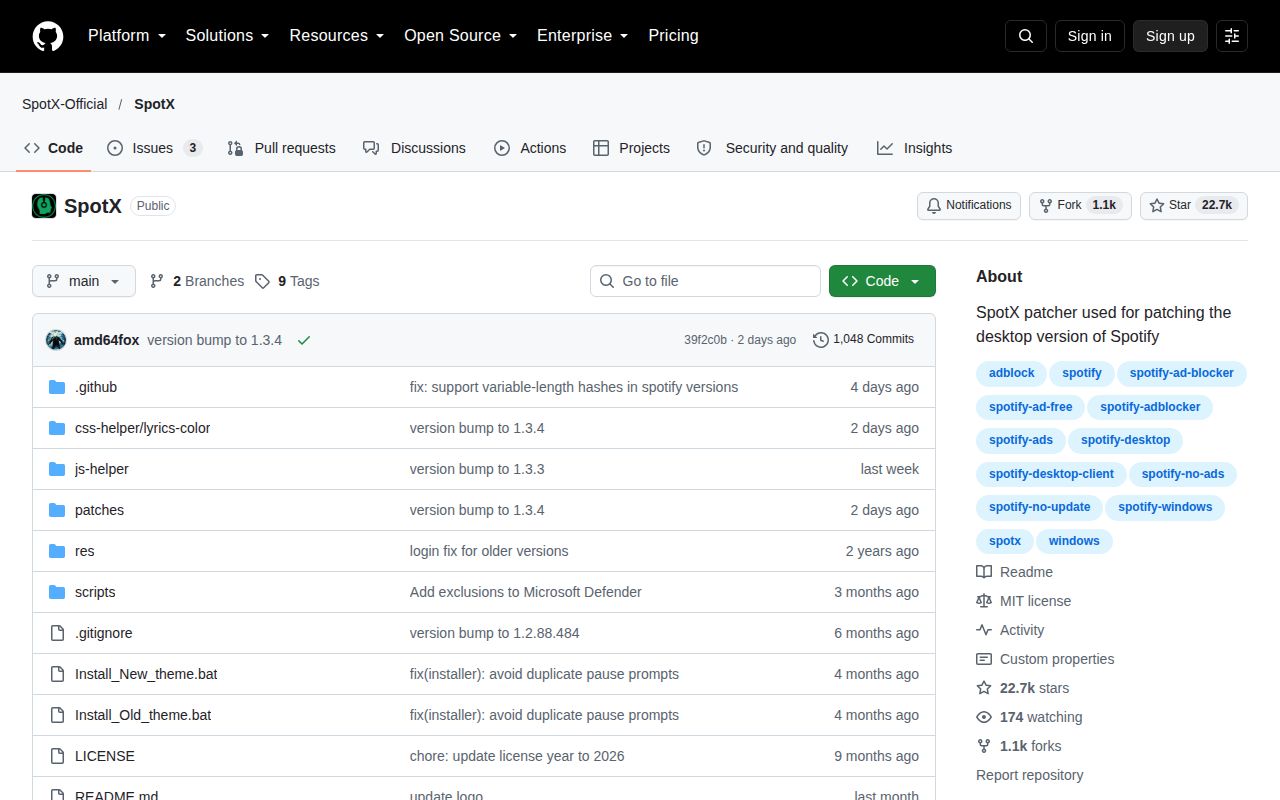
SpotX solves a narrow Windows annoyance with a broad patch set
SpotX has existed since 2021 to change the official Spotify Desktop experience on Windows 7 through 11. Its headline job is blocking banner, video, and audio ads inside the client. It can also hide homepage media, disable analytics, change experimental features, and stop Spotify updates. It modifies one local proprietary client, defining both its value and its risk.
The appeal is getting several controls without assembling 3 separate tools. Users can independently choose content, ad, and interface changes. Premium subscribers get a route without general ad blocking that retains theme, experimental-feature, and podcast-audio-ad options. That selectable scope makes SpotX more useful than a patch with a single fixed outcome.
Installation is short, but the trust decision is not
The baseline is specific: PowerShell 5.1 or newer, Windows, and official desktop Spotify rather than the Microsoft Store edition. Setup uses a batch file or PowerShell command that fetches and executes run.ps1; a mirror is offered. Convenience still means trusting remote code to alter an installed application.
SpotX presents 3 major styles: new theme, old theme, and full automatic installation. The full route can remove Microsoft Store Spotify, install the recommended client over an existing copy, hide content, choose a lyrics theme, block updates, and launch Spotify. Those are meaningful changes behind one action, particularly on a work PC.
The old-theme path illustrates the maintenance tradeoff. Because Spotify removed that interface, SpotX forces version 1.2.13.661.ga588f749 and blocks updates. Pinning preserves the layout but moves installation away from Spotify's update path. That is a compatibility compromise, not a cosmetic checkbox.
What happened when we ran it
We did not run SpotX in our fresh Debian sandbox. Our box had 3 CPUs and 8 GB of RAM, but this is a PowerShell project intended for Windows, and the repository had no Dockerfile that could supply a supported environment. There was no honest install, build, or test command for us to execute, so we have no timings, test counts, or performance measurements to report.
Our run inspected commit 9d34465 on September 5, 2026 in an unprivileged container without secrets. Its outcome was NOT RUN, not a pass and not a failure of SpotX itself. It establishes that the supplied project cannot be meaningfully exercised in a generic Linux container. It does not show whether the current patch succeeds on Windows or whether every optional parameter still works.
A useful future test requires 1 disposable Windows PC or virtual machine and the supported non-Store Spotify client. It should compare behavior before and after patching, covering ads, optional homepage hiding, analytics changes, update blocking, restoration, and uninstall. Until that evidence exists, our setup and functionality assessment rests on documentation and repository activity, not a successful hands-on installation.
Selectable presets are its clearest strength
SpotX does more than block 3 kinds of ads. It has separate paths for ordinary users, old-theme loyalists, full automation, and Premium subscribers, plus advanced parameters for people who dislike preset bundles. The README also exposes an uninstall batch file and recommends a full Spotify reinstall when necessary. A visible recovery route is essential for any tool that modifies another application.
The documentation states Windows 7-11 support, rejects Microsoft Store Spotify, gives the PowerShell minimum, and itemizes what each major preset changes. It links to detailed parameters, experimental-feature explanations, a FAQ, and the related Bash edition for macOS and Linux. The material is practical, although critical guidance is spread across GitHub Discussions and an external FAQ instead of one versioned repository guide.
Modifying a moving client creates rough edges
SpotX depends on software controlled by another vendor. Release 1.9 cannot guarantee compatibility with every later Spotify client change, while update blocking can exchange short-term stability for distance from upstream fixes. Experimental-feature changes are less predictable than normal client behavior. A Spotify file or interface change may break patching even when the SpotX installer has not changed.
The remote execution model is the largest practical objection. The shortest README route pipes 1 fetched script into PowerShell, while the full preset may uninstall one Spotify distribution and install another. That suits an informed hobbyist better than a managed endpoint with formal change control. The project itself says use is at your own risk, a fair warning for modifications to a frequently updated proprietary client.
Current pushes matter more than the old tag
The supplied snapshot shows 22,261 stars and 2 open issues. Those numbers indicate visibility and a small public backlog, but neither proves response quality or successful installations. The stronger health signal is a last push on September 3, 2026, just 3 days before this review. Development appears active even though the latest tagged release, version 1.9, came out on January 3, 2025.
That roughly 20-month release gap deserves attention, but it does not indicate abandonment when main changed this week. SpotX seems to update the repository more often than it cuts formal releases. Inspect recent commits and discussions before installing. Likewise, two issues do not guarantee every combination of Spotify version, account tier, theme, and optional parameters has been covered.
It belongs on a personal testable PC
In a real setup, SpotX lives on 1 Windows workstation beside official Spotify. It is not a server, browser extension, proxy, or team service, so it has no backend-stack role. The sensible operating model is local and reversible: understand the flags, preserve recovery options, use a noncritical installation, and recheck Spotify after either project changes or client updates.
Choose SpotX when its 5-part mix of ad blocking, content hiding, themes, analytics disabling, and update control matches your priorities. Choose Spicetify for a wider customization ecosystem, BlockTheSpot for a narrower Windows ad-blocking focus, or SpotX-Bash for macOS and Linux. SpotX earns a qualified recommendation for capable Windows users, but our 2026 NOT RUN result is not proof that today's patch will work on your PC.