mrkeyoor.com_
Wed 23 Sept 15:23 UTC
AI Toolsevaluationupdated 23 Sept 2026

spirula-studio review

Spirula Studio turns photos or video into a 3D Gaussian splat and can then produce a textured mesh. It packages training, camera solving, masking, video frame extraction, editing, and export in one desktop app instead of asking you to assemble a Python pipeline.

Verdict

Our Spirula Studio run installed 35 packages in 18 seconds and found no test target, so the checkout was easy to prepare but gave us no automated correctness result. Try it if you want a single cross-vendor app for capture-to-mesh work and can inspect camera alignment before committing to a long training job. Keep another reconstruction path available when a bad solve or baked-texture crash would stop paid work.

We ran it

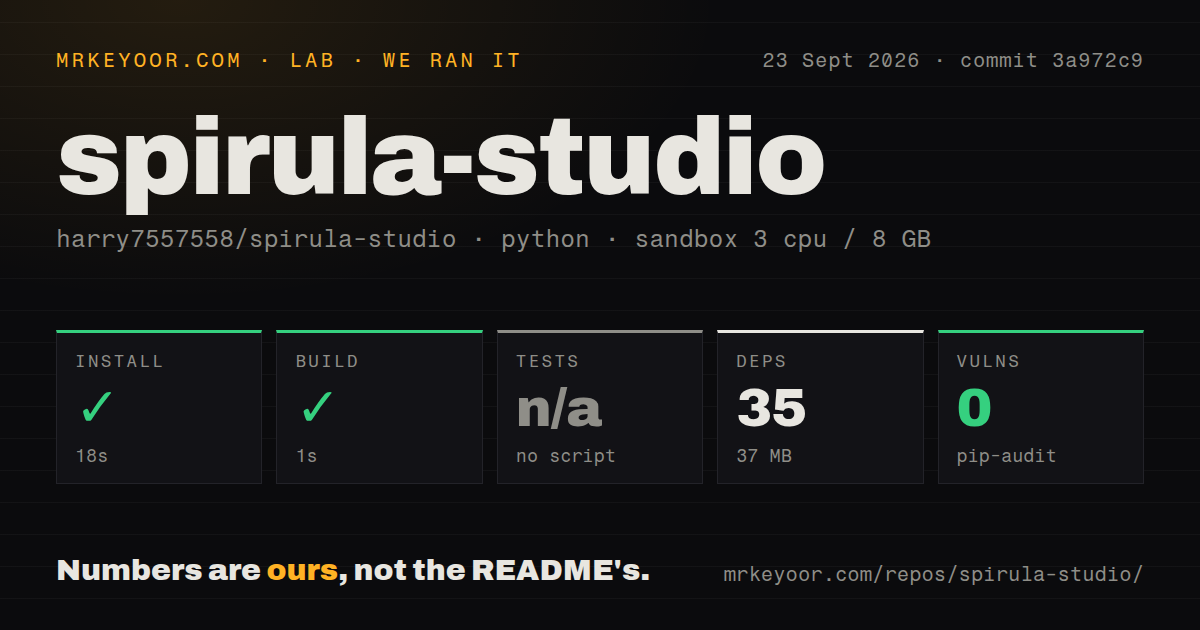
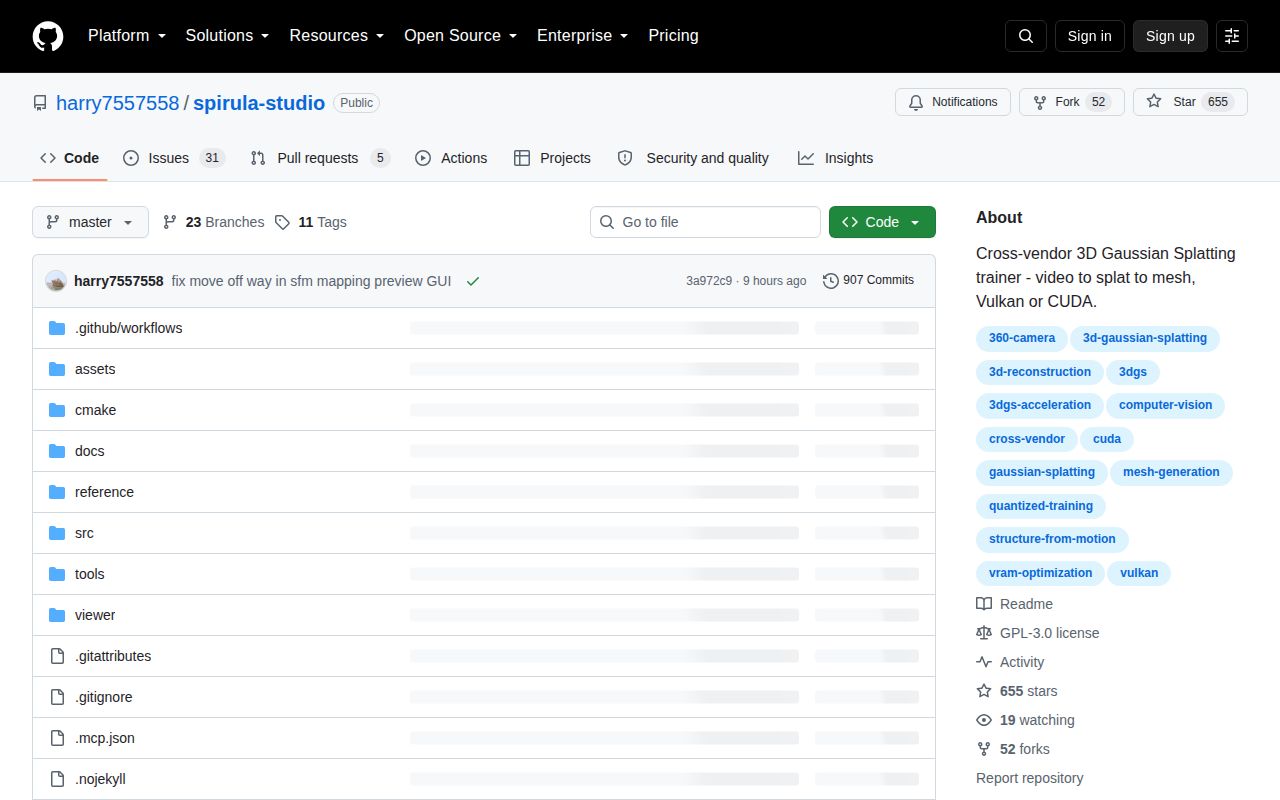
Lab card: what happened when we ran spirula-studioScreenshot of spirula-studio (github.com/harry7557558/spirula-studio)
Install✓ · 18s35 packages · 37 MB
Build✓ · 1s
Testsn/ano test script
Known vulns0(pip-audit)
Repo1360 files~326,068 lines of source · 32.6 MB · 2 CI workflows

Answers from our run

Does spirula-studio build from source?

Dependencies installed in 18 seconds (35 packages), and the build succeeded in 1 seconds. We cloned commit 3a972c9 into a clean Debian container with 3 CPUs and no project-specific setup.

Does spirula-studio have tests you can run?

Not through a standard command: the project exposes no test script or target that our harness could run.

Does spirula-studio have known vulnerabilities in its dependencies?

pip-audit found none in the dependency tree at the time of our run.

Who should not use spirula-studio?

Teams that require a dependable automated camera solve from every walkthrough: issue 77 documents misplaced cameras and duplicated room geometry despite a reported 0.83-pixel average error.

What are the alternatives to spirula-studio?

Brush, gsplat, Gaussian Splatting. Our Spirula Studio run installed 35 packages in 18 seconds and found no test target, so the checkout was easy to prepare but gave us no automated correctness result.

Setup4/518-second install, but source builds need graphics tooling
Docs4/5Clear platform, backend, licensing, GUI, and CLI guidance
Community3/5654 stars and active issue replies, mostly one maintainer
Maturity3/5Frequent releases, with alignment and meshing reports still open

Who it’s for

3D artists and scanning teams that want one GUI for footage, camera solving, splat training, and meshing.
Developers processing captures on NVIDIA, AMD, Intel, or Apple GPUs through the Vulkan backend.
Remote operators who prefer a CLI with a browser viewer for watching training over SSH.
360-camera users who need native equirectangular and fisheye handling.

Who it’s NOT for

Teams that require a dependable automated camera solve from every walkthrough: issue 77 documents misplaced cameras and duplicated room geometry despite a reported 0.83-pixel average error.
Windows shops that cannot investigate security-tool warnings themselves: issue 92 records Defender flagging the v2026.9.20 Vulkan ZIP, and the maintainer submitted that exact file to Microsoft for analysis.
Production mesh pipelines that cannot tolerate a current crash report: issue 91 shows an access violation while baking texture from a 2.9-million-splat scene.
Organizations unwilling to review codec patent terms or model licenses: GPU video decoding is optional and carries an explicit patent warning, while SAM 3 uses Meta's non-standard license.
Teams that need a broad maintainer bench: the README says the project is maintained almost entirely by one person.

Setup reality

Our sandbox installed 35 Python packages in 18 seconds and used 37 MB on disk. The detected build step succeeded in 1 second. There was no test script or target, so tests were skipped; pip-audit reported 0 known vulnerabilities.

The downloadable app is the simplest route. Building the main product from source needs CMake and Ninja plus Vulkan, MoltenVK, or CUDA, depending on the platform. AI masking downloads a SAM checkpoint on first use.

The Vulkan and CUDA backends have separate build instructions. Optional GPU video decoding adds patent responsibility, and the SAM 3 checkpoint has its own Meta license. A remote training job also opens an HTTP viewer that you may need to forward over SSH.

One app covers the path from footage to a textured mesh

Spirula Studio takes raw photos or video, solves the camera positions, trains a 3D Gaussian splat, and can turn the result into a textured mesh. That is the reason to care. A typical open 3DGS workflow makes you connect several programs and scripts before you can inspect the scene. Here, frame extraction, masking, structure from motion, training, viewing, and meshing sit in one GUI, with a CLI for remote jobs.

The README says the Vulkan backend runs on NVIDIA, AMD, Intel, and Apple GPUs. It also claims support for fisheye and 360-degree input without an undistortion pass, plus training of as many as 10 million full-SH Gaussians in 8 GB of VRAM. Those are project claims rather than results from our container. Still, they explain the product's appeal: Spirula Studio is trying to make capture-to-splat work feel like an application, not a research environment.

Vulkan is the main route, while CUDA is the legacy choice

The documentation recommends Vulkan and describes CUDA as the older NVIDIA-only backend. Both expose training and meshing, but Vulkan also carries the built-in structure-from-motion, video extraction, and AI masking workflow. Windows, Linux, and macOS builds are published on the releases page. On a remote GPU, the CLI can serve a browser viewer that you reach through an SSH port forward.

Source builders have more choices to make. CMake and Ninja sit underneath the Vulkan route, while CUDA needs a compatible toolkit and compiler. Turning on GPU video decoding avoids an external FFmpeg process, according to the README, but the project warns that AVC and HEVC parsers can create patent obligations. Masking downloads a SAM checkpoint on first use; SAM 2.1 is Apache-2.0, while SAM 3 has Meta's separate license.

What happened when we ran it

Our sandbox cloned commit 3a972c9 and installed 35 Python packages in 18 seconds. They occupied 37 MB on disk. The detected build step returned successfully in 1 second. Pip-audit found 0 known vulnerabilities in those installed Python packages. The checkout itself contained 1,360 files and about 326,068 lines of source.

There was no test script or test target, so the lab skipped tests. That leaves an important limit on the result: we confirmed that the harness's install and build commands completed, but we did not get an automated correctness signal from the repository. The scan found 2 CI workflow files, no Dockerfile, and no tests directory. It also did not run a GPU reconstruction, so it says nothing about image quality, training speed, VRAM use, or mesh quality.

A low reprojection error can still hide a bad room

Issue 77 is the strongest reason to inspect the solved cameras before training. A user reported a 0.83-pixel average error while some cameras sat outside an apartment and a bed appeared above a toilet. The maintainer called this a known structure-from-motion failure mode, especially with low texture or repeated texture, and suggested trying different releases, capture formats, feature settings, frame rates, mappers, and masks.

That reply is useful because it does not pretend the score guarantees a correct scene. If you scan buildings or repetitive interiors, review the camera plot and a quick result before spending more time on a detailed run. The current release says it improves 360-camera solving with rig constraints, but its release note also asks users to report any accuracy or speed regression. Improvement here is active work, not a solved input problem.

Current reports make mesh export and Windows downloads judgment calls

Issue 91 records an access violation during baked-texture meshing on Windows 10. The report describes 207 EXR images, a 2.9-million-splat scene, and a crash after UV processing; it says the same operation only failed when baked texture was enabled. The issue was still open when we checked, so a team depending on mesh delivery should reproduce its own scene and settings before settling on this exporter.

Issue 92 needs equally careful wording. Two users said Windows Defender flagged the v2026.9.20 Vulkan ZIP as Trojan:Script/Wacatac.H!ml. The maintainer could not reproduce the detection and submitted the exact archive to Microsoft, while another commenter reported a clean VirusTotal result. That is not proof of malware or proof that every machine will accept the file. A managed Windows environment may need its security team to verify and approve the binary.

The project is moving quickly and depends heavily on one maintainer

GitHub showed 654 stars, 36 combined open issues and pull requests, and a last push on September 23, 2026. Release v2026.9.20 arrived 3 days earlier with adaptive frame extraction, warm-start training from a PLY file, presets, batch processing, GPU selection, RGBA training, and meshing fixes. Recent pull requests and same-day issue replies show real activity rather than a dormant release page.

The README also says Spirula Studio is developed and maintained almost entirely by one person. That concentration matters for a tool spanning camera solving, GPU code, model downloads, a desktop UI, and several operating systems. Spirula Studio is worth a trial because it removes a lot of assembly work. Its safest use starts with a small representative capture, a manual camera check, and a successful mesh export on the exact release you plan to keep.

Alternatives

ProjectWhat it isPick it when
Brush gh↗A cross-platform 3D reconstruction app and library built around Gaussian splatting.pick this instead when you want another desktop-oriented, cross-platform reconstruction workflow to compare directly.
gsplatA CUDA-accelerated Gaussian splatting library for developers building their own pipeline.pick this instead when you want programmable training components and accept an NVIDIA-focused stack.
Gaussian SplattingThe reference implementation released with the original 3D Gaussian Splatting work.pick this instead when reproducing the research baseline matters more than a packaged desktop workflow.
SuperSplatA browser-based editor for cleaning and publishing existing Gaussian splats.pick this instead when editing a finished splat is the job and you do not need training or meshing.

What people are saying

  1. [github-trending] harry7557558/spirula-studio

Sources

  1. Spirula Studio repository and README
  2. Spirula Studio v2026.9.20 release
  3. Wrong alignment despite low reported error
  4. Baked texture mesh access violation report
  5. Windows Defender detection report

More ai tools reviews

transformer-explainer · reverify · course2md · interdimensional-game · shrimply · infinite-livestream · the whole board →