A Kubernetes TUI built around unfamiliar resources
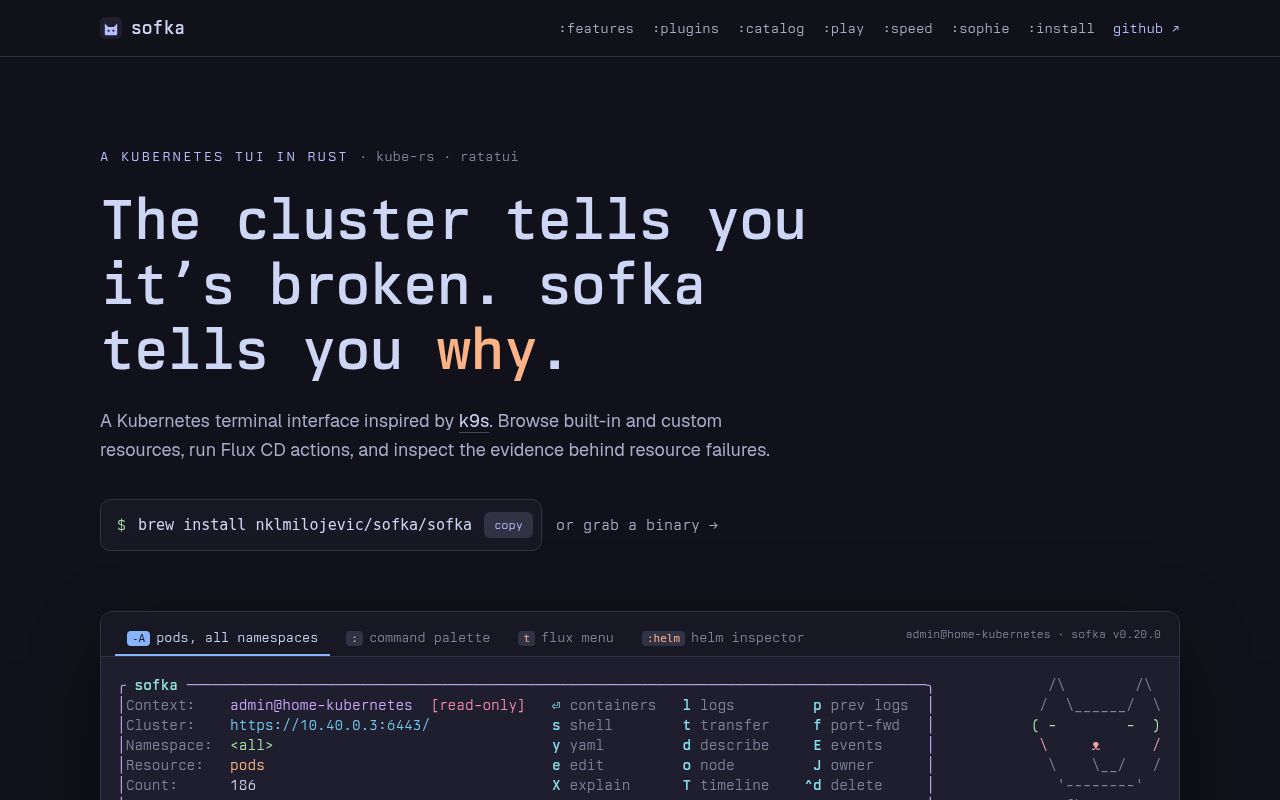
Sofka is a Rust terminal application for people who spend their day inside Kubernetes. Built on kube-rs and ratatui, it presents itself as a reimagining of k9s. The meaningful difference is architectural: instead of maintaining 1 renderer for every resource kind, Sofka sends objects through a generic pipeline. Common kinds receive curated columns, while unknown custom resources still get NAME and AGE. Pressing Enter on a CRD drills into its resources, a practical answer for clusters crowded with operators.
That design targets a recurring problem. Kubernetes interfaces often look polished for Pods and Deployments but become less useful when a platform adds its 20th CRD. Sofka promises immediate basic visibility without waiting for bespoke interface work. The UI is asynchronous, and its command palette searches kinds, commands, bookmarks, and workspaces. Those are README claims rather than measured speed results, but together they describe a focused product rather than an unrelated collection of shortcuts.
What happened when we ran it
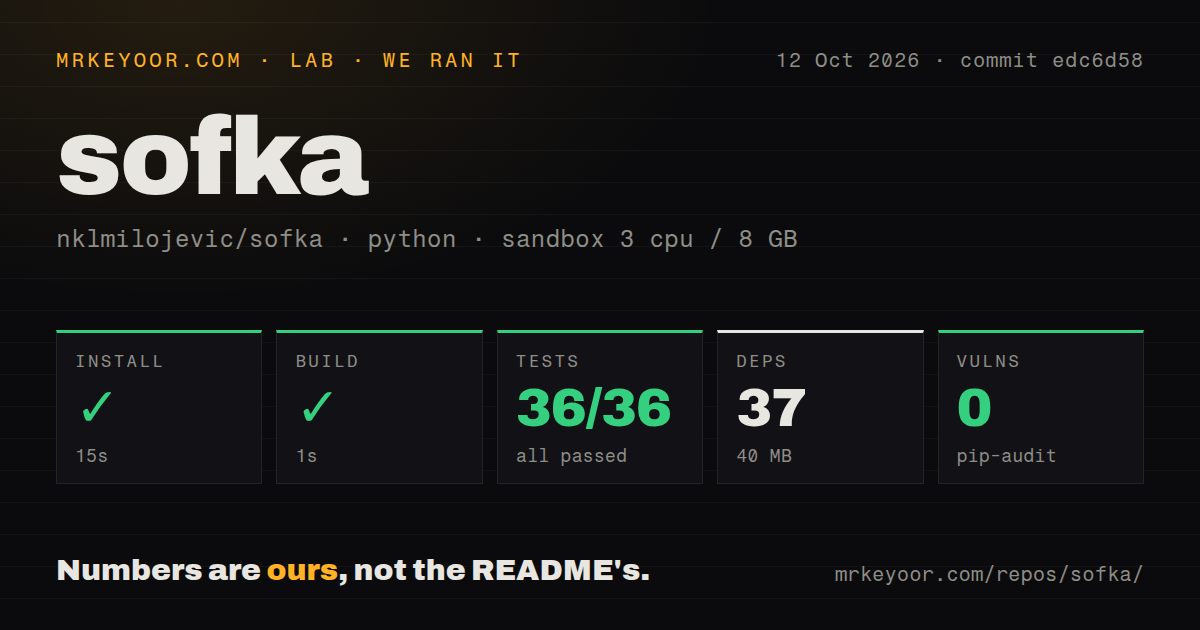
We cloned commit 972f01f into a fresh, unprivileged Debian container with 3 CPUs and 12 GB of RAM. The checkout contained 110 files, about 51,888 lines of source, and occupied 3.4 MB. It had 2 CI workflow files, no Dockerfile, and no separate tests directory. Rust projects can keep tests beside their modules, so the directory layout alone says little about quality. The useful evidence came from actually installing, compiling, and testing it.
Our install completed in 40 seconds with 293 packages installed, and the build succeeded in 151 seconds. That shows the documented Cargo path can work cleanly on our box, though it is not a benchmark for other machines. The test run then failed after 114 seconds: 1,358 of 1,362 tests passed and 4 failed overall. In the final library result, 679 passed, 2 failed, and 1 was ignored.
The log named state_writer::tests::coalescing_keeps_the_latest_snapshot_on_shutdown and state_writer::tests::coalescing_retains_independent_destination_files. An assertion received an empty NamespaceMemory instead of context prod mapped to namespace payments. We cannot tell from that output whether the failures are timing-sensitive, container-specific, or product defects, so we will not guess. They do mean commit 972f01f did not produce a clean verification run despite compiling successfully.
Its strongest features reduce context switching
Sofka pulls common investigation tools into 1 interface. X opens a deterministic, evidence-based incident view without an external service, while T shows a state-change timeline. Logs, VictoriaLogs history, live events, YAML, describe output, shell access, container attachment, and editor access are close at hand. Port-forwards run in the background instead of freezing the TUI, and :pf manages them. Filters understand fuzzy text, inverse matches, selectors, status, CPU thresholds, and ages such as age<2h.
Its GitOps support is more distinctive. Sofka can suspend, resume, and reconcile Flux resources through native API patches without the Flux binary. It can suspend, resume, and sync Argo CD Applications and ApplicationSets without the Argo CD binary, and its Helm inspector decodes release Secrets. For an operator working across 2 GitOps systems, that could reduce command lookup and tool sprawl. Headless --check, --snapshot, and --info modes also provide non-TTY entry points for CI smoke checks.
The mutation surface makes guardrails essential. Sofka can delete, force-delete, scale, edit, restart rollouts, change images, transfer files, and act on several marked rows. It answers that risk with --readonly, configuration-based read-only rules per cluster or context, a visible [read-only] header, and an explicit --write override. These controls are stronger than relying on operator memory, but teams should still use least-privilege Kubernetes credentials and test confirmations before allowing write access to even 1 production context.
Failed tests and distribution gaps limit confidence
The clearest concern is that v0.24.4 did not pass its full suite in our sandbox. A cluster tool with destructive actions deserves a high bar, and a successful build does not erase 4 failed tests. macOS distribution has another concrete snag: binaries are not signed or notarized, so Gatekeeper may require xattr or a manual Finder approval. Prebuilt releases are listed for macOS and Linux on aarch64 and x86_64, but the README does not advertise an equivalent Windows binary.
Generic rendering also has a tradeoff. NAME and AGE make any CRD accessible, but they may reveal less domain context than a hand-designed view until curated columns exist. The documentation is unusually detailed for a pre-1.0 project, linking installation, keys, configuration, architecture, roadmap, feature, and k9s comparison pages. Still, documentation cannot prove terminal compatibility, RBAC behavior, or safe mutation against your cluster. Reproduce cargo test, begin read-only, and validate the exact 2 or 3 workflows your team needs.
Activity is current, but long-term cadence is unproven
The project looks active today: v0.24.4 was released on September 6, 2026, and the repository was pushed the same day. It has 502 stars, 19 open issues, and a GitHub Trending signal in the supplied data. Those facts suggest attention and ongoing development, not abandonment. They do not show how quickly maintainers answer issues, how many contributors are active, or whether releases arrive on a consistent schedule. The fresh tag and push support an average community score, not an exceptional one.
It fits on an operator workstation, not in the control plane
Sofka belongs beside kubectl, kubeconfig, and existing observability tools. It does not replace metrics, alerts, audit logs, policy enforcement, or GitOps controllers. Its best role starts after an alert: filter 100 objects, inspect events and logs, explain an unhealthy resource, then take a guarded action. Choose k9s for the established TUI, or Headlamp and Kubernetes Dashboard for browser access. Choose Sofka when generic CRD support, native Flux and Argo CD actions, and enforced read-only contexts solve real pain, then trial it outside production until all 1,362 tests pass for you.