Memos works best as a private stream of short notes
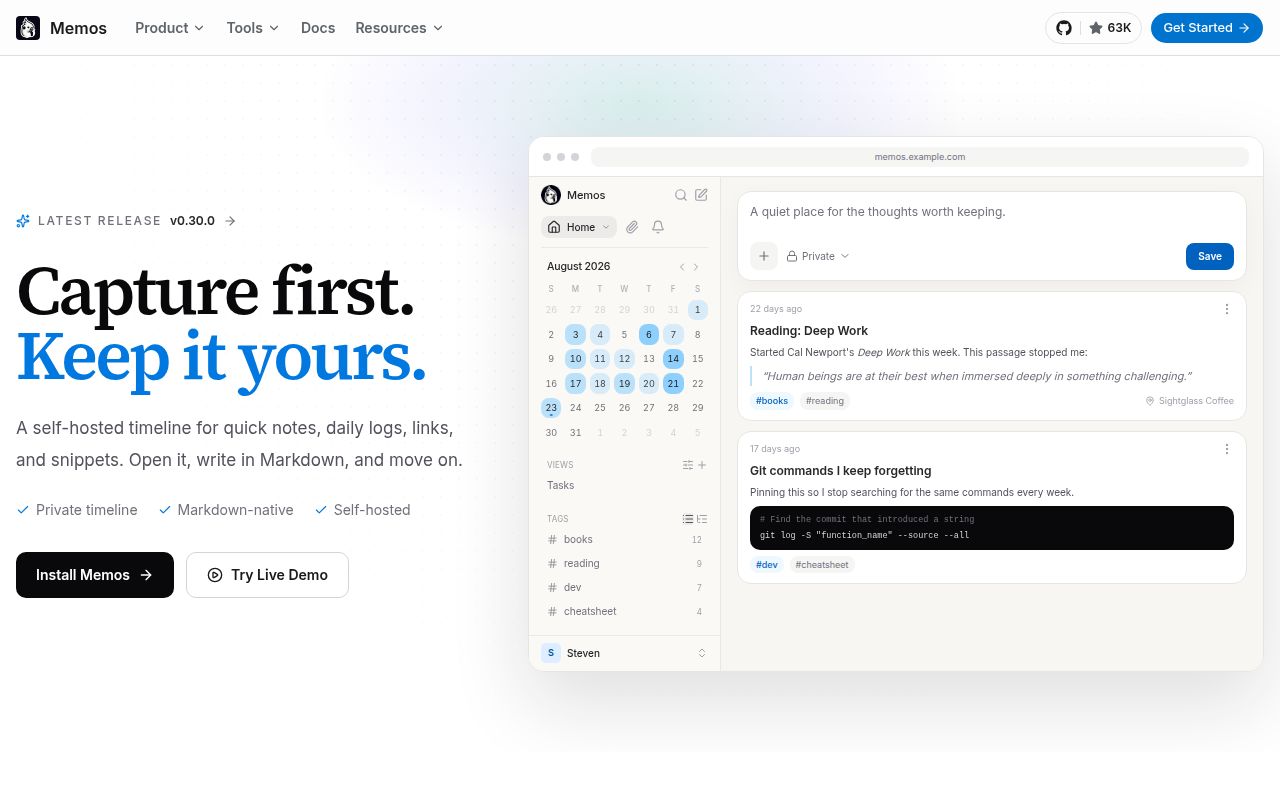
Memos puts Markdown entries into a chronological feed, closer to a private microblog than a conventional notebook tree. You open the browser, write, choose a visibility level, and move on. Tags, attachments, links, comments, reactions, and relations give those entries more structure when needed. The simple shape is the attraction: people who abandon heavier knowledge systems may keep using a feed that asks for fewer filing decisions.
The project supports a single Go binary or a container, with SQLite, MySQL, and PostgreSQL as database choices. Its REST and gRPC APIs make it more than a personal scratchpad. Version 0.30 added an OpenAPI-driven MCP endpoint, signed webhooks, file-backed deployment settings, and an official browser clipper. Those interfaces are useful for teams that want notes to feed scripts or agents while keeping storage on their own server.
The Docker path is shorter than the source path
The README's recommended command maps port 5230 and mounts ~/.memos at /var/opt/memos. That is an unusually small deployment surface for a web notes system. The deployment guide also covers Compose, Kubernetes, a native binary, source builds, and reverse proxies. It tells operators to put production traffic behind HTTPS, which is the right boundary for an app that may hold private text and access tokens.
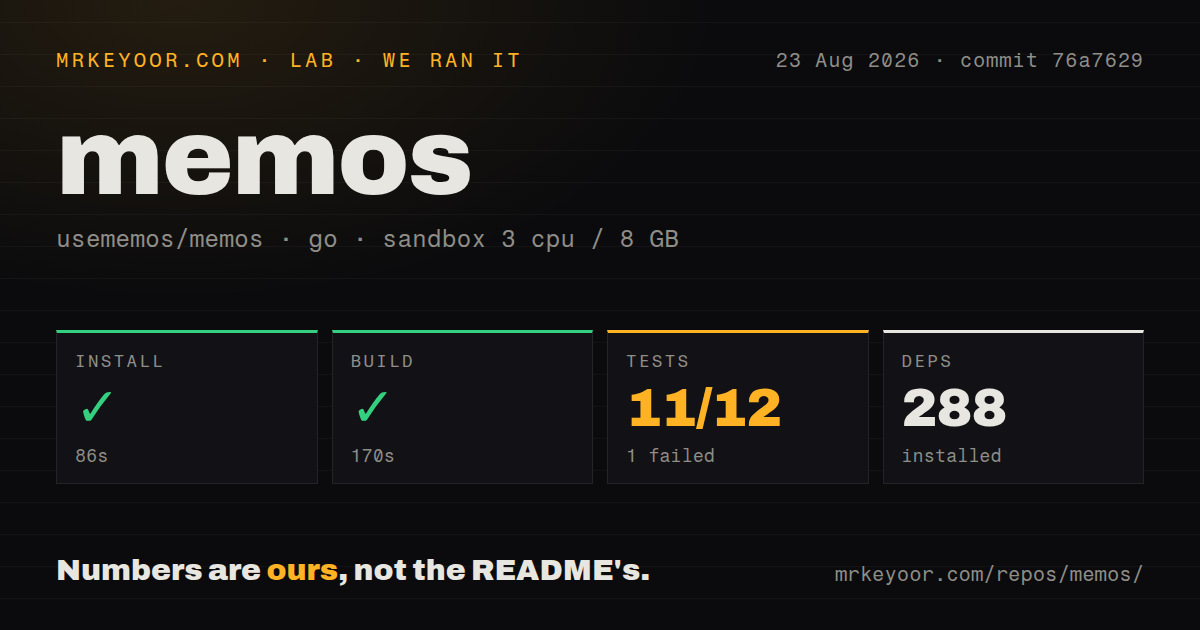
Building commit 76a7629 told a less tidy story. Our 3-CPU, 8 GB Debian sandbox needed 86 seconds to install 288 packages and another 170 seconds to build. The repository contained 1,180 files and about 170,451 source lines. This is a developed application with a Go server and web client, even though the one-line container command makes the finished artifact look tiny.
What happened when we ran it
Our install completed in 86 seconds with 288 packages, and the build completed in 170 seconds. Tests then ran for the full 420-second limit recorded by the lab and returned exit code 1. The aggregate result was 11 passed packages and 1 failed package out of 12. A prospective contributor can get the code compiled in a plain container, but cannot assume the checked-out commit has a clean test result there.
The final log lines show successful runs for the MCP and RSS routers, server tests, store, cache, and the SQLite, MySQL, and PostgreSQL database packages. The store test package alone took 307.552 seconds. After those lines, the output ends with FAIL; it does not show the failed assertion or name the failing package. We cannot tell from this evidence whether the cause was code, environment, or timeout behavior, so any narrower explanation would be guesswork.
Our scan found 8 CI workflow files, no Dockerfile in the checkout, and no top-level tests directory. That does not conflict with the published container route, but it matters to anyone auditing how the image is produced from this exact tree. The failed test step is also separate from runtime suitability: we did not measure note latency, multi-user load, upgrade safety, or database recovery.
Offline use and backup migration remain real gaps
Memos is browser-first. Open issue #6231 asks for offline PWA support because the reporter cannot access notes on Android without a connection. That is a decisive limitation for commuters, field workers, and anyone treating a notes app as an always-available memory. A locally hosted server does not make the client local; network loss can still remove access at the moment a note is needed.
Migration deserves a dry run before storing years of material. Issue #6224 describes moving data by overwriting the database file and asks for an export and import feature that handles version differences. SQLite files are easy to copy, yet attachments and schema versions make a dependable restore procedure more than one file command. Test backup and rollback against the exact release you deploy, especially before changing database engines.
Long-form writers may also hit the product's deliberately narrow editing model. Version 0.30 rebuilt the editor around CodeMirror 6 and added footnotes, task-list behavior, better paste handling, and multi-column feeds. Issue #6218 still requests Markdown admonitions. Memos can hold longer documents, but the timeline, memo detail view, and quick-capture language all point toward brief entries rather than a document publishing system.
Version 0.30 tightened access and changed integrations
Instances without MEMOS_INSTANCE_URL or the matching command option now start in private mode. Anonymous visitors go to sign-in, anonymous API access is limited, and RSS feeds are unavailable. Operators who relied on public browsing must set the instance URL deliberately. This safer default can still surprise an upgrade if a deployment depended on the older behavior without encoding it in configuration.
The same release changed shared-memo routes, saved time filters, and MCP behavior. The MCP server is now a stateless tools-only endpoint at /mcp, with service-prefixed names and revised error output. Existing agent clients may break until their route and tool calls are updated. The release notes identify these changes plainly, which makes the migration manageable as long as someone reads them before replacing the image.
August activity supports adoption, with upgrades treated carefully
GitHub recorded the last push on August 26, 2026, and listed 49 combined issues and pull requests. Recent activity included a 0.31 release pull request, documentation work, a raw-Markdown route, and new bug reports. The latest published release returned by GitHub was v0.30.0 from July 26. A current push plus active issue discussion is stronger health evidence than the release date alone.
Memos is easy to recommend to a self-hoster whose notes already resemble a private timeline. The container route, three database options, APIs, and browser clipper leave room to grow. Our failed 420-second test run, absent offline access, and unresolved backup workflow are reasons to test restoration and upgrades before making it the only copy of important notes.