Short answer: treat it as a desktop you will help finish
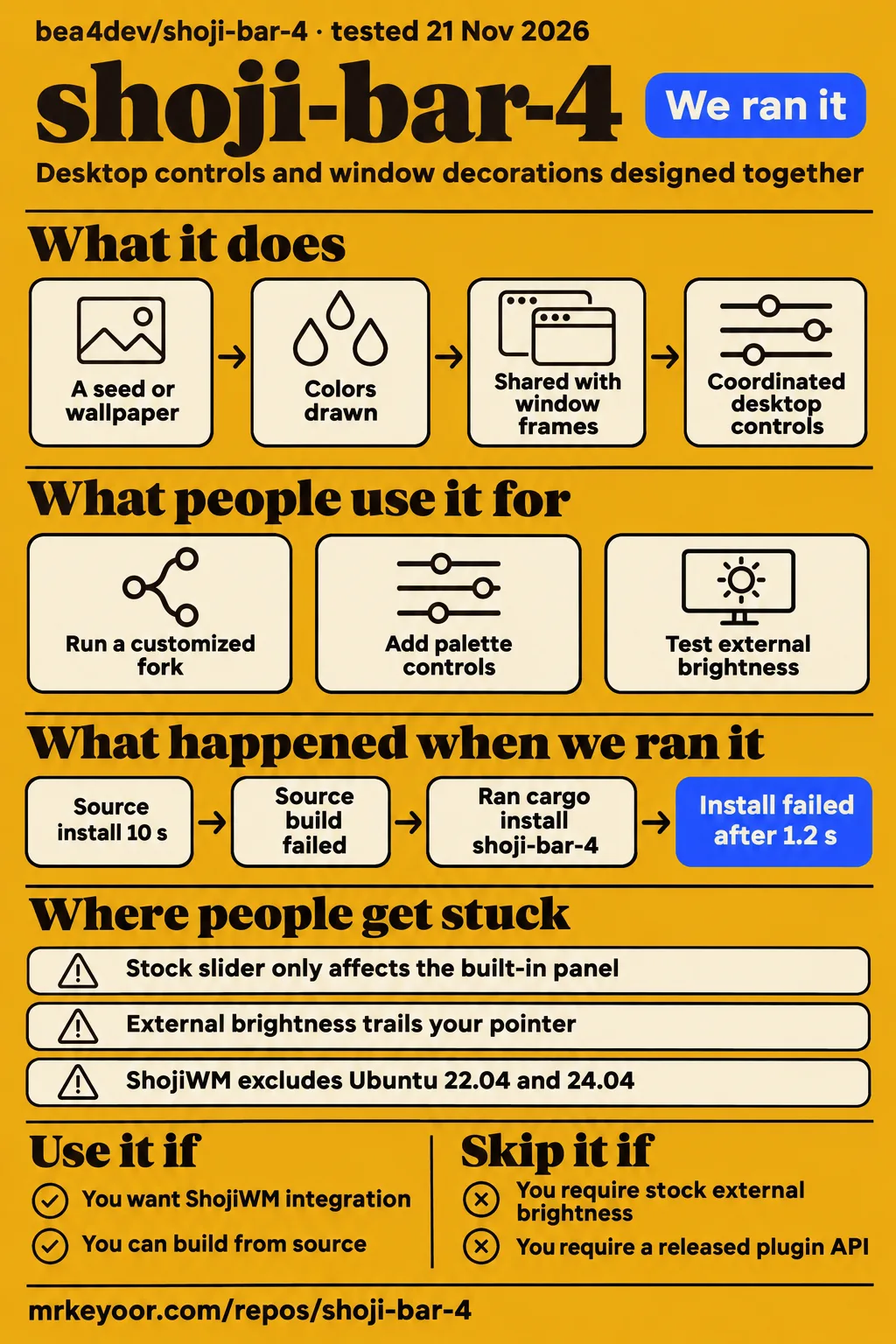
Our source build of shoji-bar-4 failed after 539 seconds because the linker could not find pam and xkbcommon-x11. Use it if you want ShojiWM's matching Rust desktop shell and can work on your own Linux session. Skip it if external-monitor brightness and a supported upstream plugin interface are requirements today: issue #10 reports the monitor limitation, while issue #9 records the maintainer's agreement to investigate plugins.
The appeal is a coordinated desktop: the bar, dock, settings and window-frame colors belong to the same visual system. The strongest concrete daily-use account comes from a contributor's customized fork on Omarchy/Hyprland with one monitor. That contributor explicitly separates their setup from ShojiWM. If you want that fork's features, you are choosing that fork's maintenance burden too.
This review covers bea4dev/shoji-bar-4, the desktop shell. Searching for “Shoji” alone also brings up a bioinformatics command-line tool and San Francisco's Bar Shoji. Neither tells you whether this software belongs on your desktop.
What people use shoji-bar-4 for
The clearest daily-use report is a customized Hyprland fork, while an external-monitor contributor describes a separate local brightness implementation.
| What someone actually did | Who reported it | Outcome and boundary |
|---|---|---|
| Used a customized fork as a daily desktop shell | The modular-fork contributor in issue #3 | Reports daily use on Omarchy/Hyprland with one monitor, rather than testing on ShojiWM or other setups. |
| Added palette controls and custom panels | The same contributor in issue #3 | Describes personal palette, tray, agents and music plugins, with screenshot checks. Those personal plugins live in the fork's main branch, outside the proposed change. |
| Tried external-monitor brightness methods | geralty79 in issue #10 | Reports an open libddcutil handle delivering intermediate brightness values at about 51 ms per update in a local branch. |
For the stock shell, the README documents a top or vertical bar, an auto-hiding dock, quick settings, clipboard history and a lock screen. A shell supplies these desktop controls around your applications. ShojiWM is the compositor, the separate component that manages windows and display output. You need to account for both when choosing this setup.
The color integration is the more distinctive reason to consider it. The README describes colors drawn from a seed or wallpaper and carried into the window frames, with spring animations between states. If you already like ShojiWM, that gives you a specific benefit to investigate: desktop controls and window decorations designed together. It is a stronger reason to try the project than an unsupported promise that switching shells will make your computer faster.
What happened when we ran it
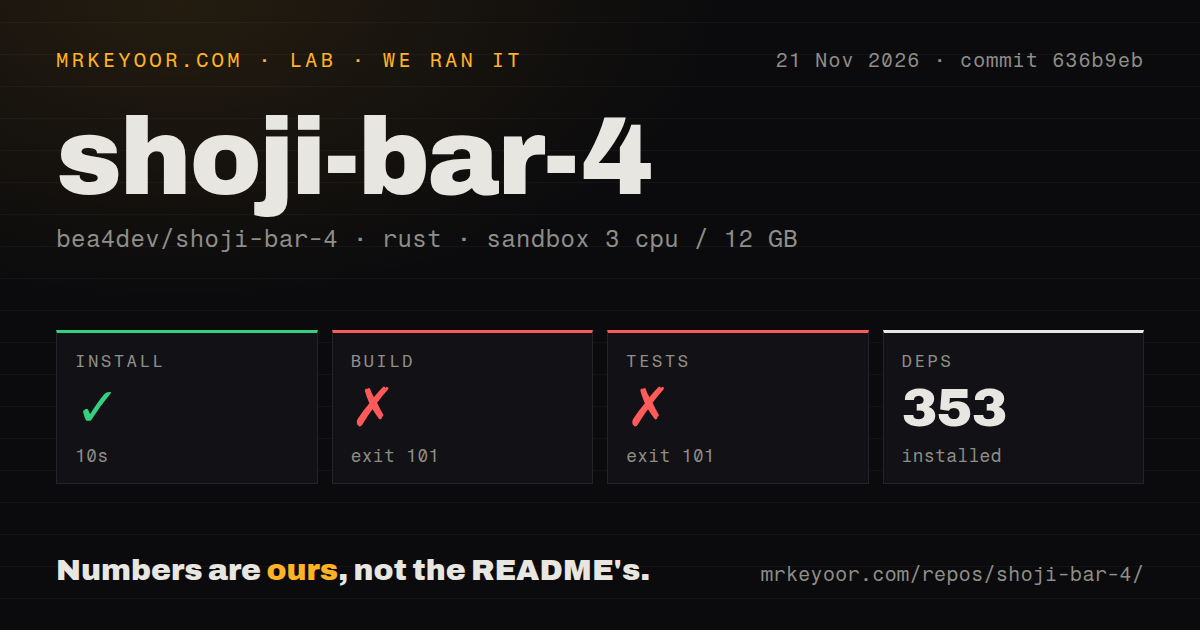
Our November 21 source run installed dependencies successfully in 10 seconds, then failed its build after 539 seconds and its test command after 28 seconds. The checkout was commit 636b9eb, in a sandbox configured with 3 CPUs, 12g RAM and image label lab-rust:1. Those are sandbox settings, not a measurement of the shell's resource use. The label alone does not identify the actual Rust or operating-system version.
| Source-harness step or observation | Our recorded result |
|---|---|
| Dependency installation | Succeeded in 10 seconds; 353 dependencies recorded |
| Build | Failed, exit 101, after 539 seconds |
| Tests | Failed, exit 101, after 28 seconds |
| Checkout | 39 files, approximately 10,981 source lines, 2.9 MB |
| Repository scan | No CI workflow files, Dockerfile or tests directory detected |
The build reached the linker. Then rust-lld reported unable to find library -lpam and unable to find library -lxkbcommon-x11, followed by collect2: error: ld returned 1 exit status. The test command reached the same missing-library errors while compiling the test binary. No passing-test total can be recovered from those tails. Equally, the absence of a tests directory says nothing conclusive about Rust tests embedded in source files.
This is a concrete setup obstacle: the linker could not find those two libraries in our sandbox. The log does not identify the distribution packages you should install, or distinguish missing files from a library search-path problem. Calling this a desktop crash would overstate what happened. Our run stopped before a desktop session.
A separate quick-start attempt took a different route. It ran cargo install shoji-bar-4 and received “could not find shoji-bar-4 in registry crates-io with version *”. The attempt stopped at that error; its finding records the same registry lookup failure. That route differs from the README's documented clone-and-build instructions. A missing registry entry does not tell you whether building the Git checkout works on a prepared desktop.
The quick-start attempt identifies commit 636b9ebb18a2 and an unprivileged sandbox, and teardown completed successfully. Keep the outcomes separate: dependency fetching succeeded in the source harness, linking failed there, and the registry-based attempt never acquired the package.
Where people get stuck: the brightness slider targets the built-in panel
The author of issue #10 reports that quick-settings brightness affects only the built-in panel, making the control ineffective for an external monitor. That is more consequential than a missing cosmetic preference if your primary display sits on your desk.
The report traces the slider through logind, a Linux session service, to built-in backlight controls. External monitors instead use DDC/CI, a protocol for sending settings to a display. The proposal makes quick settings follow the output carrying the panel: retain logind for built-in screens and use the monitor's DDC connection for external ones. It also describes hiding the control when the display fails to answer and caching the last level per output.
| Problem you encounter | What the discussion offers | Status in the discussion |
|---|---|---|
| Brightness changes the laptop panel instead of the external display | Output-aware DDC/CI control in issue #10 | Open issue; author reports a working local implementation |
| External brightness trails your pointer | geralty79's open libddcutil handle with newest-value coalescing in issue #10 | Local branch report |
| You want extensions without editing the stock interface | Compiled plugins and a stock-interface fallback in issue #3 | Open modularization proposal and separate fork |
| You want an official plugin commitment | Maintainer says they will investigate in issue #9 | Question closed with acknowledgment, rather than a shipping announcement |
The brightness discussion is unusually useful because it describes failed approaches. geralty79 says invoking ddcutil for each change trails the pointer, while writing directly to the I2C device drops most values in a burst on their monitor. Keeping the library's display handle open produced the reported result in the use-case table. That suggests a concrete implementation to inspect, with a named reporter and hardware-dependent behavior, rather than a universal performance guarantee.
ShojiWM brings a separate installation requirement
ShojiWM's installation documentation requires newer system libraries than some long-term-support distributions ship. It lists Ubuntu 25.04 or newer, explicitly excludes Ubuntu 22.04 and 24.04, and says Debian 13 or newer meets its requirements. These statements concern the compositor; they are not results from our shell build.
The compositor's source installer builds components, installs files into system directories and registers a Wayland login session. Its documented minimums include libwayland 1.23 at runtime, with separate conditions for Xwayland and the screen-capture portal. If you are looking for a small bar to drop onto an otherwise unchanged desktop, read these compositor requirements before committing to the intended pairing.
The shell README lists ShojiWM, a Rust toolchain and desktop services: NetworkManager for networking, BlueZ for Bluetooth, PipeWire for media, UPower and power-profiles-daemon for power controls, and logind. Clipboard history additionally uses cliphist and wl-clipboard; zenity supplies the user-picture picker. The setup described here centers on local desktop integration rather than a hosted account or API key.
ShojiWM's default configuration starts the shell binary from ~/.config/shoji-bar-4/target/release/shoji-bar-4. The README also lists keyboard bindings, including Super for the launcher and Super+L for locking. A custom compositor configuration needs its own integration. Having the binary on disk and having your login session start it are separate checks.
Compiled extensions deserve the same scrutiny as shell code
The modular fork compiles its plugins into the binary, according to the contributor's description in issue #3. This is a source customization mechanism. Read a plugin as code you are choosing to run in your desktop session, especially when it replaces the whole interface.
The proposal has two entry points: one replaces the interface and another patches the default interface. It also describes --default or SHOJI_SAFE=1 as ways to start the stock UI if a plugin misbehaves. That is a useful recovery feature within the fork. It is not a documented security sandbox, and compiling an extension does not give you a permission review or isolation guarantee.
The stock README advertises a lock screen and clipboard history, both of which touch sensitive desktop behavior. Their presence in a feature list is a reason to inspect how they work before trusting a shared workstation to them. Our failed link offers no security assurance about either feature. The licensing question has a clearer documentary answer: the current shell LICENSE is MIT, separate from whatever license its UI framework uses.
Activity and performance claims answer different questions
The README claims no frames are drawn when nothing moves and describes “0% CPU when idle”. That is the project's claim. Our dependency installation and failed linking commands measured setup, with no idle desktop workload to compare against it.
On X, the author promotes AntiWebUI as using less memory than QuickShell and running faster than GPUI. LinuDev challenges the fairness of the memory comparison. A disputed comparison gives you a question to ask about the workload, process accounting and configuration. The accusation itself proves neither that the author's result is false nor that the shell saves memory on your machine.
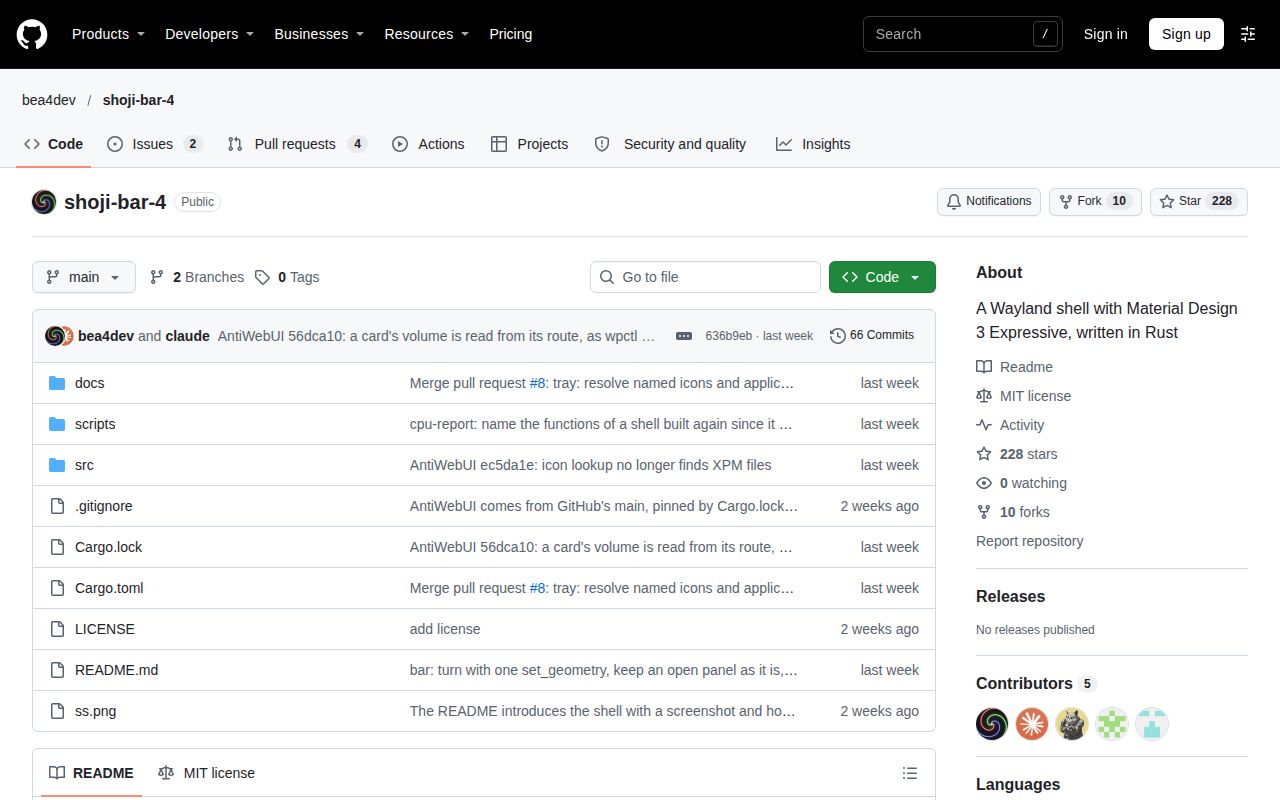
GitHub's public repository metadata, checked November 21, reports the last push as November 20, 2026. The sampled issues show maintainer replies on licensing and plugins, plus contributors proposing substantial changes. Taken together, those are signs of current development. They do not measure support capacity. For adoption, the daily-use fork report is more informative than a star counter because it identifies an actual setup and its boundaries.
shoji-bar-4 vs Noctalia, Quickshell and the modular fork
Noctalia is the named switching alternative in issue #9, while Quickshell is a toolkit for building your own desktop components. Choose according to the work you want to own, rather than treating every name in a memory comparison as an interchangeable finished desktop.
| Option | What the comparison actually tells you | When it belongs on your shortlist |
|---|---|---|
| Stock shoji-bar-4 | README documents coordinated ShojiWM shell controls | You specifically want the shell and window-frame integration designed for ShojiWM. |
| Noctalia | Issue #9's author plans to switch from it; that reports interest, rather than a completed migration | You want another finished Wayland shell to evaluate. Its current README documents compositor integrations including Hyprland, Niri and Sway. |
| Quickshell | The author's memory claim appears on X; its own site describes QtQuick desktop components | You prefer building a bar and widgets in QML, the interface language Quickshell uses. |
| Modular shoji-bar-4 fork | Issue #3 describes compiled extensions, crate separation and a stock-UI fallback | You want that customization structure and are willing to maintain a fork. |
Noctalia's current README describes a configurable Wayland desktop shell, covering the visual and service layer around a compositor. Quickshell describes itself as a toolkit for status bars, widgets and lock screens using QtQuick. Those are different starting points: a shell you configure and components you assemble. Neither description proves superior reliability or lower memory use.
GPUI appears in the author's framework speed comparison, rather than as a finished shell someone migrated from. It does not belong in a winner's column beside desktop products on the strength of that post. For your desktop choice, the useful comparison is the required compositor, the customization language and the controls you need every day.
Questions people ask
Plugin support is under discussion: the maintainer agreed to look into it alongside the modular-fork proposal.
Will shoji-bar-4 support plugins?
The maintainer calls a plugin system or similar customization practical in issue #9 and says they will investigate. The closed question records that response, not a released plugin API. The separate modular fork is the concrete extension implementation described by a contributor.
Can shoji-bar-4 be split into core, default-interface, and binary crates for easier customization?
The contributor in issue #3 describes that split in their fork: shoji-core for settings, theme and panel management, shoji-default for the stock interface, and shoji-bar-4 for the binary. The proposal is open, and the maintainer's response says they will check it later.
Can the quick-settings brightness slider control an external monitor over DDC/CI?
The author of issue #10 reports that the stock slider only affects the built-in panel. They propose selecting the path by display output and report a local implementation for external monitors. The discussion is an open upstream request, so choose stock behavior and local branch behavior separately.
How can external-monitor brightness updates avoid lagging behind the slider?
geralty79 reports keeping a libddcutil display handle open and coalescing movement so the newest value wins in issue #10. Their experiments found command invocation slow and direct I2C writes prone to dropped values on their monitor. This is an attributed implementation report, not our latency measurement.
Can the project include an MIT license?
Yes: the current shell LICENSE contains the MIT license. In the earlier, closed issue #1, bea4dev said they had forgotten to add a license and intended MIT. The license file now supplies the documentary answer that the promise alone could not.
What Linux configuration is shown in the author's demonstration?
The author's launch post identifies a Wayland shell written in Rust; Grok's reply supplies the detailed Arch Linux and hardware description. Treat that reply as an AI-generated description. The project's README is the firmer basis for selecting the intended ShojiWM pairing and its required services.
Can CachyOS packages be used with the demonstrated setup?
A user asks that question on X, and the affirmative reply comes from Grok, rather than a maintainer or a documented compatibility run. That exchange is insufficient grounds for changing your package repositories. Start with the compositor's documented system requirements instead of treating the reply as installation guidance.
Is the claimed memory comparison fair?
The author claims lower memory use than QuickShell, and LinuDev disputes the comparison on X. The exchange offers no reproducible workload with matching configurations. A shared desktop task and explicit process accounting would be needed to settle the comparison; our source-build timing answers a different question.
What we have not tested yet
We have not run a graphical shoji-bar-4 session: the source harness stopped at linking and the separate registry attempt stopped at package lookup. Installation on a prepared ShojiWM desktop, successful test execution, idle CPU, memory consumption, animation smoothness, lock-screen behavior and clipboard privacy therefore remain untested by this review. The sandbox's configured memory is not the application's measured usage.
The modular fork's contributor reports one monitor on Omarchy/Hyprland and explicitly excludes ShojiWM and other setups from their checks. Their issue also states that the plugin layer has no automated tests. We have not reproduced that fork, compared it with stock, or exercised either through display hot-plugging, suspend and resume, fractional scaling, or several monitors. Long-running stability and support response times are unknown.
The YouTube video titled “the shell that makes me productive without trying for linux” describes a fork with recording, external brightness and other additions. Its transcript does not name shoji-bar-4, so those features and its creator's gaming and work routine cannot be assigned to this project. That leaves the named GitHub fork and brightness reports as the concrete community examples used here.
Our next useful run would start with the documented compositor and desktop services, resolve the two linker errors, and record which monitor the brightness control changes. Until a graphical session completes, this is a source-setup finding and a decision guide to the project's documented boundaries.