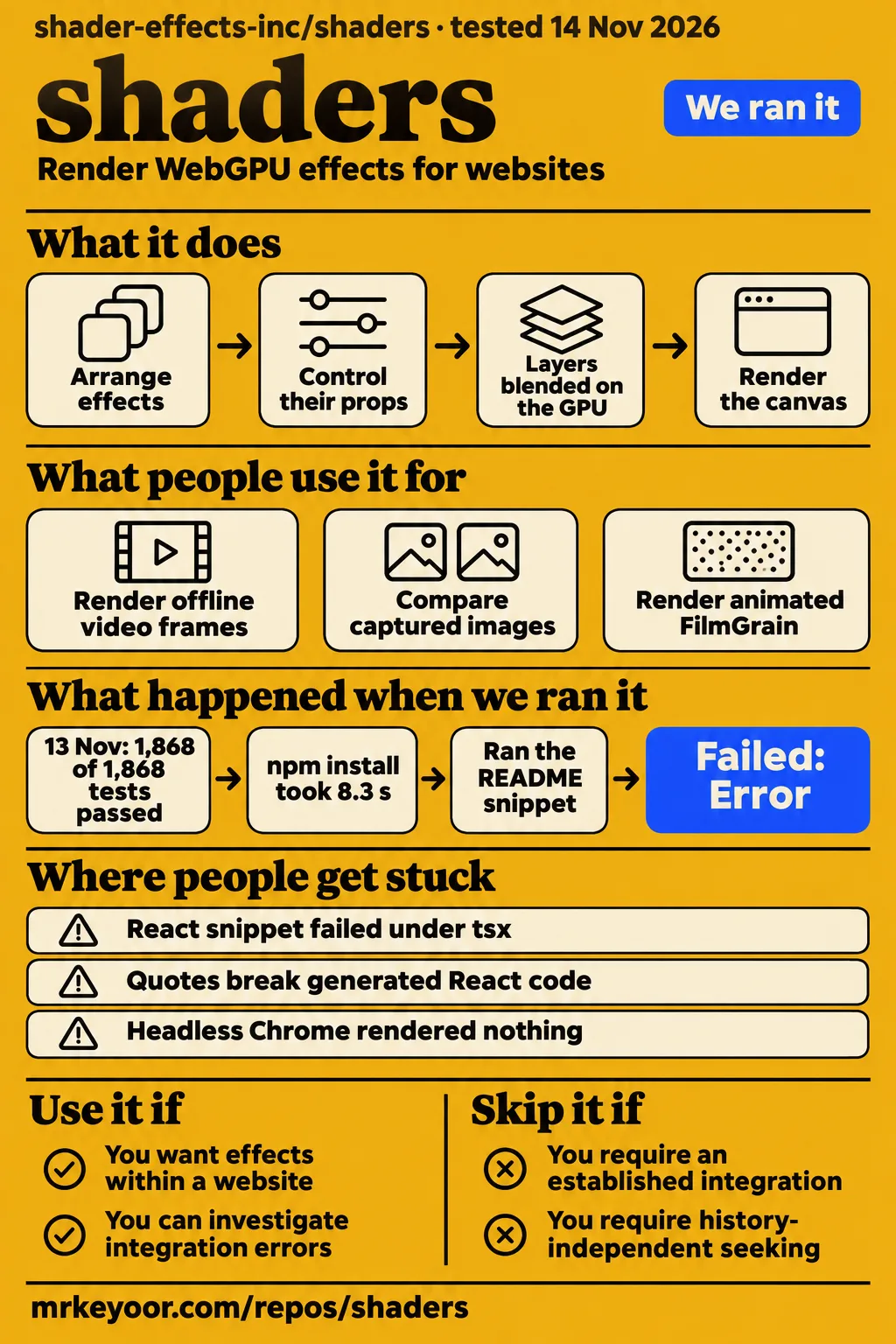
Shaders passed all 1,868 repository tests in our sandbox. Its documented React snippet then failed under tsx with shaders 4.0.7 in a separate consumer-package run. The source suite and consumer task produced different outcomes: one completed, while the other stopped at package resolution. Shaders by Shader Effects, Inc. is a WebGPU effects library for websites, separate from Minecraft shaderpacks. This review follows that web library through its documented composition model, our two recorded runs and specific user reports.
What you can do with Shaders
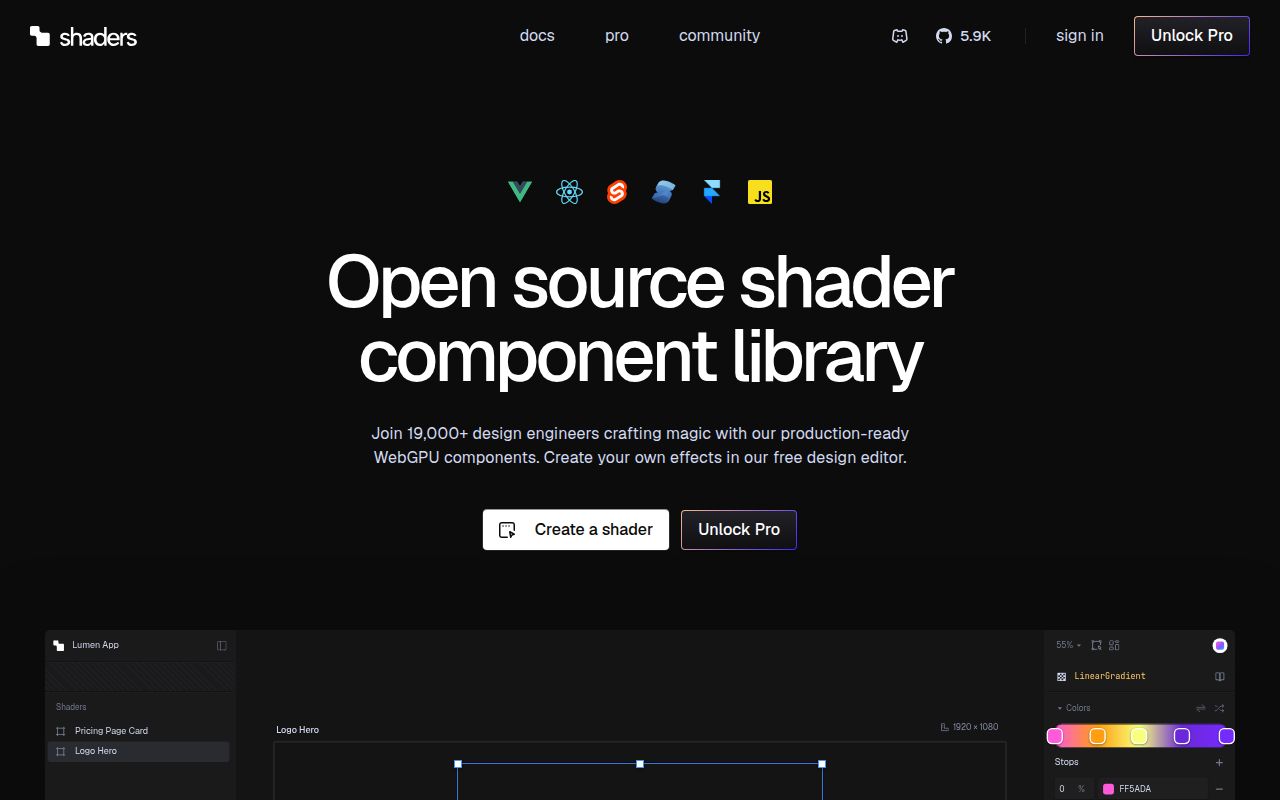
Shaders documents WebGPU effects as components for React, Vue, Svelte, Solid and JavaScript in its repository README. The root Shader renders the canvas; its children become layers evaluated from top to bottom and blended on the GPU. The React example combines LinearGradient and CursorTrail. For a frontend developer, that establishes the authoring model: arrange effects in a component tree and control their props through application code, rather than start by writing a complete graphics renderer.
The hosted editor provides a visual route to the same component structure. The README describes stacking components, adjusting props, driving them through cursor input or a timeline, and exporting framework code. It also describes saved projects that users can reopen. The practical choice is where a team wants to author its composition: directly in application code or through editor controls that produce a component tree. In either route, the receiving application still has a concrete integration task.
What people use shaders for
GitHub user lowerpower reports using Shaders to render offline video frames with Remotion in headless Chrome. Their issue #12 rendering report describes upgrading to 4.0.2 and replacing a local timing patch with renderFrame({deltaSeconds}). Lowerpower reported pixel-identical PNG sequences for 14 effects and filters across all 60 frames using one tab and six tabs. The same report names DataMosh and FloatingParticles as producing different results, including FloatingParticles within a single tab.
The matching effects were MeshGradient, Godrays, Aurora, Plasma, FlowingGradient, Swirl, Voronoi, LensFlare and SimplexNoise. VHS, Glitch, animated FilmGrain, LightLeak and GradientMap appeared as filters. This list gives another video engineer specific compositions to investigate rather than a blanket recommendation for every animated effect. The report also records a maintenance outcome: lowerpower removed the local patch after adopting the public timing call. These are the user's reported results, separate from our repository and consumer-package measurements.
What happened when we ran it
Our November 14 quickstart installed shaders 4.0.7, then the unedited README React block failed under tsx with ERR_PACKAGE_PATH_NOT_EXPORTED. The quickstart run record identifies commit 1f71d113ee17 and recipe quickstart-lib. The runner selected the six-line JSX block from the React section because no install or usage section supplied a suitable block. The table follows each recorded stage through cleanup, including the unsuccessful execution rather than treating installation alone as a completed setup.
| Question | Answer | Verdict | Why |
|---|---|---|---|
| Did the clone stage complete? | quickstart-lib clone completed in 2 seconds | Completed | The recipe reached the package task |
| Which package did npm install? | shaders 4.0.7 in 8.3 seconds | Completed | The requested consumer-package installation finished |
| How much installed storage did the consumer environment use? | node_modules occupied 41.3 MB | Measured | The installed-size step recorded disk usage |
| How many other packages were installed? | Four packages besides shaders | Measured | The dependency-count step recorded the consumer installation |
| Did the unedited React block run under tsx? | It failed in 0.3 seconds with exit 1 and ERR_PACKAGE_PATH_NOT_EXPORTED | Failed | Package resolution rejected the ./react subpath |
| Did teardown complete? | ok | Completed | The cleanup record reports success |
The snippet failure log gives the immediate error: Package subpath './react' is not defined by "exports" in /work/qs/node_modules/shaders/package.json. The separate snippet finding records the README block as failing as written in this run. The completed stages have their own records: clone timing, package installation, installed size, dependency count and teardown. Together they locate the stopping point after installation and before a rendered result.
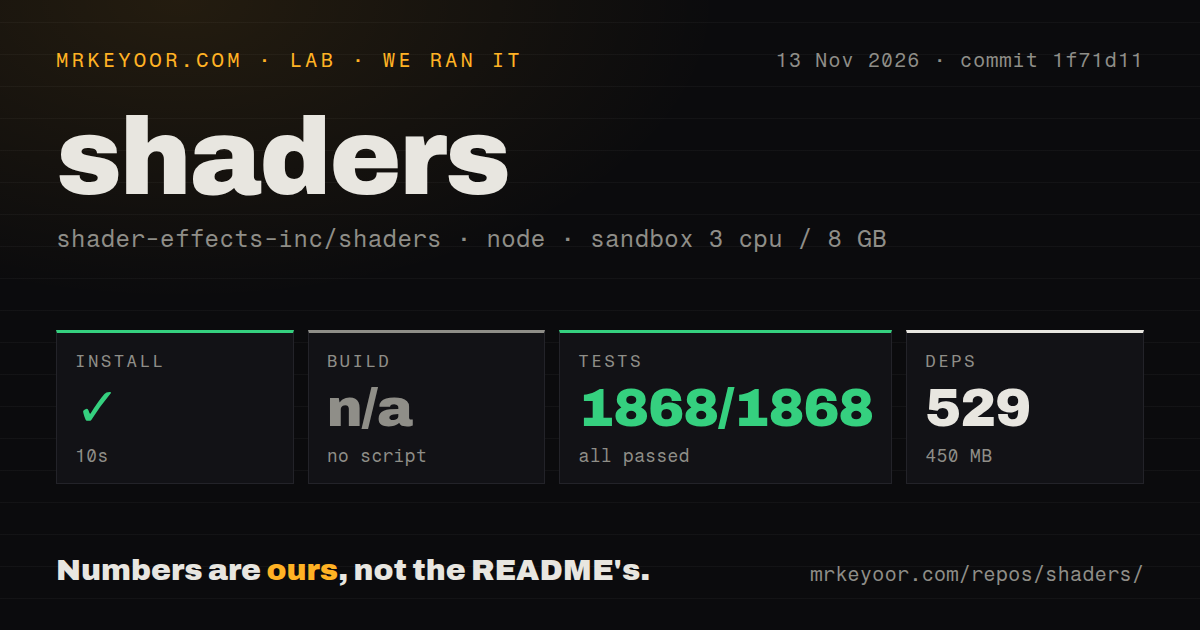
Our November 13 repository run used commit 1f71d11 and pnpm. Installation succeeded in 10 seconds, recording 529 dependencies and 450 MB on disk. Vitest passed 1,868 of 1,868 tests in 212 seconds, with zero failures. These are our measurements from the source workspace. The consumer installation's four additional packages and 41.3 MB describe a different environment, so the two sets of storage and dependency figures belong alongside their respective tasks rather than in a single package-size comparison.
| Repository harness step | Our recorded result |
|---|---|
| Install | Succeeded in 10 seconds |
| Dependencies | 529 recorded, 450 MB on disk |
| Build | Skipped: no build script/target detected |
| Tests | Succeeded in 212 seconds, 1,868 passed, zero failed |
| Checkout | 1,224 files, approximately 152,393 source lines, 15.5 MB |
| Detected structure | Monorepo workspaces, two CI workflow files, no Dockerfile, no tests directory |
The repository harness skipped its build step after detecting no build script or target. The README nevertheless documents pnpm lib:build as the contributor command for building every package and regenerating the registry and framework components. Likewise, the harness recorded no tests directory while Vitest ran 1,868 tests successfully. The detection fields describe the harness's inspection, while the executed test result records what actually ran. Reading both prevents a directory-layout signal from replacing the observed result.
Where people get stuck: imports, exports and empty canvases
Our tsx error stopped package resolution; issue #12 describes drawing and capture problems; issue #23 describes generated-source failures. Those symptoms belong to different stages of an integration. A rejected import points first to installed exports and the consuming toolchain. An empty headless canvas directs attention to renderer configuration. An export that fails to parse directs attention to generated JSX. Keeping those stages distinct gives a developer a concrete place to start investigating the reported symptom.
| Symptom | Evidence | Useful next action | Recorded status |
|---|---|---|---|
| React import rejected | Our tsx log names the ./react package subpath | Inspect installed exports and the consuming toolchain | Failed quickstart |
| Headless adapter exists, nothing draws | Lowerpower's issue #12 report | Examine the reported --use-angle or Remotion --gl=angle route | Reported workaround |
| Page screenshot misses the canvas | Lowerpower's issue #12 report | Examine the immediate 2D-canvas copy with waitForGpu enabled | Reported workaround |
| Quotes break generated React code | Issue #23 | Compile an export containing quoted text | Proposed escaping repair |
| JSON-looking text becomes an object | Issue #23 | Compare exported prop types and text values with the preset | Proposed restriction on JSON conversion |
In issue #23's export report, rahul05ranjan describes string values inserted into double-quoted JSX attributes without escaping. The examples include quoted Text content, maskSource identifiers and strings inside transform values. The reporter also describes JSON-looking text becoming an object-valued prop. The proposed repair uses JSON.stringify for strings and limits object conversion to actual JSON configuration props. For someone assessing visual authoring, the report supplies two distinct acceptance checks: generated source must compile, and string values must retain their intended types and content.
Version 4.0.7 lists fixes for disappearing framework layers
The v4.0.7 release notes list restoration of React shader layers and re-registration of Svelte and Solid layers after renderer resets. They also list removal of the shader registry dependency for tree-shaking. These are upstream release statements associated with a named version. They give a maintainer a specific release reference when investigating the lifecycle symptoms in the issue records, alongside the separate import failure observed with the installed 4.0.7 consumer package.
The supplied React lifecycle issue #21 describes child layers disappearing after changes to colorSpace or toneMapping, with a subtree remount restoring them. The corresponding Svelte and Solid issue #22 reports layers failing to re-register after renderer initialization and proposes Vue's reset-signal mechanism as a model. The practical application check follows directly from those reports: change the named renderer settings while a composition is mounted and inspect whether its layers remain present.
Parallel rendering depends on the effect's timing model
Issue #12 reports a timing-interface change in 4.0.2 and different outcomes for time-driven effects and simulations. The original request concerned createRendererFromJSON: the reporter wanted typed access to timing controls already available in the core renderer. The maintainer announced a release, and lowerpower subsequently described using renderFrame({deltaSeconds}) through the public interface. For video integration, that sequence identifies the adopted call and explains why copying the earlier patch to distributed core code would start from the superseded part of the thread.
The same thread describes two headless obstacles with separate responses. Chrome exposed a WebGPU adapter with its default GL backend but drew nothing; lowerpower reported success with ANGLE. Page screenshots then missed the presented WebGPU canvas, and an immediate copy to a 2D canvas after rendering with waitForGpu enabled resolved capture. Drawing and image capture were therefore separate steps in this reported workflow. A frame comparison needs the captured output from both, rather than the adapter check alone.
The hosted editor and library have separate terms
The README places the engine, components and framework bindings under the MIT license, while the hosted editor, presets, sections and other platform features have separate terms. It also says design and export are free with an account. A team deciding which workflow to adopt should distinguish consuming library components from connecting a project to the hosted editor. The latter adds saved projects, visual authoring and the documented CLI synchronization workflow to the application integration.
The README says the CLI detects the framework, writes component files and records installations in a lock file. It also documents an agent skill and an MCP installer for tools including Claude Code, Cursor and Codex. These workflows produce or change project files as well as help select effects. Review their generated components as application source, including the text-handling cases described in issue #23, and decide which project connection the team intends to maintain.
Shaders vs Three.js and OGL
Shaders documents effect components, Three.js describes a general-purpose 3D library, and OGL emphasizes minimal WebGL abstraction. These differences help select an authoring model before comparing individual demos. The Three.js README includes scenes, cameras and geometry in its usage example and lists WebGL and WebGPU renderers. The OGL README addresses developers interested in creating their own shaders and combining its abstractions with native WebGL commands. The table translates those descriptions into choices about the code a team wants to maintain.
| Choice | Documented focus | Pick it when |
|---|---|---|
| Shaders | WebGPU effects as framework components | Your work is composing effects within a website |
| Three.js | General-purpose 3D library with WebGL and WebGPU renderers | Scenes, cameras and geometry define the application |
| OGL | Minimal WebGL abstraction for developers writing shaders | You want graphics control close to native WebGL |
Shaders gives a composition the shape of framework components. Three.js supplies a scene-oriented model, demonstrated through a camera and geometric cube. OGL keeps its abstraction close to WebGL; its README also shows a full-screen shader example that omits a camera and scene graph. That last example matters when choosing between these libraries: a full-screen effect alone does not require a scene-oriented application. Choose according to the controls and source code the project needs to own.
What the other reviews get wrong
The homepage advertises visual design and free code export, while issue #23 reports specific inputs that break React exports. The homepage extract says, "Design in a visual editor. Export to code for free." The export issue reports both parsing failures for quoted strings and changed prop types for JSON-looking text. The useful correction concerns export reliability for those inputs: a feature description tells readers that export exists, while the issue explains what can go wrong when they use it.
The supplied search material also mixes this web library with Minecraft shaderpacks. A Reddit post about Bedrock shaderpacks claims an Arke-mod route for Java shaderpacks; that discussion concerns gaming software rather than this repository. The relevant selection detail here is the full identity shader-effects-inc/shaders and its documented WebGPU component API. Readers following a generic installation query should use that identity to reach the web library's documentation and keep unrelated game installation advice separate.
FAQ
Shaders is the website-effects library reviewed here; lowerpower confirmed a lower-level timing workflow for selected effects in 4.0.2. The same thread requests a framework time prop, making the adopted renderer call and proposed component interface distinct. For a frontend team, the README's framework components describe the intended integration model. For a Remotion team, the user's timing call, named effects and capture steps provide the more specific starting point. The questions below distinguish those routes and the unrelated Minecraft installation query.
How do I use Shaders with Remotion for deterministic offline video rendering?
Lowerpower reports using renderFrame({deltaSeconds}) after upgrading to 4.0.2 and removing a local patch. Their report identifies the effects compared, the one-tab and six-tab outputs, and the headless drawing and capture steps. Use that sequence to design a frame comparison for the intended composition: select the effect, request the frames and compare the captured images. The thread's simulation results make effect selection part of that exercise rather than a detail to leave until export.
Can the JSON preset renderer expose deterministic frame timing with types?
Issue #12 requested typed timing controls on createRendererFromJSON, and the maintainer announced the change in 4.0.2. Lowerpower then confirmed adopting renderFrame({deltaSeconds}) and removing the earlier patch. The thread records the request, release announcement and user's adopted call as separate steps. That public call is the useful reference when reading the selected release's API; the earlier renderSyntheticFrame patch explains the original problem and the path that preceded the reported upgrade.
Can Shader framework components provide a frame-driven time prop?
A time prop on Shader appears as a request in issue #12; the confirmed user workflow used renderFrame({deltaSeconds}). These interfaces place timing control at different points in the application. A team following the reported Remotion route should account for the renderer call explicitly when planning its integration. The thread's component-prop request explains the convenience the reporter wanted, while the subsequent confirmation identifies the route actually adopted for the reported frame comparisons.
How do I install shaders for Minecraft?
The supplied Shaders README documents npm install shaders for the web library, whose repository is shader-effects-inc/shaders. That package is the subject of our source tests and consumer quickstart. For Minecraft, follow the selected game's shaderpack documentation rather than this npm installation command. Checking the repository identity before following installation steps prevents a generic search term from sending a reader through the wrong setup process or attaching another project's graphics results to this library.
What we have not tested yet
Our evidence covers repository checks and a failed tsx quickstart, plus lowerpower's attributed Remotion report. Teams requiring a demonstrated browser integration, unchecked preservation of arbitrary exported text, or history-independent simulation seeking should defer adoption pending their own validation. We have not tested a successful browser integration, hosted-editor exports, the v4.0.7 reset fixes or the proposed issue #23 repair. The supplied follow-up leaves the cause of the import error unresolved, including the roles of package entry conditions, the runner and other configuration.
The quickstart used an unprivileged lab-node:22 container configured with 2 CPUs, 4 GB RAM, no published ports and no secrets; the repository sandbox recorded 3 CPUs and 8 GB RAM. These image labels do not establish actual runtime or operating-system versions. We have no measured FPS, browser support matrix, mobile power use, GPU memory, shipped bundle size or comparative rendering cost. Installed dependency storage measures disk usage, and lowerpower's tab comparison measures frame equality rather than rendering speed or a general simulation guarantee.
Rendered page layout, actual visuals, related links, recommendation modules and template content remain outside this text review. The evidence includes no security audit, network inspection, authentication assessment or production reliability result for the CLI, editor or MCP integration. Support capacity, broad adoption and Minecraft compatibility are unassessed, so all four product score cards remain N/A. The next useful evidence is a recorded browser integration and an editor export that compiles while preserving quoted text and string prop types.