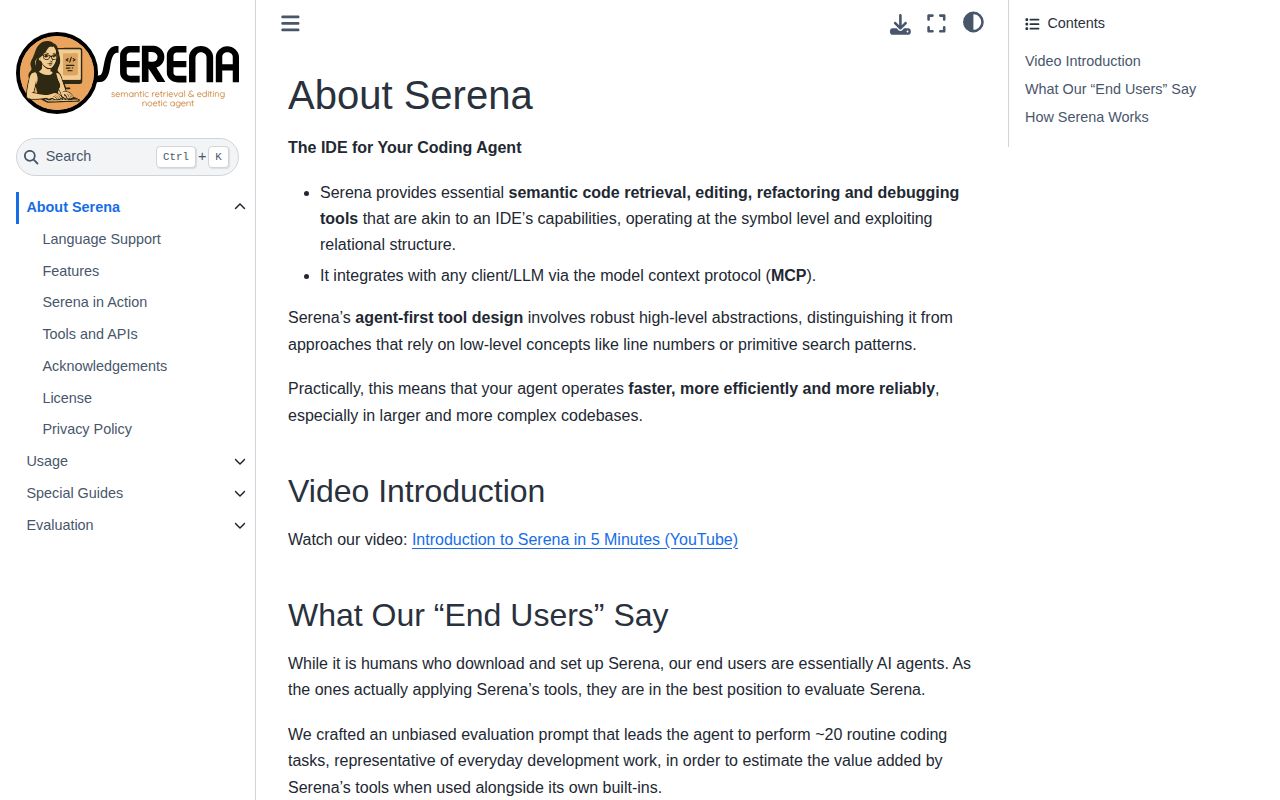
Serena's main decision is whether your coding agent needs symbol-level tools enough to justify maintaining another server and its language dependencies. The README describes definitions, file outlines, references and edits around symbol boundaries. We did not measure coding accuracy, token savings or refactoring performance.
Choose the backend by the operation
The supplied README describes a free language-server backend and a paid JetBrains plugin with a free trial. Both list symbol lookup, references, diagnostics, symbol-body replacement and insertion before or after symbols. The language-server backend lists symbol rename; the plugin additionally lists file and directory rename, moves, inline refactoring, deletion propagation and interactive debugging.
Those are documented capabilities, not operations verified in our sandbox. Language-server support also varies: the README limits implementation lookup to some languages and warns that declaration lookup generally does not work for external dependencies. The language guide lists further differences and prerequisites. A list of more than 40 languages does not establish equal support for every operation.
The JetBrains backend excludes Rider and CLion. Check your IDE and required operations before choosing that path.
Keep current documentation separate from the recorded checkout
The current README announces Serena v2 and a new REPL-based agent interface. The supplied v1.7.0 release page identifies a separate release at commit 949a27e. Our recorded checkout was 7a29683, not that release tag. This review does not assign current backend features or licensing to v1.7.0.
The license documentation says the v2 application is GPL-3.0-or-later, SolidLSP remains MIT, and a combined distribution is subject to GPL-3.0-or-later. It also says releases and commits before the historical cutoff documented in LICENSE remain MIT. Verify the exact revision's license if historical licensing affects your choice.
What our September 28 run establishes
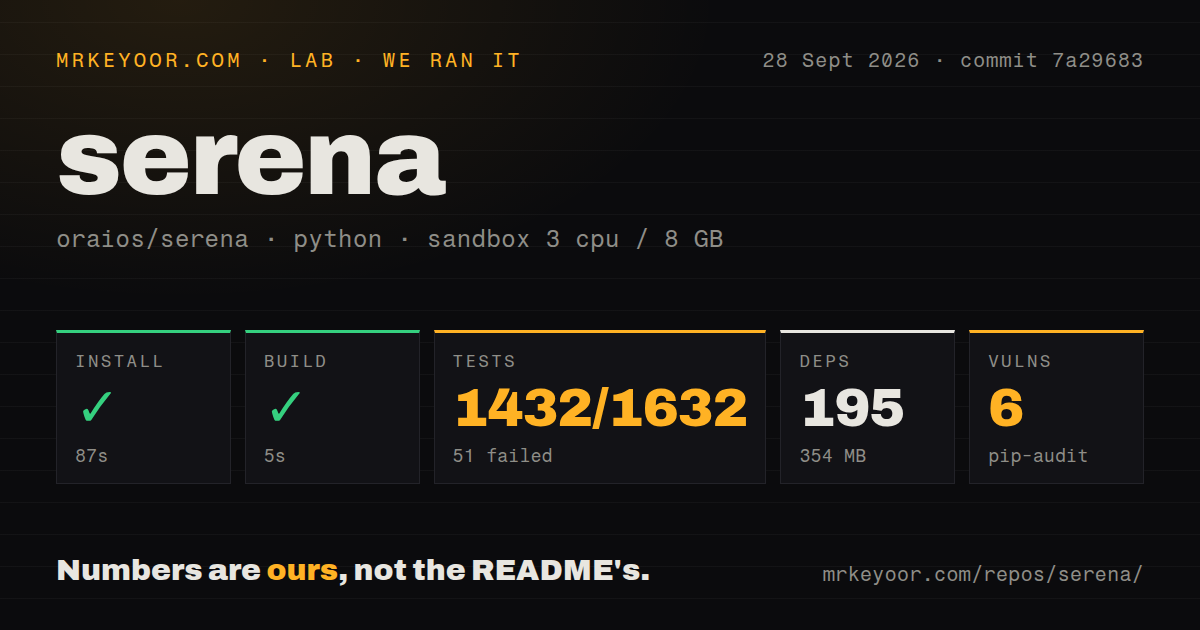
Our recorded run began on September 28, 2026, at 03:58:47.668 UTC against commit 7a2968335f2198b966864de1ce3655c8e485a653. The recorded configuration was 3 CPUs, 8 GB of RAM and image ghcr.io/astral-sh/uv:python3.12-bookworm. The install tail independently identifies Python 3.12.12.
The dependency-install step succeeded in 87 seconds, recording 195 packages and 354 MB. The build step succeeded in 5 seconds. The checkout contained 1,123 files, approximately 120,416 lines of source and 8.8 MB. Repository signals recorded 8 CI workflow files, a Dockerfile, a Compose file and a tests directory. These files describe repository infrastructure; they do not prove runtime reliability.
The test command exited 1 after 674 seconds of harness time. Its pytest tail reported 1,432 passed, 51 failed, 286 skipped, 2 xfailed, 9 warnings and 149 errors in 662.34 seconds. The two timings describe the harness step and pytest's own report. The stored parser also reports a total of 1,632, but no complete-log reconciliation verified exhaustive unique coverage. We therefore do not present a passing percentage or describe the result as a complete compatibility test.
The tail explicitly reports a missing .NET 10.0 runtime, missing Go and Node unavailable on PATH. Other entries report language-server initialization failures, including PHPantom and symbol-editing tests. Those observations explain named failures only. They do not establish that installing those prerequisites would clear every failure or error, nor that failures would recur in a correctly configured deployment.
Pip-audit recorded 6 advisories across 3 packages. The supplied record does not identify the affected packages, severity, reachable code paths or number of packages scanned. The 195 dependency count is not audit coverage. Reproduce the audit for the revision and environment you intend to use before making a security decision.
Verify installation, connection and useful work separately
The README quick start uses uv and Python 3.13, followed by serena init. Our successful dependency step used Python 3.12.12 and does not prove that this documented CLI installation or initialization completed. No installed-binary check, successful MCP connection or measured coding workload is recorded.
Serena still needs an LLM through a client. The client guide describes either a stdio subprocess launch command or an already-running HTTP/SSE endpoint. It also warns that a client may not discover the executable even when your shell can, and that environment variables may need explicit configuration.
For a useful trial, verify the executable in the client's environment, initialize the chosen backend, confirm the MCP connection and activate the intended project. Then use a representative repository to check symbol lookup, references and a reversible edit. These are recommended next steps, not completed checks from our run. Test each important language separately because its toolchain and server requirements differ.
How to read the scores
The scores are editorial assessments of the supplied evidence for this reader's decision. The rubric is 1 for little usable support, 2 for limited support with major unknowns, 3 for useful support with material limits, 4 for detailed support with bounded gaps and 5 for extensive evidence including relevant verification. They are not benchmarks, adoption measurements or compatibility guarantees. Unknowns limit confidence rather than prove poor product quality.
Setup receives 3 because dependency installation and build succeeded, while initialization, client connection and language prerequisites remain unresolved. Documentation receives 4 because the supplied guides explain prerequisites, client configuration, backend differences and licensing, although we did not verify every instruction. Community receives 2 because the extracts show contribution mechanisms and dated issue reports but do not establish adoption, response times or resolution quality. Maturity receives 3 because the repository has build and test infrastructure, while our failed test command and the untested v2 interface limit operational conclusions.
Use Serena when symbol relationships are central to the work your existing agent performs. Begin with the backend and language you actually need, and make a successful representative workflow the condition for broader adoption.