Short answer: use Scarlet when you can review the agent's work
Use Scarlet when you want conversational edits and can inspect the resulting picture and sound. Forward-Future/scarlet connects an assistant to a video timeline, with the editor making the creative decisions. That workflow suits someone who wants help preparing an interview or screen demo and already reviews exports. Skip it if your selection depends on unattended delivery or dependable anamorphic handling: the issue discussions document a changed audio mix and deferred non-square-pixel support.
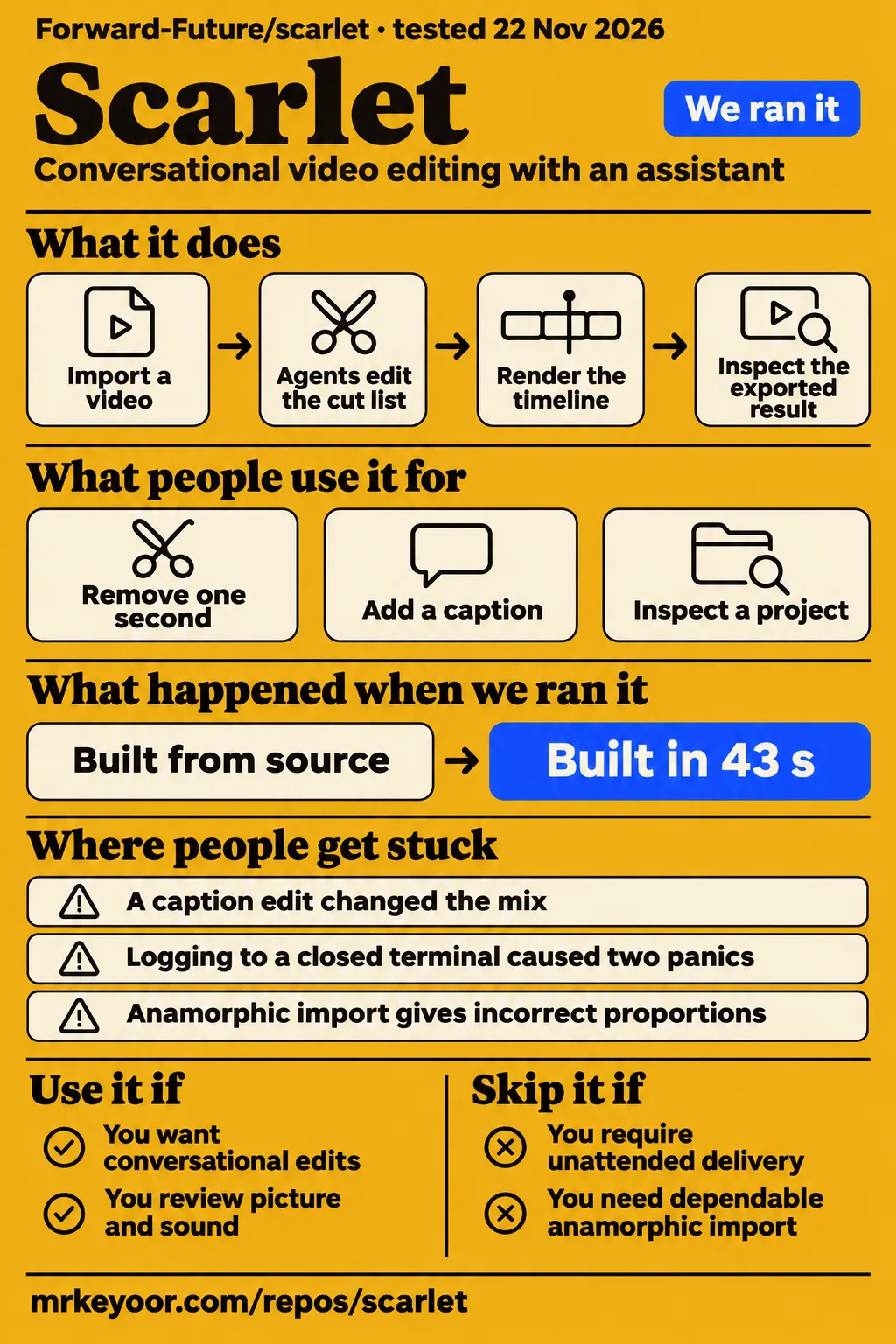
Our source build succeeded in 43 seconds, but the test command exited 1, and a separate Compose deployment stopped at an image-pull error. Those outcomes describe different setup steps at different commits. The Scarlet README describes agents editing the cut list while Scarlet renders the video. The useful adoption question is whether that division of work fits your editing process, including the time you spend reviewing the saved timeline and exported result.
What people use scarlet for
A reporter in issue #129 turned an eight-second generated clip into a 7.000-second export through a remote agent. Other issue discussions describe caption assembly and external project inspection through MCP. These are distinct uses with distinct evidence: a measured output duration, a saved composition and an integration check. Keeping those outcomes separate gives a clearer account than treating every completed agent task as an equivalent editing success.
| Who used it | What they attempted | What happened |
|---|---|---|
| The reporter of issue #129, with an agent in an Ubuntu 24.04 VM | Import a generated eight-second clip and remove one second | The render finished and ffprobe measured exactly 7.000 seconds. |
| The reporter of issue #18, using Claude Code with Early Access 0.1.3 | Place a complete video, add a caption and preserve the original sound | The saved composition changed the delivered mix; the troubleshooting section explains the correction. |
| Maintainer mberman84 responding to issue #52 | Connect an external MCP client and inspect a project | The client listed tools and read the project with project_get. |
The remote example has a concrete editing sequence. The agent built Scarlet at 31e9276, placed the clip, ripple-deleted the interval from two to three seconds, rendered the shortened timeline and sent the result back to the reporter's phone. A ripple delete removes a span and closes the gap. The reporter's ffprobe check gives the account an output measurement beyond the agent's completion message: eight seconds became exactly 7.000 seconds.
What happened when we ran it
Our November 23 Compose deployment attempt failed after 92 seconds while pulling scarlet/server:local. The attempt used commit fb65bf3f4233 and the repository's own Compose configuration, with every port bound to 127.0.0.1. Docker reached the image pull and returned an access error. The deployment ended at that step, and the teardown record reports successful cleanup.
The failed step recorded pull access denied for scarlet/server, repository does not exist or may require 'docker login'. Docker also printed the warning WARNING: Some service image(s) must be built from source. The warning identifies image preparation as part of the deployment problem. The access-error wording mentions authentication as one possibility; it does not identify a registry account or demonstrate that signing in would resolve this attempt.
| Question | Answer | Verdict | Why |
|---|---|---|---|
| Did the November 23 Compose deployment start the editing service? | Failed in 92 seconds while pulling scarlet/server:local | Deployment failed | Docker reported pull access denied and WARNING: Some service image(s) must be built from source. |
| Did November 23 cleanup finish? | Teardown: ok | Cleanup completed | The teardown record reports success. |
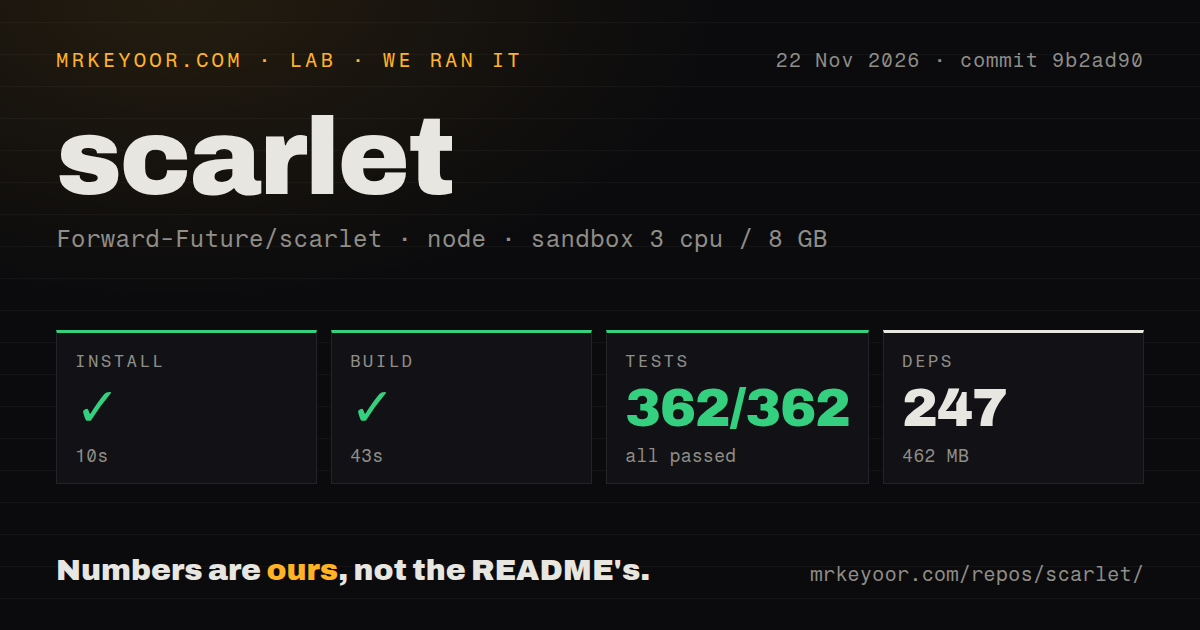
| Did November 22 dependency installation finish? | Succeeded in 10 seconds; 247 dependencies recorded; 462 MB on disk | Installation completed | The dependency installation measurement records success. |
| Did the November 22 source build finish? | Succeeded in 43 seconds at 9b2ad90 | Build completed | The source build measurement records success. |
| Did the November 22 test command pass? | Exit 1 after 22 seconds | Tests failed | The parser counted 362 passes and zero failures, but the render-package tail reported 30 failed, 40 passed and 143 skipped tests. |
Our November 22 source run used commit 9b2ad90 in a sandbox configured with three CPUs, 8 GB RAM and image label lab-node:22. The checkout scan counted 1,275 files, approximately 243,829 source lines and 21.9 MB. It also found monorepo workspaces, six CI workflow files, a Dockerfile, a Compose file and a tests directory. These are repository and sandbox measurements from the source run, separate from the following day's deployment attempt.
Our parser recorded 362 passing Vitest tests and zero failures out of 362. The failing log tail reported a different package-level result: packages/render had 30 failed, 40 passed and 143 skipped tests across 15 failed and three passing files. The same tail showed packages/shared passing 206 tests across 18 files. Named render failures included pictureCopy.test.ts, lipSync.test.ts, changingPicture.test.ts, directPicture.test.ts and soundPicture.test.ts.
The command exited 1 after 22 seconds despite the parser's passing summary. Its overall result is failed, with the parser count and package results retained separately. Adding those counts together would create a total the log does not report. The final lines contain two ELIFECYCLE failures and the instruction to see earlier output for details. The retained tail identifies the failing package and files without explaining the assertions that failed.
Where people get stuck: captions can change the mix
The reporter in issue #18 found that a caption edit placed the same source audio on two synchronized audible clips. The video clip retained its sound, while a separate audio clip played the same source range at unity gain, meaning unchanged level. An explicit revision setting only the video clip's volume to zero corrected the saved composition and output, leaving the separate audio contribution intact.
The incident concerned Scarlet Early Access 0.1.3 and a Claude-backed request to place a complete video, add a caption and preserve the original audio. The renderer mixed the two audible clips described by the saved composition. A separate fresh-agent workflow produced one correct audible path. Those details distinguish the failed composition, its explicit correction and the successful control. The audio correction belongs to that two-path composition; applying it to a sole audible path would silence the source.
The discussion first proposed detecting duplicate audible source ranges, then changed to comparing their combined level against the previous edit. Two synchronized copies at half volume explain why counting clips alone gives the wrong answer. The thread continued beyond approval of the revised plan: issue #18 records closure as completed in #109 on November 20, 2026. That resolution is part of the incident's history, alongside the original report and correction.
| Report | What the discussion established | Practical response |
|---|---|---|
| #18: caption edit duplicated audio | An explicit mute corrected the saved edit; a fresh-agent case succeeded; the issue later closed as completed in #109 | Inspect overlapping audible clips and compare the export with the source. |
| #363: Windows source updater rejects a checkout | Git URL rewriting affects the optional follow-main updater; the installed app keeps working; the maintainer closed it as low impact | Distinguish an updater failure from failure of the installed editor. |
| #460: macOS abort after shell launch | The maintainer traced a closed terminal or pipe to logging failure and a second panic | Include how the app was launched when reporting this crash. |
The Windows report concerns url.*.insteadOf, Git's mechanism for rewriting remote URLs, combined with the optional follow-main updater. The macOS report concerns the v0.1.393 Apple Silicon binary. The maintainer's diagnosis identifies logging after the launching terminal or pipe closes, followed by a second panic in the panic hook. Resizing happened to trigger the next logging call. These reports concern particular update and launch paths rather than one shared desktop failure.
Closed geometry issues still affect the compatibility decision
The anamorphic reports describe incorrect picture proportions during import and frame inspection, and the maintainer deferred proper support. Anamorphic footage stores pixels intended to display stretched, so stored dimensions and displayed picture shape differ. In issue #360, the maintainer says support touches import, frames and render. That response explains the compatibility decision more clearly than the issue's closed label alone.
Three reports describe separate operations. In issue #360, the first imported anamorphic video selected a canvas from stored dimensions; the square-pixel control selected the expected 16:9 project. In issue #367, the anamorphic source-frame endpoint returned a 160×120 JPEG, while the square-pixel control returned 160×90. Explicitly choosing a 16:9 project still returned the same JPEG geometry. Project shape alone therefore did not change the reported inspection result.
Still images have a separate case. The reporter of issue #362 added a percent grid to an EXIF-oriented portrait JPEG and got landscape proportions. The tagged portrait returned 160×284 without the grid and 160×90 with it; the control with orientation applied to its pixels returned 160×284 with the grid. The reported controls point to different preparation choices for non-square-pixel video and orientation-tagged stills, rather than one project setting for both.
What the export docs get wrong
Issue #364 reports that a 29 fps project's FCPXML and OTIO used different rates despite the handoff Read me's shared description. FCPXML used the nearest standard rate while OTIO retained 29 fps. The maintainer confirmed that no timing was wrong and that the problem was the Read me's wording, then closed the report as low impact. The correction concerns how the handoff explains its files.
The practical distinction is between exported timeline data and the explanation beside it. A statement about the nearest standard rate described FCPXML in that case, not both formats. For a non-standard-rate handoff, the format's actual timebase is the relevant evidence when diagnosing timing. The reported 29 fps case identifies a specific documentation mismatch without turning it into a claim that either exported timeline had broken timing.
Local project storage still sends context to your AI provider
The README says the connected AI provider receives editing requests and inspected project context, including transcript excerpts and video frames. Scarlet stores projects, transcripts, waveforms and renders on the user's computer. Local storage and the assistant's processing location are separate parts of the workflow. For interviews or unreleased footage, the relevant distinction is which project material the agent inspects while carrying out the editing request.
The README distinguishes transcription models from the editing provider. It describes CrisperWhisper 2.0 large as the local default once its separately licensed weights are installed, bundled Whisper large-v3-turbo until then, and options for custom local models or OpenAI Whisper. Packaged releases send usage reports to PostHog. The documented controls are Send usage reports in Settings → About and SCARLET_TELEMETRY_ENABLED=false before launch; Early Access versions through 0.1.3 use the environment variable.
An active tracker is useful; read how each issue closed
Read each issue's resolution: #18 closed as completed in #109, while the geometry reports deferred proper support. Those outcomes differ from the Windows updater report, which closed as low impact while the installed editor kept working. The tracker contains completion references, workarounds and decisions about which media cases receive attention. A closed label alone does not tell an editor which of those outcomes applies to their footage or setup.
The latest-release endpoint returned v0.1.409, published November 22, 2026, and repository metadata records a November 23 push. Those dated records identify the release and repository activity separately from our two tested commits. Release metadata answers which release GitHub identified at collection time; the issue discussions answer what maintainers said about specific reports. Neither replaces the installation, build and test results above.
Scarlet vs Shotcut, Kdenlive and model choices
Scarlet centers conversational editing; Shotcut and Kdenlive provide other open-source video-editor candidates for a shortlist. Shotcut describes itself as a free, open-source, cross-platform video editor. Kdenlive identifies MLT, Qt and KDE Frameworks 6 in its technology stack, and its README points to stable releases and experimental daily builds. These descriptions support a workflow shortlist without assigning an export-quality or performance winner.
| Choice | Grounds for considering it | When to choose it |
|---|---|---|
| Scarlet | Conversational editing in its README, a reported remote edit and external project inspection over MCP | You want to express edits in conversation and review the resulting picture and mix. |
| Shotcut | Its README identifies a free, open-source, cross-platform video editor | You want to evaluate another editor before adopting an assistant workflow. |
| Kdenlive | Its README identifies an editor using MLT and KDE frameworks, with stable and experimental daily downloads | You want another editor candidate for your footage. |
| Gemini/Neon inside Scarlet versus Claude or Codex | MatthewBerman described a favorable impression and considered making it his daily model | You want to compare agents inside Scarlet using the same editing brief. |
Agent choice and editor choice answer different questions. Switching the assistant keeps the evaluation inside Scarlet's import, frame-inspection and export paths. Switching editors changes the editing workflow itself. MatthewBerman's post supplies an attributed model preference, while the Shotcut and Kdenlive READMEs establish what those projects are. The comparison organizes those choices around the reader's workflow rather than treating an author's preference as a measured advantage.
Search for Forward-Future/scarlet to find this editor
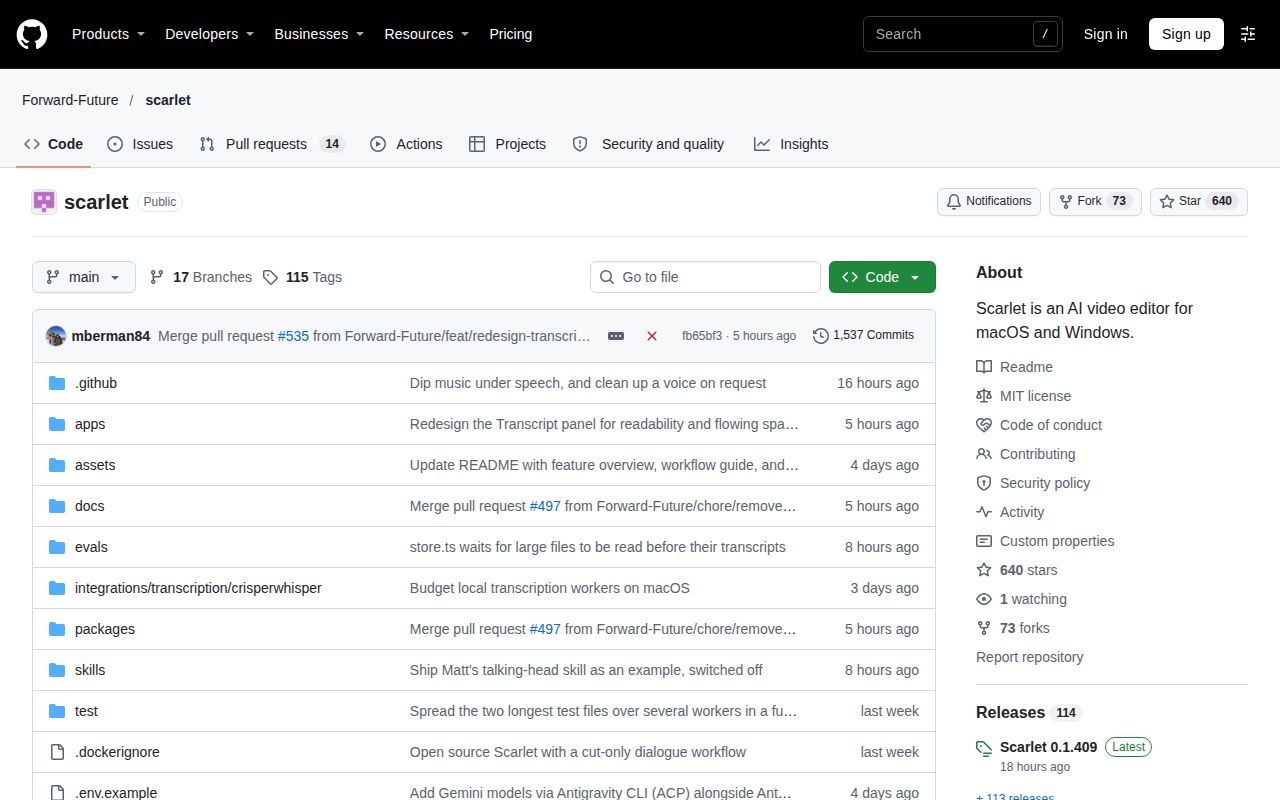
Scarlet here is Forward-Future's AI video editor, identified by its project README. Use the owner and project name together when looking for editing reports, installation instructions or issue resolutions. That identity distinguishes this review's subject from unrelated products and entertainment sharing the name. The MCP, caption, geometry and export discussions linked here all concern the Forward-Future repository and the versions named in their respective reports.
FAQ
Scarlet already exposes a stdio MCP server for external clients, according to the maintainer's response in issue #52. External access, remote-engine documentation, audio preservation, crash reproduction and a proposed efficiency dependency all appear in the issue discussions. The answers below follow those particular requests and responses. They distinguish an available integration command from a desktop editing workflow and a reported correction from a general audio rule.
Can external clients such as Antigravity or Codex use Scarlet through MCP?
Issue #52 says external clients can use the existing stdio MCP server. From a built checkout, its documented command is pnpm mcp with SCARLET_SERVER, SCARLET_PROJECT and SCARLET_TOKEN configured for the engine and project. The maintainer reported listing tools and reading a project with project_get, closed the MCP request as completed and distinguished that access from a built-in Antigravity runner.
Can a guide explain running Scarlet's engine through an agent on another machine?
The maintainer declined a user guide in #129 and described the headless engine as development and integration infrastructure. The reporter had demonstrated a remote editing path and offered to document two layouts, including an engine reached through a tunnel or HTTPS. The response kept the setup in the developer note. That support decision distinguishes the working reported route from the product's desktop-first editing workflow.
How can a caption edit preserve the original audio level?
Muting only the video clip corrected the two-path composition reported in #18, leaving the separate audio clip to carry the sound. The correction depends on which clips contribute audible source material. It is not a rule to mute video whenever captions are added. The saved timeline and decoded export are the relevant artifacts for deciding whether a preserve-audio request retained the intended level and timing.
Does canceling the file picker and then resizing Scarlet reproduce the macOS crash?
The maintainer's diagnosis in #460 identifies logging to a closed terminal or pipe. Resizing happened to trigger the next desktop_log IPC call, after which the logging error and panic hook caused two panics. The initial file-picker and resize sequence described the reporter's experience; the later diagnosis identified the launch circumstance associated with that failure in the v0.1.393 Apple Silicon binary.
Could hyperlibs/hyperstack make Scarlet smoother and more token efficient?
Issue #128 was closed because the proposal named no slow interaction or token-heavy editing task. The maintainer requested a recording or repeatable benchmark showing the problem. That response identifies what the proposal needed: an editing task and evidence of its behavior. The suggestion itself supplies no measured speed improvement, token reduction or reason to attribute either outcome to the proposed dependency.
What we have not tested yet
Our Compose attempt stopped at the image pull, so that deployment produced no completed edit, audio comparison, export-quality result or running-service memory measurement. The earlier source run measures installation, build and tests at a different commit from the latest packaged desktop release. The render-test causes require fuller logs. Actual runtime and operating-system versions require toolchain logs rather than the lab-node:22 image label alone; the documented commands here were not executed during this revision.
Issue #18's completion reference establishes closure in #109. We have not inspected #109's implementation or established its release inclusion or current audio behavior. The historical incident and successful fresh-agent workflow provide no recurrence rate. A version-specific regression assessment would need the resolved model, saved timeline and exported audio for both a preserve-audio request and an intentional layered-audio control. The closed geometry, export-wording, updater and crash reports likewise do not establish behavior in v0.1.409.
Further assessment includes long recordings, repeated revisions, transcription accuracy, provider token costs and editing latency. Anamorphic import, source-frame inspection, EXIF-oriented stills and non-standard-rate handoff need separate checks. Network traffic, token handling, telemetry behavior and matched-footage comparisons with Shotcut and Kdenlive are also outside our completed work. Rendered page assets, related links, recommendation modules and template behavior were not assessed in this text review.