What you can do with manus--ai
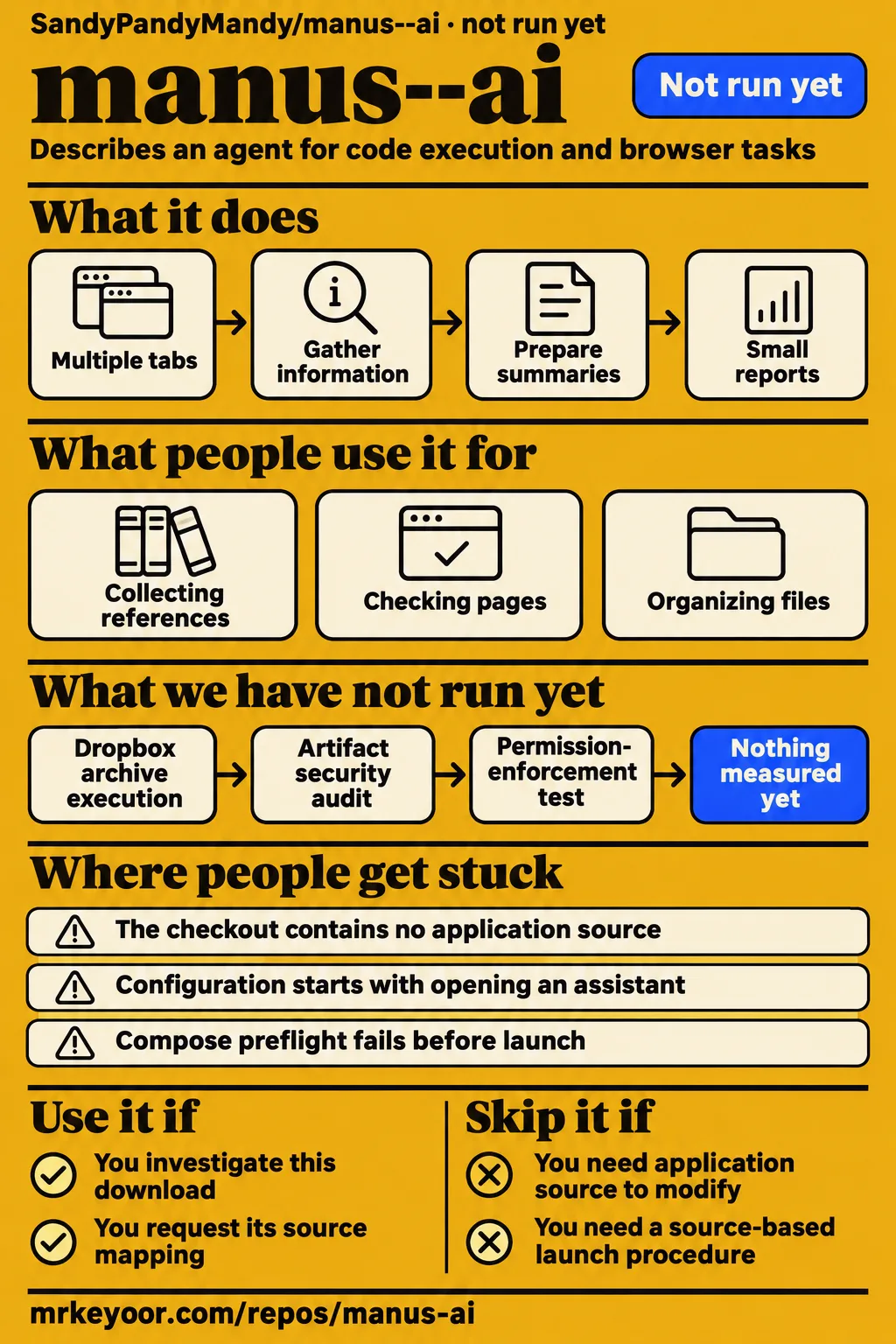
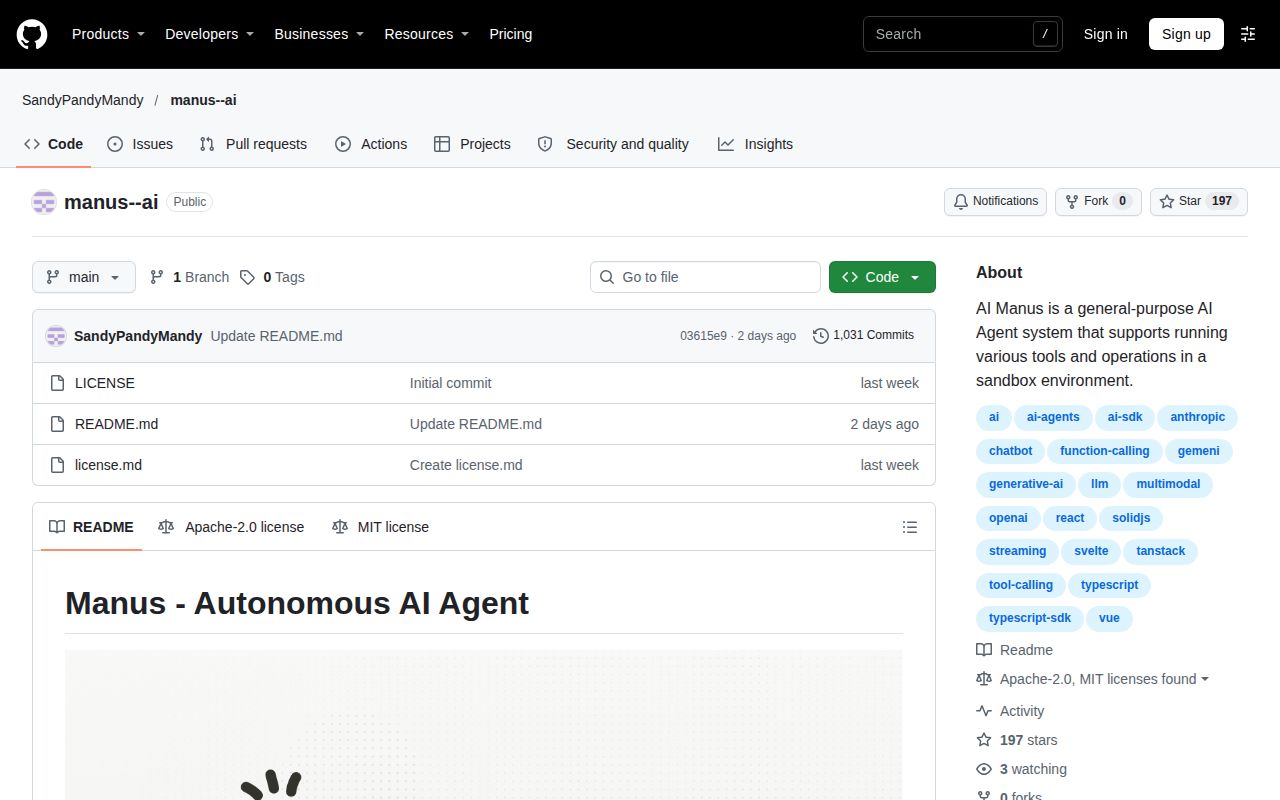
SandyPandyMandy/manus--ai gives you three documentation and license files at commit 03615e9, rather than application source to modify. The complete commit tree lists README.md, LICENSE and license.md, with truncated set to false. That makes this checkout useful for investigating what this particular repository distributes and promises. Developers choosing an agent implementation need a starting point that includes the program and an identifiable entry point.
The README's download button points to a Dropbox archive named ManusStudio2.0.rar. The archive is a separate distribution artifact from the GitHub checkout. For a provenance investigation, the useful next step is to ask the maintainer for a mapping between that archive and its application source, including the version or commit used to build it. That request connects the visible download to something a developer could inspect.
The README describes autonomous code execution, browser navigation, form filling and background tasks. These are the author's capability claims. Its instructions also propose a simple opening task: visit a page and read a value. That is a more concrete starting question than whether the assistant is generally autonomous, because a reader can name the page, the value and the expected answer before attempting the workflow.
What happened when we ran it
Our November 22, 2026 sandbox evaluation at commit 03615e9 stopped before application execution because it found no supported ecosystem and no Dockerfile. Our sandbox result records NOT RUN, language null, an allocation of 3 CPUs and 8 GB RAM, and image n/a. The recorded outcome is an execution skip at the prerequisite stage. It is different from launching an application and receiving an error during a browser or scripting task.
| Question | Answer | Verdict | Why |
|---|---|---|---|
| Did the sandbox run the application? | NOT RUN; language null; no supported ecosystem; no Dockerfile | Execution skipped | The runner found no supported execution path |
| Did the separate hands-on safety step pass? | FAILED; no compose.yaml, compose.yml, docker-compose.yaml or docker-compose.yml | Compose prerequisite failed | The runner required a Compose file |
| Does the hands-on run label show a successful deployment? | The label says deployment used its own Docker Compose on November 22, 2026, with every port bound to 127.0.0.1 | Conflicting record | The safety step says the required Compose file was absent |
| Was cleanup recorded? | teardown: ok | Cleanup recorded | Teardown is a separate result from application execution |
The hands-on safety step failed because all four accepted Compose filenames were absent. Its error calls the repository unsafe under a rule requiring a Compose file. The actionable detail is that missing deployment definition: the runner stopped at that requirement. There is no package-installation error, authentication rejection or browser-task failure in this step to troubleshoot instead.
The hands-on run label says deployment used the repository's own Docker Compose on November 22, 2026, with every port bound to 127.0.0.1. That description conflicts with the failed Compose prerequisite, so it cannot serve as a successful deployment result. The cleanup record separately says "teardown: ok". The table preserves the conflicting description, the concrete failure and the recorded cleanup outcome.
Where people get stuck: the instructions start after launch
The README's configuration step starts with opening the assistant, leaving the source-to-launch handoff unexplained. In Starting with Manus, preparation means closing unnecessary programs; configuration then means opening the assistant and reviewing settings. A developer following these steps needs an already launchable application. The section provides no command that turns the checkout into that application, and the external download button is the visible distribution route.
The compatibility table describes a modern 64-bit system, a dual-core CPU and 4 GB RAM as minimum requirements. It recommends 8 GB or more for heavier tasks and elevated rights for full browser control. These are the README author's requirements and recommendations. The phrase "updated runtime" does not identify a runtime package or release, so it gives a developer no exact version to install.
| If your goal is… | What you encounter | Useful next step |
|---|---|---|
| Modify the agent | README.md and two license files in the inspected tree | Select an implementation repository |
| Follow the quick start | Configuration assumes an assistant you can open | Request the launch procedure and corresponding application source |
| Troubleshoot the recorded deployment | Compose preflight fails before launch | Obtain the deployment definition before diagnosing application behavior |
A useful maintainer response would identify the application artifact, its corresponding source and the command used to launch it. It would also name any model provider, credential location and required runtime. Those details would turn general preparation advice into a procedure a developer could follow. Disabling the runner's Compose requirement would change that runner's behavior, but would not create the deployment file named in its error.
manus--ai vs OpenManus and Browser Use
OpenManus documents LLM configuration and a terminal entry point; Browser Use documents hosted, CLI and Python-library paths. Their OpenManus README and Browser Use README therefore answer practical setup questions that the manus--ai preparation steps leave open. The comparison below concerns documented starting points. It helps developers select a project to inspect according to whether they want a general agent or browser automation.
| Candidate | Documented starting point | Choose it when… |
|---|---|---|
| SandyPandyMandy/manus--ai | README with an external archive download | Your task is investigating this particular download |
| FoundationAgents/OpenManus | LLM API configuration and python main.py | You want a general agent project with a documented terminal entry point |
| browser-use/browser-use | CLI, Python library and fully hosted cloud paths | Browser automation is your main requirement |
The OpenManus README says it requires configuration for the LLM APIs it uses. It names config/config.toml, tells readers to copy config/config.example.toml and add API keys, and gives python main.py as its terminal entry point. Those details let a developer inspect a specific configuration file and launch target. They also make access to the chosen LLM API an explicit part of setup.
The Browser Use README describes a model acting in a real browser by writing Python. Its FAQ distinguishes the fully hosted service, which runs the agent and browser, from the CLI and Python library, each of which can connect to local or cloud browsers. That distinction is useful when choosing how much infrastructure to manage. A browser-focused developer can compare those operating paths before selecting a deployment arrangement.
What people use manus--ai for
The manus--ai README proposes study and research, home projects, and light office work as uses for its described assistant. Its Best Uses section presents intended workflows rather than named customer accounts. Each proposal can still help a prospective user formulate a concrete task and ask what input, browser access and resulting output the application would require.
For study and research, the README describes collecting references, running small scripts and organizing notes. A useful evaluation task would specify the references to collect or the calculation to perform, together with the expected result. That follows the author's proposed workflow without replacing it with an invented research success story. The README combines information gathering and scripting in this category.
For home projects, the author proposes checking pages and organizing files. For light office work, the proposal is to gather information from multiple tabs and prepare summaries for small reports. These are distinct tasks: page checking needs a defined value or change to find, while a report needs named inputs and an output a reader can compare with those inputs.
Security starts with the external download
The README pairs an external RAR download with a recommendation for elevated rights for full browser control. Its permissions row lists standard user access as the minimum and elevated rights as the recommendation. A provenance request should therefore cover both the archive's origin and the reason for that access recommendation. Ask who built the archive and which application source corresponds to its contents.
The permission decision concerns the program that would receive access to the browser or filesystem. Reading README.md explains the author's instructions; reading license.md explains permissions stated in that document. A useful response from the distributor would connect the archive, its publisher and its implementation, then explain which browser operations require elevated access. That gives a reader specific questions to resolve before following the recommendation.
Two license files need clarification
GitHub metadata identifies Apache-2.0, while license.md begins with MIT License and names Simpleyyt. The repository metadata and MIT license document consequently present two different license signals. The complete tree includes both LICENSE and license.md. For reuse, the practical question is which material each document covers, including whether the distributor makes a separate licensing statement for the external application.
The MIT document names Copyright (c) 2026 Simpleyyt and grants permissions subject to retaining its copyright and permission notice. GitHub's Apache-2.0 classification does not explain the scope of that second document. A maintainer clarification should identify the applicable terms for the documentation and application separately. Selecting a license label from the repository metadata alone would leave the other document's role unexplained.
Why commercial Manus reviews concern a different evaluation target
Commercial Manus reviews describe a hosted service, while this inspection concerns SandyPandyMandy/manus--ai at commit 03615e9. The commercial homepage advertises slides, websites and games. Those advertised outputs identify what that page presents to prospective customers. The repository has its own download destination and setup instructions, so a reader needs the exact product name and distribution route when comparing accounts of either one.
A review of a hosted account can answer questions about the service its author used. A repository inspection answers questions about files, launch instructions and distribution. Keeping those evaluation targets explicit prevents a subscription description from becoming an installation instruction for an external archive. For this GitHub decision, the relevant starting points are the commit tree, the README and the recorded prerequisite failure.
FAQ
Commercial Manus advertises slides, websites and games; SandyPandyMandy/manus--ai directs readers to an external application archive. The questions below concern the commercial product named in the Manus homepage and review-question inventory. A reader choosing between a hosted account and a development project needs that distinction before using a service feature or subscription description to make a repository decision.
What can commercial Manus AI actually do?
The commercial Manus homepage lists creating slides, building websites and creating games. These are the homepage's advertised outputs, rather than task results from this repository evaluation. They describe what a prospective hosted-service customer is offered. For the GitHub checkout, the README instead describes code execution, browser control and small tasks such as research, page checking and file organization.
Is commercial Manus better than ChatGPT or Claude?
The repository evaluation produced a NOT RUN result, so it supplies no comparative task score against ChatGPT or Claude. The sandbox record identifies the missing execution prerequisites. Developers can still compare documented setup paths: OpenManus names an LLM configuration file and terminal entry point, while Browser Use separates hosted, CLI and library options. Those are setup differences rather than a ranking of answer quality.
How do I use commercial Manus AI for free?
Lilach Bullock's guide says commercial Manus has a free plan. That attributed free-plan description concerns the hosted service; it is not a price or installation claim for the Dropbox application. For the repository decision, keep account access and archive distribution separate. The README's configuration instructions begin with an assistant that the reader can already open.
What we have not tested yet
The Dropbox archive was not downloaded, unpacked or executed in this evaluation. Its contents, publisher identity, relationship to commercial Manus and correspondence to source remain unresolved. No artifact security audit or permission-enforcement test took place; the missing-Compose classification is not a malware finding. Licensing coverage for the application, the scope of the two license documents, supported upgrades and an application installation procedure also remain unresolved.
The recorded 3 CPUs and 8 GB RAM describe the sandbox allocation, not measured application requirements. Image n/a supplies no operating-system or runtime version. The execution skip supplies no task-accuracy, browser-reliability, memory-use, throughput, model-compatibility, operating-cost or alternative-performance result, and does not prove every installation route fails. The alternative README descriptions were compared as documentation; their launch commands and code were not executed in this correction.
Repository support is unassessed: GitHub metadata records zero open issues, but no issue-list inspection or maintainer response was examined. No existing published page was inspected for overlapping coverage. Rendered layout, resolved links, related links, recommendation modules and template content were not tested. Provenance investigators can use this repository's documents to pursue the archive's source mapping; developers needing an implementation to modify or operate should choose a project with application source and a documented launch procedure.