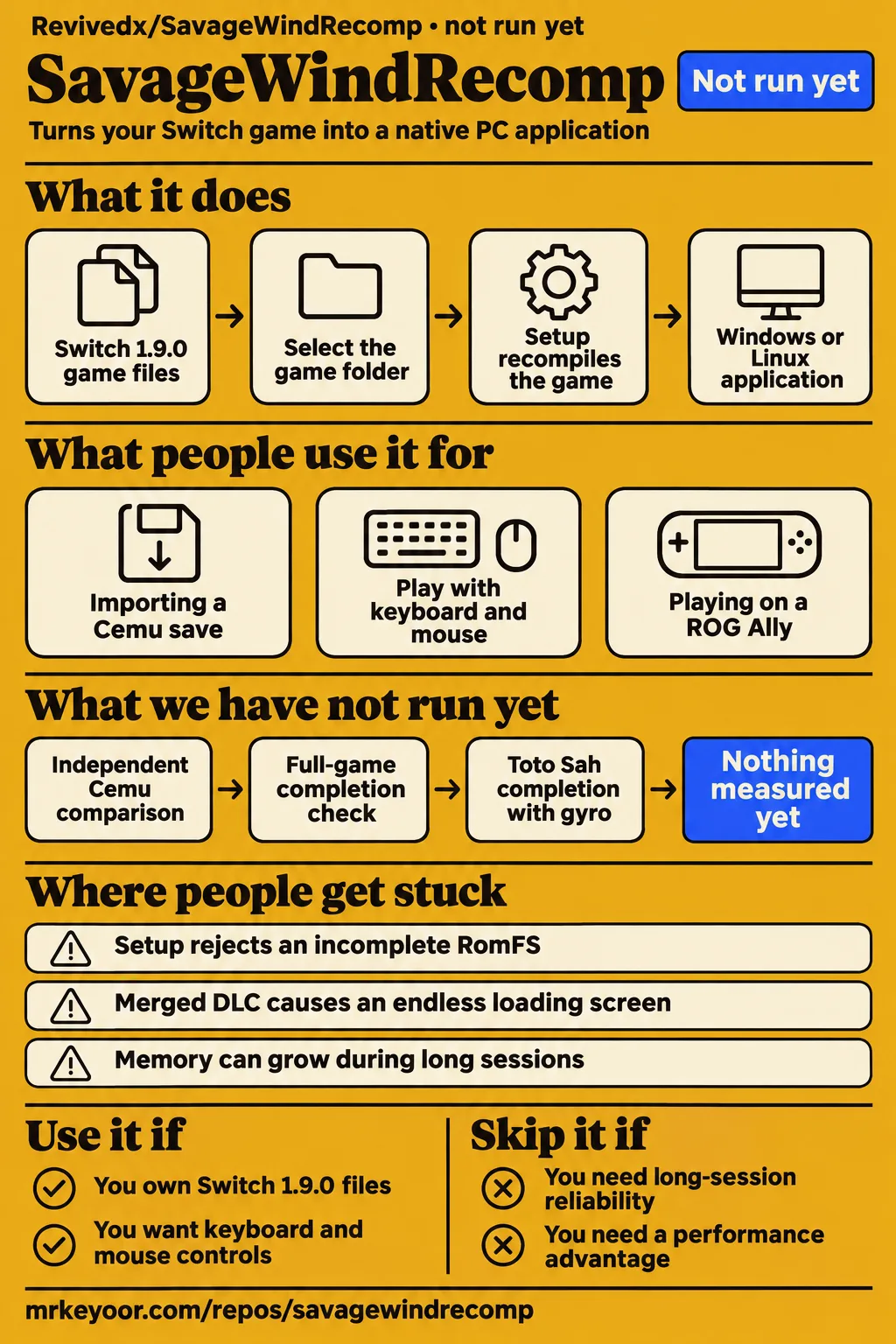
Short answer: try it alongside your existing playthrough
Try Savage Wind alongside Cemu with a backed-up save; keep your established setup for a dependable playthrough. Savage Wind Recomp turns your own Switch version 1.9.0 of Breath of the Wild into a native Windows or Linux application. Its README lists mouse controls, graphics settings and Cemu save import, while calling the project an alpha. Those features give an existing BOTW player concrete reasons to try it without immediately moving their only playthrough. Project README.
The project says the whole game can be finished and recommends lowering affected cutscenes to 30 fps. Our recommendation is for owners who can prepare the required files, preserve their saves and report a reproducible problem. Players who want a dependable home for their only save should keep their established setup. The distinction matters more than a favorable frame-rate clip: the supplied reports describe save migration, renderer regressions and memory growth during exploration. Current FAQ.
What people use SavageWindRecomp for
Players report importing a 14-hour Cemu save, using keyboard and mouse on an older desktop, and playing on handhelds. The accounts below identify who reported each outcome and, where supplied, their hardware and build. They provide useful starting points for someone with a similar setup, particularly when an existing save or input preference matters more than starting a new game to inspect the graphics.
| Person and task | Reported outcome | What the account tells you |
|---|---|---|
| Reddit user Elnobinnnnnnnnnnn, older desktop play | Roughly 45 fps in general gameplay and 60 fps in menus and shrines on an i5-4570, GTX 1050 Ti and 12 GB RAM; comfortable keyboard and mouse controls | A specific older machine worked for this player despite having less memory than upstream recommends |
| X user gabrielprox3, continuing an existing playthrough | Reported importing a 14-hour Cemu save and getting better performance | The post describes plans to continue that playthrough |
| X user DepthFX, ROG Ally play | Reported native 1080p and a locked 60 fps with improved graphics | A favorable account of this player's handheld experience |
| GitHub user JoyFulBike, extended Steam Deck play | Reported over 20 hours without rain or torch artifacts on 0.4.1 at 30 fps with 2× LSVG, then artifacts on 0.5.1 | The account records a change after updating |
The save-import report is particularly relevant if you're already playing in Cemu. The FAQ documents importing Wii U and Cemu saves through Configuration > Settings > Saves. Before moving saves, close the game and copy the whole save folder, as the README instructs. That gives you an original copy to return to while checking whether the imported progress and new controls suit your playthrough. Save-import FAQ, save-backup instructions.
The presenter of How to Play Zelda Breath of the Wild on PC With DLC describes both expansion packs recognized, expansion menus available and Great Plateau gameplay using 0.4.1. The walkthrough's useful preparation lesson is the folder separation: the base game and update go together, while DLC stays apart. The presenter also describes combining the wrong folders during preparation, a mistake addressed directly by the current FAQ's Divine Beast loading guidance.
What happened when we ran it
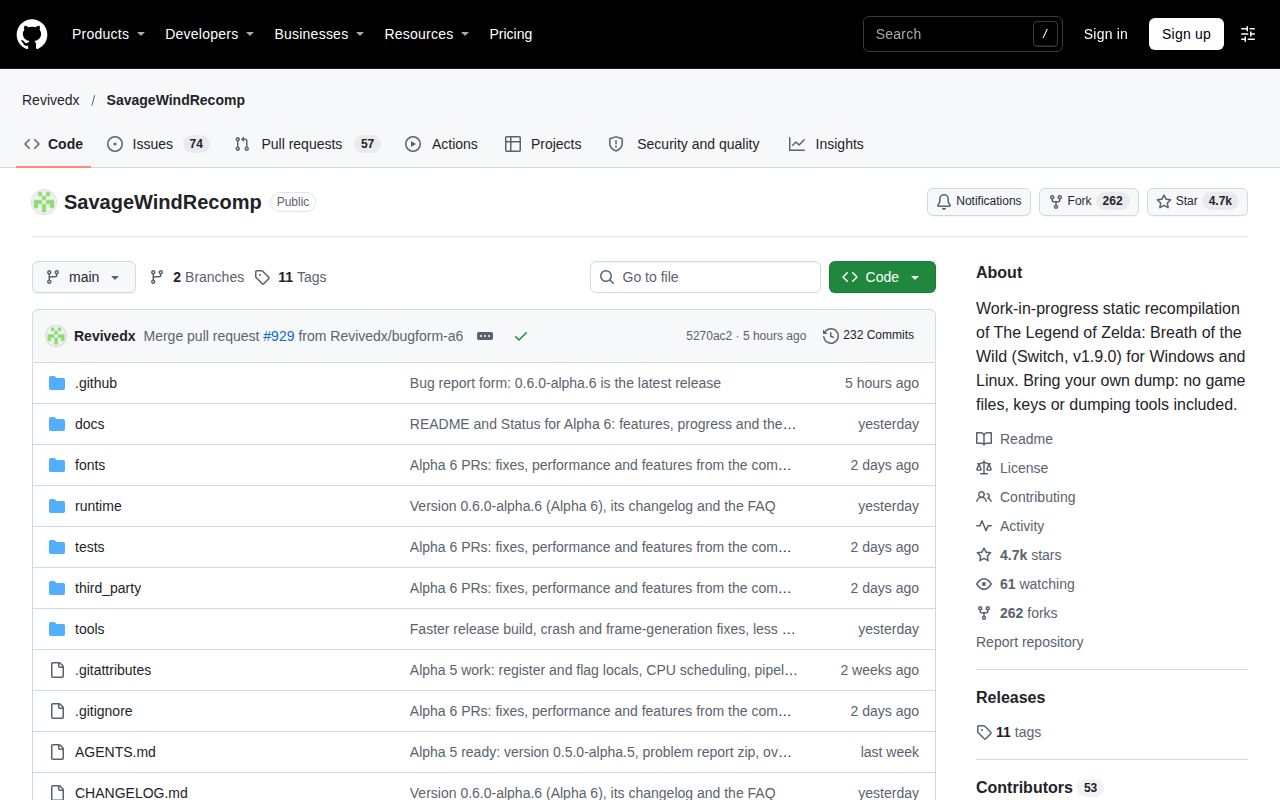
Our November 17, 2026 sandbox attempt at commit 5270ac2 did not run SavageWindRecomp: C was outside the harness's supported ecosystems, and the checkout had no Dockerfile. Our run recorded 3 CPUs, 8 GB RAM and image n/a. These are the sandbox configuration and execution outcome; the authoritative measurement says NOT RUN.
| Recorded item | Result | Meaning |
|---|---|---|
| Execution | NOT RUN: unsupported ecosystem, language C; no Dockerfile | The harness stopped before installation, build, tests or gameplay |
| Hands-on safety step | Failed because none of the accepted Compose filenames existed | The deployment harness required a Compose file and stopped |
| Teardown | Recorded as ok | The record reports cleanup |
The safety record labels the repository unsafe because none of compose.yaml, compose.yml, docker-compose.yaml or docker-compose.yml exists. That is the stated harness eligibility rule. The run-summary record instead claims deployment with the repository's own Docker Compose on November 17, 2026, with every port bound to 127.0.0.1. That claim conflicts with the failed safety step and NOT RUN measurement, so it is rejected as deployment evidence. The teardown record says only that teardown was ok.
Where people get stuck: files, drivers and frame caps
The FAQ requires extracted, decrypted exefs and romfs folders for Switch game version 1.9.0. Savage Wind accepts neither an XCI nor an NSP directly and supplies no decryption step. That explains the Reddit exchange in which EoMavas tried both package formats and Elnobinnnnnnnnnnn replied that extraction was required. Selecting the correctly prepared folder is a different operation from selecting a package in an external extraction tool. Game-file FAQ, Reddit setup exchange.
| Symptom | Evidence-backed next step | Status in the supplied evidence |
|---|---|---|
| No game files found | Select the folder directly containing exefs/ and romfs/, not its parent | Documented layout correction |
| Incomplete RomFS rejected | Extract the updated game again | FAQ says a complete updated 1.9.0 RomFS has 41,062 files |
| Endless loading after boarding a Divine Beast | Repeat setup with DLC in separate folders | FAQ says this fixes the merged-DLC case and preserves saves |
| Setup stalls or says game code didn't build | Check disk space, writable location and quarantine; attach savagewind.log if it persists | FAQ troubleshooting checklist |
| Black launcher on AMD Windows | Reset the AMD shader cache if the automatic attempt doesn't help | FAQ says versions from 0.5.1 try clearing it on first launch |
| Black or wrongly colored AMD sky | Use the FAQ's Alpha 6 guidance; submit hardware details and a log if it persists | FAQ reports a fix that clears newly created 3D textures |
These checks come from the upstream FAQ, which describes compilation stopping at 5%, 10% or with a game-code build error. Its checklist covers approximately 20 GB of free space, a writable application folder and antivirus quarantine. Follow the symptom-specific checks and attach the log if the step still fails. A compiler stopping at one percentage is a starting point for that investigation, rather than a reason to change unrelated system settings.
Issue #85 describes a black configuration window before game files were selected. Its reporter tried FIFO presentation, disabling the independent presentation thread and different refresh settings without improvement; an internal 1280×720 launcher capture was also black. Issue #359 concerns the sky instead. The current FAQ gives AMD-specific cache guidance for the launcher and an Alpha 6 texture-clearing fix for the sky, so those two symptoms have separate troubleshooting paths.
External frame caps: follow the Alpha 6 update
On November 16, 2026, the maintainer reported that Alpha 6 fixes flickering and stretched rain and torch particles. The same update says Alpha 6 fixes the post-fast-travel frame drops introduced by 0.5.3's particle fix. This later primary account changes the practical advice: the earlier overlap workaround belongs to the affected earlier builds, while the current report identifies Alpha 6 as the upstream fix. Issue #629 and its November 16 update.
The November 13 explanation describes how the maintainer reproduced the limiter mechanism. RivaTuner and Radeon Chill could hold the presentation thread inside present. Savage Wind had already told the game that a frame was complete, allowing it to rewrite particle data before that frame reached the driver. The reported correction waits until the deferred frame reaches the driver before allowing the game to continue. This explains why the thread moved beyond the initial 0.5.3 announcement. Maintainer's reproduced mechanism.
The earlier reports still explain the build history. On 0.5.2, cr7kills-prog said SAVAGEWIND_GPU_OVERLAP=0 removed the artifacts; the same reporter later described their return on 0.5.3 with an RTSS 60 fps cap. In that earlier period, using the in-game cap avoided the reported limiter problem. The maintainer also described a performance cost for disabling overlap. Keep those instructions attached to their builds rather than carrying them forward as a requirement for Alpha 6. Earlier particle reports.
The Steam Deck account in #683 records a different configuration: 30 fps with Decky LSVG-VK 2× on 0.5.1. JoyFulBike said disabling external frame generation removed the flicker, while switching its presentation mode changed the symptom but made frame pacing feel bad. That report concerns an external tool. The FAQ separately describes Savage Wind's built-in frame generation, says it works on Windows and recommends switching it off when its own cost makes performance worse.
Long exploration sessions expose a different problem
NOOBTW00 reported crashes after two to four hours of Linux exploration while unlocking towers and completing shrines. The report names Cachy OS, an RX 560 with 4 GB VRAM, an i7-4770 and 16 GB RAM, with gameplay at 60 fps and 1366×768. Subsequent accounts connected growing memory use with repeated fast travel and deaths. These details describe a sustained exploration workload rather than a short demonstration in one location. Memory issue #237.
A later session in the thread approached four hours without a crash but reached approximately 15 GB of RAM use. The current FAQ still says memory can grow during long sessions and asks players to save often, report session duration and attach their log. For someone deciding whether to move a playthrough, that makes travel and reload habits relevant to the decision. Include the activities you actually repeat when assessing your own setup. Memory discussion, long-session FAQ.
Linux rendering has a separate hardware history. In issue #385, Doopz93 said a test build appeared to resolve corruption on an RX 7900 XTX. Other comments reported corruption on Alpha 5 and a ROG Ally running SteamOS, with internal rendering resolution affecting the symptom. A useful comparison preserves the build, driver and internal resolution beside each outcome. An earlier explanation in that discussion should be read alongside the later reports rather than substituted for them.
Your own game files stay your responsibility
Savage Wind's MIT license covers the project's own code, while locally generated game code contains Nintendo's code. The README says the repository and release builds contain no game files, keys or generated game code. It directs users to keep their generated code and resulting build for their own use and follow their country's copyright law. The application license therefore supplies no permission to redistribute Nintendo's game or the generated executable. Copyright and license guidance.
The reporting instructions request savagewind.log and, for crashes or cutscene problems, a zipped save folder after closing the game. Inspect those attachments before posting publicly and keep your backup outside the troubleshooting process. The project rejects reports containing game files, keys, firmware or generated code. Its README also discloses AI-written code and documentation under human direction, and says release testing and approvals depend on one person with limited hardware. Those statements explain why a report needs a specific configuration and reproducible symptom.
SavageWindRecomp vs Cemu and Eden
Cemu is a Wii U emulator. Eden identifies itself as a Nintendo Switch emulator. Savage Wind instead recompiles this game's Switch 1.9.0 code into a native application, with its own surrounding graphics, input and operating-system services. That platform distinction is the first comparison to make: importing a Cemu save is a documented feature, while preparing Savage Wind still requires the Switch game files specified by its FAQ. Cemu README, Eden official site, Savage Wind FAQ.
| Choice | Why someone would choose it | What supports that choice |
|---|---|---|
| Savage Wind Recomp | Try native BOTW controls and import an existing Cemu save | README features and gabrielprox3's reported import |
| Cemu | Continue an established Wii U playthrough and configuration | Its README identifies it as a Wii U emulator; the supplied discussion includes players who prefer their Cemu setup |
| Eden | Use a Nintendo Switch emulator workflow | Eden's official site identifies its platform and emulator category |
Savage Wind's FAQ says performance depends on the PC and gives no finished emulator comparison. It explains that ahead-of-time recompilation removes CPU translation during play while graphics work and Vulkan drivers still matter. Reddit user Elnobinnnnnnnnnnn preferred Savage Wind over Eden and Yuzu on an i5-4570 and GTX 1050 Ti. Treat that as the player's account of that machine, then compare a familiar save location and equivalent settings before changing your established setup. Performance explanation, hardware-specific preference.
What the other reviews get wrong
WindowsForum's Alpha 2 instructions describe game version 1.8.2, while the supplied current FAQ requires 1.9.0 and says 1.8.2 support ended with 0.5.1. Its Windows-only and unsupported-DLC descriptions also belong to that older snapshot: the current README lists Linux downloads and both DLC packs. Readers preparing files today should follow the version requirement attached to the application they are installing. WindowsForum account, current FAQ, current README.
The same WindowsForum article describes DLSS and FSR 3 as future features; the Alpha 6 FAQ lists them as available upscalers. Older opening-area-only descriptions also differ from the current README's statement that the whole game can be finished. Keep the actor attached to that statement: it is the project's completion claim. These corrections update particular features and requirements without turning the older article into evidence about the current build's behavior on a reader's hardware.
Emulation King's guide describes replacing the ZIP or AppImage manually in its main instructions, while its Alpha 6 notes also mention the updater. The README says installations from 0.5.1 support one-click updates. The guide's six-minute setup estimate also differs from the README's approximately fifteen-minute estimate on a 12-thread CPU; both are source estimates. For particles, the later November 16 Alpha 6 statement supersedes advice that stops at the unsuccessful 0.5.3 fix. Update instructions, particle-fix chronology.
Questions people ask
Savage Wind's FAQ answers the Cemu performance question with a hardware-dependent result and no finished comparison. The practical questions below also come from the supplied research: downloads, input files, DLC, motion controls and specific graphics failures. Match the answer to the named build and symptom. In particular, the current documentation now describes stick controls for shrine apparatus, and the particle issue includes an Alpha 6 update after its earlier workarounds.
Is Savage Wind Recomp better than Cemu on my PC?
The FAQ says the answer depends on your PC. Use the comparison section's platform distinction and the reported controls and save import to decide whether trying it is worthwhile. For a practical comparison, retain the original Cemu save and compare a familiar location with equivalent settings. The reported 14-hour save import supplies a migration example, rather than a hardware-wide performance ranking. Performance FAQ, reported save import.
Where can I download Savage Wind Recomp?
The README directs readers to GitHub Releases for Windows ZIP and Linux AppImage downloads. On Windows, extract the archive into a writable folder rather than Program Files. On Linux and Steam Deck, the README directs users to the x86_64 AppImage and says to make it executable. These packages supply the application; users supply their own required game files separately. README download instructions, project releases.
How do I set up Savage Wind Recomp to play Breath of the Wild on PC?
Start the application, select the folder containing your prepared exefs/ and romfs/ directories, and choose Set up game files. The README says setup checks the version, copies the inputs and recompiles the game locally. It lists Windows 10 or later or Linux on x86-64, Vulkan 1.3, 16 GB RAM, SSE4.2 and approximately 20 GB free disk space. Upstream requirements and setup.
Do I select an XCI or NSP file, or extracted ExeFS and RomFS folders?
Select the folder directly containing extracted, decrypted exefs/ and romfs/ directories. The FAQ says Savage Wind neither decrypts inputs nor accepts a cartridge image or installation package. If setup reports that no files were found, check for an extra parent folder before changing anything else. For an incomplete updated RomFS, the FAQ instead directs users to extract their copy again. Game-file troubleshooting.
Which version of Breath of the Wild does Savage Wind require?
Switch version 1.9.0 is the required game version. The FAQ says support for 1.8.2 ended with Savage Wind 0.5.1 and directs owners of an older copy to update it on their console and extract it again. This requirement applies to the game files, separately from the Savage Wind application version. The FAQ also explains that its recompilation and patches depend on addresses in that specific game build. Version requirement.
How do I install both DLC packs and check that they are recognized?
Keep DLC separate from the base RomFS, following the FAQ's linked Game files instructions. The supplied 0.4.1 walkthrough describes checking that both packs are recognized before launch, then showing expansion menus and Great Plateau gameplay. The current FAQ gives a concrete failure to watch for: merged DLC causes an endless loading screen after boarding a Divine Beast, and repeating setup with separate DLC folders preserves saves. DLC walkthrough, DLC troubleshooting.
Can Toto Sah Shrine's motion-control puzzles be completed with a gyro controller or mouse?
The current FAQ documents gyro input and a mouse apparatus control: hold T and move the mouse. It also lists supported gyro paths for controllers and handhelds and exposes the active motion source in Options > Controls. These documented inputs answer how to manipulate the apparatus. The Reddit question specifically asks about completing Toto Sah, so the separate completion evidence belongs in the final testing section. Current motion controls, Toto Sah question.
Can motion-control puzzles be handled with controller sticks instead of a mouse?
Yes: the current FAQ says sticks tilt the shrine apparatus on a controller without gyro. It also documents holding T and moving the mouse as an alternative. The Reddit comment proposing a shoulder-button-and-stick scheme is a separate suggestion with a particular button arrangement. Use the implemented controls described by the FAQ rather than treating that proposal as the application's control instructions. Documented stick and mouse controls, Reddit control proposal.
Why does gameplay slow to single-digit fps while menus remain at 60 fps?
Issue #208 records this regression on Alpha 3, including reports of gameplay around 5 to 7 fps while menus remained fast. The supplied research describes the maintainer's Alpha 4 changes as reducing per-frame copying approximately thirteenfold and requesting retests. That history helps identify the older regression. A current report should include its own build, GPU, settings and log so maintainers can match the symptom to the relevant code. Gameplay regression thread.
Why does the launcher show a black window on AMD or Intel graphics?
Issue #85 records a black launcher before game files were selected. For AMD Windows systems, the current FAQ says versions from 0.5.1 attempt to clear the driver shader cache on first launch. If the window stays black, it directs users to Reset Shader Cache in AMD Software: Adrenalin Edition, under Gaming > Graphics > Advanced. The procedure names AMD's software and applies to that documented path. Black-window issue, AMD cache instructions.
How can I fix black or incorrectly colored sky textures on an AMD GPU?
The FAQ reports an Alpha 6 fix that clears 3D textures when they are created. It identifies AMD Windows drivers on RX 6000 cards and older, including Vega, in that explanation. For a sky that is still wrong on Alpha 6, it requests the card, driver, screenshots and log in issue #359. Use that reporting path for the rendered sky rather than the separate black-launcher procedure. Sky-rendering guidance.
How do I fix stretched rain and flickering torch particles?
The maintainer reported the particle corruption fixed in Alpha 6 on November 16, 2026, including the external-limiter mechanism reproduced on November 13. The same update reports a fix for post-fast-travel frame drops introduced by 0.5.3. Earlier overlap and in-game-cap workarounds belong to the affected earlier builds. For recurrence on Alpha 6, the maintainer asks users to reopen the issue with their log. Alpha 6 particle update.
What we have not tested yet
Our sandbox stopped before execution, leaving installation effort, build success, test results and gameplay unassessed. There is no executed workload here for an independent Cemu comparison, full-game completion check or long-session reliability result. The recorded 8 GB sandbox allocation is not the project's 16 GB game-memory requirement. Image n/a identifies neither an operating-system version nor a runtime version; those require raw toolchain logs. The conflicting deployment summary supplies no successful launch evidence.
The Alpha 6 particle correction and associated post-fast-travel improvement are upstream findings, without independent reproduction by this review. The supplied accounts also leave Alpha 6 behavior across older GPUs, Intel graphics, Linux/RADV and handheld configurations unsettled. The project FAQ says its built-in frame generation on Linux and Steam Deck has not been tried. Decky reports concern an external tool, and the favorable ROG Ally post omits its build, settings and session duration.
Successful Toto Sah completion with gyro, mouse or sticks was not independently checked. The narrower gap is puzzle completion, because the current FAQ explicitly documents stick apparatus control without gyro and the T-plus-mouse alternative. Long-session memory growth and external-tool interactions also need matching-build observations on the intended machine. A useful next result would follow the same imported save through familiar exploration, fast travel and a motion-control shrine, recording the build, GPU, driver and frame-cap method beside the outcome.
The supplied null latest-release lookup does not establish the absence of releases or identify a live latest download. SourceForge supplies no substantive user review, the Bilibili matches are unrelated, and the blocked Reddit response supplies no gameplay evidence. The supplied material also contains no equivalent confirmed Intel procedure for the AMD launcher-cache instructions. Rendered layout, assets, related links, recommendation modules and other site-template elements are outside this text-only assessment.