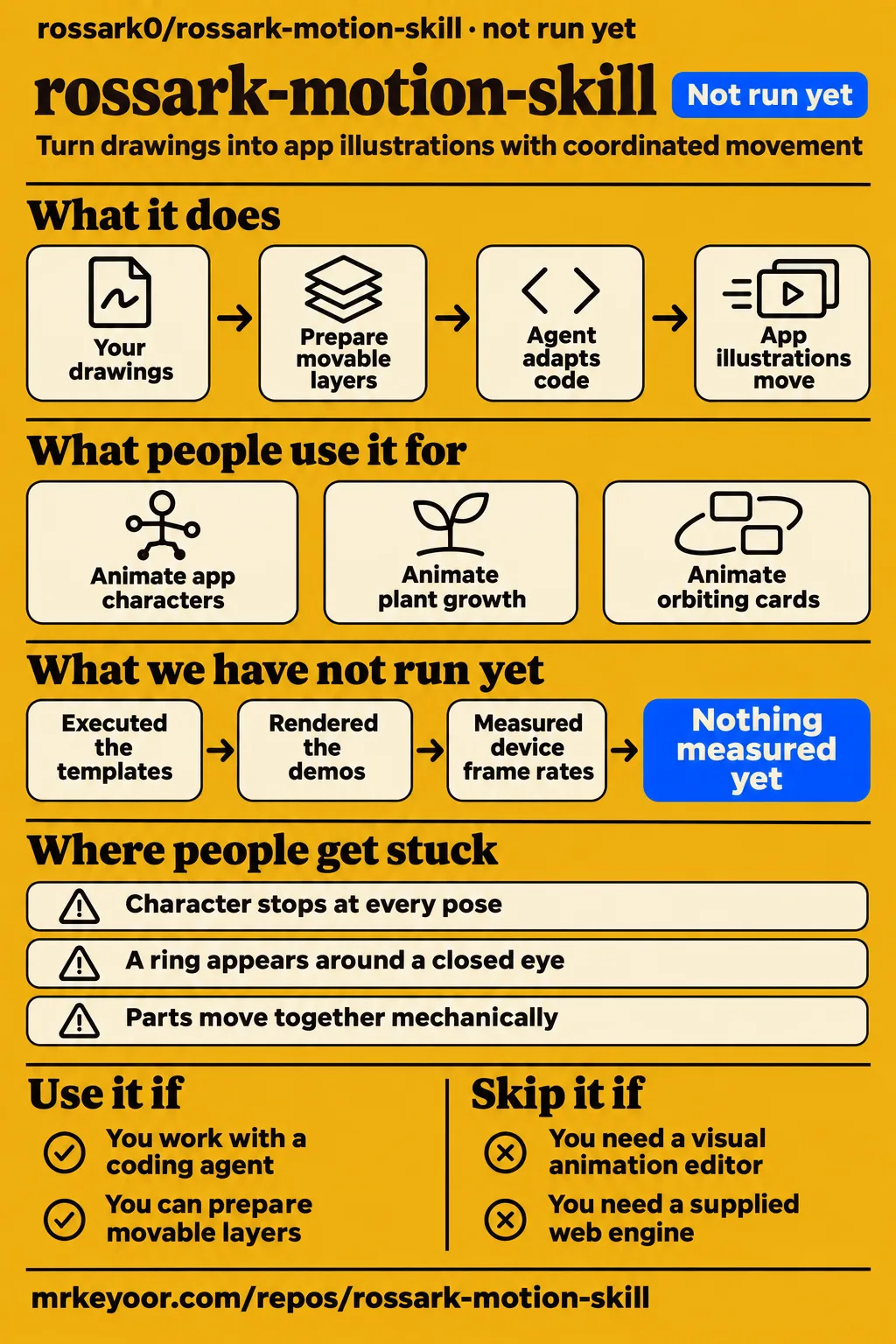
Use rossark-motion-skill if you already work with a coding agent and want to animate app illustrations in React Native or SwiftUI. Skip it if you want a visual animation editor or a supplied web engine. Our sandbox stopped before execution: Swift was outside its supported ecosystems and the checkout had no Dockerfile. The useful evidence here is the author's code, documented method and named demos, with that execution boundary kept explicit.
What people use rossark-motion-skill for
The author used rossark-motion-skill for app illustrations and published scenes involving character acting, plant growth and moving props. These examples make a better starting point than the claim that it can animate anything: each gives you an action to compare with your own brief.
The author, rossark0, traces the skill to onboarding and paywall illustrations in an app. Repeated corrections from that work became animation rules for the agent. This is a concrete use case for developers preparing characters inside an app: the work concerns how a drawing acts, including its pupils, blinks and poses. Author's app-illustration account and skill origin
The author, rossark0, created Reveal entirely in code as a character-acting scene. The README describes a 9-second loop at 60 fps in which a child hovers, lands, follows a ball with their eyes, kicks it and waves. That makes Reveal a specific reference for a developer planning a character entrance with several connected actions. Reveal use case and choreography
The author, rossark0, built Garden as a watering and plant-growth scene. The README describes a 10-second loop with pouring, staged growth, a butterfly landing and trailing movement in the character's pigtails, hat and watering can. This use case gives developers a reference for coordinating a character, a growing plant and a visiting creature within one scene. Garden use case and choreography
| Who used it | What they made | Reported result |
|---|---|---|
| rossark0, the author | Onboarding and paywall illustrations | Repeated corrections became the skill's animation rules. Project skill |
| rossark0, the author | Reveal, a child entering and kicking a ball | The author describes continuous poses, landing squash, eye tracking and a wave in a scene drawn and animated in code. Author's account |
| rossark0, the author | Garden, a watering scene | The author describes staged plant growth, a butterfly landing and delayed movement of hair, hat and watering can. Demo descriptions |
| rossark0, the author | Chef, a pancake-flipping scene | The author describes a pancake landing on a hat and being caught in the pan, with coordinated contact between props and character. Demo descriptions |
| rossark0, the author | Orbit, cards around a floating bird | The author describes cards passing in front of and behind the bird, wing motion and seeded sparkles. Demo descriptions |
The Chef example is particularly useful for judging scope. A pancake must leave the pan at the right position, the eyes must follow it, and the hand must stay attached to the handle. That is a more demanding brief than making a whole image bob up and down. The README explains those contacts explicitly, giving a developer something concrete to inspect in the scene source rather than asking them to accept a mood word such as natural.
On X, rossark0 also reports making a mobile game through prompting with the skill, pluy engine and Claude Opus 5.5. That is the author's account of a combined workflow, not a result attributable to this skill alone. For a first evaluation, the named illustration scenes offer a much clearer brief than reproducing a whole game. Author's X posts
What happened when we ran it
Our sandbox attempt on November 16, 2026 at commit 9b20964 did not run the project because Swift was unsupported by the harness and no Dockerfile was present. The recorded configuration was 3 CPUs and 8 GB RAM, with image listed as n/a. Those are sandbox settings, not the project's hardware requirements or an identified operating system.
| Recorded check | Result | What it means |
|---|---|---|
| Supported execution path | NOT RUN: Swift ecosystem unsupported; no Dockerfile | No install, build or test result |
| Hands-on safety step | FAILED: none of compose.yaml, compose.yml, docker-compose.yaml or docker-compose.yml exists | The hands-on runner required a Compose file and stopped |
| Teardown | ok | Cleanup status only |
The safety record uses the label "unsafe repo" for that missing-file check. This is a runner rule, not a finding of malicious code. There is no application exception to diagnose: the recorded failure concerns the execution path the runner required.
The run summary says "deployed with its own docker compose," which conflicts with the failed safety step. We treat that summary as an inconsistent record, not proof of a deployment. The teardown record says cleanup succeeded. Neither record supplies a successful animation task. Our finding is a skipped execution, so there is no measured setup speed to turn into a recommendation.
Where people get stuck: the drawing has to support the movement
The project's own notes ask you to record rig limits such as baked-in eyes, a missing head layer or a single flat image. That makes artwork preparation part of the work. Before asking an agent to make a mascot blink, inspect whether the eyes and lids can actually be drawn separately. Project notes
The author describes repeatedly correcting jumping pupils and blinks that flickered while working on app illustrations. The written method preserves those corrections as rules. Its value is in giving the agent a specific change to make when an animation looks wrong, with guidance you can review in code. Author's account
| Symptom described in the docs | Documented response | How to use that guidance |
|---|---|---|
| Character stops at every pose | Use flow for acting chains; reserve track for individual movements | Inspect how the pose sequence is interpolated. Method |
| A ring appears around a closed eye | Clip the lid and cheek against a shape larger than the eye white | Inspect the clipping geometry before changing blink timing. Live-face instructions |
| Parts move together mechanically | Use delayed follow-through from the shared clock | Separate the body's action from trailing hair or forearms. Project notes |
| Requested motion contradicts the art | Record the rig limit in MOTION.md | Change the brief or prepare the required layers first. Project notes |
These are documented techniques, not fixes reproduced by our lab. A useful review session would isolate one symptom: watch the landing, inspect whether the body freezes, then change the pose interpolation before adjusting the whole scene. The distinction between a single movement and a chain of acting poses gives that session a clear starting point.
React Native and SwiftUI get templates; web needs implementation
React Native and SwiftUI receive motion-engine and live-face templates, while web developers apply the method themselves. The React Native path uses react-native-svg and Reanimated; the SwiftUI path uses TimelineView and Canvas. The web guidance points to requestAnimationFrame and SVG or CSS transforms. Platform summary
For a mobile developer, the supplied engine gives the agent code to adapt alongside the instructions. You still supply the face geometry and colors. For a web developer, the deliverable starts one step earlier: take the timing and drawing principles and implement them in your chosen stack. A list of shared principles should not be confused with equal amounts of supplied code on each platform.
The README documents re-rendering the demo scenes on macOS 14 or newer, using Swift and ffmpeg. That requirement concerns the documented offline renderer. It should not be extended into a claim that every use of the animation method requires a Mac. Decide whether you need a live illustration inside an app, or exported demo footage, before choosing the workflow. README
Many moving parts share a clock, not identical timing
The method drives a scene from shared time while delaying individual parts and giving repeated items seeded variation. That is how it reconciles coordination with motion that avoids looking mechanical. Hair can trail a head turn without drifting onto an unrelated animation schedule. Project notes
The performance instructions say to draw many items in one SVG or Canvas and pause animation when it is off screen, hidden or in the background. They also describe a static opening frame for reduced motion and a final frame for one-shot actions. These are useful implementation requirements to retain when an agent adapts the example, especially when an illustration sits inside a scrolling application rather than alone in a demo.
I would make those behaviors acceptance criteria for generated code. Scroll the illustration out of view, return to it, and switch the operating system's reduced-motion preference. The point is to check the promised lifecycle behavior alongside the visible acting. A pleasing loop can still be the wrong implementation if it keeps drawing while the user is elsewhere. This is a suggested evaluation, not a test performed for this review.
Reference-video tools execute local programs
The repository includes tools for video contact sheets, edge tracking and color sampling, and its tracker invokes ffmpeg. The tracker identifies subjects by proximity to supplied colors and captures decoded raw video output in memory. It is a concrete measurement technique with inputs to configure, rather than a general understanding of every object in a clip. Tracker source
For a clean illustration with a distinct subject color, measuring its top or side edge is an understandable way to estimate a bob or squash. The developer chooses the crop, target colors and sampling positions. Read those options before treating the output as a motion specification: the selected pixels determine what the tool follows.
The Gen Agent Trust Hub audit describes subprocess calls to ffmpeg and ffprobe and notes that arguments are passed as lists rather than shell strings. That is a narrow observation about those calls, not our security verdict. Keep your agent's command permissions appropriate to the project, inspect scripts before execution, and use reference artwork you have rights to adapt. External audit
rossark-motion-skill vs Rive and direct Reanimated code
The author says the skill is enough for some blinking mascots and looping scenes previously made with Rive. That is a useful personal workflow comparison: it identifies the work the author moved into code, without proving that the two tools cover the same needs. Author's comparison
| Choice | Supported distinction | When I would choose it |
|---|---|---|
| rossark-motion-skill | The author reports using generated code for some mascot and looping-scene work previously done in Rive | You want an agent to adapt app illustration code and can review the result |
| Rive | Its runtime loads .riv files and advances state machines and animations | Your chosen workflow revolves around Rive files and state machines |
| Direct Reanimated code | Reanimated is a library for animations and interactions in React Native | You want to write the animation logic yourself rather than adopt an agent's instruction set |
Rive's current README describes both coding-agent and visual-editor workflows. Calling Rive a purely manual alternative would be inaccurate. The practical question is whether your team wants to own generated illustration code or work with Rive's file and runtime model. The author preferring the former for a mascot does not decide that question for an interactive product.
Reanimated is also part of rossark-motion-skill's documented React Native approach. Choosing it directly means taking responsibility for the choreography that the skill tries to teach an agent. Treat it as an alternative way to author the behavior, rather than an unrelated engine whose presence proves the skill unnecessary.
What the other reviews get wrong
TypingMind's listing says bundled files are read-only and never executed, but the project's general workflow includes executable video-analysis utilities. Its wording should not be carried over into a description of what a command-capable coding agent does with the repository. This correction concerns the project workflow, not evidence that TypingMind itself executes the utilities. TypingMind listing and external audit
Skillmaster's assessment explicitly says it did not receive the referenced templates, tools and demo, and that the skill text was truncated. Read its rating within that scope. A favorable description assessment answers a different question from whether the supporting code renders correctly on your target device. Skillmaster assessment
The Instagram post credited to botsgone.wild explicitly says its footage comes from the repository's demos. The YouTube explainer titled "This Claude skill brings your drawings to life" describes the child kicking a ball and the chef catching a pancake. Those are recognizable project examples. These records help explain the technique, but their repeating a scene should not multiply the number of projects credited with using it. Instagram credits, YouTube transcript
Questions people ask
rossark-motion-skill fits developers using a coding agent to animate drawings, with supplied templates for React Native and SwiftUI. The fit-check video describes that audience and explicitly distinguishes the workflow from a drag-and-drop animation app. Fit-check video
Is rossark-motion-skill right for my project?
Use it if your project can accommodate code-generated illustration motion and you can inspect the geometry and timing. The author uses it for app characters and looping scenes. If you want to edit motion visually, evaluate an editor workflow first. Author's account
What is SVG?
SVG represents an image using shapes and lines rather than a grid of pixels. The fit-check video explains why this matters here: code can move the drawing's individual parts. Preparing those parts is separate from deciding how they move. Video explanation
What can rossark-motion-skill animate?
The documented subjects include characters, plants, fire, water, weather, icons, logos, charts and scenes. The named examples offer more concrete evidence: watering a plant, kicking a ball, flipping a pancake and orbiting cards. Project examples
Who is rossark-motion-skill for?
The README addresses designers and engineers bringing drawings into their apps. In practice, its instructions are most useful when someone can review the animation code and prepare the drawing's movable layers. README
Does everything move at the same time?
No. The documented method uses a shared clock with delayed follow-through and seeded variation. Parts can remain coordinated while moving at different phases, such as hair following a head turn. Project notes
What does the resulting animation look like?
The author's Reveal scene has a child hover, land, kick a ball and wave. Chef has a pancake fall onto a hat before being caught in a pan. These are the author's published examples, with choreography described in the README. Demo descriptions
Where has rossark-motion-skill been used?
The author traces it to onboarding and paywall artwork in an app and publishes the named demo scenes. The app origin is attributed to the author, with no conversion or revenue result attached. Skill origin
Can I use a reference video?
Yes. The documented workflow uses contact sheets, edge tracking and color sampling before implementing motion. The edge tracker takes a crop and subject colors, so matching the input setup matters to what it measures. Tracker source
How much does rossark-motion-skill cost?
The author says the skill is free to use, and GitHub identifies its license as MIT. That concerns the repository, not a promise that your chosen coding agent, hardware or surrounding workflow costs nothing. Author's account
Where can I find the project link?
The upstream project is rossark0/rossark-motion-skill on GitHub. Its README links the method, project-notes file, platform templates, video tools and demo sources, so start there rather than a directory's install card.
What we have not tested yet
We have not executed the templates, rendered the demos, measured device frame rates or battery use, or reproduced the reference-video workflow. The unsupported sandbox attempt supplies no installation result, build result, test count or vulnerability assessment. Actual runtime and operating-system versions require raw toolchain logs. A demo described as 60 fps is not a measured guarantee across devices.
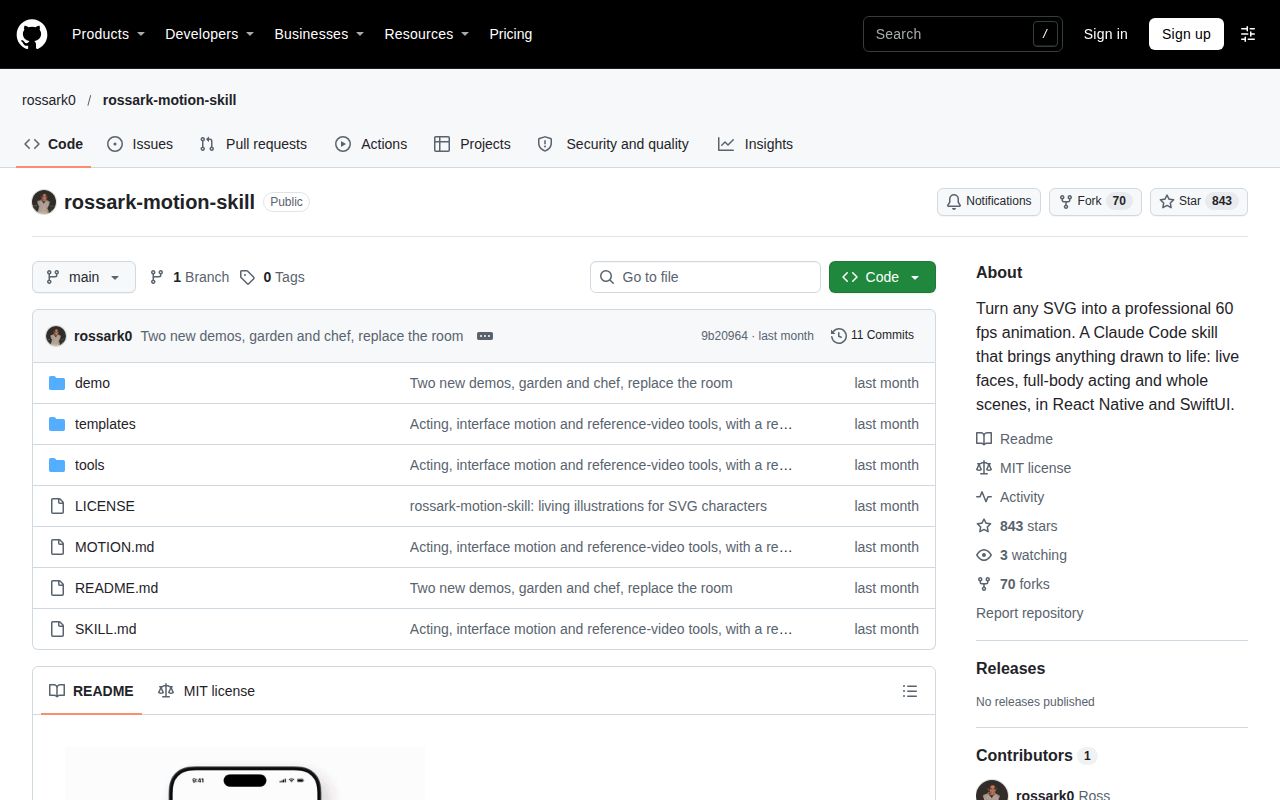
Independent adoption is also thin in the supplied evidence. The app work and named scenes come from the author, while social coverage reuses project footage. The mobile-game post does not establish release status, and the records provide no attributable independent production walkthrough. GitHub's public API on November 17, 2026 reported 843 stars, zero open issues and PRs, and a last push on October 22, 2026. Attention and an empty tracker cannot establish support responsiveness or reliability. The supplied latest-release lookup is null and does not establish whether releases exist. Repository facts
The tracker also needs practical evaluation for ambiguous colors and larger clips. Its decoded-video capture suggests a memory question worth measuring, but the source supplies no resource benchmark or accuracy result. We have not compared it with Rive on the same task. The next useful result is one of your drawings running on your target device, including its loop seam, reduced-motion state and behavior after leaving and returning to the screen.