Short answer: experiment with it, don't promise a full playthrough
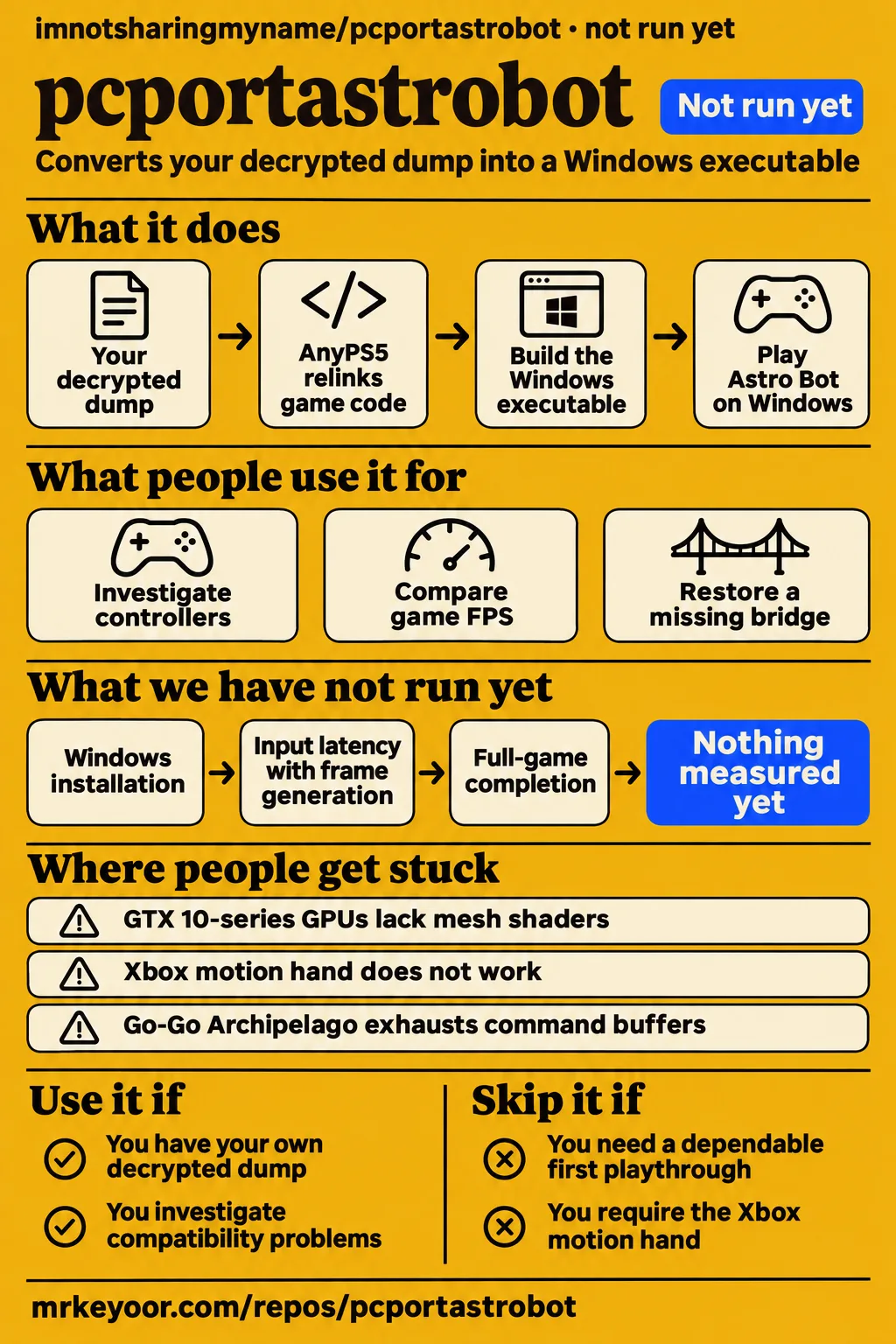
Use AstroHybrid to investigate Astro Bot on a compatible Windows PC with your own decrypted dump; skip it for a dependable first playthrough. That recommendation follows the difference between a working launch and progression: players in issue #194 report missing bridges and a missing ending cutscene. The project gives experimenters graphics settings, controller choices and logs to work with, while those reports give completion-focused players a concrete reason to wait.
The author reports 32-34 game FPS in Sky Garden and about 124-128 displayed FPS with 4x frame generation on a Ryzen 5 5500 and RTX 5060. Those are the author's measurements on one PC. The distinction belongs near the verdict because the larger number counts inserted frames. It describes the displayed output, while the smaller number describes the rate at which the game produces its own frames.
AstroHybrid turns a dump into a Windows executable
AnyPS5 relinks Astro Bot's existing x86-64 code into AstroBot.exe, according to the README's architecture description. Replacement Windows modules implement console services such as audio, controller input and save data. A GPU stack taken from KytyPS5 translates the game's GPU work to Vulkan through kyty_gpu.dll. This is the mechanism behind the project's native-port description, rather than the automatic translation into C or C++ described by one external listing.
The README documents NVIDIA DLSS Super Resolution, DLSS Frame Generation and Reflex through Streamline 2.14.16 on Vulkan. It also lists DualSense, DualShock 4, Xbox, Switch Pro and generic controller support. These are specific capabilities of the documented port: a Windows executable built from a decrypted dump, a graphics translation layer and added PC options. The author describes the work as a personal research project using Astro Bot PPSA21567, version 01.019.000.
What people use pcportastrobot for
The author reached the title screen after converting a personal dump, and players have used AstroHybrid to investigate controllers, CPU compatibility and storage layouts. The development log records the author's launch, while issue threads identify the players and versions behind individual outcomes. The examples below distinguish those activities so a successful repair, controller connection or title-screen launch keeps its original meaning.
What happened when we ran it
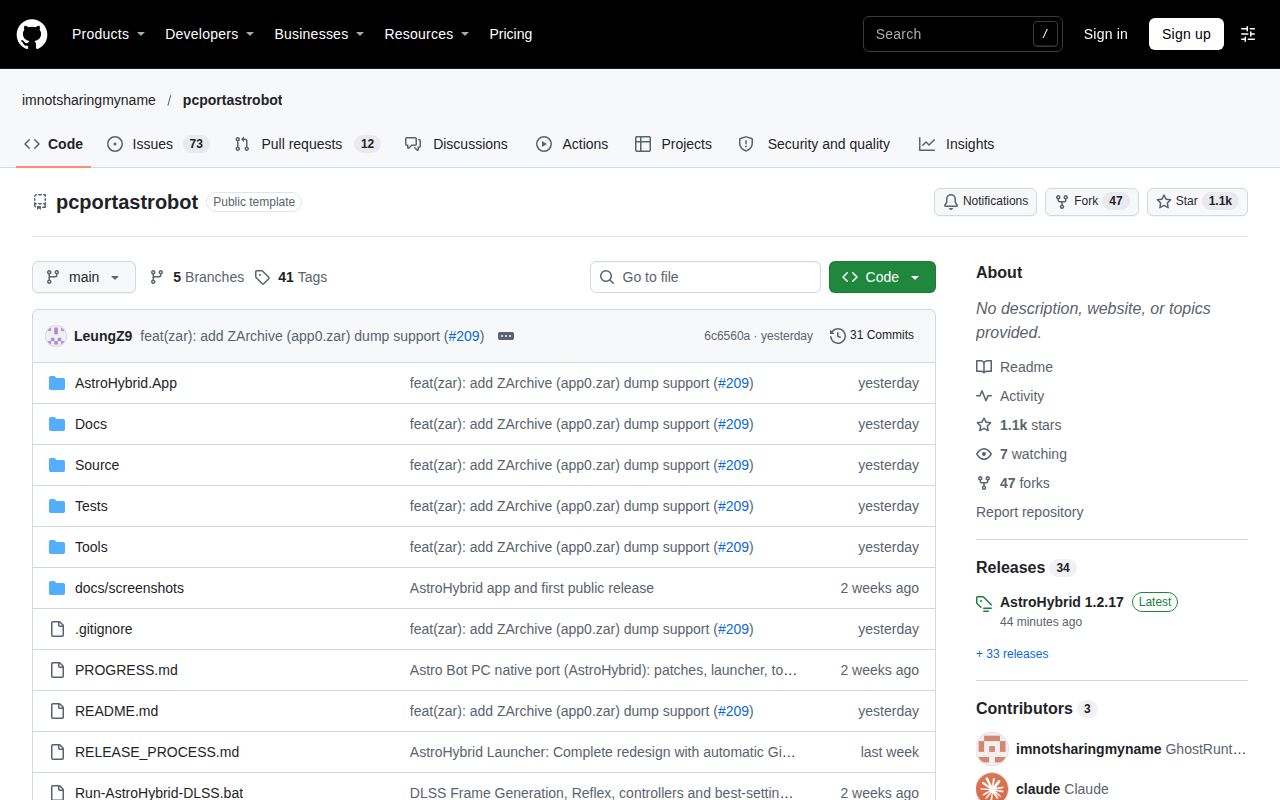
Our November 23, 2026 assessment at commit 6c6560a ended not run because C# was outside the harness's supported ecosystems and no Dockerfile was present. Our run recorded that execution barrier, together with a sandbox configuration of 3 CPUs, 8 GB RAM and image n/a. The checkout identifies the assessed revision; the release page separately identifies v1.2.17, published later on November 23, as release commit 926bd04.
| Question | Answer | Verdict | Why |
|---|---|---|---|
| Which revision did the harness assess? | 6c6560a on November 23, 2026 | Revision identified | The harness recorded that checkout. |
| Could the harness execute its normal install, build and test route? | No supported ecosystem for C# | Not run | The ecosystem check stopped execution. |
| Was a Dockerfile available? | No | Container route unavailable | The harness recorded no Dockerfile. |
| What configuration was recorded? | 3 CPUs, 8 GB RAM, image n/a | Configuration recorded | These are sandbox fields. |
| Did the separate Compose prerequisite pass? | No compose.yaml, compose.yml, docker-compose.yaml or docker-compose.yml existed | Failed | The safety step required a Compose file. |
| What did the separate run summary say? | Deployed with its own Docker Compose on November 23, 2026, with every port bound to 127.0.0.1 | Conflicts with prerequisite failure | The summary asserts deployment, while the prerequisite records missing Compose files. |
| Did cleanup finish? | teardown: ok | Cleanup recorded | The teardown entry reports success. |
The safety log's label was unsafe repo, followed by the explicit reason that a Compose file was required. That is a prerequisite rejection, rather than a finding of malicious code. The failed prerequisite takes precedence over the contradictory deployment sentence. Keeping both entries visible explains why the assessment ends at the execution barrier instead of presenting the summary as a successful deployment.
Where people get stuck: match the log to the failure
Error 321 covers several failures in issue #6, including unsupported mesh shaders, GPU stalls and video-memory exhaustion at 4K. The maintainer reports fixes through 1.2.13 for causes found on supported hardware and separately lists GTX 10-series, RX 5000 and Intel UHD as unsupported. Matching the hardware and log message to the thread is more useful than treating the exit number as one diagnosis.
| Symptom | What the thread reports | Action supported by that thread |
|---|---|---|
| GTX 1080 fails with VK_EXT_mesh_shader | Required mesh shaders are absent | Issue #6 lists GTX 10-series as unsupported. |
| Intel CPU hangs after the title screen | Game code contained AMD-specific instructions | Version 1.0.3 converts those instructions during setup; existing installations use Repair. |
| Repair says No game dump configured | Older installations could lack a saved dump path | Version 1.0.4 asks the user to select the dump folder. |
| Go-Go Archipelago exhausts command buffers | The author traced the crash to command-buffer overflow | Version 1.2.7 and later upgrade installed executables on Play to use 16 MiB buffers and a larger graphics-memory pool. |
| External-drive setup cannot create folder links | Windows refused the linking route | Since 1.2.7, Repair or setup can enable direct reads from the dump. |
| A 21:9 setting still produces 16:9 rendering | The thread includes failures after earlier announced fixes | The author reports aspect-range and missing-executable fixes in 1.2.2. |
For the Go-Go Archipelago change, the author reports two 200-second runs on an RTX 5060 8 GB without exhaustion messages or a crash. Access violations have a different history: issue #40 records a 64 KiB host bounce-buffer retry and the author's fixed status. In issue #80, rupert3k reports -1073741819 on AstroHybrid 1.2.14 with game version 01.019.000 despite Repair and rebuilding.
Generated frames and game frames answer different questions
The README's 4x result is exactly 4.00 displayed frames per game frame, with about 124-128 FPS on screen. Its benchmark table reports 32-34 game FPS in Sky Garden, 51-53 at Hoover beach's start, 43-44 at snowy canyon's start and 37-39 at Cymbal party land's start. The documented PC has a Ryzen 5 5500, RTX 5060 8 GB, 32 GB RAM and a 2560x1440 165 Hz display.
The development log describes an earlier setting that produced 60 displayed FPS by locking the game to 20 FPS at fixed 3x generation. It then records Auto multiplier selection and fixed modes that avoid intentionally locking the game below 30 FPS. The overlay also changed from showing game frames alone to displaying on-screen FPS, game FPS and their ratio. These labels help distinguish the generated output from the game rate behind it.
Version 1.0.6 disabled the VSync control while NVIDIA frame generation was active because it had no effect on this Vulkan path. The release notes recommend a G-Sync or FreeSync screen with the target below the refresh rate, or frame generation off with VSync on. In issue #180, RedfireFc reports that generation felt slower and disturbed audio; the author explains that game logic and input follow the underlying game rate.
Controller choice affects motion interactions
The README reports that the Xbox motion hand does not work, although ordinary Xbox input is supported. Its attempted View/Back plus right-stick tilt emulation reached the controller library, but the game did not react in the user's test. That named failure appears in the controller notes, alongside the documented DualSense features: rumble, light bar, adaptive triggers and motion. Controller detection and motion interaction are separate results.
The launcher chooses player one from the controller the user presses, addressing the earlier case where a second pad received no input. The installation video shows another part of that workflow: its creator selects an Xbox-style Cosmic Byte Aries Pro and the interface shows it connected. Antzmacadamia's separate report pairs positive Bluetooth haptics and audio with a continuing crash on 1.0.8, preserving both outcomes from the same account.
Your own dump comes before setup
The repository and download contain no game executable, assets, shaders, keys, saves or game artwork, according to the README's distribution statement. Setup reads the user's decrypted dump and builds the Windows version locally. The documented workflow is to extract the release ZIP, start AstroHybrid.exe, choose the folder containing eboot.bin, sce_module and sce_sys, run Check folder and Install, then press Play.
The README also accepts app0.zar beside those loose executable and system files. Archive entries use paths relative to the dump root, such as data/..., rather than app0/data/.... Its archive instructions say older releases need rebuilt runtime libraries, rather than Repair alone. For NVIDIA files, the README describes obtaining runtime files separately and placing them next to the game; the older development log describes runtime files shipping with their licences.
pcportastrobot vs Lossless Scaling, AnyPS5 and integrated generation
The author rejected Lossless Scaling x2 for stutter and input lag and reported that AnyPS5's original renderer did not boot. Those outcomes appear together in the README's experiments. They make the two options relevant to renderer investigation, rather than established remedies for a failed AstroHybrid session. The integrated choices also differ: the README documents NVIDIA generation, while release 1.2.15 advertises an opt-in AMD FSR 2x path.
| Choice | Why consider it | What the evidence says |
|---|---|---|
| Integrated NVIDIA frame generation | You have the hardware specified for the NVIDIA path | The README lists RTX 40 or 50 for frame generation and reports its displayed-frame results. |
| AMD FSR frame generation | You want the integrated 2x alternative | Release 1.2.15 advertises an option that is off by default and operates with NVIDIA generation off. |
| Generation off with a game-frame cap | You want to compare the underlying experience without inserted frames | RedfireFc preferred this experience; the author explains that generation leaves the underlying game rate unchanged. |
| Lossless Scaling x2 | You are investigating external generation | The author reports stutter and input lag. |
| AnyPS5 original renderer | You are investigating the other renderer named by the launcher | The launcher calls it a reliable fallback, while the README reports a failed boot. |
Outdated claims, corrected
PlayPorted describes pcportastrobot's method as automatic translation of machine code into C or C++, while the README describes relinking existing x86-64 code. PlayPorted's listing supplies the translation claim; the project supplies the relinking description. The correction concerns how the executable is produced. PlayPorted also displays a Playable badge, whereas issue #194 records specific progression failures that a single badge does not describe.
The README's short requirement of a Vulkan GPU omits the mesh-shader requirement established in issue #6. Its RTX 40/50 wording describes the NVIDIA frame-generation path; release 1.2.15 adds AMD FSR Frame Generation. The release's broader GPU wording concerns that generation option. The base game's mesh-shader requirement continues to determine whether the renderer can draw the game on the GPU families named in issue #6.
The README also says other accepted game versions work the same apart from particular patches, but issue #80 records loading and XML errors involving 01.007.000. Its maintainer recommends 01.019.000, and later release notes advertise additional 01.007.000 fixes. Separately, the historical 1.0.6 dump check required a data folder, while the current README accepts the documented app0.zar layout without an empty data directory. The launcher and README retain conflicting descriptions of the original AnyPS5 renderer.
FAQ
AstroHybrid installation starts with the release ZIP and the user's decrypted Astro Bot dump, selected through AstroHybrid.exe. The README describes Browse, Check folder, Install and Play. The questions below come from installation coverage and player issue threads; their answers keep the relevant game version, application version or error message visible so readers can connect a symptom to the troubleshooting table.
How do I install AstroHybrid from my own decrypted Astro Bot dump?
Open AstroHybrid.exe and select the folder containing eboot.bin, sce_module and sce_sys, then use Check folder and Install. The README specifies Windows 10/11 x64 and says setup reads the dump. For an archive layout, use app0.zar with entries relative to the dump root, as the installation instructions describe.
Can Astro Bot run on Windows with DLSS and frame generation?
The author reports running Astro Bot on Windows through AstroHybrid with DLSS and generated frames. The README documents RTX hardware for DLSS and RTX 40/50 for NVIDIA generation; release 1.2.15 separately advertises FSR 2x generation. The comparison table distinguishes those paths from external generation and generation off.
Which game version should I use, and does 01.007.000 work?
01.019.000 is the README's tested game version and the maintainer's recommendation in issue #80. That thread includes 01.007.000 loading failures and a successful report after switching to 01.019.000. It also contains rupert3k's continuing crash on 01.019.000 with AstroHybrid 1.2.14, keeping game version and application version distinct.
Why does AstroHybrid hang after the title screen on an Intel CPU?
The maintainer traced the reported hang to AMD-specific instructions and says setup converts them on non-AMD processors from 1.0.3. Existing installations use Repair, as shown in the troubleshooting table. JOHN30011887 reports that the update allowed gameplay on a Core i5-13600K with Windows 11.
How do I fix Repair saying 'No game dump configured'?
Version 1.0.4 adds a dump-folder prompt when Repair lacks a saved path. The author connects this case to installations made with the classic launcher or an older version. Issue #1 records the change and requests setup and runtime logs if the title-screen hang continues after selecting the folder.
Why does the game exit with code -1073741819 after starting or selecting a save?
Issue #40 records an access-violation fix using a 64 KiB host bounce-buffer retry. A later issue #80 report records -1073741819 on AstroHybrid 1.2.14 after Repair and rebuilding. The troubleshooting section preserves both reports because they describe different versions and outcomes under the same exit code.
What causes exit code 321 on a supported GPU?
The maintainer identifies several causes, including overlapping compute work causing a GPU stall and video-memory exhaustion at 4K. Issue #6 reports fixes through 1.2.13, while issue #180 describes command-buffer exhaustion in Go-Go Archipelago. The troubleshooting table separates that upgrade from the unsupported-hardware case, which uses the same exit number.
Can AstroHybrid run on a GTX 1080 or GTX 1080 Ti?
Issue #6 lists GTX 10-series GPUs as unsupported because they lack the required mesh-shader feature. The same maintainer statement includes RX 5000 and Intel UHD. The hardware discussion separates these cards from supported GPUs experiencing other error-321 failures, so Vulkan support alone is insufficient for the renderer described here.
Will there be a legacy renderer for Intel UHD 630 or older Radeon GPUs?
Issue #127 contains requests for older-GPU support and the author's statement that it is impossible for now, with stable FPS and bugs taking priority. The thread also expresses interest in future support. The discussion records those statements; the current hardware exclusions appear in the troubleshooting section and issue #6.
Could mesh shaders be converted to compute shaders to support older GPUs?
A commenter asks about converting mesh shaders to compute shaders in issue #127. The maintainer's reply describes the game's mesh-shader use and the absence of a fallback. That thread records the request and current implementation boundary, while issue #6 names the GPU families affected by the existing renderer's requirements.
Can I install and run the game from an external drive?
The author says the direct-read fallback has been included since 1.2.7 for drives where Windows refuses folder links. It is enabled through Repair or setup after updating. AKATacoTurtle subsequently calls the issue seemingly fixed, providing a player response alongside the maintainer's description in the troubleshooting table.
Why does selecting 21:9 still render the game in 16:9?
The author identifies an earlier frame-generation aspect restriction and missing ultrawide executable variants after updates. Issue #58 reports fixes in 1.2.2, including generation of missing 21:9 and 32:9 files and added resolution presets. The thread's earlier continuing-failure report explains why the troubleshooting table names the specific version.
What we have not tested yet
We did not run pcportastrobot: the C# ecosystem check and missing Dockerfile stopped the harness at commit 6c6560a. Consequently, our assessment contains no Windows installation, build, passing-test count, gameplay, controller, frame-pacing, input-latency or full-game completion result. The recorded sandbox configuration establishes neither a runtime version nor an operating-system version. Rendered page layout, related links and recommendation modules are also outside this text-and-evidence review.
The author's benchmark figures concern one PC, and the README explicitly says input latency with frame generation has not been measured. Background load changed the author's 30 FPS-capped scene to 22-25 FPS in one evening session. The development log also says a stable 30 FPS minimum everywhere was not reached. There is no independent multi-PC comparison here of FSR and NVIDIA generation for image quality, responsiveness, stability or GPU compatibility.
Progression needs a stronger result than the bridge workaround. In issue #194, phantom000035-hub reports that 75% speed restored the bridge but the ending cutscene still failed after two boss victories; TheUniEmperor reports that the workaround helped. Those accounts do not establish the proposed loading-time explanation or full-game completion. Other accepted game versions also lack demonstrated parity with 01.019.000, and the ultrawide extract ends with the author's fix announcement rather than a later player confirmation.
Archive support has an explicit outstanding check: the README calls for full Windows gameplay verification. The original AnyPS5 renderer's conflicting documentation is unresolved, and neither NVIDIA packaging description constitutes a security assessment. Community performance patches also lack a complete comparison: issue #180 records an initial experiment that failed to load the game, and its maintainer comparison ends partway through the results.
Release v1.2.17, published November 23, 2026, reports shader-preparation and memory-pressure fixes and lists inherited FSR, archive and controller changes. Its release notes describe those changes; our assessed commit remains 6c6560a, rather than that release's 926bd04. A useful next step for an experimenter is to record the application version, game version and controller while attempting the particular level that matters to them, retaining logs if progression stops.