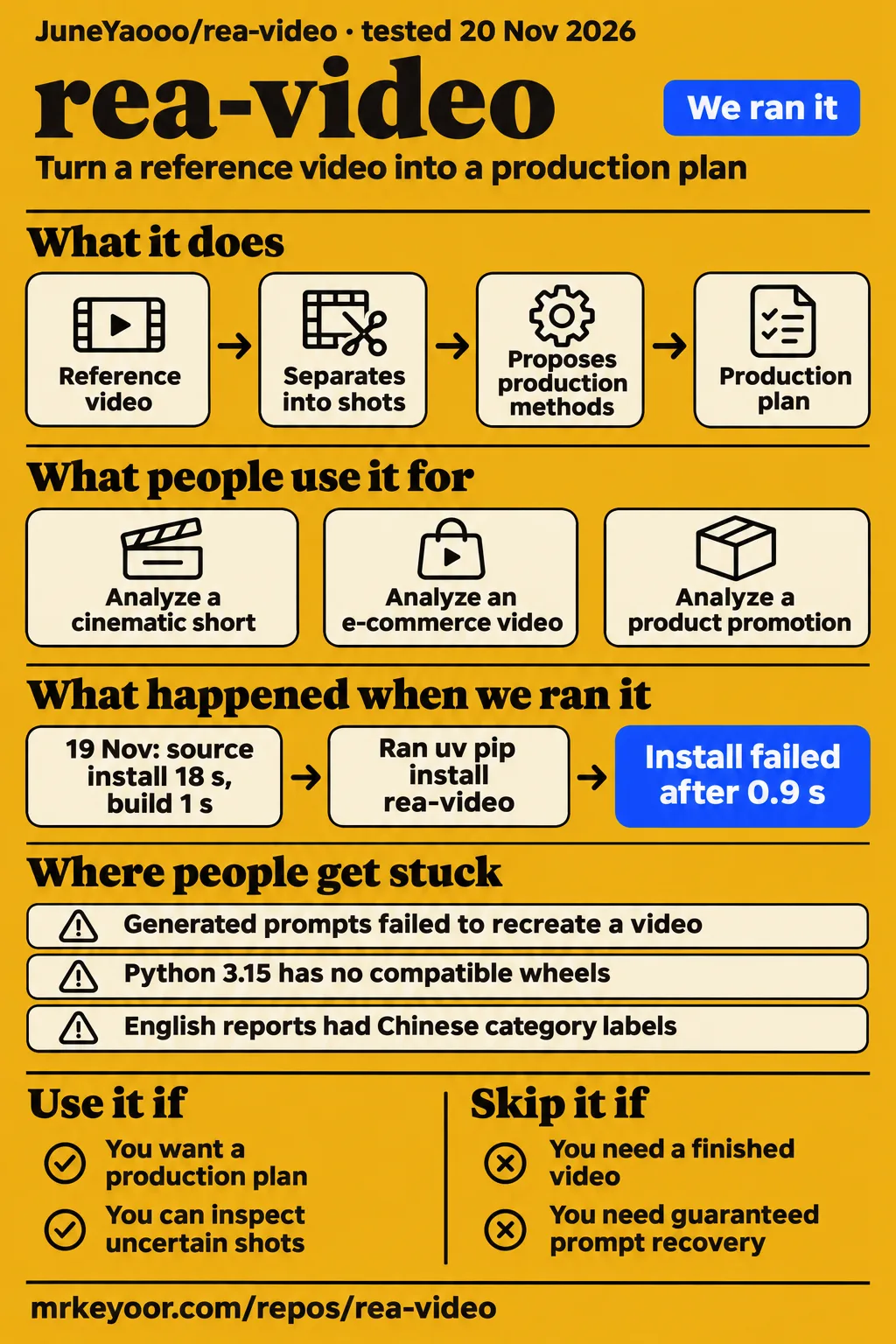
rea-video produces a production plan from a reference video, with separate approaches for footage, generated shots and code animation. Use it if you want help deciding what to shoot or rebuild; skip it if you need a finished remake from one upload. The official homepage explicitly says you still need filming, generation and editing tools.
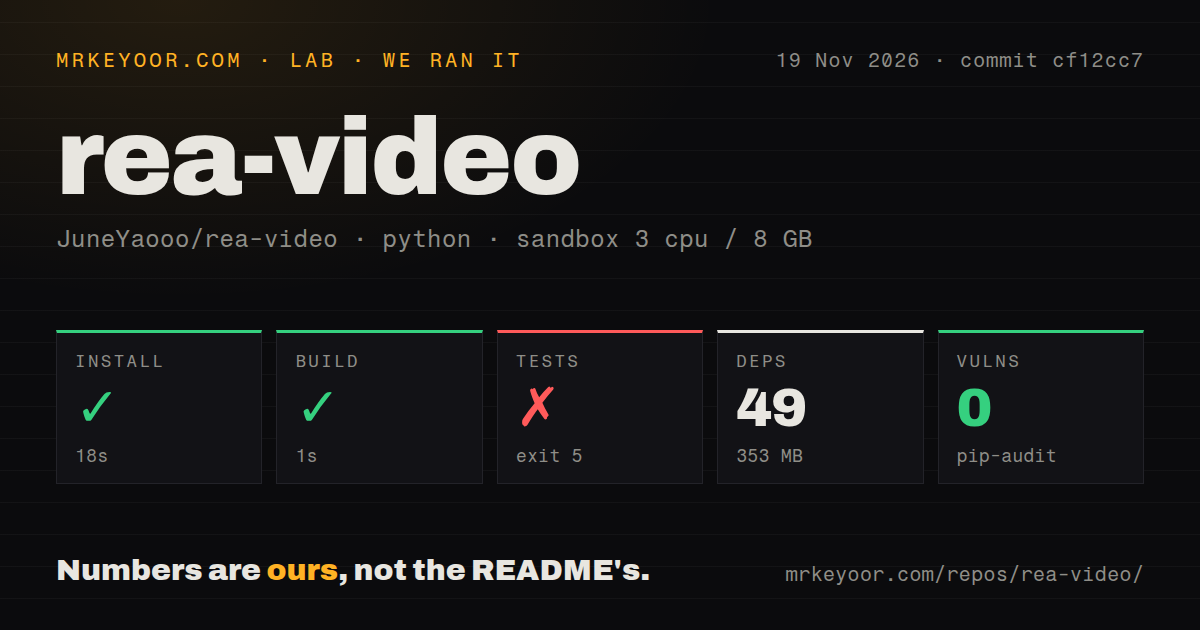
Our November 19 sandbox install succeeded in 18 seconds and its build succeeded in 1 second, but the test command exited 5 after finding no files in its configured test paths. That is setup evidence, not an accuracy result. A separate November 20 registry attempt stopped before analysis. The useful question is whether the breakdown helps you choose a production method, rather than whether it recovers an original creator's hidden recipe.
A production plan separates filming from generation
rea-video separates a reference into shots and proposes how to make each part: film it, generate it or build it in code, according to the project README. For an unfamiliar creator, that distinction is more useful than a long prompt. A screen recording needs your actual software on screen; an animated interface may be a better job for Remotion, a framework for making videos with React code.
The documented output includes a human-readable report and VIDEO.md, an open format that lets an agent read an overview before individual shot files. Captions, editing rhythm, audio and materials you need to supply sit alongside the production-method labels. You can use that list to divide work before committing to a generation service. The README's product-promo example proposes one Remotion project without a video model.
The November 19 README update also documents frame-by-frame magic reveals with slow-motion clips and requested highlights such as twists or goofs. Those are additions to the analysis workflow, rather than evidence of a finished remake. For your first reference, choose a video whose production you understand well enough to challenge a wrong label.
What people use rea-video for
JuneYaooo has used rea-video to answer specific breakdown requests, including distinguishing an e-commerce compilation from an entirely AI-made advertisement. These examples show decisions a report can support, with the outcomes attributed to the person who produced them.
| Who used it | What they analyzed | Reported outcome |
|---|---|---|
| JuneYaooo, answering issue #8 | An e-commerce compilation | Reported 38 shots, approximately 75% live footage and 25% AI by duration. Most of the remake would require filmed material. |
| JuneYaooo, answering issue #17 | A 7-minute-45-second cinematic short | Reported AI base imagery with post-production graphics, and visually corrected shots the report called 3D. |
| The project author, in the mixed-media example | Dialogue intercut with UI and screen capture | Proposed grouping five dialogue shots sharing one set into a single generation. |
| The project author, in the product-promo example | A software promotion | Reported predominantly code motion graphics and screen recording, with one Remotion project as the remake approach. |
The e-commerce request is the best illustration of why this tool could save a creator from choosing the wrong workflow. The question was how to reproduce the whole clip and what it would cost. JuneYaooo's response identified an AI opening followed by real product footage. A useful next step is therefore a filming list, rather than trying to generate every scene. The thread gives a production split, not a confirmed budget for completing that remake.
Public enthusiasm needs a different reading. On r/BestGitHubRepos, Pixel-lang asked for experiences, HappyImagineer questioned its value for edits they could already explain, and KenTrotts was interested in automation. Those comments reveal the adoption question, not a completed user trial. On X, Riley Brown reported testing editing-style extraction on a Kurzgesagt video during a stream, while saying he would withhold the demonstration because of anticipated backlash from editors. Neither account supplies a reproducible quality result for your own footage.
What happened when we ran it
Our November 19 run at cf12cc7 installed successfully in 18 seconds, built successfully in 1 second and failed its test command with exit 5 in 1 second. The configured sandbox had 3 CPUs, 8 GB RAM and image label ghcr.io/astral-sh/uv:python3.12-bookworm; the label alone does not identify the actual runtime or operating-system version.
| Sandbox check | Recorded result | What you can conclude |
|---|---|---|
| Install | Succeeded in 18 seconds; 49 dependencies; 353 MB on disk | The recorded installation step completed. |
| Build | Succeeded in 1 second | The recorded build step completed. |
| Tests | Failed with exit 5 in 1 second | Pytest warned that no files were found in testpaths. |
| pip-audit | 0 known vulnerabilities | The recorded dependency audit reported no known vulnerabilities. |
| Repository scan | 943 files, about 23,646 source lines, 80.3 MB checkout | This describes the measured checkout. |
| Automation and packaging scan | 0 CI workflow files, no Dockerfile, no tests directory | These were the files detected in that checkout. |
Installation and build completed, then pytest printed No files were found in testpaths. Its warning said it would search recursively instead. The command still ended with exit 5. The log supports a test-discovery finding; it supplies no failed assertion to diagnose and no passing suite to celebrate. Successful setup also says nothing about whether the shot classifications are right.
A separate November 20 hands-on attempt used commit 131d1527557d in an unprivileged container. The clone step completed, then uv pip install rea-video failed because the package was not found in the registry. The finding records the same resolution failure, and teardown completed. The setup summary's phrase "installed rea-video from PyPI" is contradicted by the executed step. That attempt ended before any reference-video analysis.
These are different revisions and different installation paths. The registry failure doesn't cancel the earlier successful sandbox installation, and the earlier installation doesn't turn the registry attempt into a successful product trial. The documented quick start points the agent at the GitHub repository, rather than establishing that installing a bare package name will work.
Where people get stuck: interpreter choice and handoffs
Issue #21 reports that the installer selected Python 3.15 even though a compatible interpreter was available; JuneYaooo says commit 89e27e0 changed automatic selection to prefer Python 3.10 through 3.14. That gives you a specific setup check instead of a vague instruction to try again.
| Report | What went wrong | Recorded response |
|---|---|---|
| Issue #21 | Missing compatible onnxruntime wheels under Python 3.15 | JuneYaooo reports interpreter selection fixed in 89e27e0 and documents PYTHON_BIN=python3.12 bash scripts/install_skill.sh and pipx interpreter selection. |
| Issue #48 | VIDEO.md validation rejected transition identifiers such as whip_pan |
JuneYaooo reports fixes in 07dd587, including accepted identifiers, layout-change transitions and the specification's time interval. |
| Issue #14 | A user needed MiniMax H3 prompts after decomposition | JuneYaooo directed them to capsule-cinema and promised a tutorial; the reply contains no completed remake. |
| Issue #17 | jackyliang2193-commits said the generated prompts could not recreate the original video | The thread contains no response resolving that complaint. |
The transition issue is particularly useful if you want other agents to consume a report. The reporter had a complete breakdown and human-readable timeline, yet the package checker rejected a transition value. An HTML report opening correctly and a structured package satisfying its specification are separate checks. The maintainer's response names the corrected mappings, including x-blur and x-shake, so downstream users have a concrete fix to look for.
English reports needed two separate image-label fixes
JuneYaooo reports that commit 89e27e0 fixes both storyboard categories and audio-timeline labels under --lang en. The English README exists, while the detailed repository docs are described as Chinese. That distinction matters if you want to read the setup and debugging material yourself rather than through an agent.
In issue #22, the reporter found Chinese category labels inside an otherwise English report. The maintainer says storyboard labels now follow the report language and shrink to fit their cells. In issue #23, the reporter found a separate audio image with Chinese lane names. The reply says those lanes now read Level / Voice / Music / SFX / Cuts in English. Translating the report text alone would not have repaired either image.
Accuracy changes with the file and the reviewer
The README reports 88.6% tools-only production-method accuracy on ten recompressed WeChat videos, compared with higher results on its original-file sets. Those are author-run evaluations weighted by shot duration, not our lab's measurements. The unboxing example moved from 35% labeled AI to 97% labeled live action after agent review.
That is a practical warning for social-video research. Recompression removes some of the signal the tool measures, so a downloaded reference and an original export can produce different calls. The README explicitly says its bundled sample videos have been recompressed and recommends original platform downloads to reproduce its published reports. An agent looking at screenshots is part of the documented workflow, rather than an optional seal of approval on every machine.
For the cinematic short in issue #17, JuneYaooo overrode several 3D labels after noticing frame-to-frame drift in people, fur and fabric. The report was a starting point for visual inspection. For audio, ExplainX's reading of the evaluation reports weak sound-effect and music-source recognition. Keep a distinction between extracting a track or measuring its tempo and identifying who or what created it.
Local analysis and hosted uploads are different choices
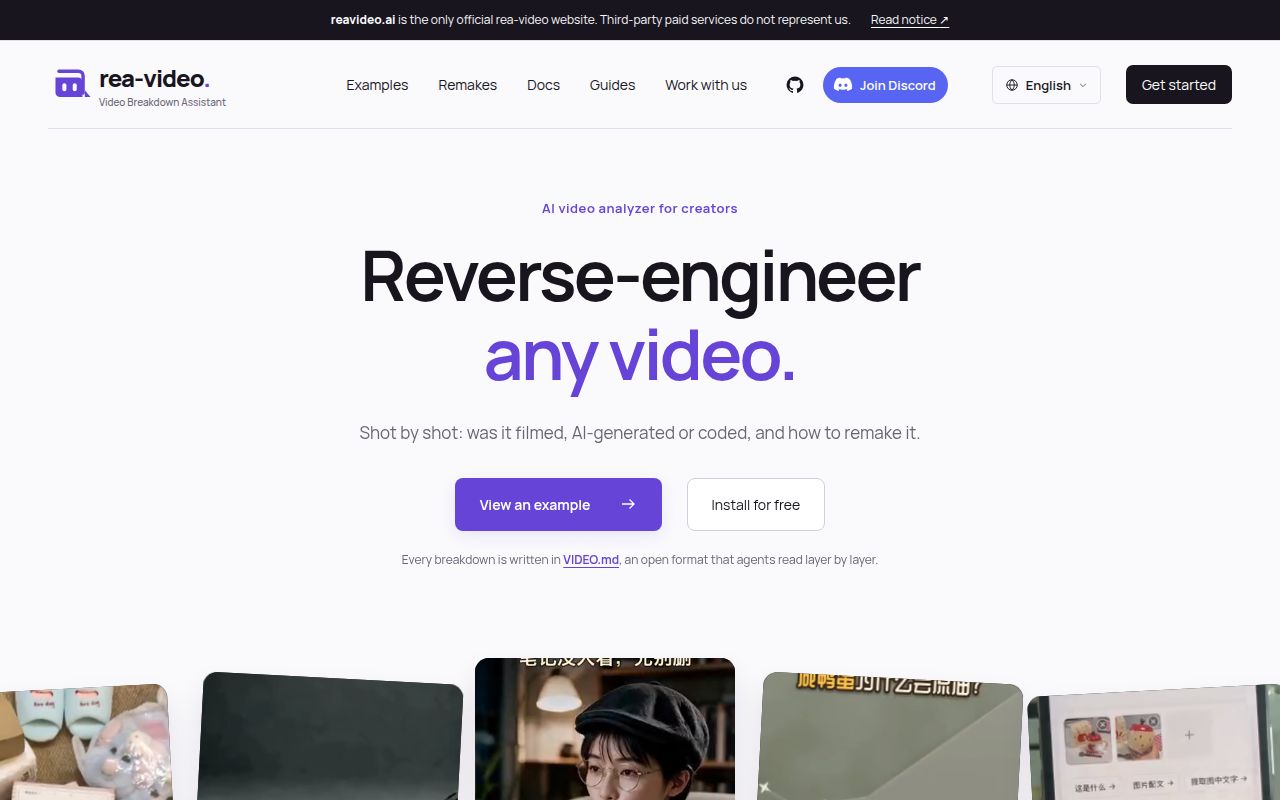
The official homepage describes a local workflow and says it does not accept video uploads; an unofficial hosted service offers browser uploads instead. In issue #16, operator Yinmu explains that rea-video.com runs decompose on a server, with a free quota and usage-based fees beyond it. That changes where you send the video and who handles your account.
JuneYaooo asked for clearer separation from the official project. Yinmu replied that official links and an Unofficial label had been added, while a new name and domain were still being considered. Billing, privacy and account problems belong to that operator. The official homepage identifies reavideo.ai as the project's site.
A video-capable model is optional. The official quick start says the assistant looks at screenshots and cannot hear sound, and directs users to configure a separately billed model for richer sound analysis. It also tells you to fill in the key yourself rather than paste it into chat. "Local workflow" should not become a promise about the data handling of every assistant or optional provider you connect.
rea-video vs Hypit, HyperFrames and ChatCut
The author's comparison positions rea-video as production analysis and Hypit as a route to a quick lookalike. Choose by the work you need next, with these source boundaries in mind.
| Option | Why consider it | Basis for the comparison |
|---|---|---|
| rea-video | Understand which parts to film, generate or code | The author's README describes analysis and a production plan. |
| Hypit | Generate a lookalike from a reference | The rea-video author's comparison, rather than an independent head-to-head trial. |
| HyperFrames reverse-any-video | Explore an alternative reconstruction workflow | Competing developers on X report better detection and remake similarity; their claims are competitor-reported. |
| ChatCut | Put generated shots on an editable hosted timeline | A sponsored downstream option in the README, with no model setup according to that description. |
| Manual editor analysis | Explain a reference you already understand | HappyImagineer's industry comment on Reddit questions the added value for familiar edits. |
HyperFrames' developers also conceded in their comparison that rea-video remakes were slightly faster and cheaper. That is a reason to resist declaring an overall winner from a promotional result: the chosen clip, target style and output criterion change the decision. If you mainly need an editable timeline, start your evaluation there. If you need to work out why a reference requires real footage, begin with the production breakdown.
What the other reviews get wrong
Hermes AI's "99.6% Accuracy" headline drops the evaluation scope, while older coverage overstates shot boundaries and holdout independence. The README describes nine hand-labeled clips with 95% recall and 94% precision for shot boundaries, not universal perfect cuts.
The Hermes AI headline needs to be read alongside the author-run evaluation sets and the lower recompressed-file result. ExplainX discusses rule changes after errors on both holdout sets, including an initial 75.6% result for the second set. That conflicts with FervorAI's framing of the second holdout as first run after rules were finalized. A set used to improve the rules shouldn't be presented as untouched validation.
ExplainX also repeats the older claim that all shot boundaries were correct. Its general Python 3.10-or-newer requirement needs the interpreter caveat from issue #21. The November 5 Fervor Creative AI article's statement that the README doesn't mention a license is dated: the README says free and open source, and the official homepage names Apache-2.0. None of these corrections turns the newer documentation into our own measured quality result.
Questions people ask
Yes, people have tried rea-video: JuneYaooo publishes requested breakdowns, and a user in issue #17 reports that its generated prompts failed to recreate a reference. Those are different experiences with different outcomes.
Has anyone actually tried rea-video, and what was their experience?
JuneYaooo reports completed breakdowns in issues #8 and #17; the latter also contains jackyliang2193-commits' dissatisfied prompt-reproduction report. On Reddit, Pixel-lang asks for experiences rather than reporting a completed run. Our own execution results appear above, without an analysis-quality score.
What does reverse-engineering a video actually mean?
It means inferring production methods from the finished file: identifying shots and proposing filming, generation or code approaches. The official homepage says exact recovery is not guaranteed. You receive a reconstruction plan, not access to the original editing project.
How do I use MiniMax H3 to remake a video after rea-video analyzes it?
JuneYaooo directs the user in issue #14 to capsule-cinema. The README's remakes use original shots as motion references and replacement keyframes for appearance. Configure the companion generation workflow; the decomposition report alone is not a rendered video.
Can rea-video's generated prompts reproduce the original video?
There is no guarantee of reproducing the original from inferred prompts. A commenter in issue #17 explicitly reports failure to do so. The author's showcased remakes also use motion references and replacement keyframes, which is more input than a recovered text prompt.
How do I use rea-video to break down a popular video?
Give a command-capable assistant the GitHub repository and a local video path, following the official quick start. Open report.html and inspect the storyboard and uncertain shots. The README recommends original platform downloads when reproducing its examples, because bundled copies were recompressed.
How can I tell whether a video was filmed, AI-generated or built in code?
rea-video combines measurable traces such as frame cadence and metadata with image review, according to the README's workflow. Use the per-shot reasons to investigate a label. The author's manual corrections in issue #17 show why appearance alone can confuse AI footage with 3D rendering.
How does Claude analyze a video if it cannot play the video file?
The official quick start says the agent examines screenshots, while a video-capable model adds sound analysis. The creator of "How to reverse engineer any editing style" similarly explains extracted frames and measurements, then reports testing their own skill against their own timeline. That video's separate skill demonstration is not a JuneYaooo/rea-video benchmark.
Is rea-video suitable for my work?
It fits learning a reference's structure or preparing a production plan when you can inspect the result and supply your own materials. The official homepage says making the final video still requires filming, generation and editing tools. An experienced editor who already understands the reference may gain more from automating repetitive measurements than from the labels themselves.
Does rea-video create a finished video automatically?
rea-video itself analyzes and plans. The README says capsule-cinema can generate AI shots and place them on the timeline, while you film live shots and the agent writes code shots as a Remotion project.
Do I need a paid video-capable model, and what does it cost?
No: the README describes tools-only mode as offline and free. Optional assistant and model services charge under their own pricing. The documentation gives no fixed total for your reference, and remake generation is another expense.
Is a rea-video classification proof of a video's origin?
No: the official homepage describes an inference with no guarantee of recovering the exact original method. A production label belongs beside its evidence and confidence, especially on recompressed footage.
How is rea-video different from Hypit?
The rea-video author positions Hypit as a quick lookalike generator and rea-video as a production-analysis tool. That is a comparison of intended workflows; the alternatives table identifies who made each performance claim.
What we have not tested yet
Our runs provide no completed independent video analysis or remake, so we have no measured classification accuracy, prompt fidelity or output-quality score. The November 20 registry attempt did not reach the documented source installer. The successful November 19 setup is a different run at a different commit, and neither run includes a confirmed finished-video task.
We have not tested the maintainer-reported interpreter, English-image or VIDEO.md transition fixes ourselves. Their issue replies establish the reported resolutions. The November 19 magic-reveal and requested-highlight features also remain untested here. There are no screenshots or known-answer video questions from our runs to present as successful output.
We have no same-input comparison against Hypit, HyperFrames or ChatCut, no measured provider bill, no concurrent-workload or long-video memory result, and no security or privacy audit of the agent, hosted service or optional models. The dependency audit's zero known vulnerabilities is narrower than that. If you evaluate rea-video, use a reference with a known production history and compare its filming list, shot boundaries and remake requirements against what actually happened on that production.