mrkeyoor.com_
Tue 29 Sept 15:35 UTC
AI Toolsevaluationupdated 29 Sept 2026

qwen-audio-agent review

Qwen Audio Agent is a runtime for keeping a voice conversation active while a separate coding or task agent works in the background. It connects replaceable voice services to agent backends, then presents the result through a terminal, browser, or desktop app.

Verdict

Our Qwen Audio Agent run passed all 1,581 tests, but its 748 packages carried 3 high and 4 moderate audit findings, so the engineering depth does not erase dependency review. Use it when continuous voice and background agent work are both product requirements. Choose a narrower voice framework when you do not need its task coordinator, desktop shell, memory, and backend adapters.

We ran it

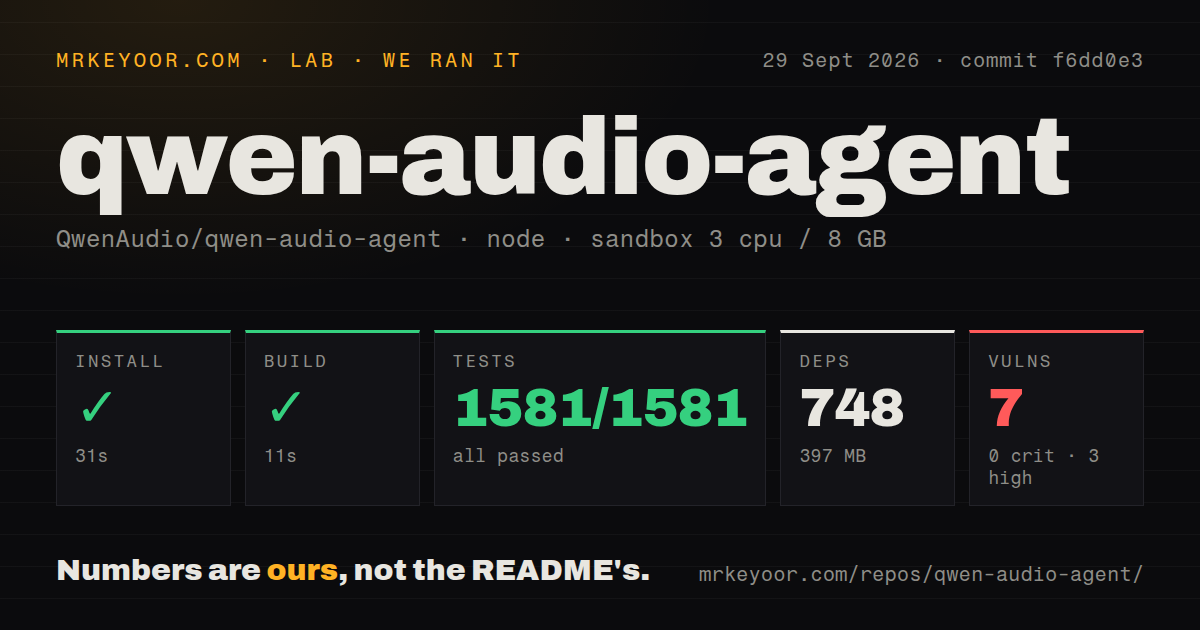
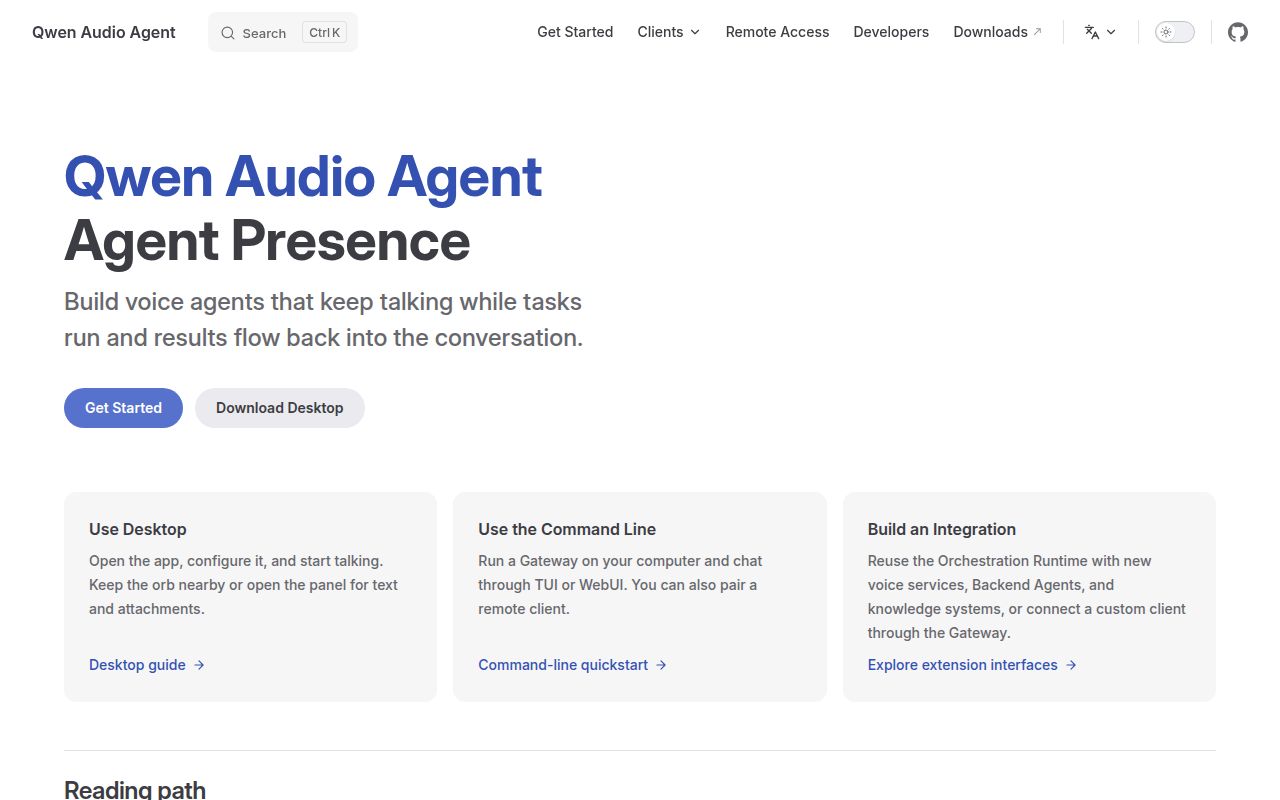
Lab card: what happened when we ran qwen-audio-agentScreenshot of qwen-audio-agent (qwenaudio.github.io/qwen-audio-agent)
Install✓ · 31s748 packages · 397 MB
Build✓ · 11s
Tests✓ · 119s1581 passed · 0 failed of 1581 (node:test)
Known vulns70 critical · 3 high · 4 moderate · 0 low (npm audit)
Repo1424 files~177,972 lines of source · 59.1 MB · 4 CI workflows · tests dir

Answers from our run

Does qwen-audio-agent build from source?

Dependencies installed in 31 seconds (748 packages), and the build succeeded in 11 seconds. We cloned commit f6dd0e3 into a clean Debian container with 3 CPUs and no project-specific setup.

Do qwen-audio-agent's tests pass?

Yes: 1581 of 1581 passed when we ran the project's own test command (node:test). Some failures need services or credentials a bare container does not have.

Does qwen-audio-agent have known vulnerabilities in its dependencies?

npm audit flagged 7 known advisories in the dependency tree at the time of our run.

Who should not use qwen-audio-agent?

Small voice widgets that do not need a background agent: our install pulled 748 packages and occupied 397 MB.

What are the alternatives to qwen-audio-agent?

Pipecat, LiveKit Agents, TEN Framework. Our Qwen Audio Agent run passed all 1,581 tests, but its 748 packages carried 3 high and 4 moderate audit findings, so the engineering depth does not erase dependency review.

Setup3/5Fast install, but useful voice and agent paths need separate setup
Docs5/5Clear architecture, install, provider, backend, and privacy guides
Community4/52,816 stars with active issues and pull requests in September
Maturity3/51,581 tests pass, while v2.0 and its architecture are days old

Who it’s for

Developers building a voice front end for an existing ACP or A2A agent.
Teams that need users to ask for progress, interrupt, or cancel a background task while speaking.
Desktop product builders who want terminal, WebUI, and packaged app choices from one project.
Operators prepared to map microphone, model, memory, tool, and backend data flows before deployment.

Who it’s NOT for

Small voice widgets that do not need a background agent: our install pulled 748 packages and occupied 397 MB.
Security-sensitive teams that require a clean dependency audit before evaluation: our npm audit found 3 high and 4 moderate known vulnerabilities.
Organizations that assume audio stays local by default: the privacy guide says the default path sends microphone audio and realtime context to DashScope.
Public internet deployments using the built-in LAN flag: the privacy guide says its HTTP and WebSocket traffic is unencrypted and should not be forwarded publicly.
Projects pinned to older Node releases: the CLI requires Node 22.22.2, 24.15.0, or 26 and later, plus npm 10 or newer.

Setup reality

Our sandbox installed 748 npm packages in 31 seconds at commit f6dd0e3, using 397 MB on disk. The build passed in 11 seconds. Node's test runner finished in 119 seconds with all 1,581 tests passing. Npm audit reported 7 known vulnerabilities: 3 high and 4 moderate.

The default voice path needs a DashScope API key. Other cloud front ends require their own credentials, while the local speech-to-speech option needs a separate service URL. A useful task agent also needs its own installation, authentication, tools, and model configuration.

CLI installs require Node 22.22.2, 24.15.0, or 26 and later with npm 10. Desktop installers bundle the Gateway, but backend setup remains separate. The LAN mode is unencrypted, so remote use needs Tailscale or a trusted HTTPS reverse proxy.

Voice stays responsive while a separate agent does the work

Qwen Audio Agent separates the conversation from the job behind it. A realtime voice service listens and responds, while a backend agent can edit files, call tools, or run a longer task. You can ask for progress or cancel without waiting in silence for that task to finish. The distinction is useful for a desktop assistant because speaking and doing no longer share one blocking request.

Version 2.0 supports ACP and A2A backends, with adapters for coding agents named in the README. The front end can use Qwen Audio 3.0 Realtime, other cloud voice services, or a local Hugging Face speech-to-speech server. The same Gateway feeds a terminal interface, WebUI, and desktop orb. That breadth is the reason to consider it, and the source of most setup decisions.

The 397 MB install buys a full coordination layer

Our sandbox installed 748 npm packages in 31 seconds and used 397 MB on disk. The monorepo contained 1,424 files, roughly 177,972 lines of source, and four CI workflow files. It has a tests directory but no Dockerfile. This is a substantial application with desktop, web, terminal, Gateway, memory, and integration code, not a thin microphone wrapper.

The default quick start asks for a DashScope API key and starts the Gateway in one terminal, then the TUI or WebUI in another. A backend agent is optional for voice-only use. Once enabled, that backend brings its own authentication, model settings, tools, MCP servers, and project access. The one-click language in the README describes installation support, while working credentials and permissions remain your responsibility.

What happened when we ran it

Our run built commit f6dd0e3 in 11 seconds after the 31-second install. Node's test runner completed in 119 seconds with 1,581 passed and 0 failed. The unprivileged Debian container had 3 CPUs, 8 GB of RAM, Node 22, and no secrets. That is strong evidence that the supplied JavaScript packages agree with each other at this commit.

Npm audit found 7 known vulnerabilities: 3 high and 4 moderate, with no critical or low findings. The measurement does not say whether any advisory is reachable through the Gateway, desktop app, or build tooling, so we will not turn the count into an incident claim. It does make dependency triage a required evaluation step before the software receives microphone data, API keys, or access to an agent workspace.

Default audio leaves the machine, and LAN mode is unencrypted

The privacy guide is unusually direct about data flow. By default, microphone audio, realtime transcript context, and model response requests go to DashScope. Camera frames move only after the user enables realtime vision, and the Gateway says it does not write those frames into history or local files. Backend instructions and required attachments go to whichever task agent you configure. Each provider adds its own policy boundary.

Local state defaults to ~/.config/qwaudio/, including profiles, long-term memory, tasks, backend work directories, configuration, and logs. Uninstalling does not remove that directory. The Gateway listens locally by default, but --lan uses unencrypted HTTP and WebSocket traffic. The project advises Tailscale HTTPS Serve or a trusted reverse proxy for cross-network access, along with client pairing or access tokens.

Node and provider requirements narrow the easy path

Source and CLI installations require Node 22.22.2, Node 24.15.0, or version 26 and later, plus npm 10. Desktop installers bundle the Gateway for macOS and Windows, while Linux desktop users build from source. Installing a desktop package does not install or authenticate the backend agent, so packaged distribution removes the Node step without removing the integration work.

Provider choice affects features. Some realtime front ends support video, one local option has no tool calling, and cloud paths use different keys or endpoints. Issue 530 reports that the international Qwen plan lacks voice enrollment and that the client cannot select a cloned custom voice. Issue 131 still tracks browser acceptance work around camera permissions, disconnects, session changes, and multimodal privacy boundaries.

A two-day v2 release makes change control part of adoption

Release v2.0.0 arrived on September 23, 2026 with a rebuilt orchestration runtime, unified client protocol, new backend integrations, memory work, and expanded desktop features. Version 2.0.1 followed three days later with backend discovery, installation, and coordinator session fixes. GitHub recorded another push on September 28. This is fast maintenance around a fresh architecture, not a settled long-term branch.

GitHub showed 2,816 stars and 11 open issues and pull requests on September 29. Current work covers microphone state, custom voices, knowledge imports, Windows process handling, and speaker changes. The project earns a serious trial when its exact proposition matches yours: one continuing conversation in front, several agent tasks behind it. Our 1,581 passing tests support that trial, while the 7 audit findings and explicit privacy boundaries set the release gate.

Alternatives

ProjectWhat it isPick it when
Pipecat gh↗A Python framework for realtime voice and multimodal conversational pipelines.pick this instead when you want to assemble provider pipelines in Python rather than pair a voice shell with ACP or A2A agents.
LiveKit Agents gh↗A realtime agent framework built around LiveKit rooms and media transport.pick this instead when calls, rooms, telephony, and hosted media infrastructure are central to the product.
TEN FrameworkA framework for composing realtime voice agents from modular extensions.pick this instead when extension graphs and custom realtime pipelines matter more than a ready desktop companion.

What people are saying

  1. [github-trending] QwenAudio/qwen-audio-agent

Sources

  1. Qwen Audio Agent README
  2. Install and update guide
  3. Privacy and data flow guide
  4. Release v2.0.1
  5. Issue 131: remaining multimodal acceptance work
  6. Issue 530: custom voice limits

More ai tools reviews

voltagent · InferenceX · Bonsai-demo · wechat-intelligence-hub · dlss5-visual-enhancer · ABot-Recon · the whole board →