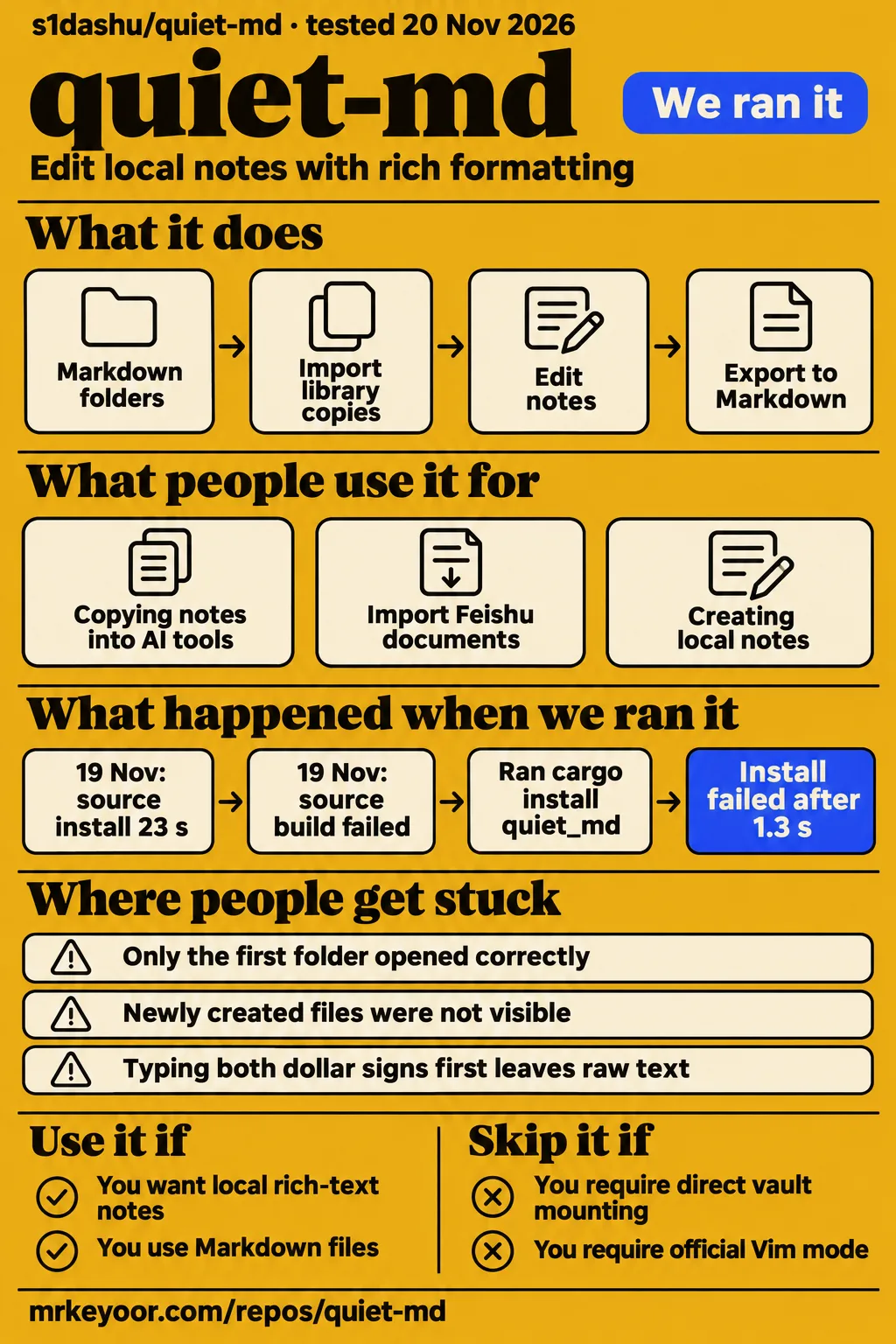
Our source build of quiet-md stopped at the linker error unable to find library -lxkbcommon-x11. Quiet-md is worth evaluating for local rich-text notes and Markdown files; readers requiring a proven replacement for an Obsidian vault with its special syntax and image-host integrations should keep their existing workflow. The maintainer's migration explanation distinguishes importing library copies from mounting an existing vault, which changes what a migration actually involves.
What people use quiet-md for
The project author used a million-character document with 549 chapters to measure editing performance. The README reports typing P95 of 5.78 ms, backspace P95 of 5.55 ms and scrolling P95 of 4.14 ms on an Apple M5 Pro with 48 GiB, macOS 26.5 and a release build. These are the author's frame-processing measurements, taken over 100 consecutive operations. They describe a particular document and machine rather than the source-build work described below.
- Amamiya23 copied mathematical notes into AI tools and reported losing formulas unless they first exported Markdown. The maintainer subsequently reported a formula-copying fix and Copy as Markdown.
- The reporter of issue #220 pasted Feishu documents and found that images retained remote addresses that could expire. The Feishu image discussion is closed; the README's 0.1.13 notes say pasted web images are saved into the library.
- Ruoshui6662 opened local folders and tried creating notes, then reported that only the first folder opened correctly and newly created files were neither Markdown nor visible in the folder. Those folder and file reports appear in issue #6.
- X user enesbala_ announced a community Nix flake using the AppImage to avoid compilation. The NixOS packaging announcement describes that packaging route.
These examples make file preservation a useful basis for choosing the editor. Amamiya23 needed equations to survive copying, while the Feishu reporter needed images to survive the expiry of their original addresses. Folder migration adds another requirement: the files must appear where the user expects them. A useful evaluation therefore follows a note through import, editing, copying and export, rather than judging only its appearance inside the editor.
What happened when we ran it
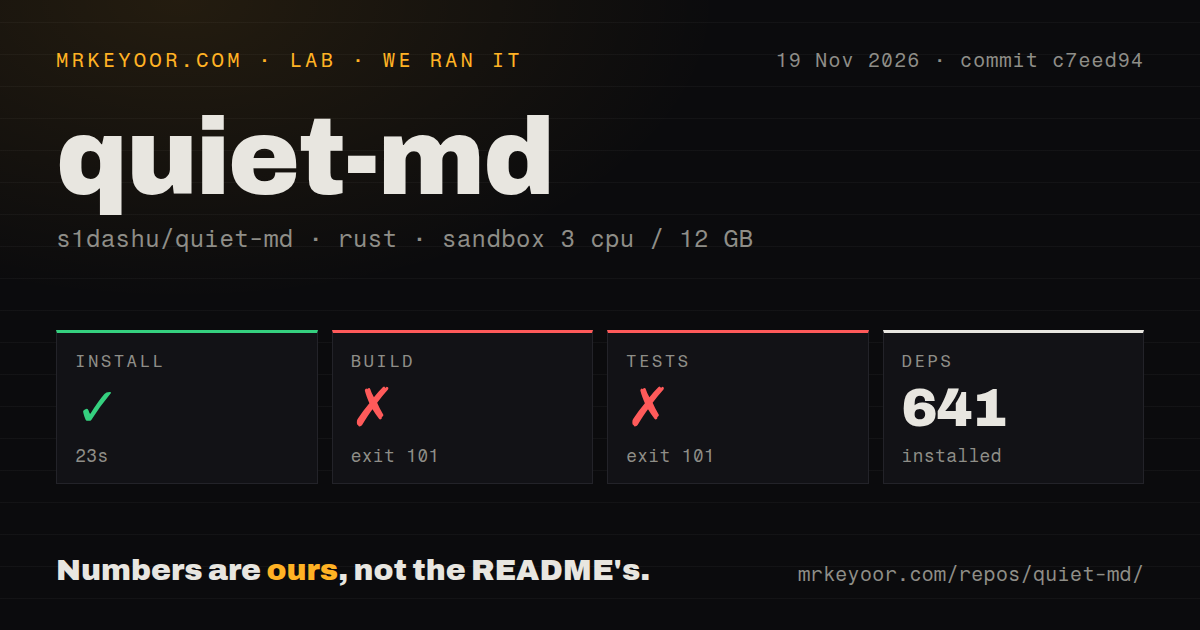
Our November 19 source run installed dependencies in 23 seconds, then failed to build after 350 seconds and failed the test command after 46 seconds. Both failures reported the missing linker library -lxkbcommon-x11 in our source-build measurements. The checkout was commit c7eed94; the recorded sandbox had 3 CPUs, 12 GB RAM and image label lab-rust:1. The repository scan counted 880 files, approximately 111,880 source lines and 49.4 MB checked out.
| Step in our source run | Recorded result | What the result tells you |
|---|---|---|
| Dependency installation | Succeeded in 23 seconds; 641 dependencies recorded | The dependency step completed |
| Build | Failed, exit 101, after 350 seconds | The linker could not find -lxkbcommon-x11 |
| Tests | Failed, exit 101, after 46 seconds | Linking the test binary hit the same library error |
| Repository signals | Two CI workflow files; no Dockerfile or tests directory detected | These are repository scan results |
The build reached linking, the stage that combines compiled components into an executable, before returning rust-lld: error: unable to find library -lxkbcommon-x11. The test command failed while compiling the test binary with the same error. The harness recorded those command outcomes, rather than a passing-test count. Its scan also reported two CI workflow files and no Dockerfile or tests directory; those observations describe what the scanner detected in that checkout.
A separate November 20 run used commit e59c49adc3eb in a fresh unprivileged lab-rust:1 container with 2 CPUs, 4 GB RAM, no published ports and no secrets. The quickstart-cli recipe cloned the repository in 5 seconds. It then inferred cargo install quiet_md from the manifest's package name. That command was a harness choice, not the desktop installation route documented in the README.
| Step in the November 20 run | Recorded result | Verdict | Why |
|---|---|---|---|
| Clone | Completed in 5 seconds | Completed | The quickstart-cli recipe obtained the checkout |
| Registry installation | Failed in 1.3 seconds with exit 101 | Failed | Cargo could not find quiet_md in crates-io with version * |
| Install finding | Stopped at installation | Installation failure recorded | The inferred registry command requested an unavailable package |
| Teardown | ok | Completed | The teardown record reports completion |
The installation step returned exit 101 after 1.3 seconds, with Cargo reporting that it could not find quiet_md in registry crates-io with version *. The install-failed finding records the same stopping point, and teardown completed. For desktop installation, the README's platform downloads are the documented starting point.
Where people get stuck: copying and rendering are separate problems
The maintainer reports formula copying fixed while delimiter-first formula rendering remains open in issue #69. Amamiya23 wanted to copy notes into an AI tool and had been exporting Markdown to retain equations. The maintainer says PR #212 preserves LaTeX when copying selected text and adds Copy as Markdown. That formula discussion also records a correction to repeated escaping of inline formulas during Markdown saves.
| Problem someone reported | Reported fix or workaround | Status supported by the discussion |
|---|---|---|
| Formula contents vanished when copied | Maintainer says PR #212 preserves LaTeX and adds Copy as Markdown | Reported fixed |
| Typing both dollar signs before filling the equation leaves raw text | Reporter says entering the formula from left to right renders it; draft PR #92 addresses editing | Issue #69 remains open |
| Windows window buttons stopped responding in 0.1.5 through 0.1.8 | Update to 0.1.9 | Reporter confirmed the failure no longer reproduced |
| Command+Q failed to quit on macOS | README lists a fix in 0.1.9 | Documented fixed |
| Feishu image addresses expired | README 0.1.13 says pasted web images are saved locally | Issue #220 closed; local image saving documented |
The Windows correction has confirmation from the original reporter: after the maintainer offered 0.1.9, tomkkh521dd said the failure no longer reproduced in issue #110. The README also lists the macOS Cmd+Q correction under 0.1.9. For diagrams, issue #23 describes Mermaid source-preservation work, including Markdown round trips and cross-window source synchronization. The distinction is practical: preserving an editable diagram requires its source as well as its visible rendering.
Memory depends on the image workload
The maintainer reported memory falling from about 1.4 GiB to 241 MiB in an isolated Home-screen example containing 24 large images. The images were cropped out of the cards, and the changes targeted image and document caches for 0.1.8. In issue #99, the maintainer describes avoiding unnecessary decoding, limiting offscreen caches, releasing GPU image resources, restricting document-preview caching and releasing baselines for documents no longer open.
The README separately lists lower image and preview memory use in 0.1.8 and less memory on picture-heavy pages in 0.1.13. Those release notes identify the workloads receiving attention. For someone collecting illustrated notes, a Home screen full of image-heavy documents is therefore a relevant evaluation case alongside a long text document. The 24-image reproduction explains why a small application download and native rendering alone do not answer the memory question.
Local files give you control, with documented network activity
The README describes real folders and title-named .xml or .md files, with no account or cloud requirement. DocxXML is the document format used by Feishu and Lark; Markdown notes use the .md extension. The README's storage description suggests managing the library with Git, iCloud or another sync tool. This gives the reader a concrete storage model: the sidebar represents folders, and each note is a file.
The README says automatic update checks fetch a version manifest and can be disabled in Settings. It also says update downloads are checked against a signature. The README's 0.1.13 notes say pasted web images are saved into the library. Saving remote images locally addresses the dependency described in the Feishu image report: a note can otherwise retain an address whose content later stops displaying. Image retrieval and version checks are documented network activity.
For forks, the README separates the code license from bundled assets. The code is MIT-licensed, while the 67 Nucleo icons, Quiet.md name and app icon are excluded from that grant. The licensing section says those excluded assets should be replaced in forks and points to THIRD_PARTY.md for other code, fonts and assets. A code-license label alone leaves out those explicit reuse conditions.
English documentation and interface options
The README lists English, Simplified Chinese, Japanese, Korean, Spanish, French and Arabic interface languages. It also describes first launch as choosing the language, library location and quick-note shortcut, with an offer to copy notes from Obsidian, Logseq, iA Writer or Typora. The English README therefore supplies an entry point for English-speaking readers, while the formula, memory and migration discussions examined here are largely in Chinese.
The issue replies are important because they distinguish requests, experimental contributions and maintainer-reported corrections. In issue #69, for example, draft editing work and a later copying correction appear in the same conversation. In issue #6, the maintainer explains copied imports and individual-file editing separately. Translating the full reply, including its version and status, preserves those distinctions better than treating an issue title as the current feature description.
quiet-md vs Obsidian, Typora and Craft
Issue #6 distinguishes quiet-md folder imports from directly mounting an Obsidian vault. That is the clearest migration comparison here: imported content becomes a library copy, while individual local Markdown files can be opened and saved in place. The maintainer's migration reply says Obsidian-specific syntax and PicGo/PicList integration were excluded from that update. The newer README specifically names Obsidian picture embeds and callouts among supported imports.
| Alternative | What people actually compared | Decision for you |
|---|---|---|
| Obsidian | Users in issue #6 requested vault access, special syntax and image-host integrations; the maintainer described copied imports | Keep your existing setup if those integrations are essential; evaluate quiet-md on a copy |
| Typora | Amamiya23 asked for Typora-like copying after formulas disappeared from copied notes | Make formula copying and Markdown export explicit comparison tasks |
| Craft | Former Craft user albertkinng praised quiet-md's ease and appearance while requesting online sharing | Treat that as a personal preference and assess your sharing requirement separately |
The Typora reference in issue #69 came from a specific copying problem, followed by the maintainer's reported correction. The Craft comment on X is a former user's subjective endorsement and sharing request. Another X conversation recommends quiet-md and Zed to someone using VS Code for text and Markdown plugins. These comments explain why people considered the editor; they do not rank the alternatives by measured performance or feature parity.
What the other reviews get wrong
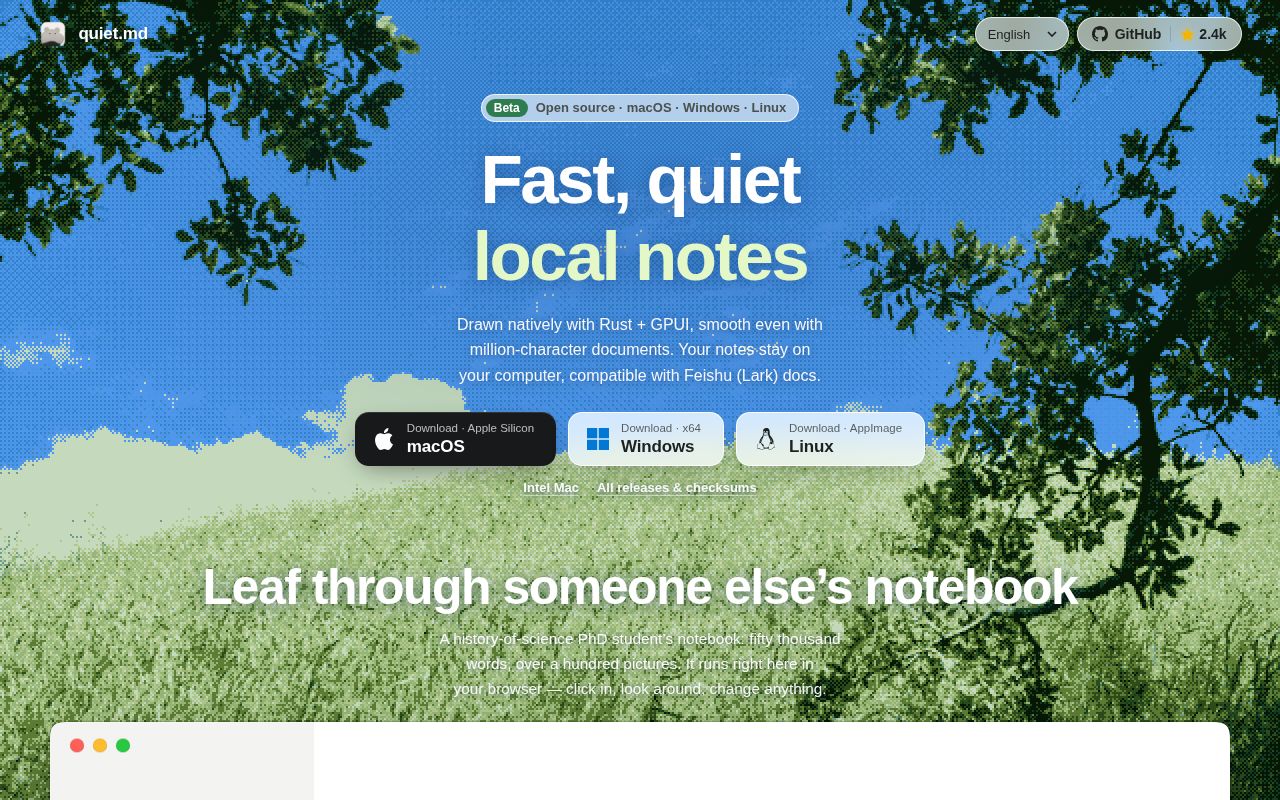
HotRepo's statement that Intel Macs lack an installer conflicts with the newer README's Intel Mac ZIP. OpenFree and HotRepo also give Windows 10 version 2004 as the minimum, while the README download table says Windows 10 version 1809 or later. That table lists Apple Silicon and Intel Mac downloads requiring macOS 13 or later and an experimental Linux x86_64 AppImage requiring glibc 2.35 or later.
HotRepo's older platform account limits prebuilt packages to Apple Silicon and Windows x64. The video Quiet.md Explained: Is It Right for You? likewise excludes Linux and Intel Macs while discussing 0.1.5. The newer README documents both additional packages. Its Linux instructions describe making the AppImage executable and using the extract-and-run option without FUSE, while identifying the package as experimental.
OpenFree's XML-only storage description misses Markdown files and in-place Markdown editing. Its blanket no-WebView description also omits the manifest's WebView2 dependency for Windows PDF and printing. Native GPUI editor rendering and that Windows-specific dependency can both be true. OpenFree's brief MIT label also omits the README's asset exclusions; HotRepo explains those exclusions in its account.
The README's 0.1.13 notes add boards and version history, while 0.1.11 describes migration to real folders and title-named files. Entity identity also needs care: the Quiet Markdown Library App Store listing names developer 柯皓 陈 and describes an iPhone/iPad reader. That is a different product from s1dashu/quiet-md. The search result for Susan Cain's book Quiet concerns another entity again.
Questions people ask
Importing a Markdown folder creates a copy inside quiet-md's library, according to the maintainer's migration reply. Opening an individual local .md file supports saving it in place. That distinction in issue #6 answers the central migration question before the smaller feature questions below. The README also names Obsidian picture embeds and callouts, giving readers two specific import features to compare with the content of their existing notes.
Can I import an existing Obsidian vault, and does quiet-md copy it or edit it in place?
Folder import copies content into the library. The maintainer distinguishes this from mounting an Obsidian vault, while separately describing opening and saving individual local Markdown files in place. The migration explanation in issue #6 therefore describes two operations with different effects on file location: copying a folder into the library and editing a selected local file where it already lives.
Which Obsidian-specific Markdown features does quiet-md preserve?
The README explicitly names Obsidian picture embeds and callouts in Markdown-folder imports. Its import and export description also lists Feishu DocxXML import, Markdown and PDF export, and printing. These are concrete documented capabilities. The earlier issue #6 reply says Obsidian-specific syntax was excluded from that migration update, so the README's named features are the useful specifics for a comparison.
Can I import a whole Markdown folder while keeping its hierarchy and .md files?
The maintainer says whole-folder import preserves hierarchy, and the README lists importing folders while keeping .md under 0.1.8. The folder-import reply also states that the operation creates a copy inside the library. This combines organization and storage behavior in one answer: folder hierarchy is retained during import, and the imported content belongs to the library copy.
Can quiet-md integrate with PicGo or PicList for image hosting?
The maintainer says PicGo/PicList integration was excluded from the migration update described in issue #6. That image-host integration reply appears alongside the distinction between copied imports and vault mounting. The README's later statement that pasted web images are saved into the library describes local image storage, which is a separate operation from connecting an image-hosting tool.
Can I empty the trash with one action?
The README's 0.1.5 notes explicitly list emptying the Trash in one step. The same 0.1.5 release notes describe duplicating, moving or deleting several documents together from Home. Those documented operations answer the older request for easier bulk management without treating the entire feature-request discussion as a list of capabilities still missing from the application.
Does quiet-md check for updates automatically?
Automatic update checks arrived in 0.1.4 and can be turned off in Settings. The README's update instructions say versions 0.1.3 and earlier require a one-time manual download of 0.1.4. Linux AppImage in-app updating starts at 0.1.10. The documented update flow checks the download against its signature, saves open documents and completes installation with a restart.
Can I self-host quiet-md with Docker for multiple clients or team collaboration?
Docker deployment, multiple-client synchronization and document permissions appear as user requests in issue #2. The feature-request discussion includes requests for team collaboration and online tables, while the maintainer's progress reply describes library folders and Markdown import. The README documents desktop packages and local files, so the Docker request itself supplies no server setup procedure to follow.
Does quiet-md offer interface scaling, reading mode, read-aloud or selected-text translation?
Interface scaling, reading mode, read-aloud and selected-text translation appear as requests in issue #2. The maintainer's progress reply discusses nested folders, sidebar organization, local Markdown editing and folder imports. It also says the broader thread remains open because its requests are not all complete. That reply should be read as progress on named items rather than acceptance of the whole requested feature list.
Does quiet-md support Vim editing mode?
A commenter reports adding and testing Vim mode locally but says the code was not submitted. The Vim discussion in issue #182 therefore describes a personal modification. It includes suggestions about a switching shortcut and avoiding extra settings, but a local implementation and its screenshot are different evidence from a documented feature in an official desktop release.
Why can quiet-md use more than 1 GB of memory, and which version improves it?
The maintainer targeted image and document cache accumulation for 0.1.8 and closed issue #99 on that basis. The cache discussion identifies early image decoding, offscreen caches, GPU resources and document previews among the changes. Its isolated 24-image Home-screen example fell from about 1.4 GiB to 241 MiB; the memory section explains the workload behind those figures.
Why do the Windows window buttons sometimes stop responding?
The reporter saw intermittent failures in versions 0.1.5 through 0.1.8 on Windows 11 x64. Minimize, maximize and close stopped responding after some editing operations, and reopening the application could leave the failure present. After the 0.1.9 correction, the reporter confirmed that the problem no longer reproduced in issue #110, and the maintainer closed the issue.
Why does Command+Q fail to quit quiet-md on macOS?
The README lists the Cmd+Q correction in 0.1.9. The earlier reporter in issue #6 said Command+Q failed while Command+W worked, requiring a mouse action to quit. The README's 0.1.9 fixes also name Windows window controls and text selection hidden by highlight colors. This ties the reported shortcut failure to a specific documented correction rather than describing it as current behavior across versions.
What we have not tested yet
Neither run reached an interactive editor or attempted the official desktop packages. We have no independent GUI, offline-operation, editor-performance or long-term reliability result. The manifest identifies version 0.1.13 and release metadata identifies v0.1.13, but our runs identify commits c7eed94 and e59c49adc3eb rather than a tested release tag. The image label records sandbox configuration; actual Rust toolchain and operating-system versions require the raw toolchain logs.
The original Feishu image-expiry scenario, delimiter-first formula entry, the memory reporter's full environment and Windows resource use have no independent retest here. The maintainer's isolated cache result supplies no general memory ceiling. In issue #23's integration reply, the contributor says real dual-window focus interaction and macOS/Windows UI and PDF export had not been retested. The experimental formula work also reports a separate Invalid equation feedback item without a stable reproduction.
The folder-opening and new-file reports in issue #6 have no specific resolution in that discussion. Complete Obsidian syntax, plugin behavior, PicGo/PicList integration and Mermaid round trips require migration checks beyond the documented import features. Synchronization conflicts, failed-write recovery, update-signature enforcement, network traffic and English coverage across dialogs were not exercised. The README identifies interactive Linux testing on Omarchy with Wayland; issue #17 says Debian had not been tested. The community Nix packaging announcement adds no independent installation result.
For an initial desktop evaluation, use the documented package and a copy containing a formula, an attached image and any Mermaid source you rely on. Save and reopen the note, copy its contents into the destination tool, and export it to Markdown. Those are proposed checks, not results from our runs. Keep the original notes until their contents and organization survive the operations your workflow requires.