Short answer: use an already-owned compatible PS5
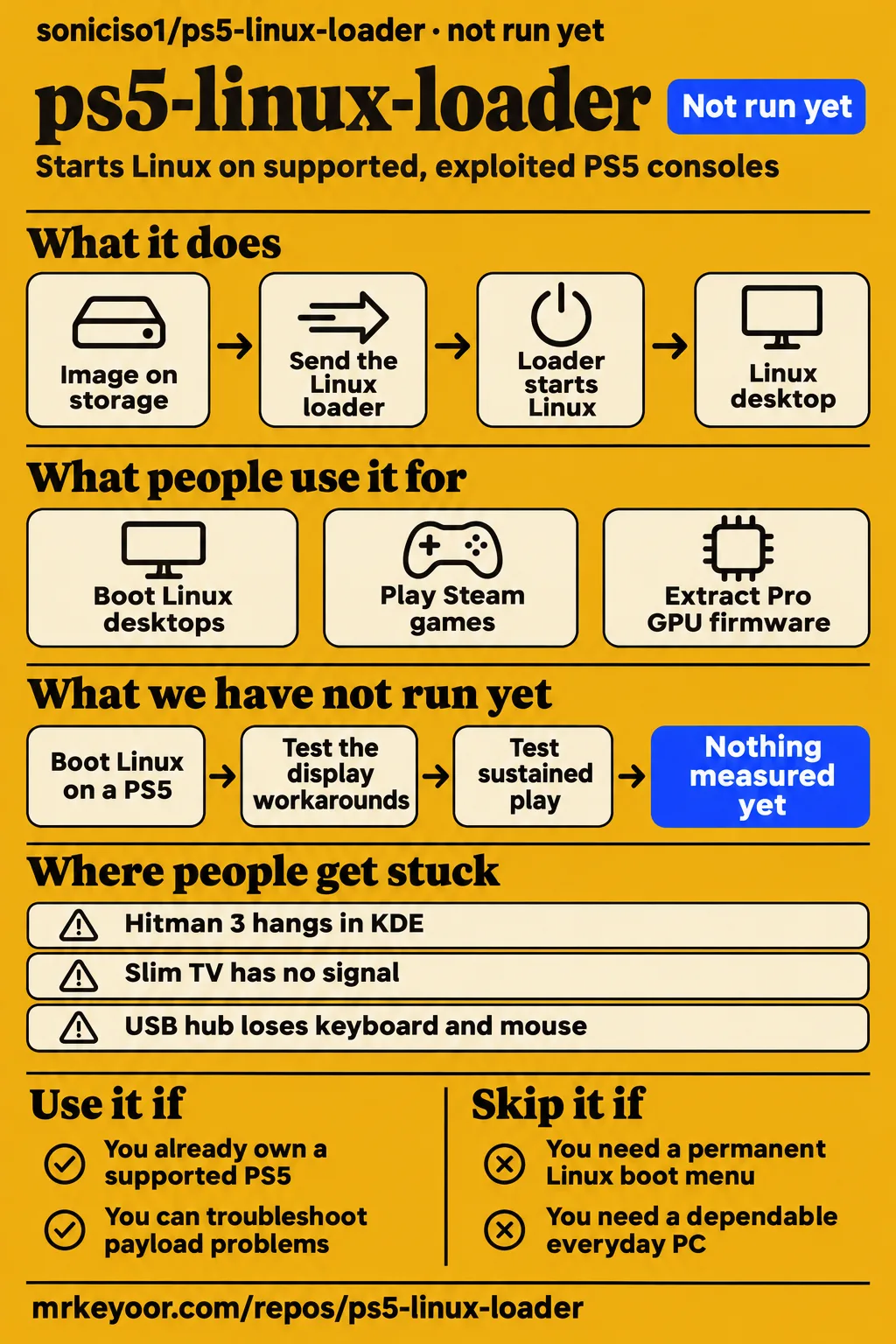
Chronos6262 reports Hitman 3 working in Bazzite Deck v1.0.3 Game Mode on a PS5 Pro, while the same game hangs in KDE. Use soniciso1's ps5-linux-loader if you already own a compatible console and enjoy troubleshooting Linux. Skip it if your goal is a dependable everyday PC or a permanent Linux boot menu. The reported Game Mode and KDE results give a more useful starting point than a general promise of Steam compatibility.
The practical decision has three parts: identify the console model and firmware, choose the loader and image, then match the desktop session to the intended use. A PS5 Pro firmware dump, a Linux desktop and a playable game are separate milestones in the supplied reports. This review follows those milestones so an owner can choose a sensible next step without treating a broad firmware range as a complete compatibility checklist.
What people use ps5-linux-loader for
Owners report Linux desktops, Steam gameplay and Pro GPU firmware extraction, with specific combinations producing different outcomes.
| Person and setup | What they did | Reported outcome |
|---|---|---|
| Chronos6262, retail PS5 Pro on 13.60 | Booted Bazzite from an external USB SSD and downloaded Steam games | Desktop boot and LAN worked; a 70 GB Steam download completed after the October 20 build. Issue #3 |
| Chronos6262, Bazzite Deck v1.0.3 Game Mode | Played Hitman 3 through Steam/Proton | Hitman 3 worked in Game Mode and hung in KDE. Session comparison |
| kryptalivian, PS5 Pro on 13.60 with Ubuntu | Tried Space Marine 2 and Red Dead Redemption 1 | Reported a similar hang in Space Marine 2 and working Red Dead Redemption 1. Comment on #3 |
| Ykls53, retail PS5 Pro on 13.42 | Extracted Viola GPU firmware using the November 3 loader | Reported eight valid firmware files, identical across two attempts, followed by a return to Orbis; the October 22 loader booted Linux. Issue #28 |
Control Alt Steal's installation video describes errors while testing Sonic ISO's experimental 13.60 payload, followed by a successful Linux boot. On X, LordGloomTOG says Ubuntu ran flawlessly with a 13.60 test loader. These accounts add desktop use to the game and extraction examples above. The installation video and Ubuntu post describe their own setups; the issue threads provide the more detailed combinations of hardware, image and session.
For a first gaming attempt, the useful starting point is a named working combination. Chronos6262 identifies Bazzite Deck v1.0.3, Linux 7.3 and Game Mode for Hitman 3. For desktop use, the initial milestones are display, storage, input and networking. Recording those separately makes a later failure report easier to understand: reaching a desktop is different from completing a Steam download or starting gameplay in a particular title.
What happened when we ran it
Our November 16, 2026 sandbox attempt stopped before loader execution because the harness supported no C ecosystem and found no Dockerfile.
| Recorded lab item | Result and meaning |
|---|---|
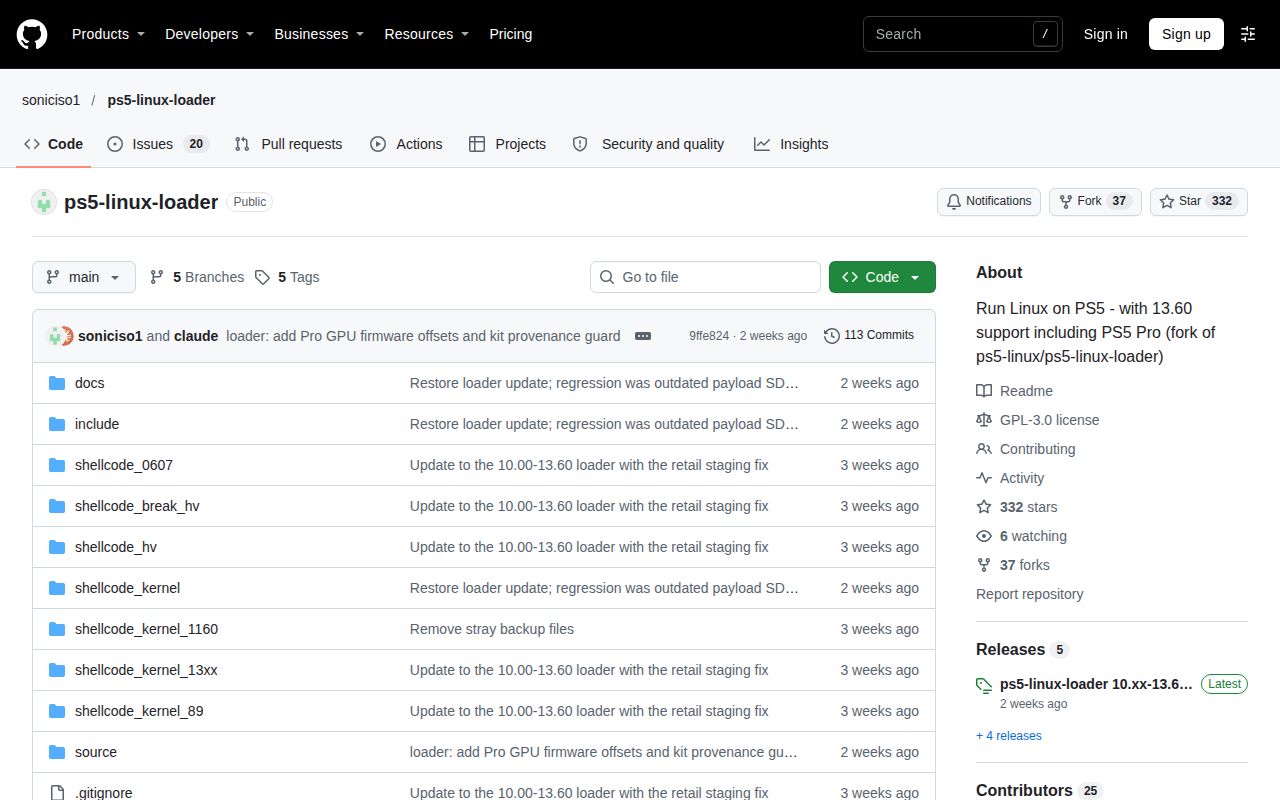
| Checkout | commit 9ffe824, committed November 3, 2026; checked out November 16, 2026. |
| Sandbox configuration | 3 CPUs, 8 GB RAM; image recorded as n/a |
| Execution | NOT RUN: no supported ecosystem for C; no Dockerfile |
| Install, build and tests | No product execution result to report |
Our run recorded a harness stop rather than a console boot. The pack also contains a separate attempt in a fresh debian:bookworm container with 2 CPUs, 4 GB RAM, no published ports and no secrets, using root inside the container for apt. That record names commit 9ffe824972a5 and recipe quickstart-cli. Its run configuration belongs to that attempt, rather than the 3-CPU harness configuration above.
The separate clone step took 1 s. Its apt step installed docker.io 20.10.24+dfsg1-1+deb12u1+b6, recorded 144.1 MB installed and 128 other packages pulled in, and took 44.5 s. The identity check failed: docker.io was a different project. The pack records the same wrong-package finding and successful teardown.
Docker appears in the README's instructions for building a separate Linux image. Installing that prerequisite is distinct from compiling this loader, sending its ELF to a console or booting Linux. The project README also offers prebuilt images and describes obtaining a loader ELF or compiling with the PS5 payload SDK. These are separate preparation paths, which explains why the package installation figures remain attached to the Docker attempt.
Where people get stuck: boot, display and games fail separately
The sampled issues describe failures during Rest Mode, display setup, gameplay and peripheral use.
| Symptom and source | What the person tried or observed | Resolution in the supplied thread |
|---|---|---|
| Hitman 3 or Resident Evil 2 hangs in KDE, Chronos6262, #3 | Ray tracing off and RADV launch options left the desktop hang unchanged | Hitman 3 worked in Bazzite Deck v1.0.3 Game Mode. #3 |
| Solid orange Rest Mode resumes to Orbis, niallod55, #21 | Checked settings, waited beyond solid orange and tried a clean payload session | Reported a successful boot after a recovery reinstall following corruption. #21 |
| Pro firmware dump succeeds, Linux returns to Orbis, Ykls53, #28 | November 3 loader produced consistent firmware files | October 22 loader booted on the same console. #28 |
| Slim monitor works, TV has no signal, #15 | kleinershardtechno-afk forced HDMI output to 8 bits per channel | Reported immediate success on a Hisense TV. #15 |
| Slim output below 4K is corrupted, zCrucifixV2, #6 | Set max bpc to 8 | Reported correct display through an EVGA XR1 capture card and resolved stuttering by switching to XFCE4. #6 |
| Boost command says device is busy, dvelaren, #5 | Already used sudo and said no other tool instance was running | Reported ioctl: Device or resource busy, plus a USB hub losing keyboard and mouse. #5 |
Chronos6262 reached Hitman 3's menu in KDE before gameplay produced a black screen, a ring gfx timeout and failed GPU recovery. The update identifies Game Mode as the working session and also records CPU-frequency errors after the desktop hang. Resident Evil 2 produced a similar desktop failure. The full gameplay report therefore gives concrete symptoms to include alongside the image and session when describing a crash.
Ykls53 used the same console, USB drive and image when comparing the October 22 and November 3 loaders. The newer build went from white directly to orange, skipped the blinking phase and returned to Orbis after waking. The Pro 13.42 comparison also records no display output or SSH access. That sequence is different from the Slim TV report, where a monitor already displayed output.
Issue #9 adds another Slim display case: CachyOS and Ubuntu produced no usable video across multiple displays, and another commenter described the same problem on 13.00. In #6, the reporter described striped output below 4K and severe stuttering at 4K before changing settings and desktop. The closed display thread and capture-card thread help distinguish an absent signal, corrupted output and a stuttering session.
Compatibility depends on the model and the release
Release v2026.11.03-all10-13-pro rejects retail PS5 Pro consoles below firmware 11.00.
The release author reports a successful Linux boot on Pro 13.60 and eight dumped Viola firmware files. The notes separately describe offsets derived from retail decrypted kernels and cross-checked against devkit kernels. The November 3 release notes identify both the retail-Pro guard and the provenance of those offsets, so the release name alone is a poor substitute for reading its hardware-specific requirements.
The supplied current README lists Phat/Slim and Pro firmware separately, includes 12.40, and omits 9.20 and 9.60. For Phat/Slim 11.xx, it also says the kernel needs KASLR and instructs users against passing nokaslr, mem= or memmap=. Read the model-specific firmware list before choosing a payload. Record the console model, firmware, loader filename and image release together; those fields make the successful and failed issue reports comparable.
The boot path needs a clean payload session
The booting wiki directs users to restart after etaHEN, kstuff or another payload has run, then send only the Linux loader.
The documented route requires an image on storage, an exploit for the firmware and the loader payload. USB power in Rest Mode must stay enabled, and HDMI Device Link must be disabled. A settings reset or firmware reinstall clears settings that need checking again. The booting instructions also explain that every Linux session begins with the exploit because the console starts clean each time.
The README requires a USB drive of at least 64 GB and a USB keyboard and mouse. It recommends an external SSD and supports booting through the front bottom Type-C port or rear Type-A ports. Its optional M.2 installation dedicates that drive exclusively to Linux. The storage instructions distinguish that optional drive from the internal SSD, which the README says remains unchanged. Identify the target drive before following image-writing instructions.
ps5-linux-loader vs Bazzite's loader, rmuxwashere and a homescreen launcher
The loader wiki recommends a release-matched bazzite-bootc-loader for PS5 Bazzite Deck and soniciso1's loader for other images.
| Choice | What the supplied source says it changes | Pick it when |
|---|---|---|
| soniciso1/ps5-linux-loader | Adds firmware offsets and Pro GPU firmware dumping | You use another Linux image, especially on a compatible Pro. Loader wiki |
| bazzite-bootc-loader | From v2.6.1, incorporates soniciso1's loader; from v2.13, passes dumped firmware and Bluetooth pairings through the initrd | You use PS5 Bazzite Deck; take the loader from the same image release. Loader wiki |
| rmuxwashere/ps5-linux-loader | Earlier fork without the Pro GPU firmware dump | A newer loader fails to start on your console. Loader wiki |
| Wawapun/ps5-linux-autoloader | Homescreen launcher with a separately supplied Linux loader ELF | You want its documented homescreen workflow and meet its firmware and payload requirements. Launcher README |
Wawapun's launcher README names firmware 13.00, 13.20 and 13.60 and directs users to obtain the ELF from Ouroboroshen/ps5-linux-loader. The launcher and payload have separate responsibilities: the app starts its workflow, while the supplied payload determines Linux-loader behavior. The Wawapun documentation explicitly says the ELF is absent from its repository. That distinction matters when choosing between a different boot payload and a more convenient way to launch one.
Techjunkie_Aman's X discussion describes Playden as a Wine-based environment for launching games from PS5 tiles and Linux as a separate desktop boot target. Tom's Hardware commenters instead discuss buying a mini PC or BC-250, including the BC-250's additional case, power supply and SSD. The Playden discussion concerns workflow, while the hardware buying discussion concerns the cost of obtaining a complete machine.
What the other reviews get wrong
Tom's Hardware's downgrade advice conflicts with the README's explicit statement that a PS5 cannot be downgraded.
The article also rules out firmware 6.xx and above, while the supplied current README lists later firmware and issue #3 reports Linux desktop use on 13.60. Yahoo's disc-drive-only, 3.xx/4.xx description likewise describes an older compatibility picture. Read the Tom's Hardware article and Yahoo coverage alongside the current model-specific list rather than using either article as the selection guide for this release.
The v2.4 README and ps5gentoo fork's 8.00 ceiling, the older pinned README's 6.50 ceiling and MasterPS0's unsupported-Bluetooth statement belong to their respective snapshots. The supplied current README includes later firmware and internal Bluetooth support. Brewology's adapter-only wireless advice also differs from the current documentation, which names supported internal Wi-Fi chipsets. The current README, v2.4 snapshot and Brewology listing should retain those separate identities.
The README attributes a return to Orbis to early waking or missing Rest Mode settings. Issue #21 records the same result after the required settings were checked and the reporter waited 15-30 seconds beyond solid orange. That contrast makes the return-to-Orbis report useful when those first checks leave the symptom unchanged. The report later describes corruption, a recovery reinstall and a successful boot in the fresh state.
Questions people ask
A retail PS5 Pro on firmware 13.60 has reported Linux desktop and Game Mode success with named loader and image combinations. The 13.60 console report answers the broad compatibility question with a specific example; the README's model lists and the release's retail-Pro guard determine which other combinations the project documents. The questions below follow the supplied community questions and distinguish the boot workflow from reinstalling the image.
Can my jailbroken PS5 running firmware 13.60 or lower run Linux?
Some can: Chronos6262 reports a working retail Pro on 13.60. The README enumerates firmware by model rather than supporting every version below a ceiling. Match your model and firmware to that list, then read the selected release's restrictions. The console report and November 3 release provide the relevant example and retail-Pro cutoff.
Do I have to jailbreak and reinstall Linux every time I shut down my PS5?
You need another exploit session to start Linux after restarting; the documented process boots the image already stored on the drive. Preparing and flashing an image is separate from launching the loader on a later session. Follow the boot workflow, which starts with the firmware's exploit and sends the Linux loader as the only payload.
Can I dual-boot Linux and PS5 OS?
The README calls this a soft-mod and requires rerunning the exploit to boot Linux. It does not describe a permanent boot menu that lets you choose Linux at startup. The project FAQ answers the dual-boot question directly; use its exploit-based workflow when deciding whether repeated Linux sessions fit how you use the console.
Can I keep using my PlayStation games after installing Linux?
The README says the internal SSD is not modified. Its optional M.2 procedure uses that separate drive exclusively for Linux, so an M.2 dedicated to Linux cannot also hold PS5 games. Read the README's FAQ and M.2 instructions together, and distinguish the console's internal storage from whichever external or optional drive receives the Linux image.
Can all PS5 consoles become Linux PCs by downgrading their firmware?
No: the README says downgrading is unavailable. Its firmware instructions describe updating to a specific supported version using the correct PUP, rather than lowering an arbitrary console's firmware. The project's firmware instructions therefore rule out buying any PS5 on the assumption that Sony's reinstall process will make it compatible with this loader.
Does firmware 9.20 or 9.60 support Linux without updating the console?
The current supplied README omits 9.20 and 9.60 from its supported-version lists. Issue #25 contains a 9.20 compatibility request and comments from Pro and Slim owners on 9.60. Those firmware requests explain why owners ask the question; the model-specific README remains the documented list to consult before selecting a payload.
Can support be added for firmware 12.40?
The supplied current soniciso1 README already lists 12.40 for Phat/Slim and Pro. Issue #10 contains the earlier request and a suggestion to update to 13.60. Start with the current firmware entries, then use the 12.40 request as context for the question rather than as the current support list.
Which offsets and validations are missing for retail PS5 Pro 10.20 and 10.01?
Issue #27 asks about the retail 10.20 Viola GPU offset and other boot validations, and a commenter flags 10.01 offsets. Release v2026.11.03-all10-13-pro rejects retail Pro below 11.00. The contributor request identifies the requested work, while the release notes state the behavior owners encounter with that build.
How can contributors safely extract a decrypted kernel and derive the PS5 Pro GPU firmware offset?
The issue #27 author reports that a read-only kernel memory probe caused a kernel panic and asks for an offline method. The release notes describe deriving offsets from decrypted retail kernels and comparing them with devkit kernels. Read the methodology request and offset provenance as the supplied account of the problem and the author's reported analysis.
Why does my PS5 return to Orbis after the loader reaches solid orange Rest Mode?
The README's first checks are wake timing and Rest Mode settings. Issue #21 records that symptom after those checks, then describes a successful boot following recovery reinstallation after corruption. The README boot instructions give the initial settings and LED sequence; the issue #21 account gives the later sequence reported on that console.
Why can a PS5 Pro successfully dump Viola GPU firmware but still fail to boot Linux?
Issue #28 records eight consistent firmware files followed by a return to Orbis on Pro 13.42. Swapping to the October 22 loader booted the same console, USB drive and image. The loader comparison separates those two observed outcomes and supplies the release names needed to describe the failure accurately in a further report.
Why does my PS5 Slim show no signal on a TV when its monitor output works?
A commenter in issue #15 reports that forcing 8 bits per channel restored output on a Hisense TV with a Slim on 13.60. The original reporter used a TCL Android TV and replied that they would try the suggestion. The Slim display thread therefore contains a successful Hisense adjustment and a separate TCL follow-up.
What we have not tested yet
We did not run the loader on a PS5: the sandbox stopped before product execution. Its 3-CPU, 8 GB configuration and image label supply neither an actual runtime version nor an operating-system version. The separate Docker installation figures measure that package attempt, not loader installation or console performance. We have no console boot, gameplay, thermal, security or sustained-reliability measurements of our own, and the unassessed ratings reflect those gaps.
Issue #3 records no remedy for its Bluetooth initialization failure. For USB runtime power management, the reporter lists a udev rule setting xHCI power/control=on plus usbcore.autosuspend=-1; that workaround remains untested by us and is not a confirmed fix. The 70 GB download result covers the reporter's storage use. The release author also says hardware boot on the newly derived 11.00-11.60, 12.00-12.70 and 13.40/13.42 offsets was untested at release.
We have not reproduced the display workarounds or established a complete release-specific compatibility matrix. The #15 debugfs adjustment takes effect at the next modeset and is temporary; #6 covers an EVGA XR1 capture card, with direct TV/monitor output and the return to GNOME or Wayland left unchecked by that reporter. Issue #9's closure contains no confirmed resolution. Firmware extraction in #28 does not diagnose its boot failure, and #21's paired-Blu-ray-drive explanation remains the reporter's untested hypothesis rather than a recovery procedure.
The supplied records also leave boost control, the #5 USB hub disconnects and sustained play across desktop sessions unresolved. Issue #27 supplies neither a complete missing-offset inventory nor a safe kernel-extraction procedure. The gaming video reports 54 FPS for Cyberpunk 2077 at native 1080p and over 70 FPS for GTA 5 Enhanced without scaling or frame generation, but omits the loader build and complete settings. Those figures cannot supply a soniciso1 benchmark or a controlled comparison with a mini PC or BC-250.
The supplied repository metadata records its latest release and last push on November 3, 2026; that activity does not measure support capacity. The forum and X comparisons are attributed opinions rather than purchase benchmarks. Before buying hardware, find a successful boot report for the exact model, firmware and loader you intend to use. Before calling a game compatible, record its image and desktop session alongside the title.