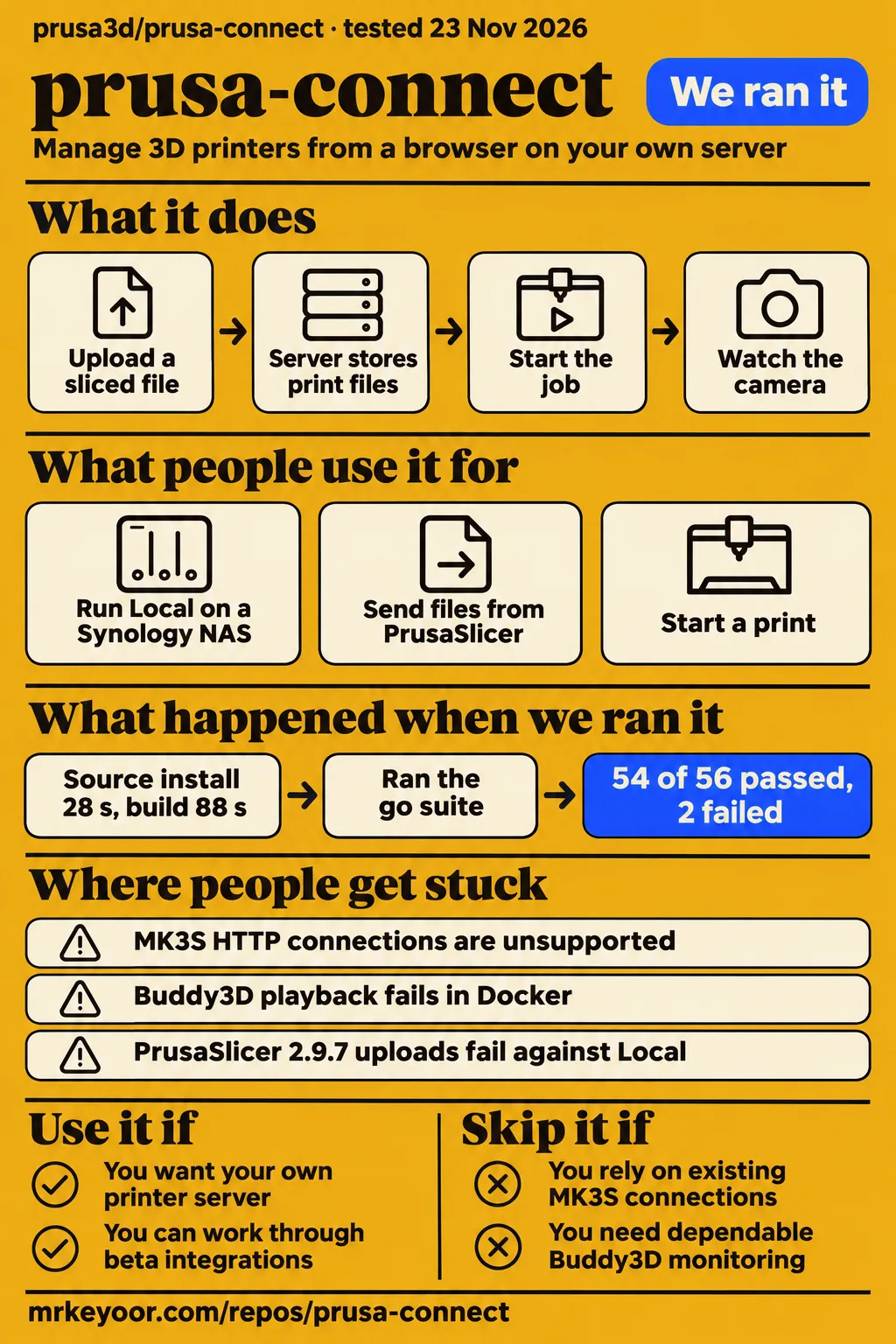
Prusa Connect Local is a self-hosted public beta, separate from cloud Connect and the printer-local PrusaLink interface. In our run, the source build passed in 88 seconds, but the test command failed with two upgrade-process cases named in the log. Use it if you want to operate your own printer server and can accommodate beta integrations. Skip it if your workshop depends on existing MK3S/PrusaLink connections or trouble-free Buddy3D monitoring: the relevant Local issues are still open. The Prusa Connect README describes the beta, and maintainers discuss MK3S compatibility alongside users' camera failures.
The decision is less about whether you can start another server than whether your everyday printing path survives the move. A working web dashboard, a slicer upload button and a camera player are separate milestones here. Keep that distinction in mind before moving the printer you rely on.
What people use prusa-connect for
People have reported running Connect Local on a Synology NAS and Umbrel, and sending files through community slicer bridges. Their accounts show concrete uses, with different degrees of success:
- The author of issue #32 ran Local in a Docker container on a Synology NAS. The server worked, but connecting the Buddy3D camera stream was the reason for opening the issue. Getting the dashboard onto a NAS had not completed the monitoring setup.
- sam_apostel reported getting Local running on Umbrel. The criticism was the wizard: its wording explained how the form worked rather than what the person needed to decide. That's useful context if you're comfortable with containers but expect the first-run questions to guide you.
- bada55fa7a55 reported testing an OctoPrint-compatible bridge with Connect 0.1.0-beta.1, PrusaSlicer 2.9.7 and an MK4S. It forwards uploads into Connect's REST API, the interface other programs use to communicate with the server.
- ZachGoldberg reported testing an upload extension with a Core One. The slicer uses a normal Connect API credential, so uploads and print starts run with that person's permissions.
Cloud examples need their own label. In 3D printronix's MK4 setup video, registration ends with an idle printer and visible temperatures in cloud Connect. On the Prusa forum, czei successfully shared printers with a colleague after assigning them to the new cloud team. Neither account demonstrates that those same steps work unchanged on Local.
What happened when we ran it
Our November 24 browser-run attempt stopped at the safety check: the lab runner rejected Compose include with “compose include is not supported (rule: no include)”. The run header describes the intended Compose deployment with every port bound to 127.0.0.1, but the failed step is the operational result.
That rejection belongs to our runner's safety policy. It isn't a Connect error returned by the application. The header's word “deployed” cannot substitute for a completed task when the next recorded step blocks execution.
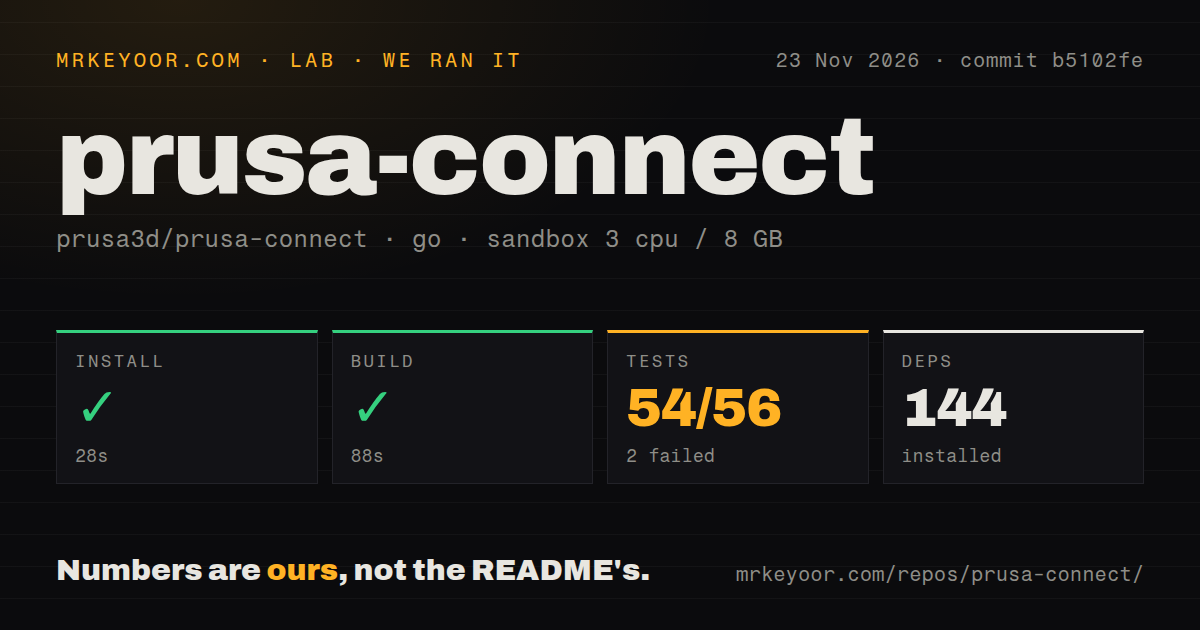
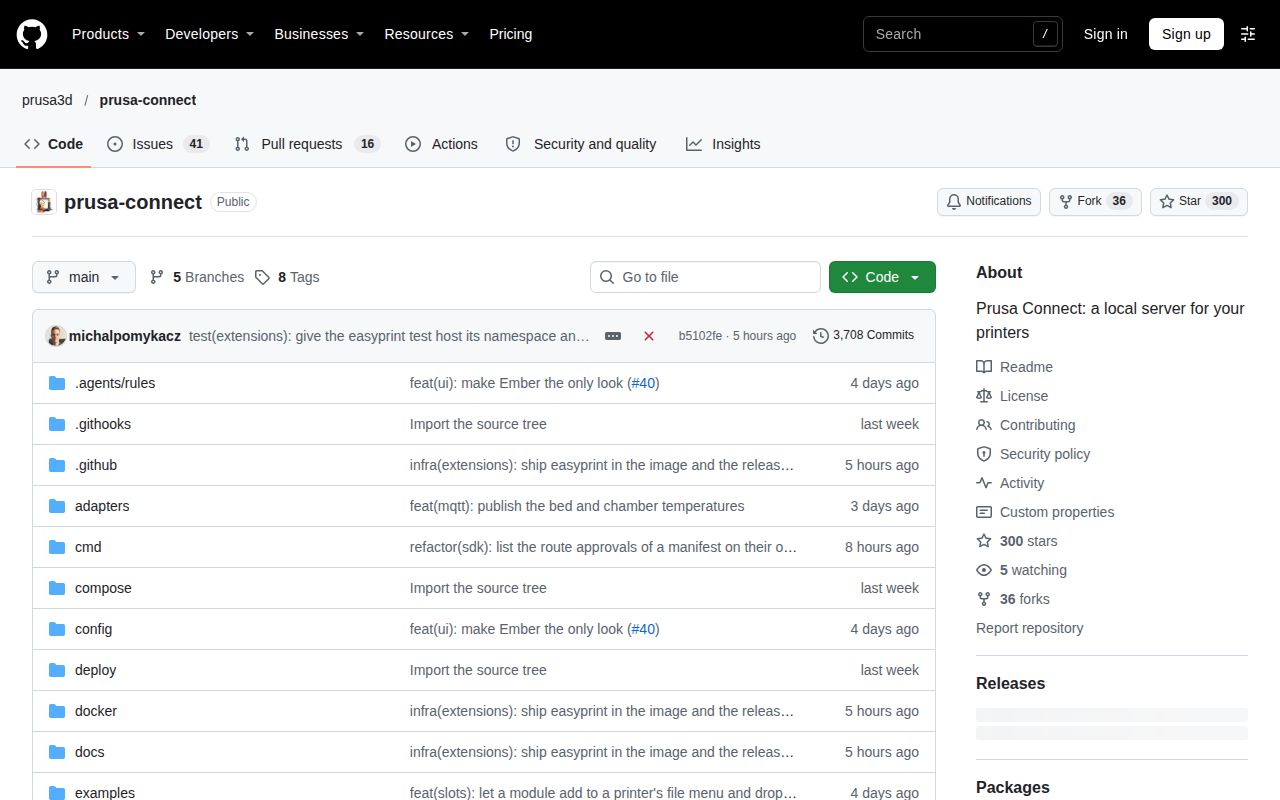
The earlier source run reached further. On November 23, we cloned commit b5102fe, installed dependencies, built the project, then ran the tests. The test command then exited 1 after 388 seconds, with 54 passed and 2 failed of 56 in the recorded go test summary.
| Step in our source run | Recorded outcome | What you can take from it |
|---|---|---|
| Dependency installation | Succeeded in 28 seconds; 144 dependencies recorded | The recorded install step completed |
| Build | Succeeded in 88 seconds | This checkout completed the build step |
| Tests | Failed, exit 1, after 388 seconds; 54 passed, 2 failed of 56 | The suite was not green |
| Later browser-run attempt | Compose include rejected by lab safety policy | No completed printing task resulted from this attempt |
The failing tail names TestAutomaticUpgradeSwapsTrialsAndExecsTheCandidate and TestFailedCandidateRestoresTheBinaryAndExtensionDatabase, followed by failure in github.com/prusa3d/prusa-connect/test/upgradeprocess. Other entries, including tools/apicompat and tools/printersim, report ok before the final FAIL. Those names put the finding in upgrade-process tests. The tail contains no underlying exception that would explain the cause.
Our measurement setup specified 3 CPUs, 8 GB RAM and image label golang:1.24-bookworm. That label describes the configured image, not a confirmed runtime or operating-system version. The source scan recorded 6,890 files, about 1,077,111 source lines and a 57 MB checkout, with 14 CI workflow files, a Compose file and a tests directory, but no detected Dockerfile. That last scan result should not be read as an absence of published container images.
Where people get stuck: slicer uploads and camera playback
PrusaSlicer 2.9.7's cloud PrusaConnect host type failed against Local in issue #7, requesting an unsupported /api/version route. The error was HTTP 404 with core.validation/ROUTE_NOT_FOUND. The issue author documented that response, and the maintainer closed #7 in favor of #24. A closed duplicate is not a shipped integration.
| Your slicer path | Status described in the issues | Practical decision |
|---|---|---|
| PrusaSlicer 2.9.7, PrusaConnect host pointing at Local | /api/version request fails in #7 |
Changing the hostname alone isn't the documented solution |
| PrusaSlicer 2.x, OctoPrint-compatible bridge or extension | Community authors report upload and print success | An extra integration to maintain, using Connect credentials |
| Forthcoming PrusaSlicer 3 alpha | Maintainer announced native Local support in #24 | Treat the announcement separately from a released build |
Issue #24 also contains a PowerShell post-processing workaround. Its author uploads G-code, then asks the printer to transfer and start it. The maintainer warns that the script disables TLS certificate validation entirely and recommends trusting a self-signed certificate instead. Don't copy the certificate bypass just to make the first upload succeed.
The camera story has another split. In issue #13, evilmon reports that camera type generic rejects an RTSP address, returning mjpeg: a camera URL is http or https: the scheme is "rtsp". RTSP is the camera's streaming protocol. Changing the type to rtsp gets past that particular mismatch, but the same user reports the browser never opening the camera stream.
In issue #32, RoryV91 describes VLC playing the stream while Connect's browser player fails with WebRTC ICE errors. WebRTC is the browser streaming connection; ICE handles finding a usable network path. RoryV91 later reports success on a native Debian installation, while idl0r continues reporting failure. DomiiBunn proposes a development image and later mentions lost keyframes. That is an active troubleshooting thread, not one general fix you can safely apply to every Docker host.
Printer compatibility starts with the connection protocol
The README lists CORE One, MK4, MK3.9, MK3.5, XL and MINI families for Local, while issue #9 describes older PrusaLink printers as unsupported through their existing HTTP connection. The maintainer anticipates a WebSocket-based PrusaLink update but gives no date. If your printer already works with cloud Connect, that alone doesn't qualify it for this server.
Issue #26 identifies a separate firmware constraint: ordinary Connect hostnames have a fixed 20-byte storage slot. A university domain can consume much of that before you add a server name. Contributor tlchandler reports testing a firmware change that enlarges storage to 35 bytes, successfully connecting a CORE One INDX with a 22-character hostname. That's a contributor test, not confirmation of a released firmware change.
For another manufacturer's printer, the README offers a driver contract and a Moonraker example for Klipper. A driver is the component translating between Connect and the printer. This is a useful route for a developer willing to implement an integration. It doesn't turn a list of other brands into a list of ready-to-use devices.
Local accounts still need network and identity decisions
Connect Local stores accounts and print data on your server, but its README says marketplace and update checks use the internet. The configuration switches core.marketplace.enabled: false and core.upgrade.enabled: false disable those checks. Offline printing and a server that makes no external requests are different requirements.
The README's printer-connection example sets tls = false. It also explains that a printer receives its token only after you approve the matching code, so the USB settings file holds no token. Custom certificates provide the documented encrypted-connection route. Decide how printers will reach the server before distributing settings files, especially if a browser-accessible hostname differs from the address reachable by the printers.
OpenID Connect, or OIDC, lets people sign in through an identity provider. The README supports it, but issue #36 asks for configuring it after the first-run wizard and linking existing users. Commenters also ask for a local administrator account to recover access when that provider fails. A request for that workflow isn't evidence that it already exists.
The business-use conditions can rule it out before setup
The README says internal business use under its included terms is limited to annual gross revenue up to one million euros, affiliates included. It also says businesses may not host the software for third parties or expose its functionality or API to them as a service. Larger businesses and uses beyond those terms need a separate business license, according to Prusa.
For a hobby workshop, the README describes non-commercial use, modification and redistribution under the same license and add-ons. For a company, source access doesn't settle permission to deploy. Read the actual OCL v1.1 and its Micro, NoSaaS and SWAtt add-ons before budgeting engineering time. A print farm running its own production and a provider selling hosted access are different cases in the project's own explanation.
prusa-connect vs cloud Connect, PrusaLink and shared-lab alternatives
PrusaLink is the more direct candidate when you want local monitoring, uploads and print control on a printer; Local adds a server you operate for the fleet. Prusa's explanation identifies PrusaLink as accessible over the local network without internet. Choose the scope you actually need before choosing the deployment.
| Alternative | Reason to consider it | Where Local changes the decision |
|---|---|---|
| Cloud Prusa Connect | Established cloud upload path described in #24; no Local server to operate | Local puts accounts and print files on your machine |
| PrusaLink | Local monitoring, uploads and print control, documented by Prusa | Local is a separate fleet server with its own compatibility constraints |
| OctoPrint | Prusa's overview lists it as an alternative; its upload API is used by Local community bridges | An OctoPrint-compatible upload extension doesn't equal native PrusaSlicer support |
| SimplyPrint | Vendor advertises mixed-brand support, automation and filament tools | Compare the exact printer path with Local's driver approach |
| Pluraprint | Vendor describes shared-lab approvals, quotas, card stations and pickup workflows | Evaluate those operational needs separately from hosting a printer dashboard |
These are workflow comparisons, not performance rankings. SimplyPrint's comparison advertises its own mixed-fleet and automation features, while Pluraprint describes approvals and pickup alongside its Prusa integration. A school deciding who may submit, approve and collect jobs has a different problem from a home user deciding where files live.
What the other reviews get wrong
Cloud-focused comparison pages omit or misdescribe features when you apply their conclusions to Connect Local. Pluraprint's comparison describes Prusa's cloud and PrusaLink for local use. The Local README now describes a self-hosted server with its own accounts. Keep the product names attached to every comparison row.
SimplyPrint's Prusa Connect comparison says there is no Klipper support, SSO or spool inventory/NFC. For Local, the README documents a Moonraker driver example and OIDC, while issue #63 discusses the Materials database and NFC weight handling. The correction has limits: an example driver isn't universal brand compatibility, and the existence of Materials doesn't settle whether a particular spool's weight synchronizes correctly.
3DPrinterOS's comparison describes Prusa slicing as desktop PrusaSlicer. Prusa's EasyPrint video describes slicing in a browser or on a phone and sending to a printer on the local network. That corrects the desktop-only description of Prusa's broader offering; it doesn't promise that EasyPrint connects to this Local server.
Two older setup claims also need their product boundaries restored. Prusa's SL1/S setup documentation says cloud Connect support starts with firmware 1.8.0, superseding the future-support language in the January 2024 overview. And although 3D printronix's MK4 tutorial requires Wi-Fi, Prusa's connection documentation also describes Ethernet. Neither correction adds a model to Local's support list.
Finally, Josef Prusa's launch post calls Local free for everyone. The README's business-use limits qualify that phrase. Use the license text to make a company deployment decision rather than the launch wording.
Questions people ask
PrusaSlicer 2.x users can use community OctoPrint-compatible upload bridges; native Local support was announced for a forthcoming PrusaSlicer 3 alpha in issue #24.
How do I send files directly from PrusaSlicer to Connect Local?
Community bridges translate OctoPrint-style uploads to Connect's API. bada55fa7a55 reports success with PrusaSlicer 2.9.7 and an MK4S, and ZachGoldberg reports an extension tested with a Core One. Set expectations by that exact combination, rather than assuming the cloud host setting recognizes Local.
How do I connect a Buddy3D camera to Connect Local running in Docker?
The route described in issue #13 is online Connect onboarding, then adding the RTSP URL to Local. Select the RTSP camera type. Buddy3D lacks a snapshot URL, and Docker browser-playback reports in #32 still include failures after VLC succeeds.
Why does my camera work in VLC but fail in Connect Local?
RoryV91 reports VLC success alongside WebRTC ICE errors in Local's browser player. Issue #32 records mixed outcomes and a proposed development image, not a proven cause for every camera failure. VLC playback checks a different client path from the browser player.
Is there an official Docker image for Connect Local?
Yes: a maintainer points to ghcr.io/prusa3d/prusa-connect:0.1.0-beta.1 in issue #16. The issue answers image discovery even though the lab source scan detected no Dockerfile.
Is there a latest Docker tag for easier updates?
Issue #16 contains a request for a latest tag, without a confirmation that the tag was provided. The maintainer's concrete example uses 0.1.0-beta.1. Use a confirmed release tag rather than constructing an update workflow around that request.
Will Connect Local support MK3S printers running PrusaLink?
A maintainer anticipates a WebSocket-based PrusaLink update, but promises no delivery date in issue #9. The existing HTTP connection is the compatibility obstacle discussed there.
Why is the Connect server hostname limited to 20 bytes?
Buddy firmware stores the Connect hostname in a fixed 20-byte slot, according to the maintainer in issue #26. Known Prusa domain suffixes receive special compression. A contributor's longer-hostname test doesn't change what an already-installed firmware release stores.
Why does the Materials extension fail to save NFC spool weight?
The cause is unresolved in issue #63. A maintainer says the printer Tools tab's “Add to Materials” reads the tag, while manual “Add spool” does not. The reporter then says the Tools route still gives incorrect results. That follow-up prevents treating the button distinction as a completed fix.
Can I configure OIDC after completing the setup wizard?
Issue #36 describes the wizard as the only supported OIDC setup flow and requests a settings-based route. The request also covers removing or linking existing users. Choose the identity approach before completing onboarding.
Can I install custom themes through Connect Local extensions?
Full-layout themes are a feature request in issue #21. The maintainer invites contributions starting with color-only changes and warns that unrestricted themes could break extensions. CSS injection described by the requester is not a supported theme installation flow.
How do multiple people share one printer without disconnecting another user's account?
For cloud Connect, use a team and assign the printer to it, the route that solved czei's problem in the multi-user forum thread. Local instead documents server accounts with per-person printer permissions. Don't repeatedly register a cloud printer to each colleague's separate account.
Why can't an invited team member see the team's printers?
In czei's cloud Connect case, the printers needed assignment to the newly created team. czei confirmed that changing the printer team worked. Membership and printer assignment are separate steps in that account.
What we have not tested yet
Our completed source run and blocked browser attempt do not establish successful printer onboarding, a finished print or stable monitoring. We have not tested a real fleet, upload latency, sustained memory use, update recovery, migration between cloud and Local, rollback, NFC weight synchronization or identity-provider failure recovery. The two upgrade-test failures need full logs and a reproduction before anyone assigns them an environment or package cause.
The README's scale example uses simulated printers. We have no independent real-printer capacity or long-term reliability benchmark. Our configured Go image label cannot identify the actual toolchain used, and the current README's toolchain requirements are not a runtime log from the measured commit.
The November 24 attempt produced no completed application task or screenshot records. There is no browser-language finding or security audit result to report. Before moving production work, the useful next result is one complete loop on your intended printer and firmware: upload a sliced file, start the job, watch the camera and confirm that the operator account can perform only the actions you intended.