Connect your actual model before choosing the interface
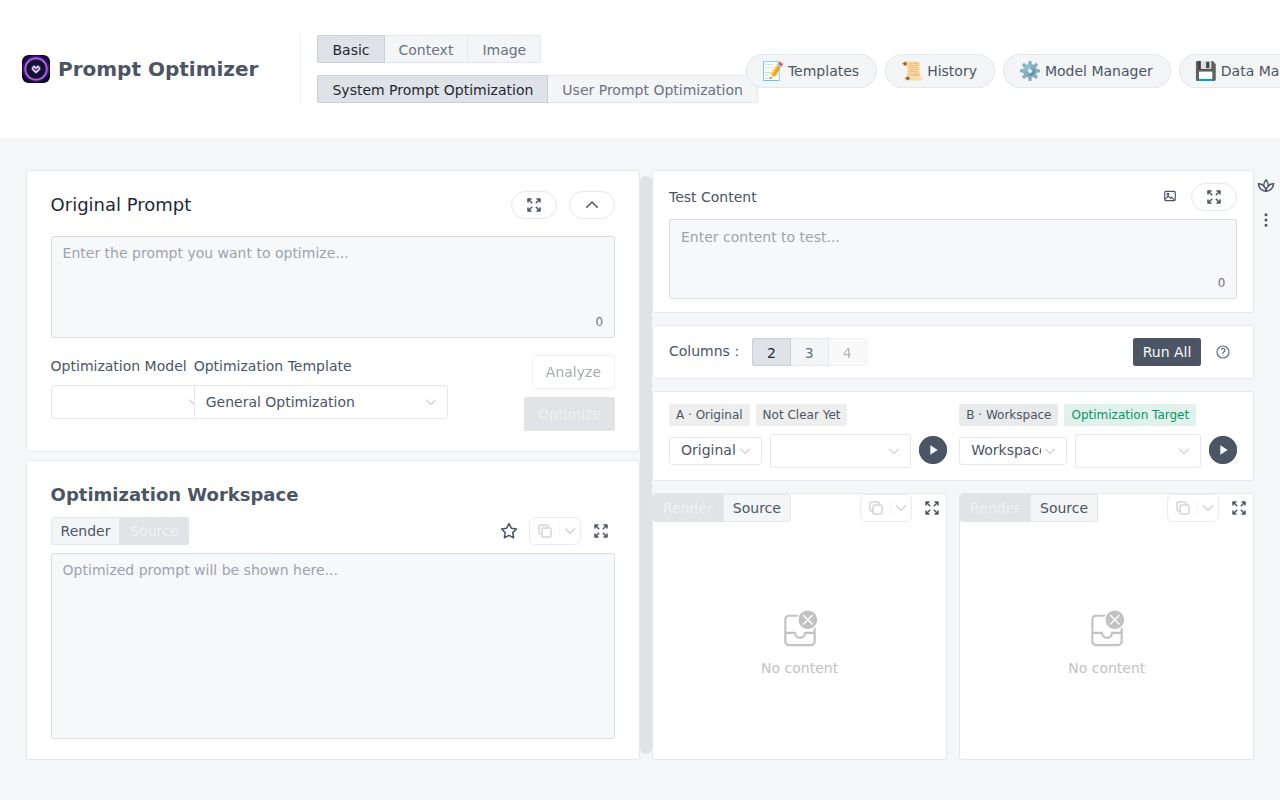
Prompt Optimizer asks you to configure a working text model before its first useful rewrite. That is the right place to start evaluating it. The application brings system and user prompt editing, comparison and saved favorites into one workspace, but your chosen provider still has to accept the connection. I'd try that connection before importing a library of prompts or picking a deployment platform.
The English README describes browser-local app data and direct requests to the configured provider. That suits someone who wants a personal prompt workshop without adding another intermediary to hosted model calls. It doesn't establish that prompts stay on your machine: a request to a hosted provider goes to that provider. English documentation is available alongside a Chinese README, so English-speaking users have a documented entry point.
What happened when we ran it
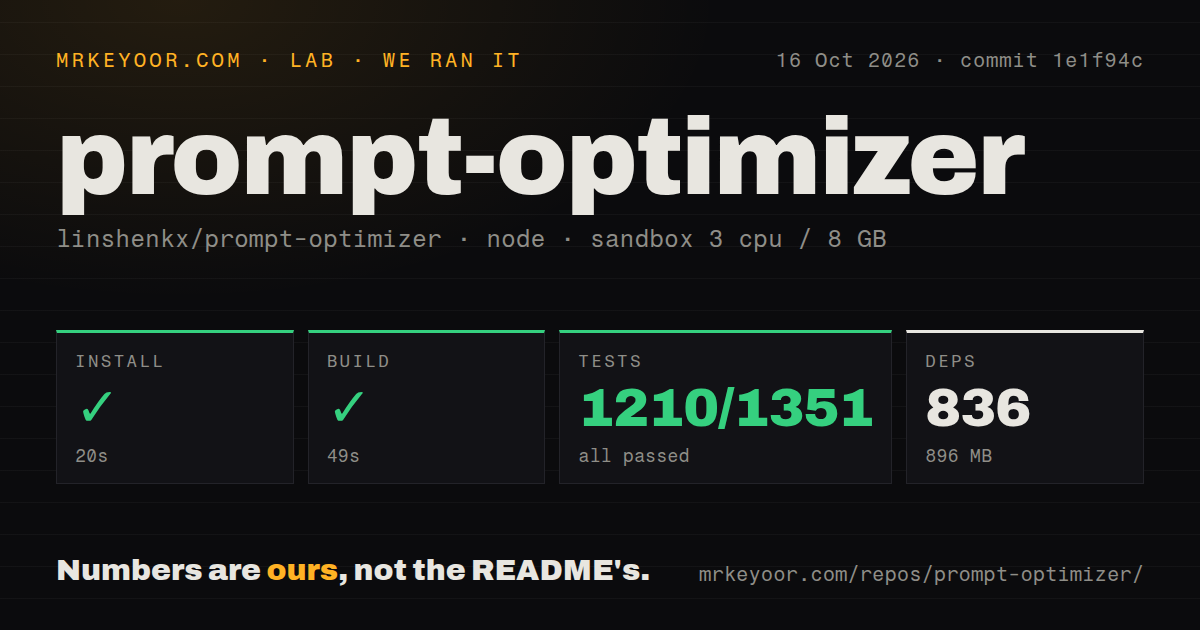
Our Prompt Optimizer run installed 836 dependencies in 20 seconds, built successfully in 49 seconds and completed its test step successfully in 176 seconds. Vitest reported 1,210 passed, 0 failed and 141 skipped out of 1,351. We ran commit 1e1f94c on October 16, 2026. The installed footprint was 896 MB, compared with a 46.5 MB checkout containing 1,911 files and about 285,444 source lines.
The sandbox configuration recorded 3 CPUs, 8 GB RAM and the image label lab-node:22. The label doesn't verify the runtime or operating-system version. The scan found a pnpm workspace monorepo, three CI workflow files, a Dockerfile and a tests directory. These are useful repository facts, not evidence that every packaged application or provider integration worked.
Those 141 skipped cases didn't pass. Nor does a successful code suite measure whether a rewritten prompt produces better answers for your task. The supplied run establishes repository installation, build and test outcomes at that commit. It doesn't establish a successful paid-provider call, image quality or desktop behavior. Keep the application checks separate from acceptance criteria for your own prompts.
Docker hosting doesn't remove the browser's connection rules
The README says all web versions, including Docker deployments, remain subject to browser CORS restrictions. It separately explains why an HTTPS page can fail to reach an HTTP local model through mixed-content blocking. Moving the same frontend into a container doesn't by itself give it a different browser security model.
For a provider that rejects browser requests, the documented alternatives include the desktop application or an API relay you operate. That is a meaningful choice: a developer willing to manage a relay has a route forward, while someone expecting the hosted web page to connect to every internal endpoint will be disappointed. Confirm the endpoint and protocol you actually need before deciding that self-hosting has solved connectivity.
Public deployment also changes how you handle credentials. The README warns against preconfiguring model API keys in public frontends because VITE_* values are exposed in browser assets. Let users configure their own keys through the application instead. Password protection is documented, but it shouldn't be treated as evidence that bundled browser values have become server secrets.
Saved examples make comparison more useful than another rewrite
Favorites can retain prompt versions, examples and referenced media, with import and export support. Advanced mode adds variables and multi-turn conversation exercises. These features give Prompt Optimizer a better reason to exist than making instructions longer: you can keep the starting prompt and the cases that explain why you changed it.
For a first trial, I'd choose a prompt whose mistakes you already recognize, such as a support reply that ignores a refund exception. Keep the original, vary the relevant customer facts and compare the resulting replies. This is a proposed evaluation exercise, not an observed result from our sandbox. A longer prompt that misses the same exception hasn't earned promotion just because the application can save it.
The project also documents text-to-image and image-to-image workflows. They're useful reasons to investigate the interface if image prompting is part of your work, but our run provides no quality comparison for generated pictures. Adopt the text workflow first if that is the problem you're trying to solve.
MCP adds a service, and macOS adds a packaging constraint
The MCP guide documents prompt optimization and iteration tools, with the Docker service reachable under /mcp. It requires provider configuration, so a compatible client doesn't eliminate the model setup. The guide also documents a default language of zh and an en option. English users configuring the service should check that setting explicitly.
The README says the macOS desktop application is unsigned. That is a concrete reason to walk away if your organization requires signed software, even though desktop use avoids browser CORS restrictions. Our source build doesn't assess desktop installation or automatic updates.
Current activity supports a trial, while production ownership remains untested
GitHub recorded the last push on October 23, 2026, and nine open issues and PRs. Recent issue activity included a desktop update report updated on October 22 and a proxy-related report updated on October 19. That establishes current maintenance activity without proving a response-time commitment. Neither report is a failure observed in our sandbox.
Our setup score is 4/5 for source development: the recorded steps succeeded, with a substantial disk footprint and skipped cases limiting the assessment. Documentation earns 4/5 for an English entry point and explicit credential, browser and MCP caveats. Production maturity remains unscored because provider operation and desktop releases weren't exercised.
Promptfoo documents automated checks in CI/CD. Choose it when repeatable regression checks are the main job. Langfuse documents centralized prompt management alongside application tracing. Choose it when a shared production workflow matters more than this personal editing loop. For Prompt Optimizer, start by proving that your endpoint connects and that one saved comparison catches a mistake you care about.