Eight built-in capabilities replace separate admin screens
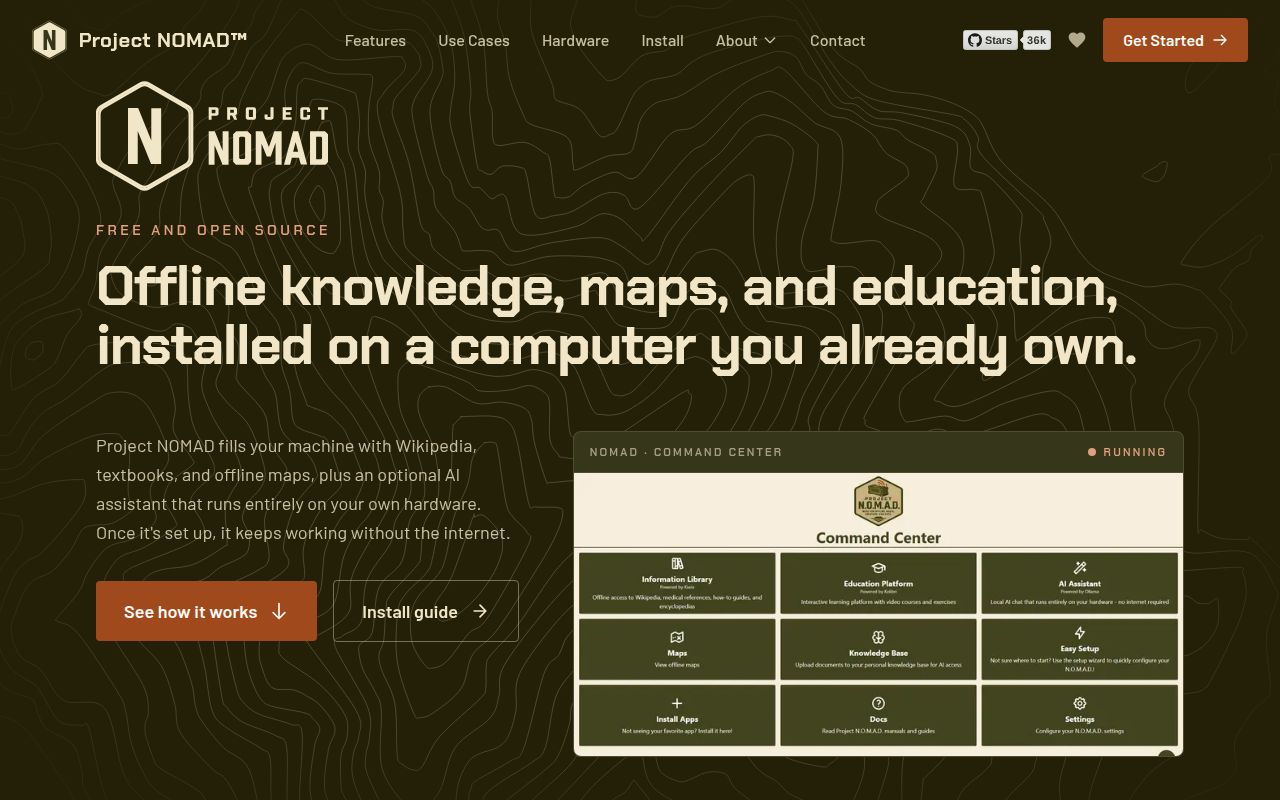
Across 519 files, Project N.O.M.A.D. groups 8 capabilities in one command center: offline reference material, education, maps, data tools, notes, hardware scoring, an app catalog, and optional AI. It manages Kiwix, Kolibri, ProtoMaps, CyberChef, FlatNotes, Ollama, and Qdrant. N.O.M.A.D. is the common doorway, while those containers do the specialist work.
Several of those services belong naturally on the same machine. Our checkout had about 69,192 lines of source, yet users get a browser interface for choosing content and managing downloads. A household can keep encyclopedias and maps beside school courses. A field office can offer the same local library to several devices. Someone who wants only Wikipedia should run Kiwix directly and avoid the extra control plane.
A 2 GHz host can start small, while local AI asks for much more
The documented floor is a 2 GHz dual-core processor, 4 GB of RAM, and 5 GB of free storage. That covers the management layer, not every catalog item. Installation needs internet access to fetch software and content, after which selected resources can work offline. An offline library still has to be acquired and updated somewhere.
The README suggests 32 GB of RAM, an RTX 3060 or comparable GPU, and at least 250 GB of storage for the fuller AI setup. Ollama runs locally by default, with Qdrant supporting document search. A remote Ollama or OpenAI-compatible server can be configured, but the owner must make it reachable. AI is optional, so a school library can avoid that hardware cost.
What happened when we ran it
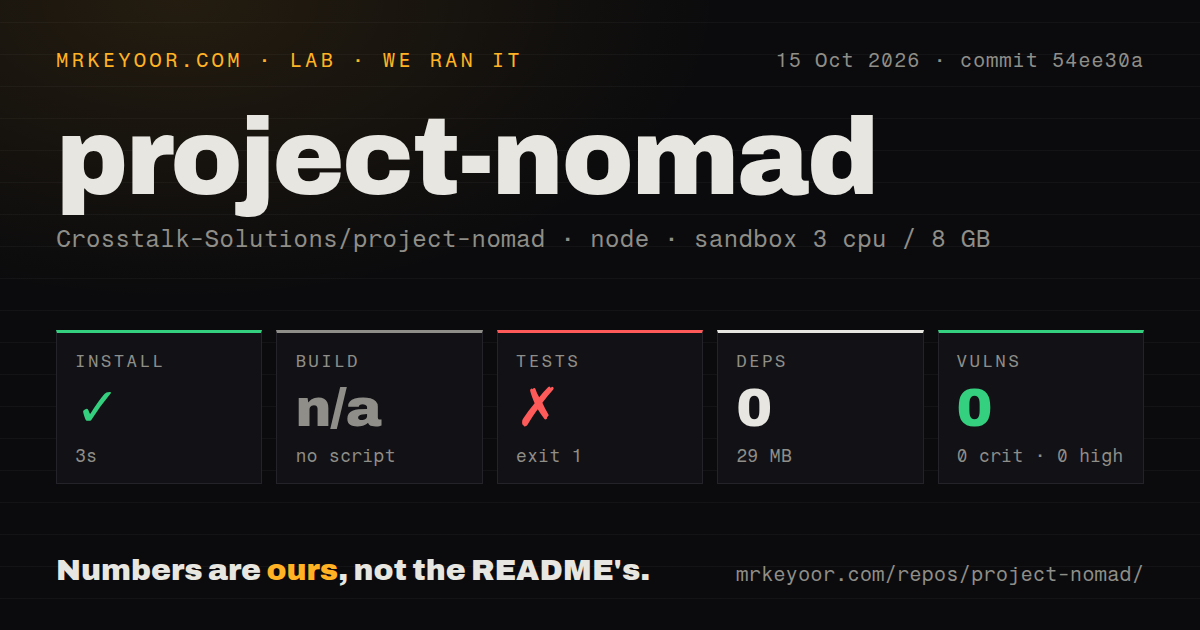
Our sandbox install step finished in 10 seconds, added 0 packages, and occupied 27 MB. The repository had no build script or target, so the build was skipped. Npm audit found 0 known vulnerabilities: 0 critical, 0 high, 0 moderate, and 0 low. These figures describe commit f8e40fb in our unprivileged Node 22 container with 3 CPUs and 8 GB of RAM.
The test step failed after 19 seconds. The package script printed Error: no test specified and returned exit code 1. The log does not show an application defect or a missing Debian package. It shows that the root npm command is a placeholder. Our measurement method did not run the privileged installer or launch Docker services, so this result is not a complete appliance trial.
Version 1.34.1 still needs a private network boundary
Project N.O.M.A.D. v1.34.1 has no built-in authentication. The README says the server is meant to be open without hurdles, recommends network-level access controls, and warns against direct internet exposure. That works for a disconnected machine in one room. It is a serious limitation on a shared office LAN, school network, or host reachable through careless router rules.
The command center uses Docker outside of Docker, giving its container access to the host socket so it can manage sibling services. Core components include MySQL and Redis, and the browser address uses port 8080 by default. Owners should treat this as an appliance with authority over containers. Firewall rules, backups, host patching, and physical access remain their responsibility.
Official support stops at Debian-based x86-64 hosts
The supported route is Debian-based Linux on x86-64, with Ubuntu 26.04 LTS recommended and Ubuntu 24.04 LTS plus Debian 12 also listed. The installer needs sudo or root. Windows has a community-supported WSL2 guide, while macOS and other Linux families are outside official support. Raspberry Pi users get no official ARM image or maintainer-backed installation path.
Advanced installation uses Docker Compose and exposes storage mounts and core-service ports for editing. The FAQ says installed apps do not all support the same port customization. External or network storage is possible, though the owner must prepare mounts and pass them through correctly. That matters when a collection grows toward the README's preferred 250 GB. A failed mount can be worse than an awkward first install because the library is the asset.
September 2026 activity is high, and the test entry point trails it
GitHub recorded 36,491 stars, 89 combined issues and pull requests, and a last push on September 4, 2026. Release v1.34.1 arrived on September 2 with 2 Kiwix catalog fixes. Recent activity includes download reports, model-download state handling, and dependency updates. The combined count is not a defect count, but the dated traffic and release work show that maintainers and users are present.
The placeholder test command is harder to excuse at that pace. Our 19-second failure gives a contributor no root-level confirmation for commit f8e40fb, despite 6 CI workflow files elsewhere in the repository. An operator can trial the appliance on an isolated machine, verify each selected service, and keep updates opt-in. Teams with formal release gates should inspect workflow coverage and define a restore test before storing a large offline library.
Internet-in-a-Box is the better choice for supported ARM hardware
Our 17.4 MB checkout led to a platform suited to one x86-64 machine with offline content and an approachable container catalog. Internet-in-a-Box better fits education deployments that want a supported Raspberry Pi route. Kiwix Tools removes most of the platform when ZIM archives are enough. Umbrel has a broader home-server catalog, but focuses on general self-hosting rather than information for an outage.
The 17.4 MB checkout is small, while a useful deployment can span databases, content stores, and optional model services. Choose N.O.M.A.D. for a deliberately isolated appliance whose owner controls the hardware and network. Its friendly browser screen does not supply authentication, backup design, or update verification.