Short answer: try a specific game on a console you already own
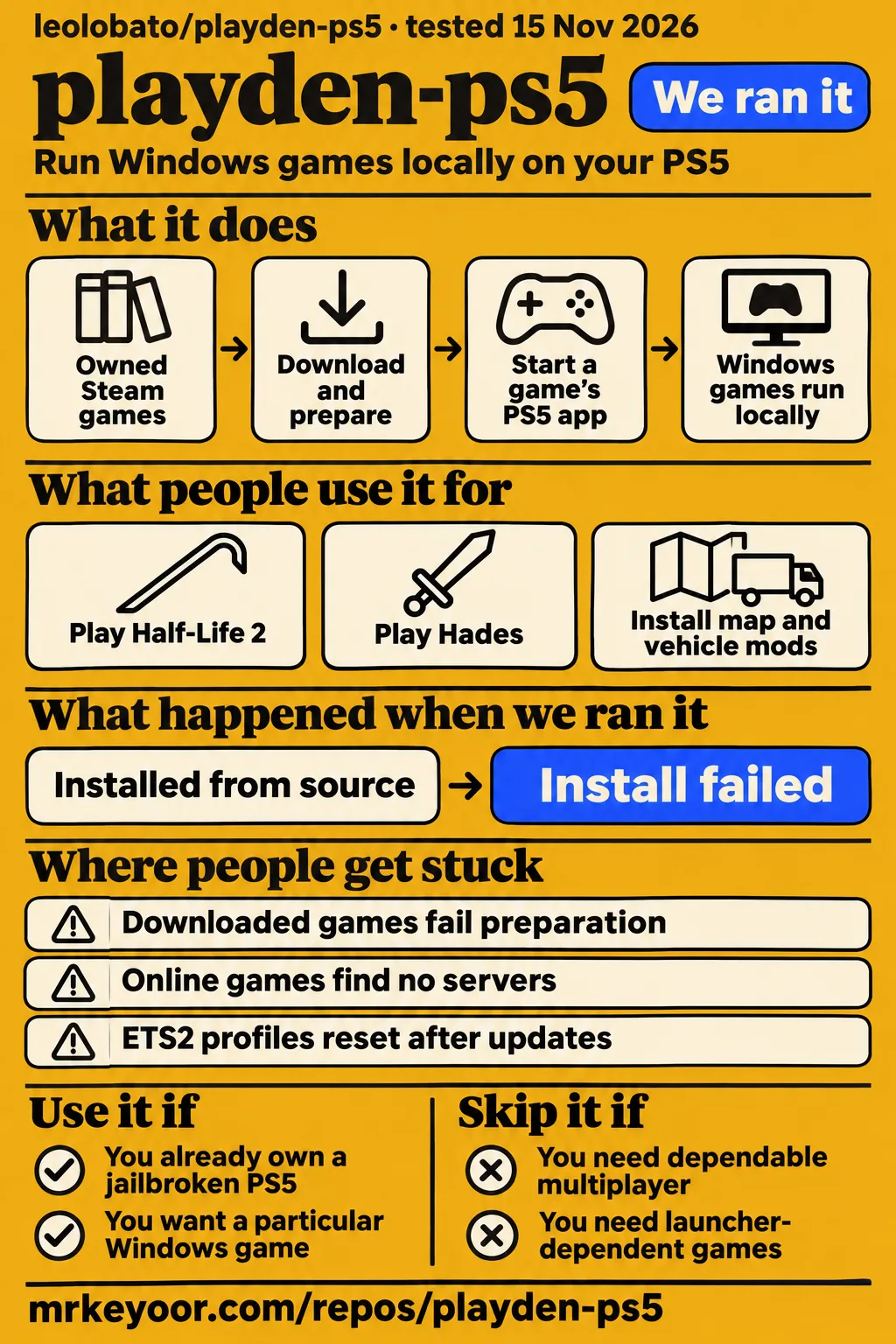
Use Playden if you already own a jailbroken PS5 and want a particular Windows game on its home screen; skip it if you need dependable multiplayer, launcher-dependent games, or cannot accept its documented account and save risks. Our sandbox install failed with exit 1 after 9 seconds. CMake stopped at a missing pinned curl header during source configuration.
Playden for PS5 runs Windows games locally through prospero-win, a port of Wine to the PS5. The launcher downloads and prepares a game, then hands it to a separate PS5 app that starts Wine with that game's settings. Each game has a private Windows environment, called a bottle, and its own home-screen tile. Choosing a game and starting it from the console menu is the workflow that distinguishes this project. Playden's README explains the architecture.
What people use playden-ps5 for
Reddit user mozzy31 reports achieving their goal of playing Half-Life 2 on the console, while xk4l1br3 reports different results for Hades and Persona 5 Royal. These accounts give an existing PS5 owner concrete games to investigate. The table keeps each reporter attached to the outcome and includes workarounds that affect playing, such as needing a mouse for a game's menu.
| Person and goal | Reported outcome | Practical consequence |
|---|---|---|
| mozzy31: Half-Life 2 on the console | Reports achieving the Half-Life 2 goal and finding setup easier with 0.7.0. | Start with the game and package behind that report. |
| xk4l1br3: Hades and Persona 5 Royal | Calls Hades flawless; Persona 5 Royal fails to launch with a function-call error. | These two games produced different outcomes for the same reporter. |
| jeannpool: Garry's Mod single-player | Reports playable single-player after replacing the Lua menu, with a mouse still needed for the main menu. | Bring a mouse for the reported workaround. |
| pablito518: ETS2 map and vehicle mods | Reports success on beta 11.0-beta.3 after profile and save failures, then reports profile resets after updates. | Keep the update warning attached to the successful beta report. |
Lou's WRX demonstrates library access on a PS5 Pro running firmware 10.20 and begins a Doom 3 download. On X, TheWizWiki says they tried Playden on their own PS5 and shows its interface, while acknowledging that some games work incorrectly. Both accounts illustrate how users reach and manage their libraries, alongside the game-specific reports above. Lou's WRX walkthrough; TheWizWiki's account.
What happened when we ran it
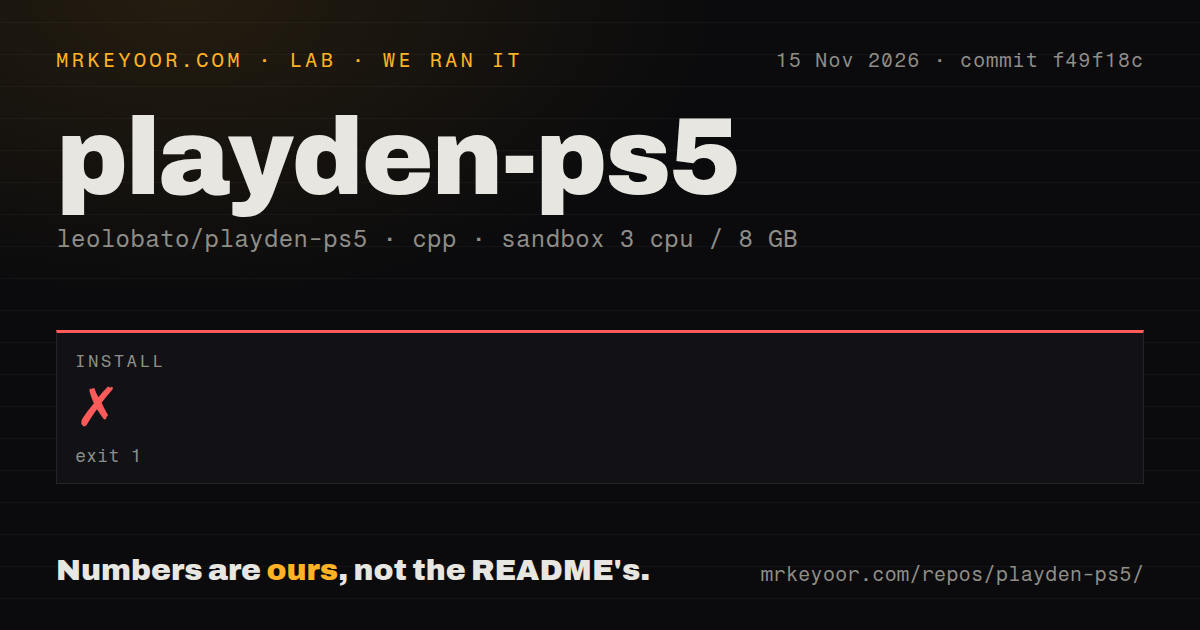
Our November 15, 2026 sandbox install at commit f49f18c failed with exit 1 after 9 seconds. The recorded configuration was 3 CPUs, 8 GB RAM and image label lab-cpp:1. Our run stopped during CMake configuration. The checkout contained 3,674 files, approximately 701,502 source lines and 298 MB of files; those figures describe the source checkout rather than the console installation.
| Recorded observation | Result | Meaning for a reader |
|---|---|---|
| Install attempt | Failed, exit 1, 9 seconds | CMake configuration stopped. |
| Error location | cmake/SteamBackend.cmake:47, included from CMakeLists.txt:45 | The Steam backend dependency check raised the error. |
| Missing pinned dependency | /work/repo/scripts/network-deps/.deps/host/include/curl/curl.h | The error directs the operator to scripts/network-deps/prepare-host-deps.sh. |
| Checkout | 3,674 files, approximately 701,502 source lines, 298 MB | These are source-checkout measurements. |
| Repository signals | One CI workflow file, a tests directory, no Dockerfile detected | These are recorded file-presence findings. |
CMake explicitly directs the operator to scripts/network-deps/prepare-host-deps.sh. The log then reports configuration incomplete and points to /work/repo/build/CMakeFiles/CMakeOutput.log. The missing header sits inside the repository's pinned dependency directory, so that preparation script is the troubleshooting action named by the error. The log records a failed configuration and its suggested next step.
A separate quickstart-cli attempt recorded its clone step as taking 5 seconds, then failed during planning because it found no install method permitted by that recipe. The recipe excludes Homebrew, source builds and pipe-to-shell scripts. Teardown was recorded as okay. Its run header names commit cfdbe7a352b9 and says Docker Compose deployment, which conflicts with the failed planning step.
Where people get stuck: downloading is only one stage
Issue #28 traces a preparation failure to ShadowMountPlus, before the game starts. In a separate missing-tiles thread, Quantum_Blox reports that opening ShadowMount manually made the titles appear. These reports distinguish downloading a game from registering its PS5 app. When a download finishes but no playable tile appears, the preparation message identifies which part of that sequence needs attention. Preparation diagnosis in issue #28; Quantum_Blox's reported solution.
| Symptom | Source finding | Supported response |
|---|---|---|
| No supported native title variant is available | The maintainer says ShadowMountPlus needs restarting; 0.7.0 makes the error clearer. | Reload ShadowMountPlus and read the specific preparation error. |
| A PS5 title could not be reserved for every game | The 0.7.1 notes describe a title check failing on payloads without a title ID. | That release recognizes those payloads as non-game programs. |
| Root access is missing after copying Playden manually | The 0.7.1 notes identify upload tools omitting empty logs and playden-data folders. | That release starts and recreates the folders. |
| Downloads stay slow | Issue #29 includes improvement after changing the Steam cache server. | The maintainer recommends final 0.8.0 and Settings › Downloads › Download server › Fastest. |
The table draws on issue #28, the 0.7.1 release notes and download troubleshooting in issue #29. The download reply distinguishes final 0.8.0 from 0.8.0-beta.1, which lacked the Fastest option. That version detail determines whether the recommended menu choice exists. Include the package, runtime kit, firmware and actual error when following up on a problem.
Clair Obscur: Expedition 33 needed more than the first suggested launch-setting change. Issue #311 records a 0.10.0-beta.1 run using -dx12 with vk_shown=61 that quit about 9 seconds in. RockNCode subsequently built the proposed game-specific DLL-copy fix and reported that it worked. The later tester confirmation changes the outcome of the investigation; simply copying the earlier argument change misses that result. Expedition 33 investigation and built-fix report, issue #311.
Online play has a beta switch and game-specific reports
The author reports R.E.P.O. working in an experimental online mode, and M9k reports success with MECCHA CHAMELEON. Developerwill also reports functionality after the change. These replies appear in issue #115 alongside reports of games finding no servers, failing authentication or saying Steam is offline. The current README and v0.10.0 release notes retain their no-online warning; the issue describes an experimental beta path. Experimental online reports.
Issue #115 describes an experimental beta mode disabled by default and an online-steam flag in features.txt. An Enshrouded user reports seeing only Offline Emulation and Game's Own Files after attempting to enable it. Read the maintainer's online-mode discussion in issue #115 for instructions associated with that beta, and keep the installed package and available menu choices attached to any result.
Save management becomes part of playing
Pablito518 reports that ETS2 worked on beta 11.0-beta.3 and separately says that updating Playden or the game resets profiles. The original problem involved map and vehicle mods, repeated profile creation, and saves that could be written but would not load. Keep the successful beta result and the update-related reset together when deciding whether to move a long-running profile into this setup. ETS2 mods and profile reports.
Disney Dreamlight Valley exposes a different save problem: the discussion concerns reaching the game's own servers. The maintainer explicitly distinguishes that connection from Steam Cloud. Playden's README describes checking Steam Cloud before a game starts and synchronizing after it ends, with a conflict choice and manual synchronization available. Those Steam Cloud controls address a different service from the game-account connection discussed in Dreamlight Valley. Game-server distinction in issue #328; Documented Steam Cloud behavior.
Your Steam session and saves deserve a backup first
The README says Playden stores a Steam sign-in token on the PS5 without encryption. Anyone with file access can read it. The documented way to keep that token off the console between sessions is to turn off Stay signed in and sign in again when Playden starts. QR login changes how you approve the session; the storage warning still applies afterward. Steam-session disclosure and setting.
Playden uploads Steam Cloud saves after play, and the README warns that a bug can overwrite good saves with older or broken ones. It also documents root-level helpers and says a running game can gain elevated rights. Back up saves you care about and run games you trust. The same disclosure explains that Playden normally substitutes a Steamworks emulator for a game's Steam API and warns about agreement and legal risks. Playden's risk disclosure.
Controller reports changed with the runtime kit
Release v0.10.0 documents up to four controllers, with a separate signed-in PS5 user or guest for each DualSense. Its runtime-kit 0.18 and 0.19 notes also describe revised rumble: short pulses remain felt, weak rumble is stronger, and L2 and R2 no longer vibrate with it. These release statements postdate the Reddit complaint that a second controller was invisible, including when using accessibility mode. Controller and runtime release notes; Earlier second-controller report.
Issue #283 records the earlier symptoms: missing vibration, unwanted adaptive-trigger activity, missed rumble events and ineffective level adjustments. The author suggested disabling rumble during investigation. For Xbox Back/View functions, the author says 0.9.0 maps the left touchpad to Back and the right side to Guide in XInput mode. That mapping also explains why using the PS5 Create button could produce screenshots instead of the expected game action. Controller symptoms and touchpad mapping.
Garry's Mod adds a game-specific input requirement. Jeannpool replaced its menu using robotboy655/gmod-lua-menu, reported playable single-player, and still needed a mouse for the main menu despite installing a controller addon. The reporter also deleted and recreated the addons folder. Keep that folder step attached to the reported workaround, alongside the replacement menu and mouse, when reading the Garry's Mod discussion in issue #145.
Playden vs PS5 Linux, Steam Deck and streaming
TheJRosso describes keeping Steam games on a separate Bazzite SSD for Steam Input, Proton compatibility, modding, desktop mode and gyro. The same user sees Playden as useful for lighter Steam games launched from the PS5 menu. Bazzite's own README documents Steam and Lutris preinstalled in its Deck/HTPC image. These sources explain the workflow choice while keeping the PS5 account attributed to its reporter. TheJRosso's comparison; Bazzite's documented image features.
| Choice | Reason given by the source | When to consider it |
|---|---|---|
| Playden | TheJRosso values lighter Steam games launched from the PS5 menu. | The console home-screen workflow is your goal. |
| PS5 Linux with Bazzite | TheJRosso values Steam Input, Proton, modding, desktop access and gyro on a separate SSD. | Those tools matter more than staying in the console interface. |
| Steam Deck or a gaming PC | Hardware Busters calls a Steam Deck or cheap used PC less hassle. | Maintaining PS5 homebrew is getting in the way of playing. |
| Remote Play or cloud streaming | VideoCardz distinguishes remote rendering from Playden's local execution. | Decide where you want the game to run. |
Hardware Busters recommends the Steam Deck or a cheap used PC as its practical alternative. VideoCardz explains that Playden executes games locally using PS5 hardware, unlike Remote Play or cloud gaming. MihawkOS also appears in community discussion as a route to Windows Steam, including an X demonstration. The table focuses on the choices with a stated workflow reason. Hardware Busters' recommendation; VideoCardz' architectural comparison; MihawkOS demonstration.
What the other reviews get wrong
Hardware Busters lists Portal 2 among broken games, while the later 0.7.1 notes report it confirmed on runtime kit 0.13 with menu button mappings. Its description of Playden as tied to a single firmware also overstates the README: the current requirements say the author tests 13.60 and Playden does not block other firmware versions. TweakTown's statement that no specific firmware is confirmed misses that documented test platform. Hardware Busters' coverage; Portal 2 release update; Current firmware requirements; TweakTown Q&A.
The online-play correction requires the beta distinction: earlier coverage and the stable documentation say online play does not work, while issue #115 contains experimental successes. BeamNG.drive requires a different distinction. Akinoryu reports a playable result, but the issue identifies that run as a fork with a Chromium-interface shim outside a Playden release. Keep both results attached to the configurations that produced them. Experimental online issue; BeamNG fork clarification.
HeldGames' claim that no other coverage mentioned the security warning conflicts with Hardware Busters and TweakTown, which discuss token or save risks. A Facebook comment confuses game-online support with connecting to Steam, although the README says Playden talks directly to Steam's servers. An X claim that mouse and keyboard are mandatory also needs a game-specific reading: the README documents DualSense support, while particular menus require a mouse. Hardware Busters' security coverage; TweakTown's warning; README account and controller behavior; Tomb Raider menu requirement.
Questions people ask
Playden runs Windows games locally on the PS5 through prospero-win, rather than streaming frames from a PC. Its launcher downloads and prepares individual game apps. The questions below come from community discussions about selecting a game, choosing a package, preparing its console app, managing saves and trying the experimental online mode. Each answer keeps the relevant project documentation or user report attached.
Does Playden run Steam games locally on the PS5, or stream them?
Playden runs Windows games locally through prospero-win, a PS5 port of Wine. Each prepared game gets its own PS5 app and private Windows environment. Starting that app launches Wine with the game's settings, and its home-screen tile can start it without opening Playden first. The separate app, rather than the launcher itself, runs the game. Playden's architecture.
How well do games perform in Playden?
Xk4l1br3 calls Hades flawless but reports that Persona 5 Royal fails to launch with a function-call error. Zestyclose_Area1678 reports ETS2 at 4K60 with maximum settings. Those are the named users' descriptions of their results. The Hades and Persona contrast gives a particularly direct game-selection example because the same reporter encountered both outcomes. Community game reports.
How does Playden performance compare with running the same game on PS5 Linux?
TheJRosso favors Bazzite for Steam Input, Proton compatibility, modding, desktop mode and gyro, while identifying lighter games launched from PS5 Home as Playden's appeal. Mozzy31 answers the performance question by saying they have not tried Linux. The thread's concrete comparison concerns the interface and tools those users want for their Steam games. PS5 Linux discussion.
Does Playden work on firmware below 13.60?
Unlucky_Ad_7962 reports success on firmware 12.0, and Lou's WRX demonstrates library access on 10.20. The current README identifies 13.60 as the author's test platform and says Playden does not block other firmware versions. Match an existing console to reports that name its firmware, and include that version in any result you report. Firmware 12.0 report; 10.20 walkthrough; Author's requirements.
Can Playden run non-Steam Windows games?
The current README documents importing Windows game folders without a Steam account. Put folders on supported storage or in the console's FTP import location, let Playden find them, and choose the program that starts the game. The instructions name games needing another launcher or DRM beyond SteamStub, including Denuvo and the Ubisoft, EA and Rockstar launchers, as incompatible. Windows-game import instructions.
Does Playden support online multiplayer?
Issue #115 contains experimental beta success reports for R.E.P.O. and MECCHA CHAMELEON. The current README and v0.10.0 release notes still say online play does not work. The issue also records games finding no servers, failing authentication or reporting Steam offline, so read the result for the particular game and package you intend to use. Online beta reports; v0.10.0 known issues.
How do I enable Playden's experimental online Steam mode?
Issue #115 describes a beta feature disabled by default, with an online-steam flag in features.txt. Follow the maintainer's discussion in issue #115 for its instructions. An Enshrouded user reports still seeing only Offline Emulation and Game's Own Files after trying to enable it, so the installed beta and its available options belong in a troubleshooting report.
Can using Playden put my Steam account at risk?
The README warns that Playden is an unofficial Steam client and stores its sign-in token without encryption. File access on the jailbroken console can expose that session. Turn off Stay signed in to sign in again each time instead of retaining the token between sessions. The project's Steam API replacement disclosure describes additional agreement and legal risks. Account and session warnings.
Do Steam achievements and cloud saves synchronize when playing through Playden?
The README documents Steam Cloud synchronization before and after play, a conflict choice, and manual synchronization from the Saves tab. Achievement synchronization is one of the unresolved questions collected in the final section. Steam Cloud also differs from a game's own account servers, which the maintainer explains in the Dreamlight Valley discussion. Steam Cloud controls; Achievement question; Dreamlight Valley discussion.
Why are Playden downloads so slow, and can I change the download server?
Issue #29 includes improvement after changing the Steam cache server. The maintainer recommends final 0.8.0 and Settings › Downloads › Download server set to Fastest, distinguishing it from 0.8.0-beta.1. The current README also describes Test servers and a slow-network setting. Use the options present in your installed package when following this troubleshooting path. Download-server discussion; Current download settings.
Why do downloaded games say 'Play Not Prepared'?
Downloading and preparing a game's PS5 app are separate stages. The launch discussion reports the Play Not Prepared status; issue #28 identifies ShadowMountPlus registration as the cause of a particular preparation failure. A separate Reddit user resolved missing tiles by opening ShadowMount manually. Read the preparation error to distinguish a completed download from a registered game app. Reported preparation status; Registration diagnosis; Missing-tiles solution.
Why does preparation fail with 'No supported native title variant is available'?
The maintainer attributes this error to ShadowMountPlus not working and needing a restart. The reply says 0.7.0 makes the error clearer by naming the specific issue. Reloading the title-registration payload is the reported response to this preparation error, before repeating a download or changing Windows launch settings for the game. Maintainer's preparation-error explanation.
What we have not tested yet
Our f49f18c run stopped at source configuration, so it provides no completed build, passing test suite or PS5 gameplay result. We have no controller, frame-rate, save-recovery or sustained-operation measurements. The lab-cpp:1 image label supplies no actual operating-system or compiler version. The separate cfdbe7a352b9 quickstart record has a contradictory deployment header; its failed plan does not demonstrate a running service. The preparation script named by CMake has no recorded retry result.
The community accounts supply compatibility leads rather than controlled playthroughs. The Doom 3 walkthrough ends without a demonstrated playable session, and the ETS2 4K60 report supplies no measurement method or matching runtime details. We have not compared the same game and settings on PS5 Linux, measured alternative pricing or latency, reproduced the online beta, or tested the newer multi-controller and rumble behavior. The author's other-firmware and Linux source-build support also remains outside the documented tests.
The Expedition 33 account confirms a tester-built fix but leaves its public-release availability unspecified. The BeamNG success uses a fork outside a Playden release. The proposed ETS2 Documents backup still awaited the reporter's next update test; the suggested file-count or storage ceiling was only a hypothesis. Steam achievements and Steam Family library support remain unresolved in the discussions. The online-mode evidence here does not substantiate a complete file path, file-creation procedure, restart sequence or menu sequence, and the Garry's Mod account supplies no supported addons-folder permission value or explanation for that value.
Account-enforcement risk and token handling have no independent audit or measurement here. Rendered layout, resolved evidence links, automatic related links, recommendation modules and template behavior also remain outside this text review. For a first console attempt, choose a game with a report matching your package, runtime kit and firmware, preserve a recoverable save, and check that the same save loads after closing and reopening the game.