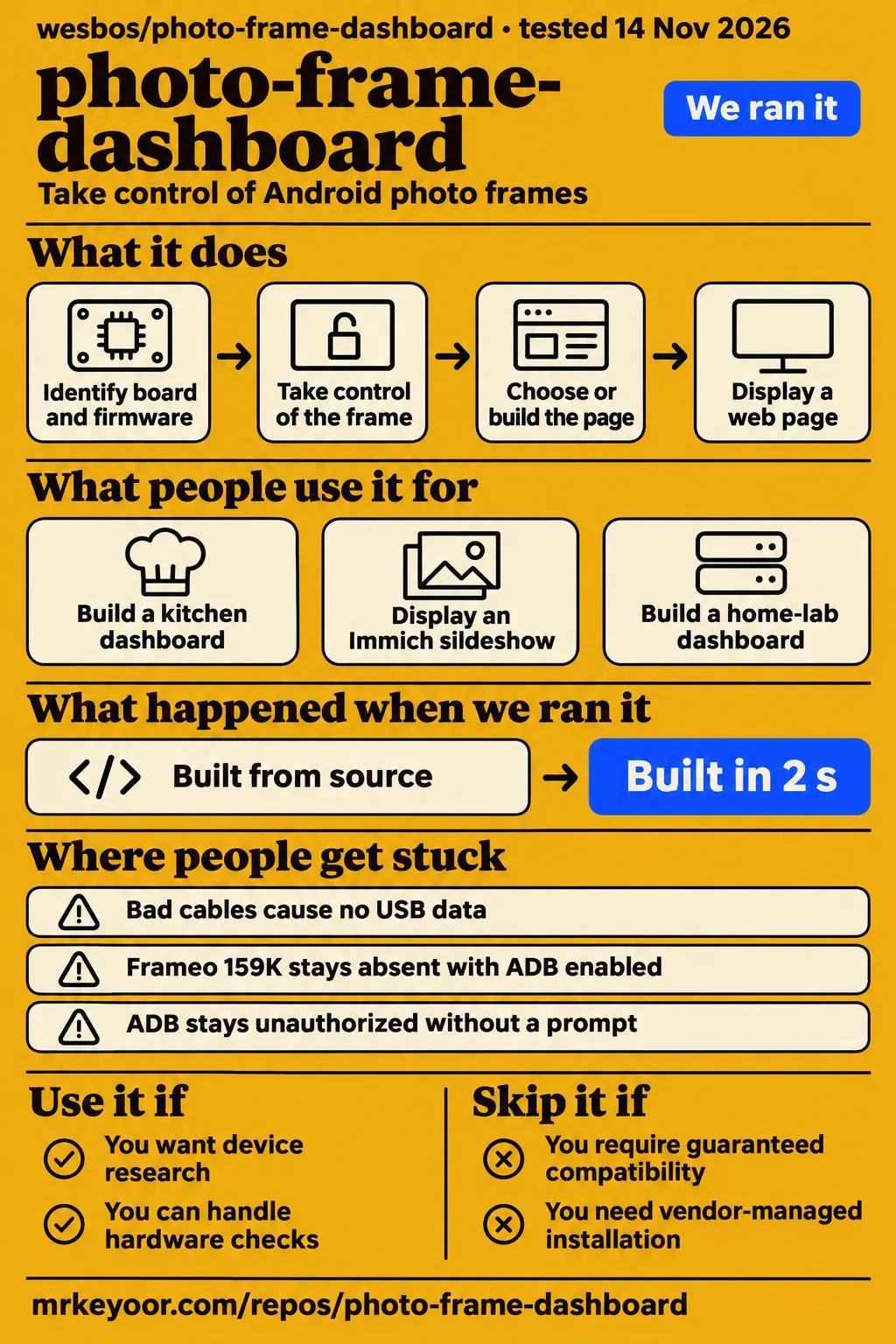
What people use photo-frame-dashboard for
photo-frame-dashboard combines Android frame research with a sample family dashboard that uses mock data. The upstream README describes acquiring ADB access, backing up firmware, obtaining root and replacing vendor software. Its dashboard is a Vite application deployed to Cloudflare Workers, displayed through a small Android WebView kiosk. A developer therefore has two connected jobs: take control of the particular frame, then choose or build the page it will display.
The device index is the starting point for an existing frame. Check Settings → About, identify the board and firmware, and follow the corresponding record. Upstream says frames sold under the same name or Amazon listing can contain different boards. The product name helps find reports, while the board and observed access state determine which report applies. Device identification guidance.
| Who | What they did | Reported outcome |
|---|---|---|
| Wes Bos | Rescued his sister's Skylight with failed Wi-Fi | Restored connectivity using an $11 USB Wi-Fi dongle; describes a family dashboard with school-email-derived events and reminders. Author's account |
| jethrojones | Followed the PF1007L route from Linux | Reports a working kiosk, updated WebView, persistent vendor-app disabling and a passed cold-boot check. Issue #12 |
| huntsyea | Built an independent kitchen dashboard using upstream device research | Reports a Pastigio FRAME156 deployment; its screenshots use invented demo data. kitchen-frame README |
| photomatix18 | Built an independent Immich slideshow and Home Assistant control page | Describes a kiosk and control page made for one particular frame, following upstream rooting and modernization work. photo-frame README |
| rhighness on X | Used an agent to repurpose a cheap frame | Reports a multi-tab home-lab dashboard. Owner post |
The independent builds help separate the hardware work from the application choice. kitchen-frame supplies its own calendar backend and household integrations; photomatix18 supplies its own slideshow and control page. X user chasers24k describes another implementation with NYC subway and LIRR times, weather, sports and seasonal photos on a free Cloudflare Worker. That transit example concerns New York. The post credits Wes Bos as inspiration for a separate application. chasers24k's report.
What happened when we ran it
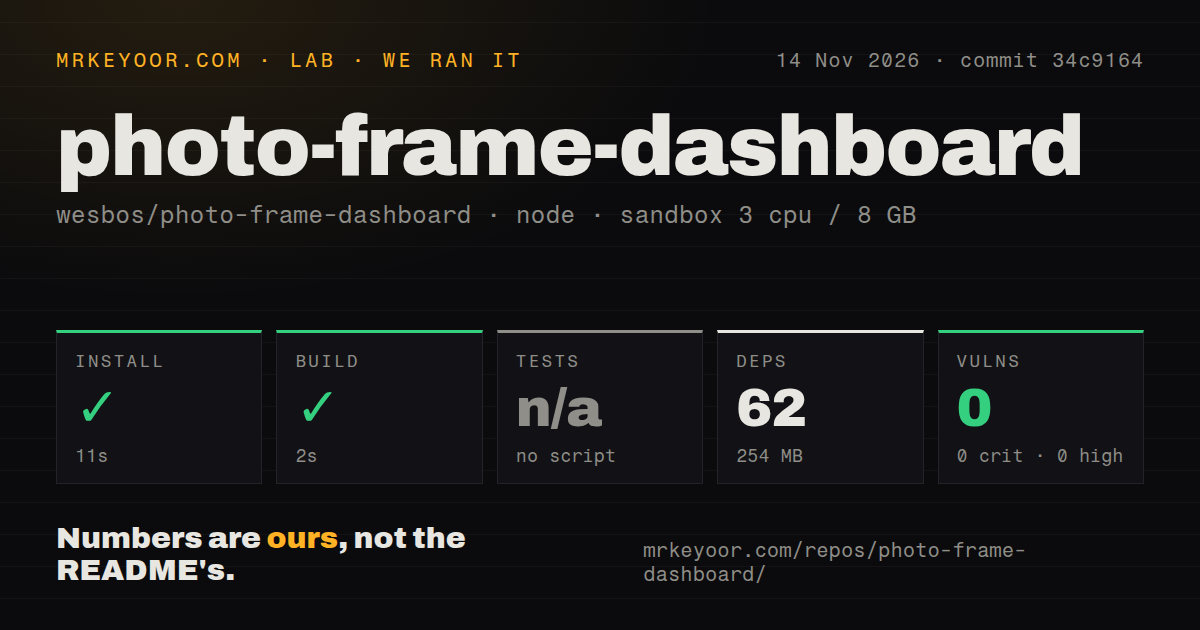
Our sandbox installed the dashboard in 11 seconds and built it in 2 seconds at commit 34c9164 on November 14, 2026. These measurements cover the Node project in dashboard/. A separate hands-on record contains a failed Compose safety step, a conflicting deployment summary and a successful teardown. Keeping those records separate makes the outcome clear: the sample build completed, while the deployment record contradicts itself.
| Question | Answer | Verdict | Why |
|---|---|---|---|
Did npm install complete in dashboard/? |
Yes, in 11 seconds | Succeeded | 62 dependencies recorded, 254 MB on disk |
| Did the build complete? | Yes, in 2 seconds | Succeeded | The recorded build step completed |
| Did tests pass? | Tests were skipped | No passing-test result | No tests script or target |
| What did npm audit report? | 0 known vulnerabilities; 0 critical, high, moderate and low | Audit completed | This is the dependency audit's recorded result |
| What did the repository scan find? | 0 CI workflow files; no Dockerfile; no tests directory | Signals absent | These automated-check and packaging files were absent in the scan |
| Did the separate hands-on safety step pass? | FAILED: required Compose file absent | Stopped at safety rule | None of the four accepted Compose filenames existed |
| Did teardown complete? | ok | Cleanup reported complete | The teardown record explicitly says ok |
Our run used a recorded sandbox configuration of 3 CPUs, 8 GB RAM and image label lab-node:22. The checkout contained 437 files, approximately 19,175 source lines and occupied 8.9 MB. Installation and building succeeded as recorded steps. Tests were skipped rather than passed, and the zero-vulnerability figure belongs specifically to npm audit.
The failed safety record names compose.yaml, compose.yml, docker-compose.yaml and docker-compose.yml as missing. Its phrase "unsafe repo" labels failure of that harness rule. The run summary nevertheless says the project was deployed with its own Docker Compose configuration, with every port bound to 127.0.0.1. We treat the explicit failed step as the deployment outcome. Teardown reports "ok".
Where people get stuck: an empty ADB list has several causes
An empty adb devices list appears in reports involving bad cables, absent Android USB interfaces and loader mode. An unauthorized device is a different symptom: the computer reaches ADB, but authorization fails. Record what the host sees with Android booted normally, then compare that result with the matching device report. The threads below distinguish those symptoms and describe the changes their owners made.
| Symptom and attributed report | What changed | Recorded outcome |
|---|---|---|
| PF1007L showed no USB data, jethrojones in #12 | Replaced the bad cable, then used the matching SD-card route | Owner reports a working frame; issue closed as documented. Issue #12 |
| Frameo 159K stayed absent with ADB enabled, #126 | Some owners backed up and modified the boot image for authenticated Wi-Fi ADB | Owner successes appear in an open thread; the cable trick failed on another unit. Issue #126 |
| DPF ZC002 stayed unauthorized without a prompt, #38 | Added the host's public ADB key to the device's userdata | Maintainer reports authorized access plus shipped su 0 provides root; closed as solved. Issue #38 |
| PF1506 exposed MTP but no ADB interface, #104 | Empty license.properties on removable storage opened factory tools |
Another owner replied that it worked; closed as documented. Issue #104 |
| Kelarior K101 owners struggled with low-level access, #121 | About-screen taps exposed the ADB switch | jethrojones confirmed root ADB on a new unit. Issue #121 |
In issue #12, replacing the cable made the PF1007L enumerate on Linux. The owner's subsequent account reports a fully working frame, a working kiosk, updated WebView and persistent vendor-app disabling. Its cold-boot report says Wi-Fi returned in about a minute after a power cut. The cable correction explains the initial absence of USB data; the completed setup and cold boot are later outcomes from that owner's unit. PF1007L owner record.
The K101 thread reached a simpler access route after owners had explored FEL and NAND dumps. The successful sequence was Settings → About, Kelarior Version five times, then Peer ID five times. Another owner confirmed the switch and root ADB on a new K101. For someone approaching the same model, that report gives a concrete on-screen check to make before investigating low-level access. K101 confirmation.
Security: keep a second route into the frame
Persistent ADB and on-panel access to Android Settings preserve a way back after vendor applications are disabled. The README's handoff rules require reaching Settings → Apps by hand on the panel; an ADB-driven tap or screenshot answers a different question. Some builds hide disabled applications from Settings, so the guidance recommends a second route into Android and recording the undo procedure before changing the interface that supplied access.
EldridgeJr's PF1007L report describes a saved factory Wi-Fi network before the owner had configured Wi-Fi. The owner removed that network and reported zero saved networks after reboot. Later checks reported that disabled vendor packages stayed disabled, vendor processes were absent and root USB ADB still worked. On this build, disabling the test application also removed its ADB switch, while restoring hidden disabled applications required ADB. PF1007L security observations.
The upstream README says the PF1007L vendor application accepts root shell commands from the vendor's server. It also explains why firmware backups stay private: they can contain Wi-Fi passwords, tokens, serial numbers and other identifiers. Assess the vendor application's network behavior before putting the frame online, preserve persistent access before disabling packages, and keep full firmware dumps out of public reports. Upstream security and backup rules.
photo-frame-dashboard vs kitchen-frame, photo-frame and Firefox
photo-frame-dashboard supplies device research and a mock-data sample; kitchen-frame and photo-frame supply separate household applications. A calendar and shopping-list display involves different configuration from a photo slideshow with Home Assistant controls. Firefox addresses a third decision: which browser renders the page. Keeping those choices separate helps readers use the upstream device guides without assigning every independent application's features to the upstream sample.
| Choice | Why consider it | Source of the result |
|---|---|---|
| Upstream WebView replacement vs Firefox | Upstream describes updating WebView; Vitor reports using Firefox's bundled Gecko engine on Android 6 | Independent builder's rendering approach. Firefox account |
| kitchen-frame vs upstream sample | kitchen-frame documents calendar, Todoist, groceries, recipes and music in an independent kitchen dashboard | Author reports a FRAME156 deployment and labels screenshot data as invented. kitchen-frame README |
| photomatix18/photo-frame vs the full Home Assistant frontend | Its author reports 50 to 65 % CPU for the full frontend and about 5 % for the lightweight page on an RK3126 | Author's comparison for that device. photo-frame README |
| Pastigio FRAME156 vs Frameo 159K | bomshteyn returned a 159K after failed USB and network ADB attempts and obtained ADB on a replacement FRAME156 | Owner's documented replacement purchase. Hardware report |
kitchen-frame's README describes a Cloudflare Worker that merges iCal feeds, along with Todoist, recipes, photos and agent messages. Setting it up involves calendar links, an access key and credentials for the services you choose. Its author reports a kitchen deployment on a Pastigio FRAME156 running Android 8.1 and WebView 106 at 1920×1080. The independent implementation is the source for those capabilities. kitchen-frame configuration.
photomatix18's application starts with an Immich slideshow and opens Home Assistant controls on touch. The author describes a single-file control page served from Home Assistant's /local/ folder and normal Home Assistant login. Vitor's separate account describes bypassing the old system WebView with Firefox, which installed on Android 6 and handled modern JavaScript and CSS. These reports describe both an application choice and a rendering choice. photo-frame application, Firefox implementation.
What the other reviews get wrong
Firmware date and purchase listing omit details needed to choose an access route. The supplied examples are an issue title and the author's update. Both describe device experiences, and follow-up reports change how readers should apply them. The useful correction is to retain the reported success while comparing its actual USB and ADB state with the unit in front of you.
The title of issue #8 describes firmware 20260529 shipping with root USB ADB enabled. A later comment reports another working unit while explicitly identifying #16 and #28 as having ADB off. Record the unit's USB and ADB state alongside its firmware string. The date helps locate relevant reports; the observed access state determines the next diagnostic step.
Wes Bos's article update describes the replacement Allwinner PF1007L board as taking more work to unlock. Later reports in issue #135 describe the factory-test switch exposing root USB ADB without a boot patch, SD card or network. Those reports change the order of investigation: start with the matching on-screen and access checks before planning a firmware write.
Community evidence is stronger than a star count
The README says more than 70 people have shared hacked frames, including dashboards, weather displays, chess puzzles and Linux installations. Issues #12 and #104 also show owner findings being incorporated into device documentation. Those records give a prospective builder symptoms, corrections and outcomes to compare with their hardware. Community description, PF1007L follow-up, PF1506 follow-up.
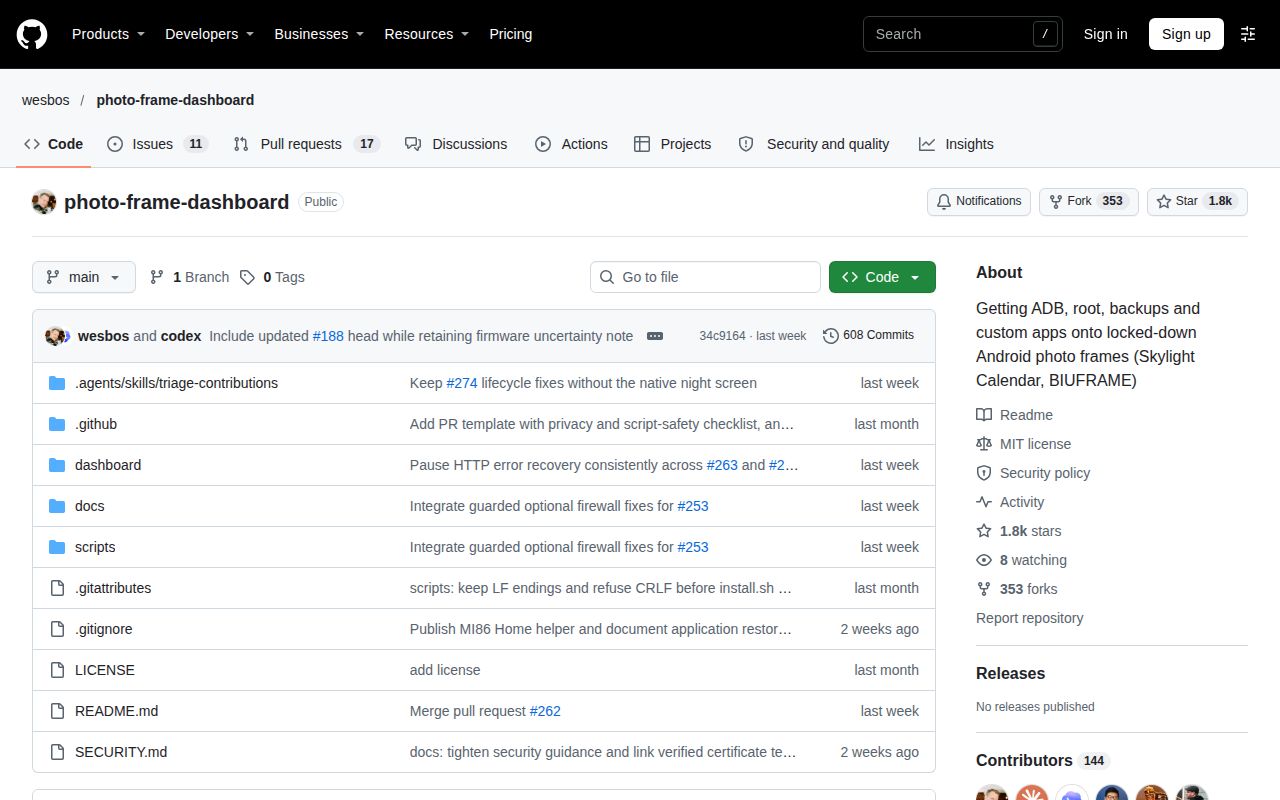
GitHub metadata records the last push as November 4, 2026. Owner follow-ups and continuing 159K and ZF10 discussions document device investigation in the supplied record. Useful contributions include a cable diagnosis, an exposed switch, a device identity or a failed route. These details help a builder choose the next check more directly than a popularity figure. Repository metadata.
The numerical ratings use this editorial rubric: 1 means a major documented barrier, 2 means partial guidance, 3 means usable help with material gaps, 4 means detailed guidance corroborated by owner follow-up, and 5 requires repeated independent validation across the assessed scope. Documentation receives 4 for identification, backup and handoff guidance corroborated by issues #12 and #104. Community receives 3 for concrete owner results and maintainer follow-through alongside unresolved device discussions. Setup and maturity are N/A.
FAQ
Enabling an ADB toggle can still leave a Frameo 159K absent from adb devices, as issue #126 records. That thread distinguishes normal Android operation from Rockchip loader mode and includes owners with different cable and network results. The questions below come from the supplied issue discussions. Their answers retain device names and attributed outcomes so readers can select the relevant thread. 159K discussion.
Why doesn't my photo frame appear in adb devices after I enable ADB?
Issue #126 records a 159K remaining absent after its toggle was enabled, while issue #12 identifies a bad cable on a PF1007L. Boot Android normally and record whether USB enumerates before choosing a route. Holding the button to enter Rockchip loader mode skips Android, so a loader connection answers a different question from Android ADB availability. 159K diagnosis, cable correction.
Can I get step-by-step instructions for enabling ADB on a Frameo 159K?
Issue #126 contains owner instructions and successful authenticated Wi-Fi ADB reports following backup and boot-image modification. One owner reports keeping ro.adb.secure=1, embedding an authorized public key and obtaining a regular Android shell. The thread identifies the owner's model, firmware and partition checks, making those details part of the reported procedure rather than optional context. Authenticated Wi-Fi ADB report.
Can I obtain the Skylight manufacturer code or enable ADB another way?
The README intentionally withholds the manufacturer code and identifies Skylight firmware D156.V0.10 as shipping with ADB and su enabled. Issue #88 contains owners asking for the code or another access route. Start with the precise model and firmware in Settings → About, then use the corresponding documentation to distinguish the code-prompt route from firmware with existing access. Skylight README guidance, code requests.
Can I repurpose my Skylight Calendar as a Home Assistant dashboard?
Issue #88 includes an owner asking to use a Skylight Calendar as a Home Assistant dashboard. Upstream supplies frame-access research and a kiosk that displays a web page; photomatix18 supplies a separate Home Assistant control-page implementation for an RK3126 frame. The Skylight's model and documented access route are the starting point for assessing that owner's proposed use. Skylight request, independent control page.
How can I repurpose a Skylight calendar after its subscription ends?
An owner in issue #88 asks this while blocked by the manufacturer-code prompt. The repository organizes access work by hardware and firmware, so the next useful information is the Calendar model, firmware string and observed USB state. Subscription expiry explains that owner's reason for repurposing the screen; the matching device record supplies the technical starting point. Subscription-expiry request, device identification.
Is there another way into an Allwinner Frameo device when ADB stays unauthorized and no prompt appears?
For the reported DPF ZC002, the maintainer says a host public key in /data/misc/adb/adb_keys, together with the shipped su 0, provides root access. Issue #38 was closed as solved and documented. The maintainer favored the existing read-only U-Boot build and a guarded script over a writable U-Boot approach, with a combined write-up being developed through #64 and #73. ZC002 resolution.
How do I enable ADB on a PF1506 that only exposes an MTP interface?
Issue #104 describes an empty license.properties file on FAT/FAT32 removable storage opening factory tools while stock AiMOR runs. Five top-left taps within 2.5 seconds opened the test application, where the owner changed debugging from closed to open. The report says an authorization-file error is expected: keep the file empty and avoid registration or logout controls. PF1506 procedure.
Is a Route U boot-partition write supported on PF1007L 20260519 firmware?
The maintainer in issue #98 says Route U's structural checks support that firmware and cites another write of the same ranges. The reporting owner ultimately rooted the frame through a guarded one-sector /build.prop edit. The maintainer's answer concerns the proposed boot-partition write, while the owner's completed outcome identifies a different write. Route U discussion and outcome.
Can I perform the guarded write using the 12 MHz build that exposes my eMMC?
The maintainer in issue #98 says to run the guarded write under the same 12 MHz build that exposed the eMMC. The reporting owner used that build for the backup and completed one-sector /build.prop write. Read that answer with its PF1007L 20260519 firmware context and structural checks: those details identify the configuration the maintainer was addressing. Maintainer's answer.
Is there a working factory-test password for the newer ZF10 firmware?
Issue #135 directs the newer ZF10 question toward a separate device report containing its exact model, firmware and USB IDs. The successful PF1007L factory-test reports in that discussion describe a different device. The maintainer also asks contributors to keep APKs, dumps and unit identifiers private, so a useful ZF10 report begins with the requested public device facts. ZF10 response.
Can a FRAME156 erased without a backup be restored using another unit's firmware dump?
The maintainer in issue #209 directs the owner to Pastigio or Frameo support for a factory image. Another FRAME156's pre-userdata dump still contains chip and UID records, Rockchip vendor storage and Frameo licence files. The owner had accidentally erased the entire eMMC without a backup; the maintainer's response explains why simply excluding userdata does not produce a clean replacement image. FRAME156 recovery discussion.
How do I rebuild boot.img and place the public ADB key for authenticated Wi-Fi access?
Issue #126 describes adding a regular prop.default file at the ramdisk root rather than editing the default.prop symlink. Its authenticated approach places the computer's public key in /adb_keys, preserves authentication and starts ADB after boot completion. The successful owner describes an offline rebuilding process, re-extraction of the result and partition readback after writing. Boot-image discussion.
What we have not tested yet
Our evidence covers the sample's install and build, rather than a physical frame running a household workload. Touch interaction, kiosk recovery, cold boots, power consumption, long-term uptime, calendar correctness and independent applications' integrations remain outside our run. Setup ease and sustained hardware maturity therefore stay unassessed. The image label supplies no actual runtime or operating-system version; those require raw toolchain logs. The pack contains no screenshot records or usable video transcripts for visual assessment.
The supplied latest-release lookup is inconclusive. Community build counts describe owner submissions, rather than audited installations or measured household uptime. Individual device reports, purchase links and firmware dates provide leads rather than compatibility guarantees. The independent CPU comparison belongs to photomatix18's RK3126 report, and the Firefox result belongs to Vitor's frame. Neither is our benchmark or a test across the upstream device index. The Compose safety failure is a harness-rule result, not evidence of a demonstrated security defect.
Recovery has specific unresolved gaps. Issue #98 says no published script recovers a half-written boot patch; both scripts refuse that state because the header is written last. Issue #209 records an erased FRAME156 without a successful restoration and says cross-unit restoration has not been tested. Issue #126's successful boot-image author supplies no standalone published repacking script and warns against treating the description as a complete generic rebuilding command. This page supplies no reconstructed rebuild command. Half-written-state warning, FRAME156 recovery, repacking limitation.
The remaining device questions also stay specific. Issue #135 provides no confirmed newer-ZF10 password, leaves USB-C host mode untested in the referenced A333 report and supplies no established older-password or marker-file route for ZF10. Issue #88 supplies no completed unlock for every Skylight variant requested, including subscription-expiry and Home Assistant requests. The PF1007L owner left the cause of inconsistent Wi-Fi-disable persistence unexplained. Before a write, assemble the exact unit identity, checked private backup and recorded undo route; if they fail to match the guide, stop at reading and identification.