Neural rendering applies to one window or the whole desktop
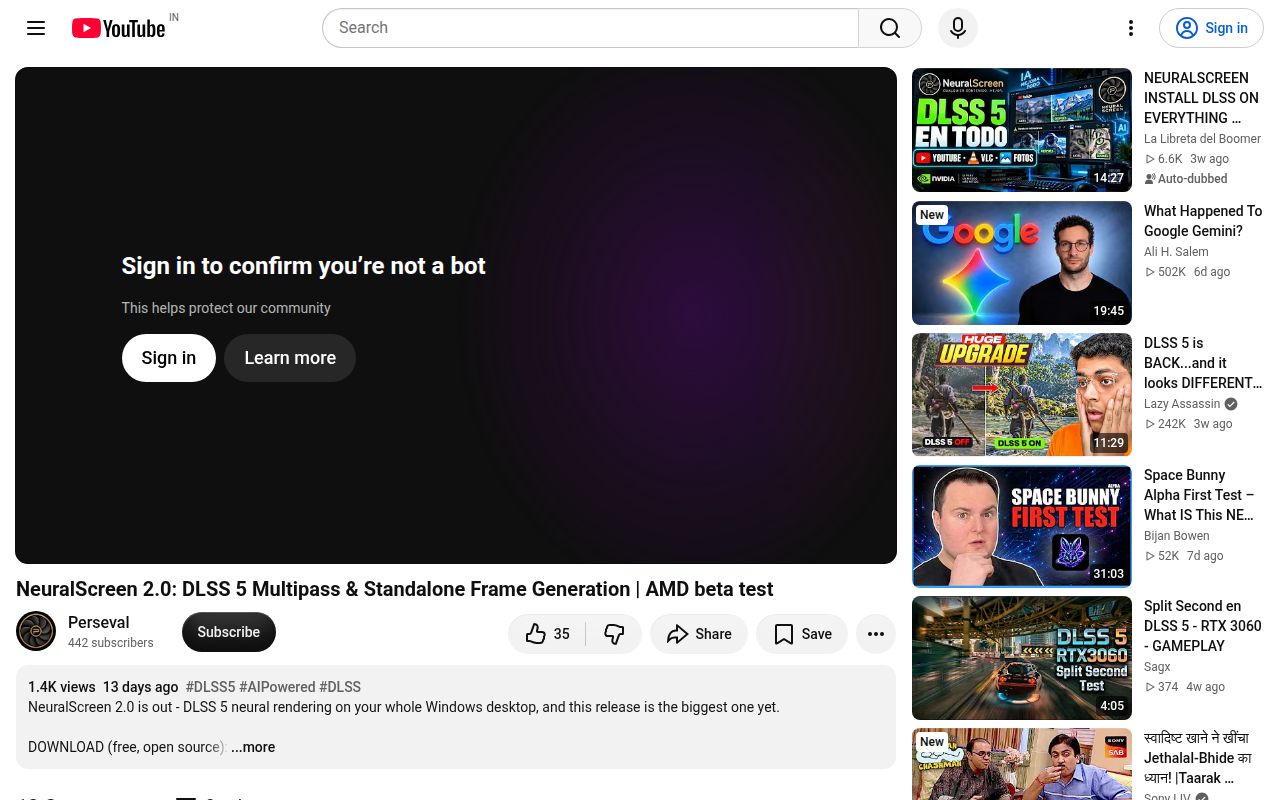
NeuralScreen captures a Windows desktop or chosen window, sends frames through an NVIDIA neural-rendering path, and presents the processed result as an overlay. Optional frame generation sits beside the main effect. The tray application also handles screenshots, recording with system audio, local media conversion, saved visual profiles, an on-screen counter, and Spout2 output for OBS. The release archive includes its own Python runtime, so ordinary users do not assemble a Python environment.
The source window can move or resize while the worker reconfigures. Minimized windows pause processing, and a before-and-after wipe makes the effect visible without saving two files. This is more than a shader toy, but it remains an overlay with Windows capture rules. True fullscreen applications cannot display it, so games need borderless or windowed presentation. The README also tells competitive players not to use it because anti-cheat software may treat a fullscreen overlay as suspicious.
Hardware support is strongest on RTX 50
The project's own support table says neural rendering and frame generation were validated locally on an RTX 5070 Ti. RTX 40 evidence comes from user reports and includes unresolved 4060 reports. RTX 30 neural rendering is unverified and frame generation has a known hardware-floor failure. RTX 20 is listed as a known failure for both paths. Hybrid laptops and multi-GPU systems remain experimental.
That is honest documentation, and it should shape the purchase decision. NeuralScreen is not a reason to buy an RTX card on its own. Try it only on hardware you already own, with the latest NVIDIA driver and a restore point for your expectations. HDR support is experimental, rotated displays at 90 or 270 degrees are not handled, and recording or Spout export remains SDR under the documented HDR path.
What happened when we ran it
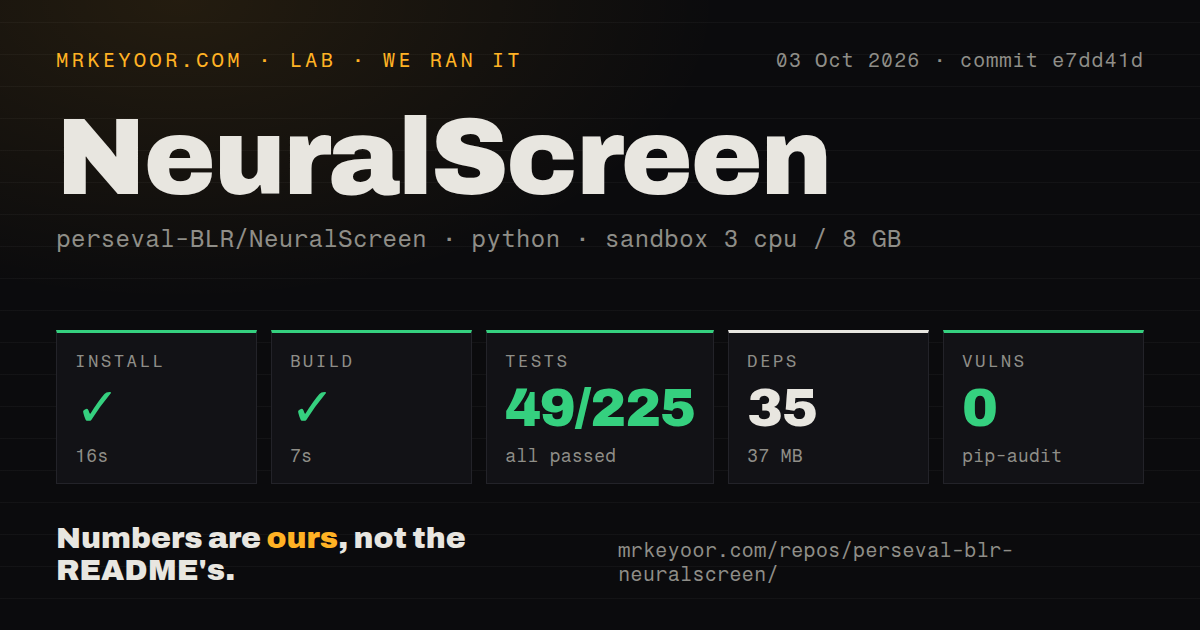
Our run at commit e7dd41d used a fresh Debian container with Python 3.12, 3 CPUs, 8 GB of RAM, no secrets, and no elevated privileges. Installation completed in 16 seconds, adding 35 packages and consuming 37 MB. The build then passed in 7 seconds. The checkout contained 380 files, about 97,905 lines of source, and occupied 12.5 MB.
Pytest failed after 22 seconds. The summary reported 49 passed, 176 collection/setup errors across 225 tests, and 32 passing subtests. The last errors include window sizing, labels, menu behavior, scene workers, and z-order tests. Several end with AttributeError: module 'ctypes' has no attribute 'windll'. That API is absent from the Linux environment we used, and the log gives no Windows result.
Our test method therefore proves two narrower points: the Python environment installed and built quickly, while the complete suite did not collect portably on Debian. Pip-audit found 0 known vulnerabilities in that installed environment. The repository has a tests directory but 0 CI workflow files and no Dockerfile. None of this measures image quality, frame pacing, GPU support, recording correctness, or safety with anti-cheat software.
PolyForm Strict makes this source-available, not open source
The license permits noncommercial use, but it does not grant permission to distribute the software, modify it, or build derivative works without a separate license. Commercial use and integration also require the author's permission. Those terms fail the ordinary open-source expectation that users may modify and redistribute code. GitHub reports the license as NOASSERTION, while the checked-in text identifies PolyForm Strict 1.0.0.
The runtime situation adds a separate boundary. NeuralScreen bundles nvngx_dlssnr.dll and nvngx_dlssg.dll as NVIDIA property, outside the project license. The README describes the neural-rendering DLL as a leaked build and limits the bundled runtimes to research or educational use. A public source tree does not cure that provenance problem. Companies, package maintainers, and anyone planning redistribution should stop here and seek permission.
Recording works around overlay capture rather than removing it
The overlay intentionally hides from ordinary full-screen capture to avoid a feedback loop. OBS users are directed to enable Spout2 and add a Spout2 Capture source. NVIDIA App users need one-window mode because it has no Spout input. Built-in recording can use a GPU path or a CPU fallback, while screenshots include the open menu and freeze the frame before the save dialog.
Those routes are thoughtfully documented, though each adds a condition to the workflow. A processed full-screen recording needs Spout2 or the built-in recorder. A game must run borderless. HDR recording has its own color and fallback rules. If dependable production capture is the goal, OBS Studio offers a more established base. NeuralScreen makes sense when the processed live view is the experiment and recording is secondary evidence.
v2.1.9 is active, with visible frame-pacing complaints
Release v2.1.9 and the last repository push both landed on September 29, 2026. GitHub showed 1,011 stars, 5 open issues, and 0 open pull requests on October 4. The open reports include frame generation capped at 30 FPS, frame-pacing trouble with a limiter, slowdown under a GPU-heavy foreground game, and a screenshot that includes the program UI. These are current, specific reports rather than proof of a dead project.
NeuralScreen is unusually frank about its boundaries and the measurements behind design choices. That makes it interesting research software for the exact Windows and RTX setup it targets. It does not make the app a safe reusable dependency. Keep the archive isolated, avoid competitive games, confirm the effect with the built-in wipe, and retain an unprocessed recording path. The license and NVIDIA runtime status should decide the commercial question before image quality does.