Copied React source is the product
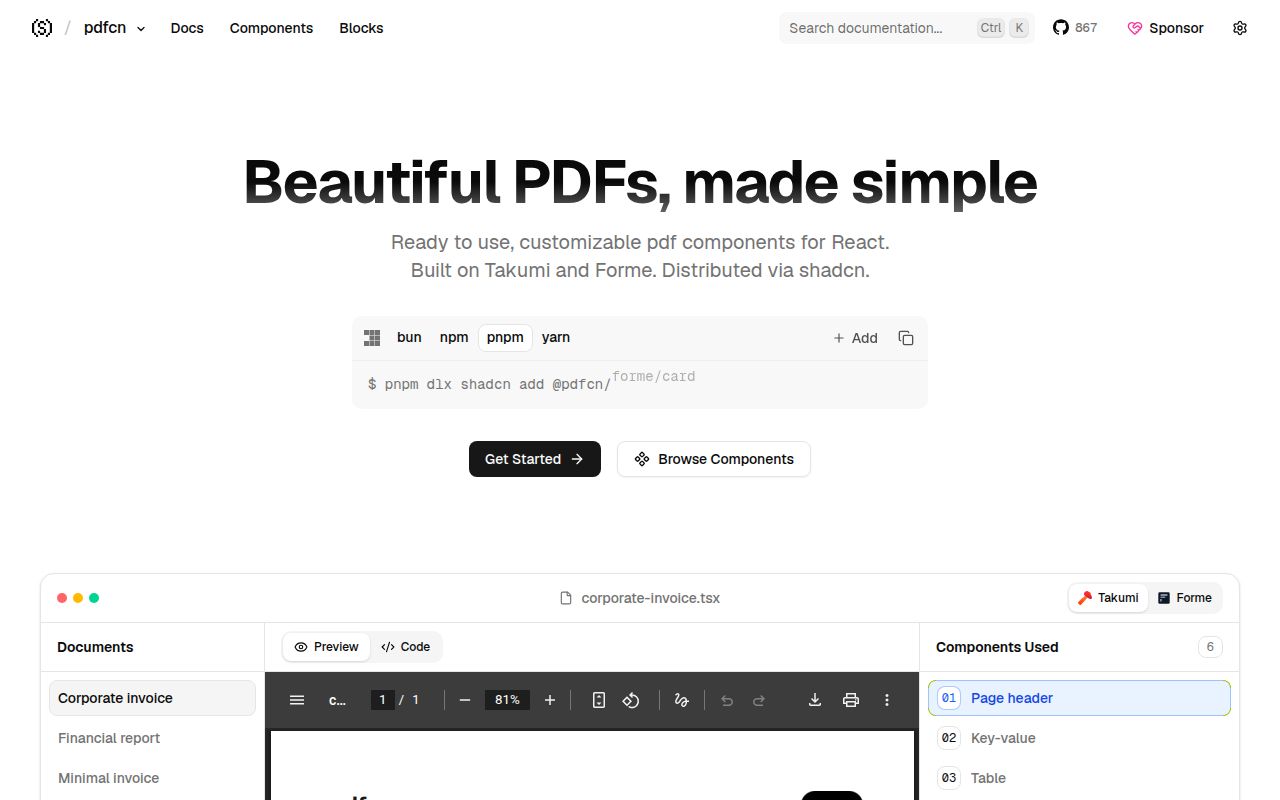
pdfcn follows the shadcn model: a registry command places component source inside your project, where the team can inspect and change it. That is different from installing a black-box PDF service or calling a hosted conversion API. The repository provides focused pieces for text, headings, tables, graphs, forms, page numbers, headers, footers, watermarks, signatures, QR codes, lists, images, and layout control. It also includes complete invoice and report blocks for teams that need a useful starting document rather than a blank renderer.
Owning the code is valuable when brand rules or document quirks require local changes. It also transfers maintenance to the adopter. A copied table will not receive upstream fixes until someone compares or reapplies changes, and a customized invoice can drift from its registry source. Teams already comfortable with shadcn/ui will recognize that bargain. Teams expecting conventional semantic-version upgrades may prefer a normal package whose components remain behind an imported API.
Two renderers give choice and duplicate decisions
The same component families are documented for Takumi and Forme. pdfcn calls these its two rendering bases and provides blocks under each. That lets a team choose the engine that suits its runtime and output needs without abandoning the higher-level component vocabulary. It also means renderer choice is a design decision the registry cannot make for you. Font handling, supported layout behavior, image loading, pagination, and deployment characteristics need testing with the selected base and the actual documents.
The repository's package manifest used Takumi PDF 0.11.0 and Forme packages 0.10.5 when we inspected it. Those are implementation details of the reviewed checkout, not promises that both engines behave identically. A component name shared across two folders does not prove byte-for-byte output or equal feature support. Before standardizing, render the same difficult sample through the intended base: long tables, missing fields, non-Latin text, remote images, page breaks, and the largest document the application expects.
What happened when we ran it
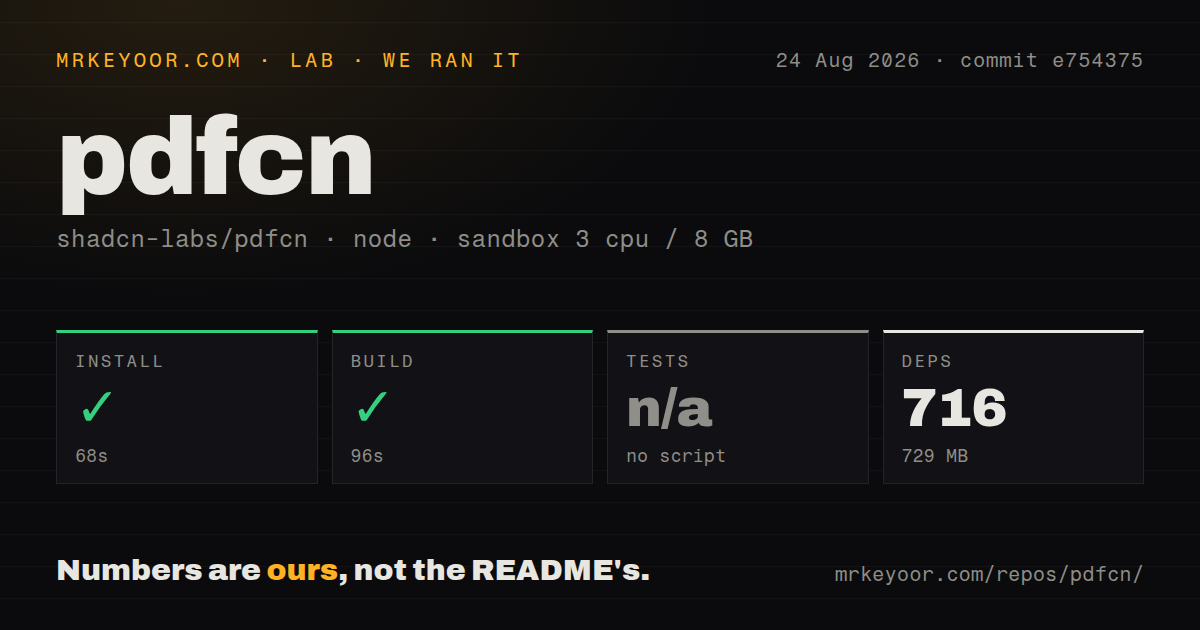
Our commit e754375 checkout installed 716 pnpm packages in 68 seconds on Node 22 and occupied 729 MB. The production build succeeded in 96 seconds. The checkout contained 653 files, about 40,443 lines of source, and 3.7 MB of repository data. Installation size mainly reflects the documentation site, registry tooling, both renderers, and the wider frontend toolchain; it should not be read as the size of one copied component in a consumer application.
There was no test script or target, so our harness skipped tests. The repository had 1 CI workflow file, no Dockerfile, no tests directory, and monorepo workspaces. The contribution guide asks developers to run TypeScript checking plus formatting and lint checks, and says those checks run in CI. Static checks are useful, but they do not replace visual or semantic PDF assertions. We did not receive a test count or document-output comparison from this run, so the successful build is the strongest execution signal we have.
A 729 MB repository install needs context
Consumers copy selected source rather than shipping the whole documentation repository, so the 729 MB installation should not be presented as the cost of adding one PDF table. It is still relevant to contributors, registry maintainers, and teams planning a fork. The root application includes Next.js 16.3.0, React 19.2.5, documentation tooling, syntax highlighting, PDF previews, the shadcn CLI, TypeScript 6.0.3, and both generation bases. A contributor is maintaining a documentation site, registry builder, examples, and component source together.
The build order also matters. pnpm build first runs shadcn build to produce registry artifacts and then builds the Next.js site. Our 96-second success shows that path worked at commit e754375 in a fresh container. It does not prove a copied block will render correctly inside every Next.js, serverless, browser, or Node deployment. The host application owns its runtime boundary and should add a smoke test that generates and opens a representative PDF.
Invoices and reports save the most initial work
The component catalog is useful, but the finished blocks are the stronger reason to try pdfcn. The documentation tree includes classic, consultant, corporate, creative, minimal, and modern invoices for both renderers. It also has financial, marketing, operations, and security report layouts. A team can start from a document with hierarchy and spacing already decided, then replace types, data, colors, fonts, and sections. That is much faster than assembling every line, total, header, and page rule from primitives.
Templates can also create false confidence. Invoice requirements vary by jurisdiction, reports need accessible reading order and correct chart labels, and a good preview with sample data may break on unusually long customer names or hundreds of rows. pdfcn provides presentation code, not legal, accounting, accessibility, or archival guarantees. The adopter should validate those obligations with real fixtures and compare generated documents, ideally at both the text-extraction and rendered-image levels.
August activity is current, while release history is absent
The repository was pushed on August 25, 2026. GitHub reported 870 stars, 2 open issues and pull requests, an MIT license, and no latest release. A small queue is encouraging only in a limited sense; it may also reflect a young audience. The initial changelog entry is dated August 13, and the absence of GitHub releases means adopters should pin copied registry inputs or record the commit used for each import.
React-pdf is the clearest alternative when a team wants a maintained renderer library and will build its own design system. PDFKit and jsPDF suit imperative generation without React. pdfcn earns its place when the missing layer is reusable document design rather than raw PDF capability. Our build passed, the docs expose both component and block source, and the MIT license permits adaptation. The missing automated test target means your application must supply the confidence that the registry itself did not demonstrate in our run.